Login Authentication Overview
When users log in to Aloudata CAN, the system verifies the submitted credentials to keep the system secure.
The system supports three authentication methods. Administrators can choose the appropriate method based on business requirements.
Access Path
In the top navigation bar, click Management Settings. In the left navigation menu, select User Roles > Login Authentication to view the following authentication methods:
- Platform account and password authentication (default)
- HTTP authentication
- WeCom authentication
1. Built-in Platform Authentication

| Item | Description |
|---|---|
| Platform Account and Password Authentication | - Enabled by default and cannot be disabled. - The super administrator account cannot be deselected. - For manually added accounts and synchronized accounts, you can choose whether to enable this method. If it is deselected, the account cannot log in with platform account and password authentication. |
2. HTTP Authentication
After HTTP authentication is enabled, click Add HTTP Authentication in the upper-right corner to configure it.
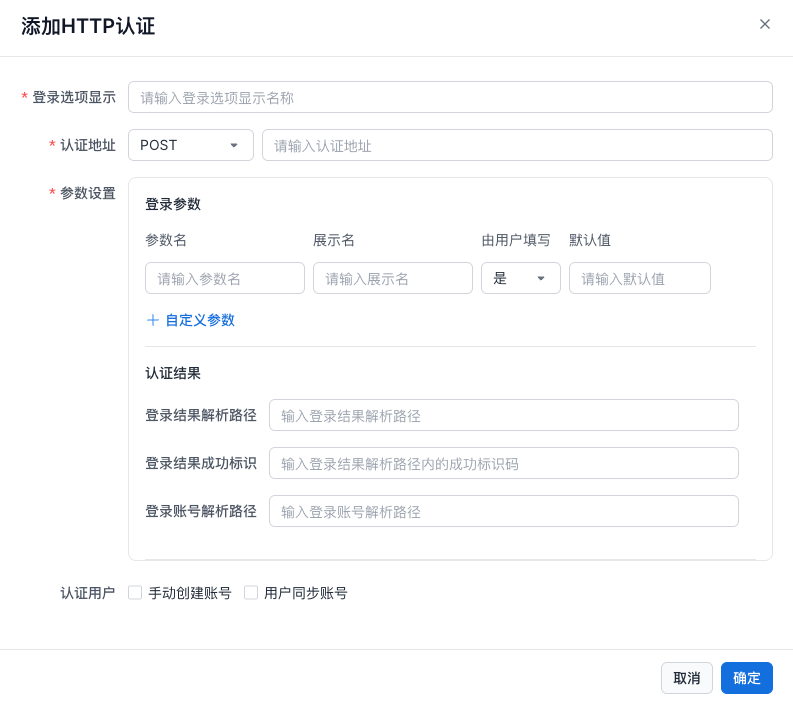
Configuration Items
| Parameter | Description |
|---|---|
| Login Option Display | The display name of the HTTP login option. |
| Authentication URL | - Request method: POST and GET are supported. - Request URL: The endpoint URL for HTTP login authentication. |
| Parameter Settings | - Login Parameters Parameter name: For example, username.Display name: The name shown in the UI. Filled in by user: Yes or No. If No, a default value must be set. Default value: The default input for the parameter. Custom parameters can be added. - Authentication Result Login result parsing path: For example, code.Success identifier: For example, 200.Login account parsing path: The path of the account field in the returned result. 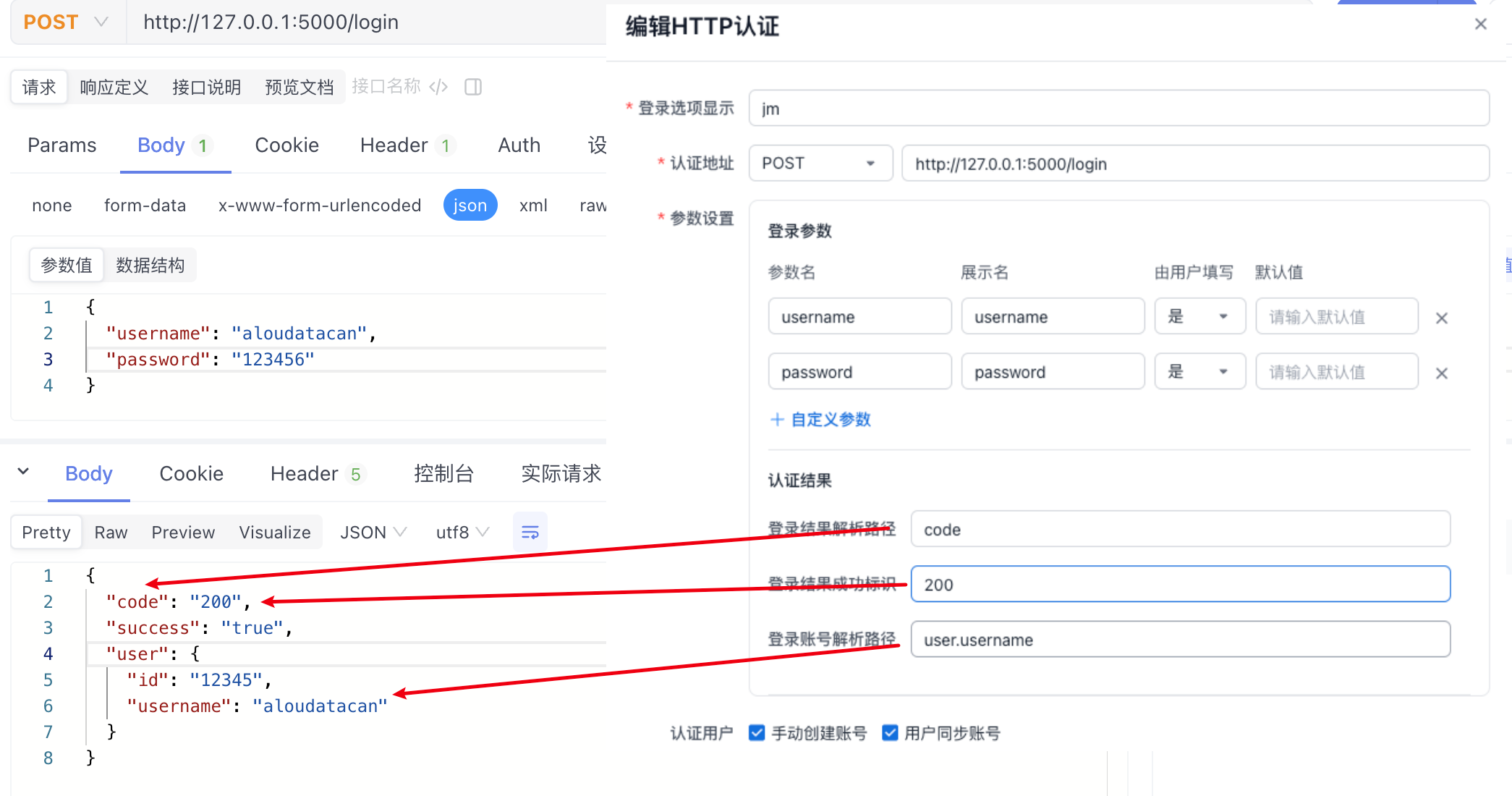 |
| Authentication Users | For manually added accounts and synchronized accounts, you can choose whether to enable this method. If it is deselected, the account cannot log in with HTTP authentication. |
3. WeCom Authentication

| Item | Description |
|---|---|
| WeCom Authentication | - Must be enabled manually. - Prerequisite: The office software has completed WeCom integration. - For manually added accounts and synchronized accounts, you can choose whether to enable this method. If it is deselected, the account cannot log in with WeCom authentication. |