Column-Level Permissions
Overview
-
Column-level permissions use a whitelist model. Only users who are explicitly authorized to access a controlled dimension can use that dimension for data analysis. Users without access to a specific dimension cannot use it in metric analysis.
-
Platform super administrators, platform administrators, metric owners, and metric administrators have full dimension access. These roles can view and use all dimensions under the specified metric.
Basic Concepts
Column-level permissions are granted through permission rules. A permission rule consists of the following elements:
| Configuration Item | Description |
|---|---|
| Applicable Members | Select individual users or user groups as permission recipients. |
| Effective Metrics | Configure permissions for specific metrics or for all metrics. |
| Available Dimensions | When specific metrics are selected, choose from their common dimensions. When all metrics are selected, choose from all dimensions supported by the system. |
Configuration Entry Point
Platform administrators configure column-level permissions in Management Settings.
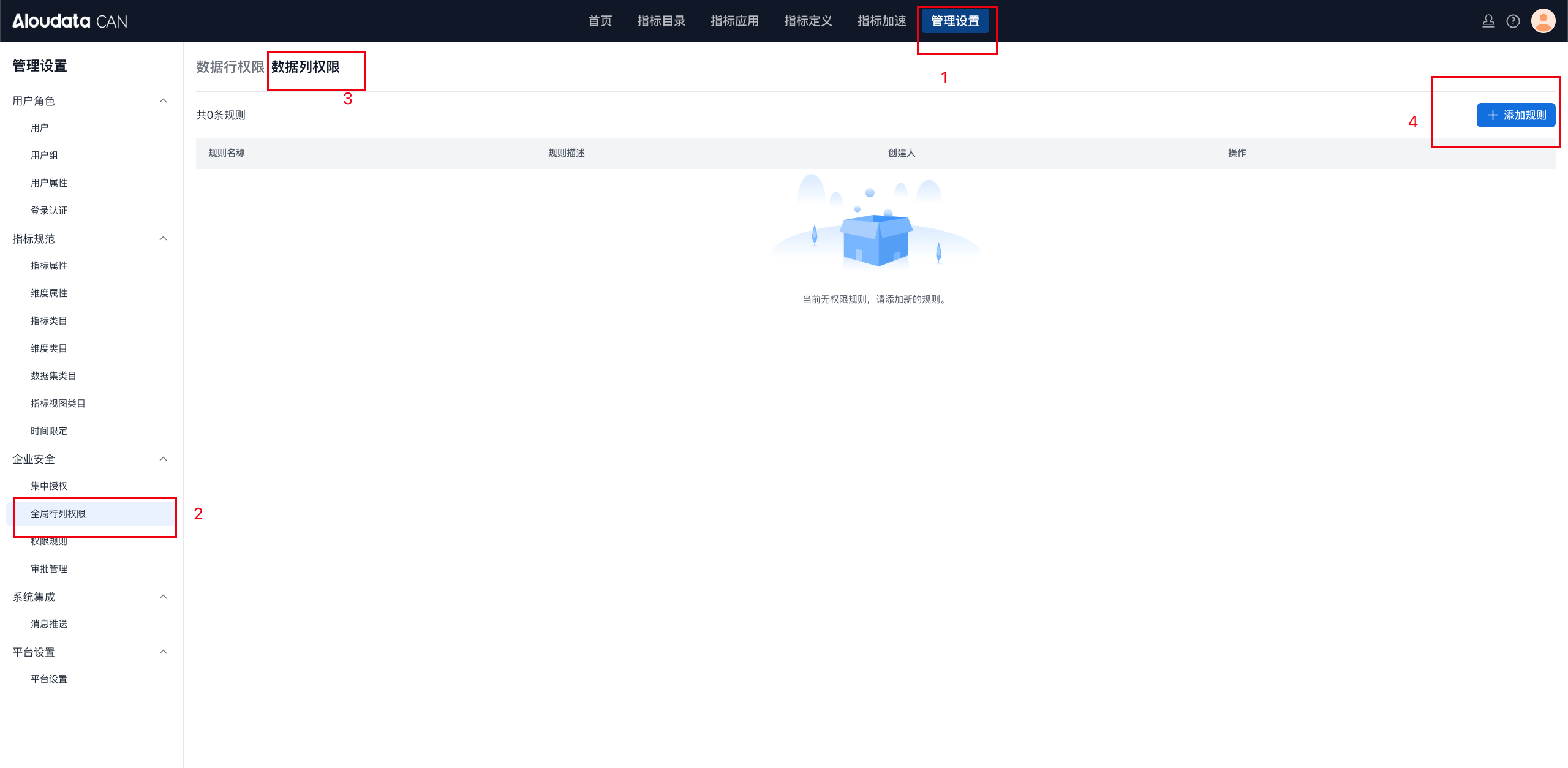
Column-level permission configuration window:
Permission Rules
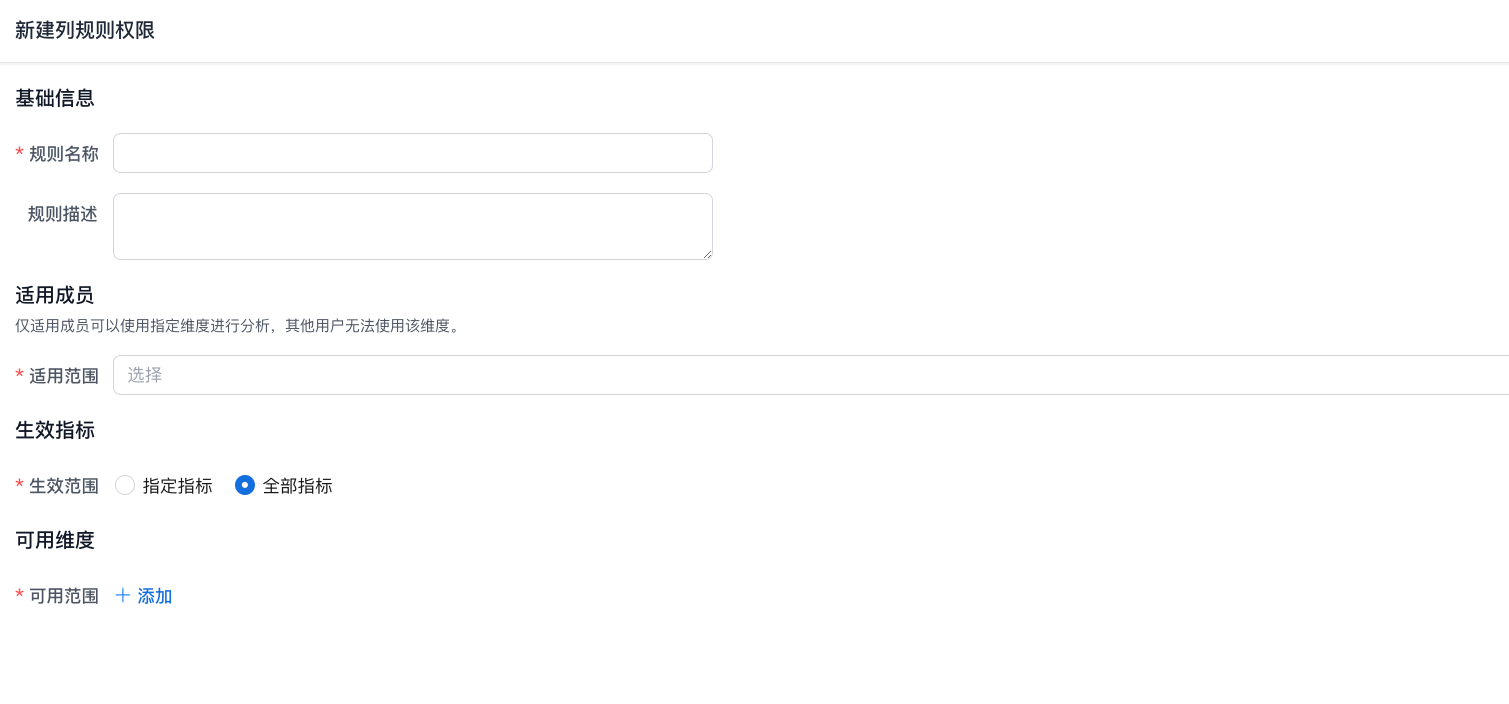
Permission rules include four sections: basic information, effective metrics, applicable members, and condition rules.
Basic Information
In the basic information section, name the column-level permission rule and add a description to make future maintenance easier.
Applicable Members

Select the applicable scope by user or user group. Only applicable members can use the specified dimensions for analysis; other users cannot use those dimensions.
Effective Metrics
You can select specific metrics or all metrics.
Available Dimensions
When specific metrics are selected, choose from the common dimensions of those metrics.
When all metrics are selected, choose from all dimensions.
Rule Examples
-
Example 1:
-
Metric M1 has four dimensions: D1, D2, D3, and D4.
-
Permission rule: User A can access dimension D1 of M1.
-
Result: When User A queries M1, D1, D2, D3, and D4 are visible. User B can see only D2, D3, and D4, assuming no other special settings exist.
-
Example 2:
-
M1 also contains dimensions D1 through D4.
-
Permission rules: User A has access to D1, User B has access to D2, and User A also has access to D1 and D3.
-
Result: User A can access D1, D3, and D4. User B can access only D2 and D4. User C, who has not been explicitly authorized, can see only the unrestricted dimension D4.
In these examples, multiple rules combine to create user-specific dimension access policies. Each controlled dimension follows the whitelist principle: only explicitly listed users can use it.
Interaction with Row-Level Permissions
A user may lose access to a dimension because of column-level permission controls, while that same dimension is still used for row-level permission filtering. In this case, the calculation process follows this order:
-
Apply row-level permission data filtering.
-
Check whether the query uses the restricted dimension. If it does, block the query.