Core Concepts
Overview
This page introduces the core concepts used in Aloudata CAN. Understanding these terms will make it easier to work with the metric platform.
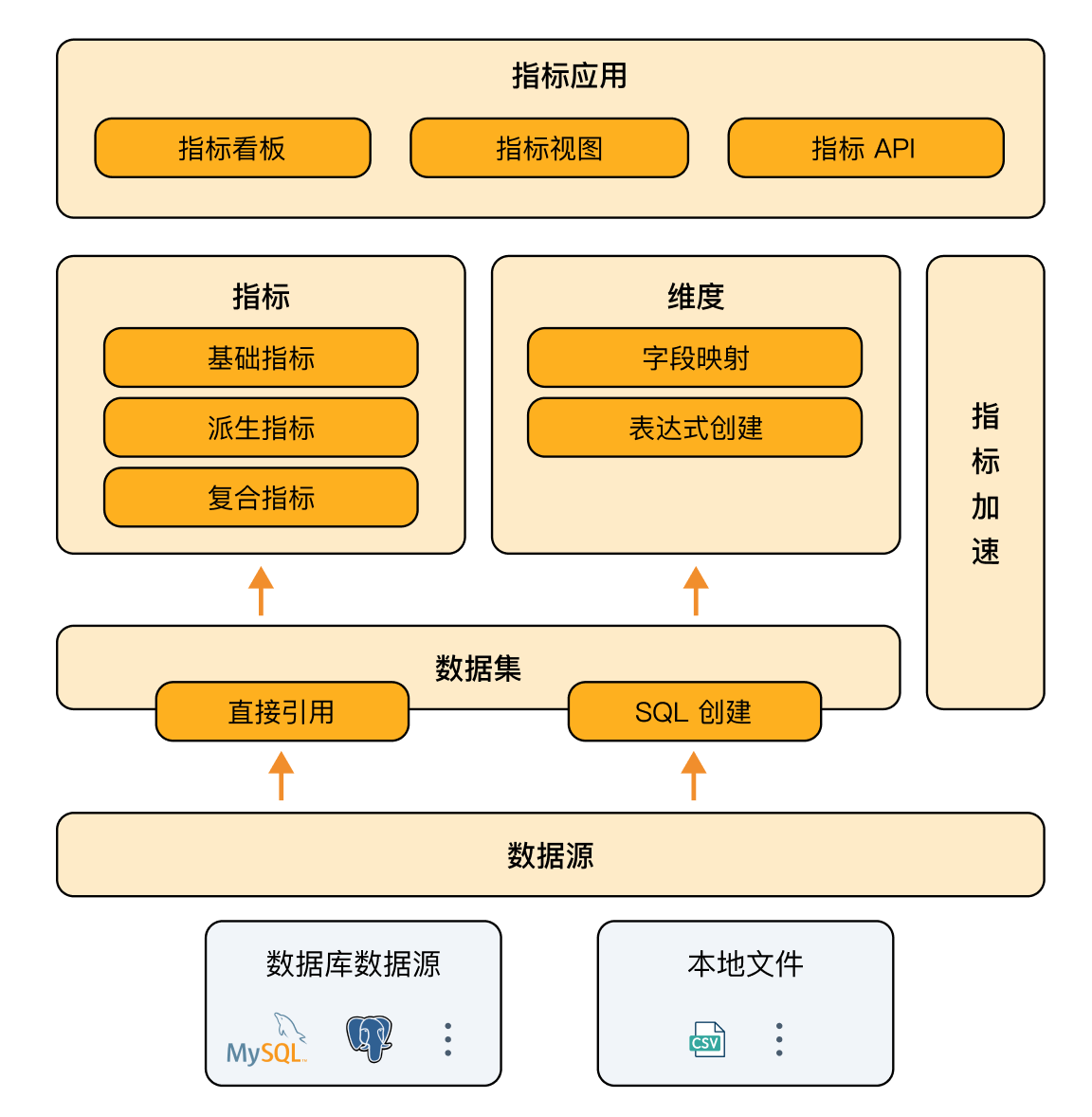
Data Source
Data sources are the foundation of the metric platform. Aloudata CAN uses StarRocks or Doris as the built-in computation and acceleration engine. External databases can also be connected to the platform through external table capabilities.
| Concept | Description |
|---|---|
| Internal table | Data is imported into the storage engine of StarRocks or Doris. |
| External table | Data is connected to the engine through the external table capability of StarRocks or Doris. |
Dataset
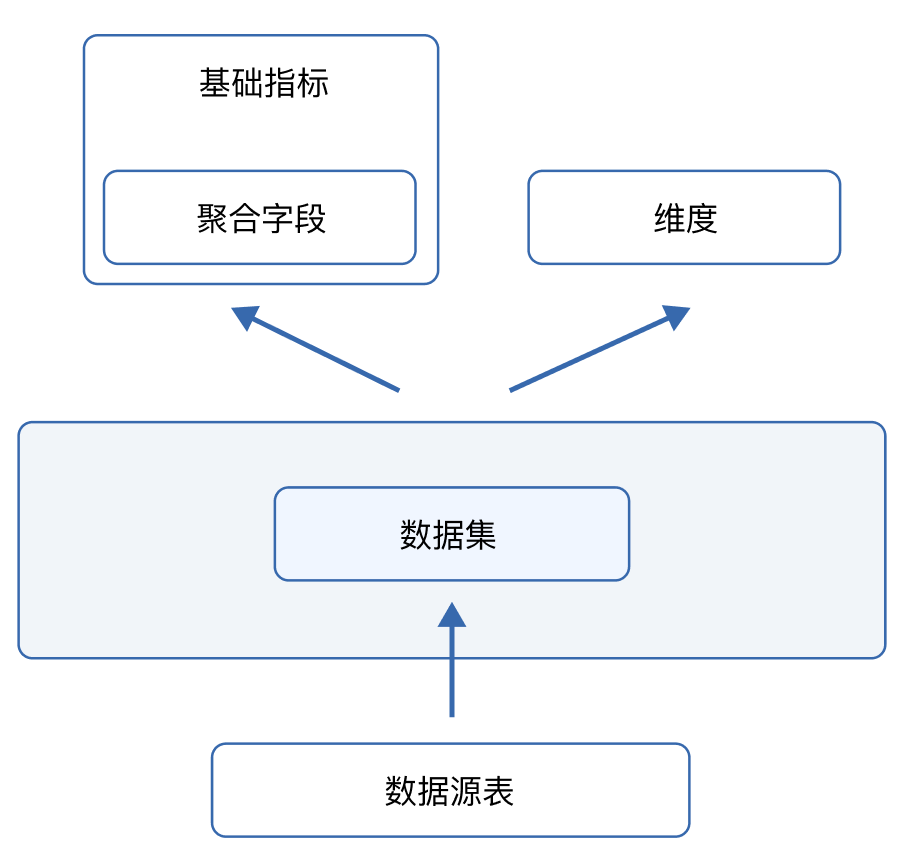
Datasets are created from data sources. A dataset can be created by selecting an existing data source table or by using custom SQL.
Dataset Relationships
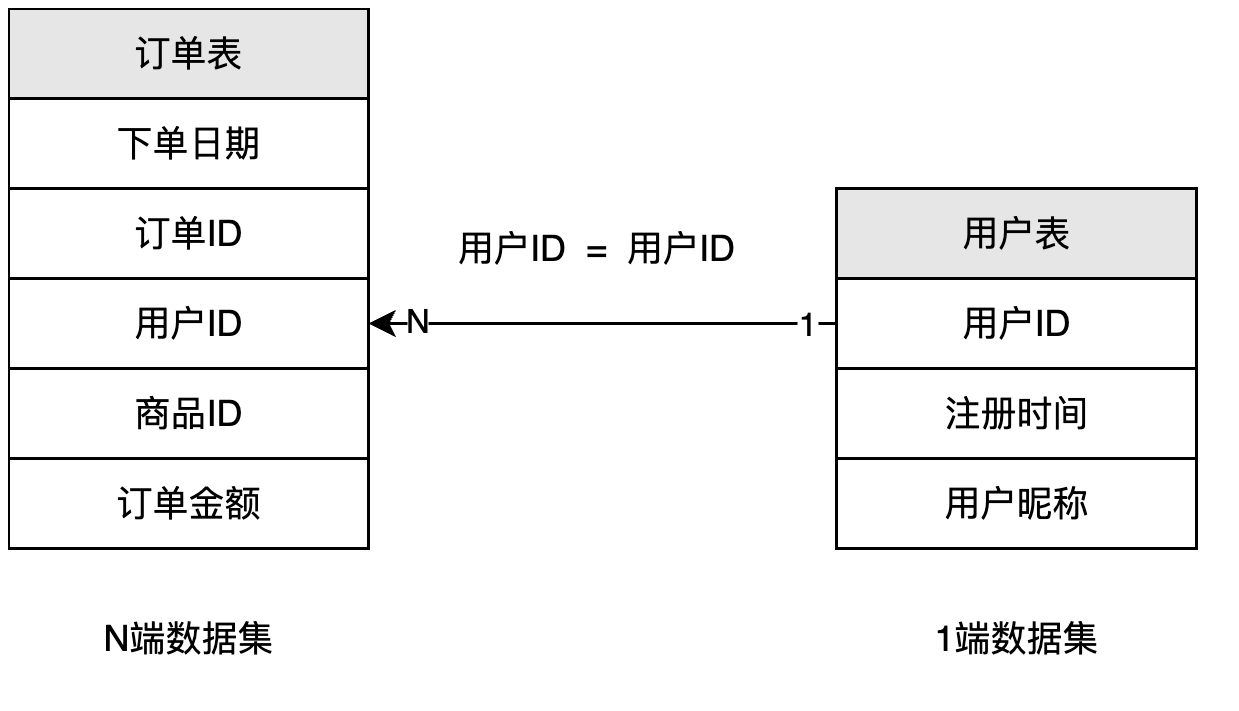
Datasets can be connected through relationships to form a data model. This model is the foundation for connecting metrics and dimensions in the platform.
| Concept | Description |
|---|---|
| Relationship | A relationship connects two datasets. It includes join fields, cardinality, and direction. Join fields define how matching fields from two datasets are connected. Cardinality describes the quantity relationship between those fields. For example, field A N:1 field B means that multiple records in dataset A can match one record in dataset B. Direction describes how data flows between the two datasets, usually from the 1 side to the N side. |
Important
Example: Order table / Product ID N:1 Product table / Product ID means each product ID in the product table can match multiple order records in the order table.
Dimension
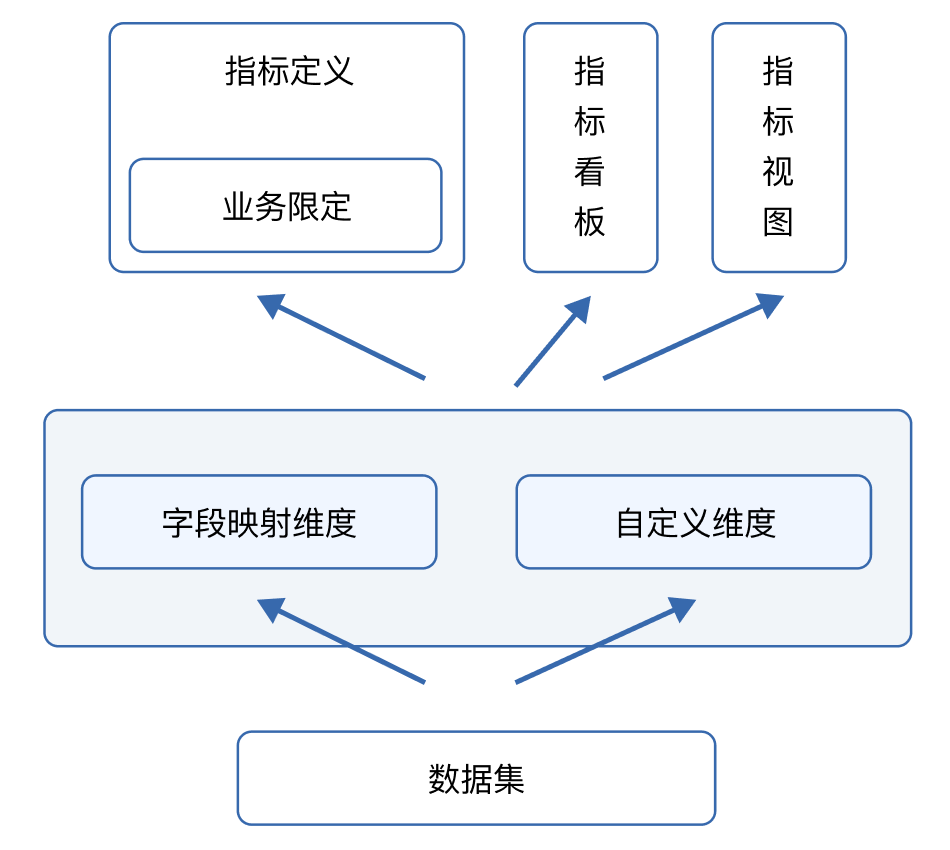
A dimension is an entity generated from fields in a dataset. In Aloudata CAN, dimensions can be created by directly mapping a field or by using a custom expression.
Metric
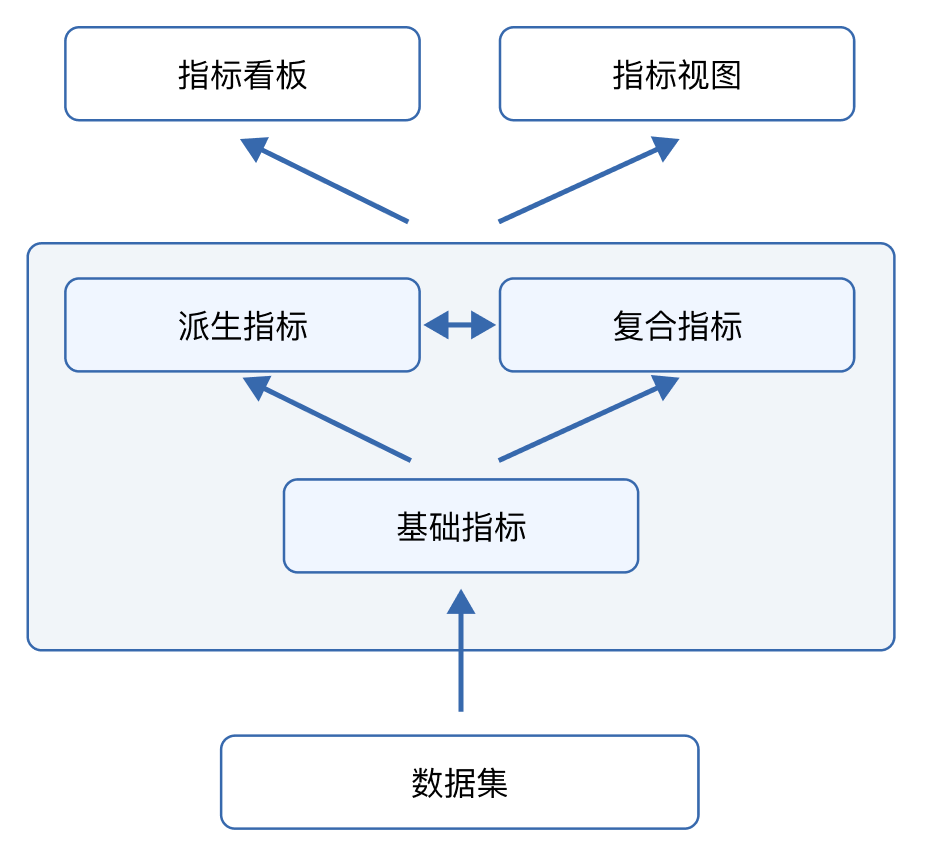
A metric is a business indicator defined from a dataset. Aloudata CAN supports three types of metrics for different levels of complexity.
| Concept | Description |
|---|---|
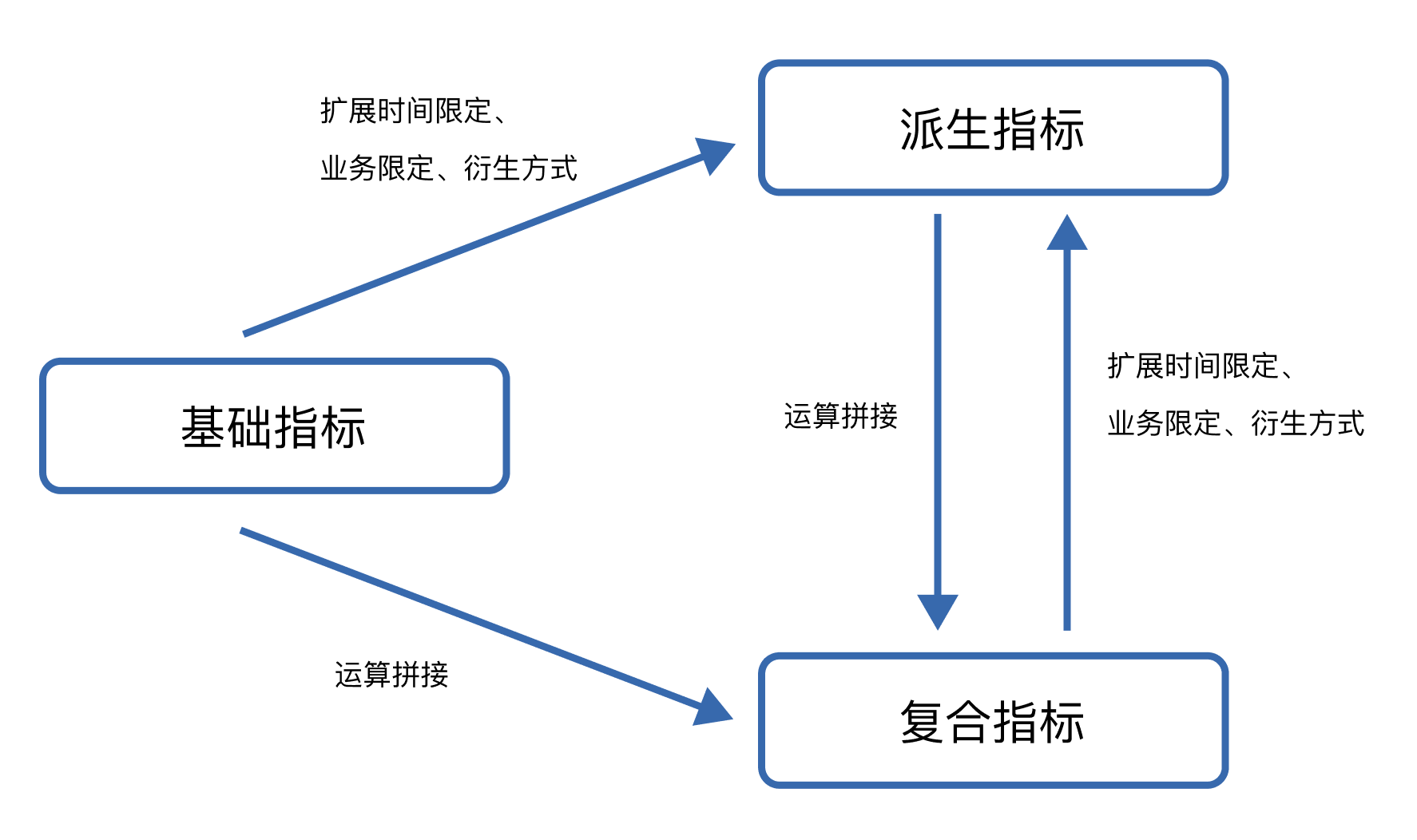
| Basic metric | A basic metric aggregates a field from a dataset. |
| Derived metric | A derived metric is created from a basic metric by adding time constraints, business constraints, or derivation methods. Time constraints define the calculation period, such as the last 7 days or month to date. Business constraints add dimension filters, such as Order channel = Online. Derivation methods include period-over-period comparison, share, and ranking. |
| Composite metric | A composite metric combines basic or derived metric results through arithmetic operations and functions. |
Metric View
A metric view is a two-dimensional table generated from selected metrics, dimensions, and filters. It can be used in Aloudata CAN to explore metric results, or connected to BI tools such as Tableau and Guandata BI.
A metric view is a virtual table in the semantic layer. It is not physically created in the data source. Each metric view is stored in a Catalog and Schema created by the semantic layer and can be accessed through JDBC.
Materialized Acceleration
Aloudata CAN can precompute data into materialized views according to analysis needs. When a metric is queried, the system automatically chooses suitable materialized data based on data freshness and rewrites the query SQL to accelerate the result.
| Concept | Description |
|---|---|
| Field detail acceleration | Select fields from multiple datasets and merge them into a precomputed wide table. Queries can use this wide table for acceleration. |
| Metric-dimension acceleration | Select combinations of metrics and dimensions and precompute metric results for those dimensions. When a query matches the accelerated metric and dimensions, the pre-aggregated data can be used for acceleration. |