Request Metric Permissions
This section explains how to request permissions to use and manage metrics.
Prerequisites
Metric permission requests must be enabled in metric approvals. Otherwise, the Request Permissions entry is not shown in the upper-right corner of the metric details page.
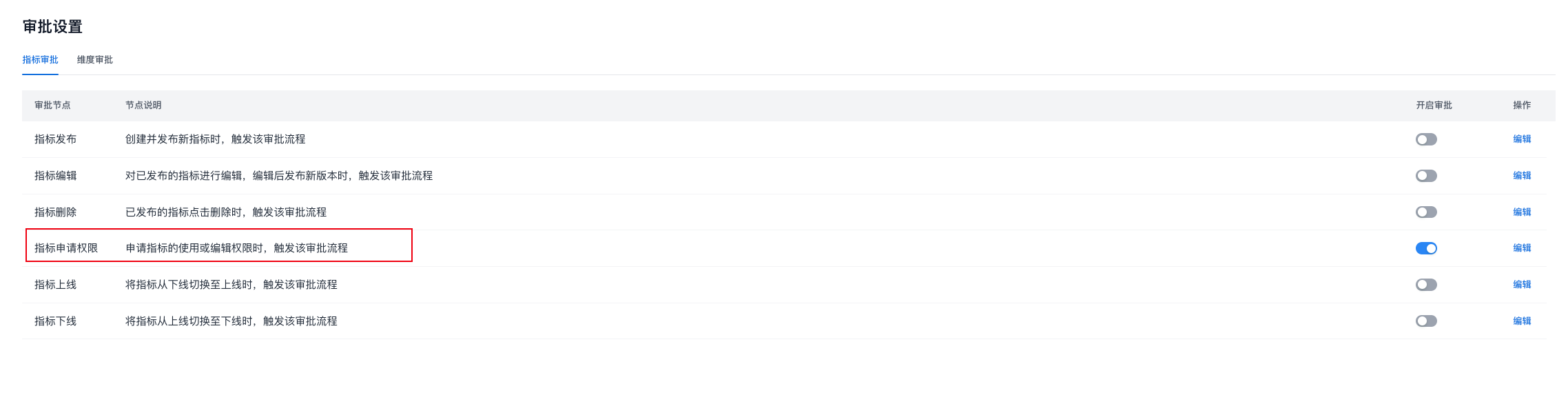
Procedure
Entry Point
In the top navigation bar, select Metric Definition -> Metrics in the left navigation bar, select a metric from the metric list, and click Request Permissions in the upper-right corner of the metric details page, as shown below.
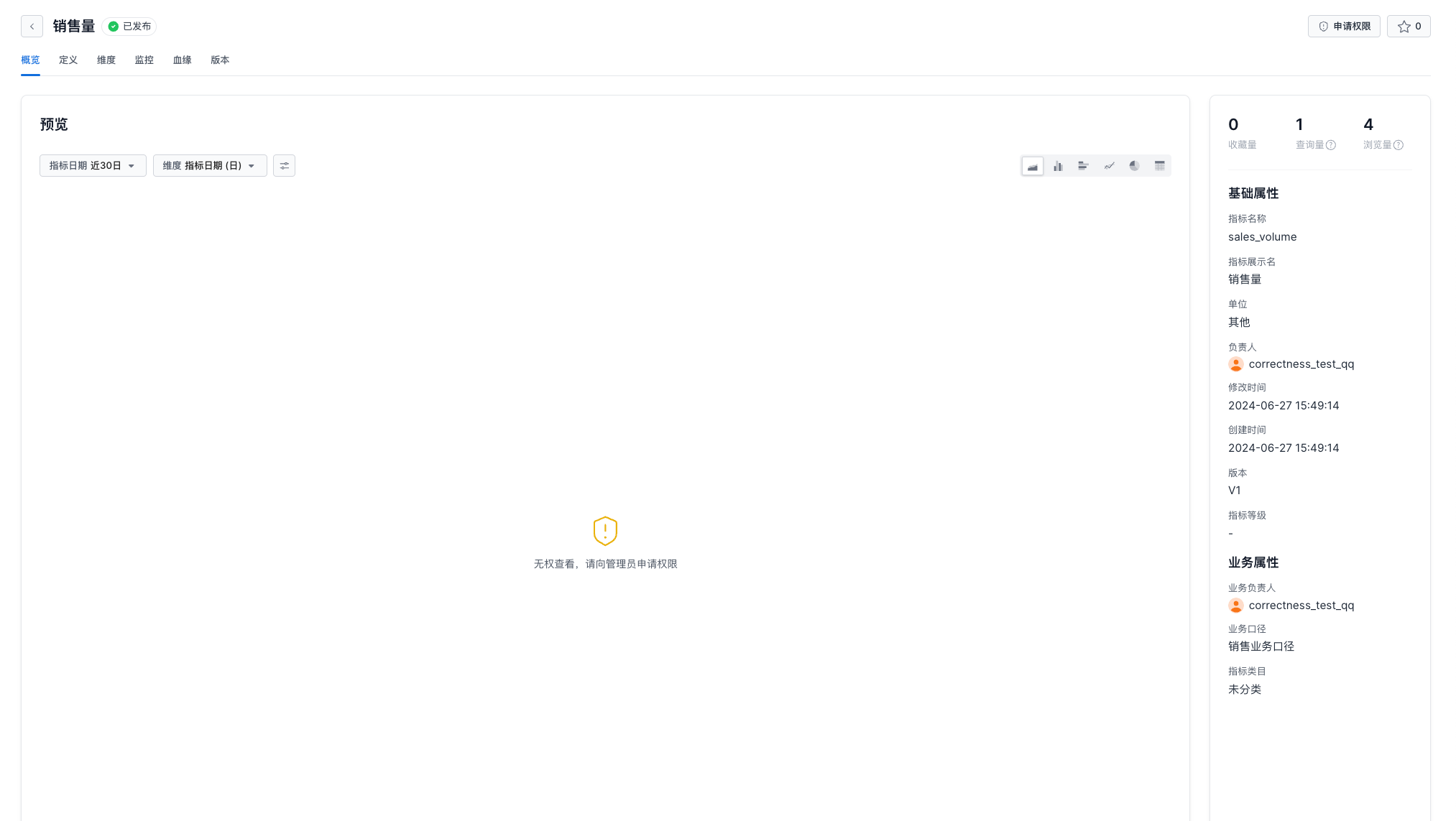 ‘
‘
Permission Type
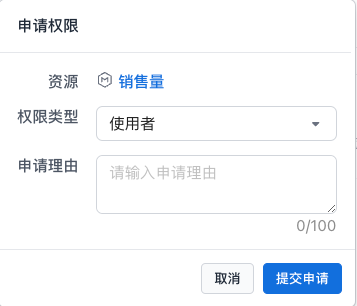
| Parameter | Description |
|---|---|
| Permission Type | * Administrator: grants user, edit, row-level permission, and dimension permission capabilities * User: query metrics. After user permissions are approved, you can continue to request administrator permissions |
| Request Reason |
Permission Approval in Progress

The metric permission request is completed after it passes each step in the approval workflow.