Create a Calculated Field
Overview
Calculated fields allow you to create custom fields based on an existing dataset.
Procedure
Entry Point
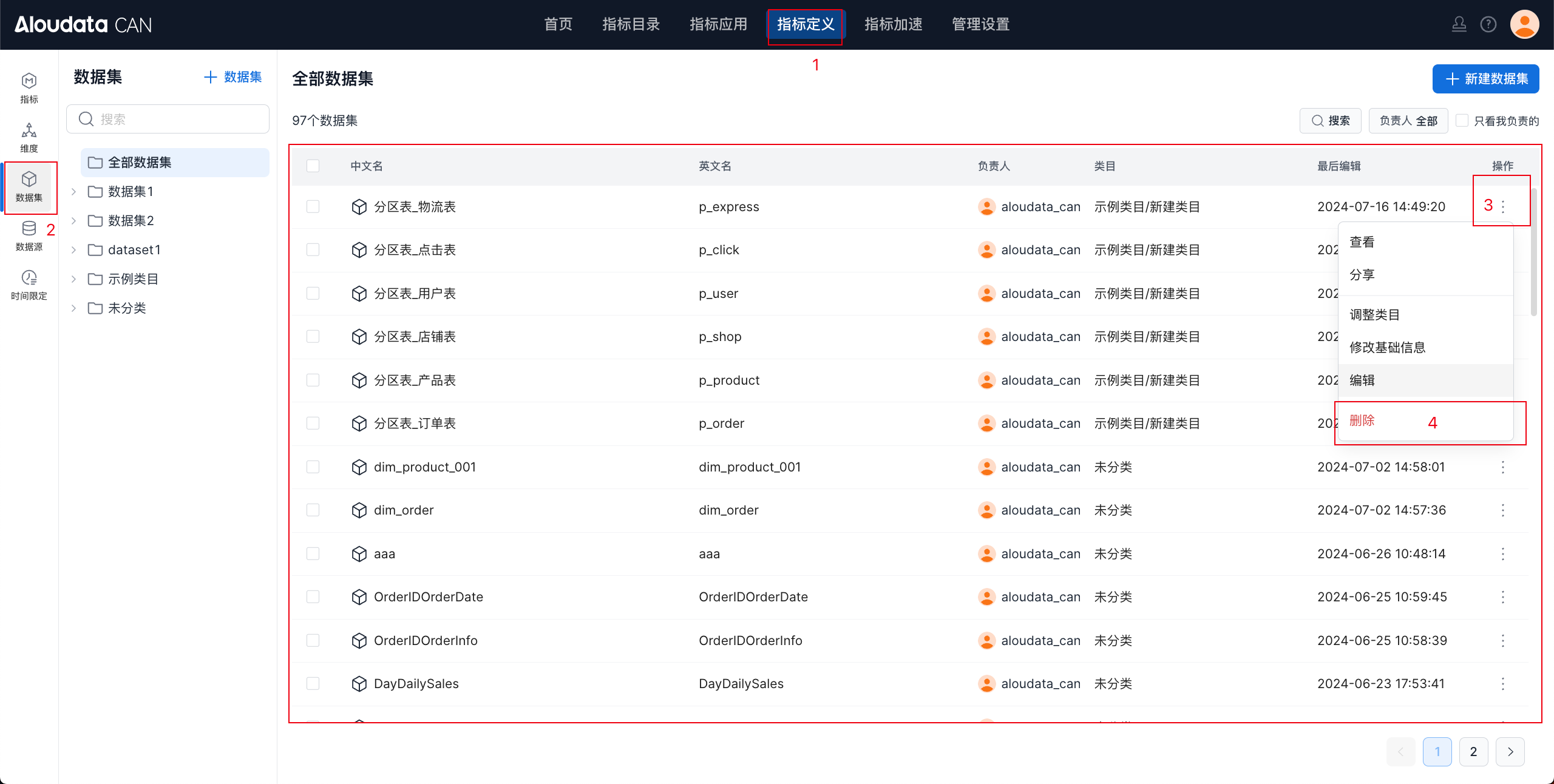
In the left navigation bar, select Datasets. In the dataset list, click ⋮ in the actions column and select Edit to open the dataset editing page shown below.
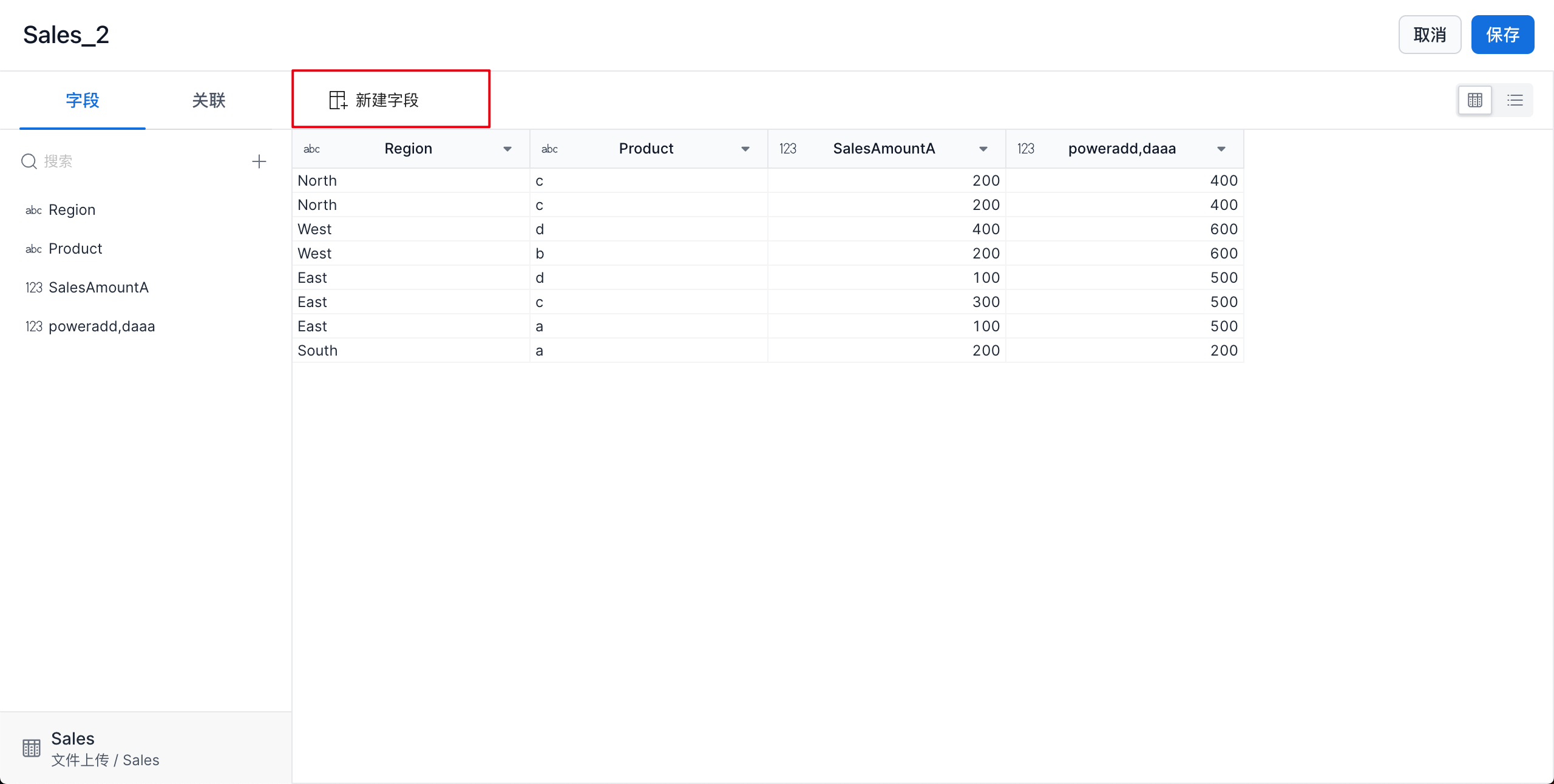
Click New Field to open the field creation page.
Add a Field
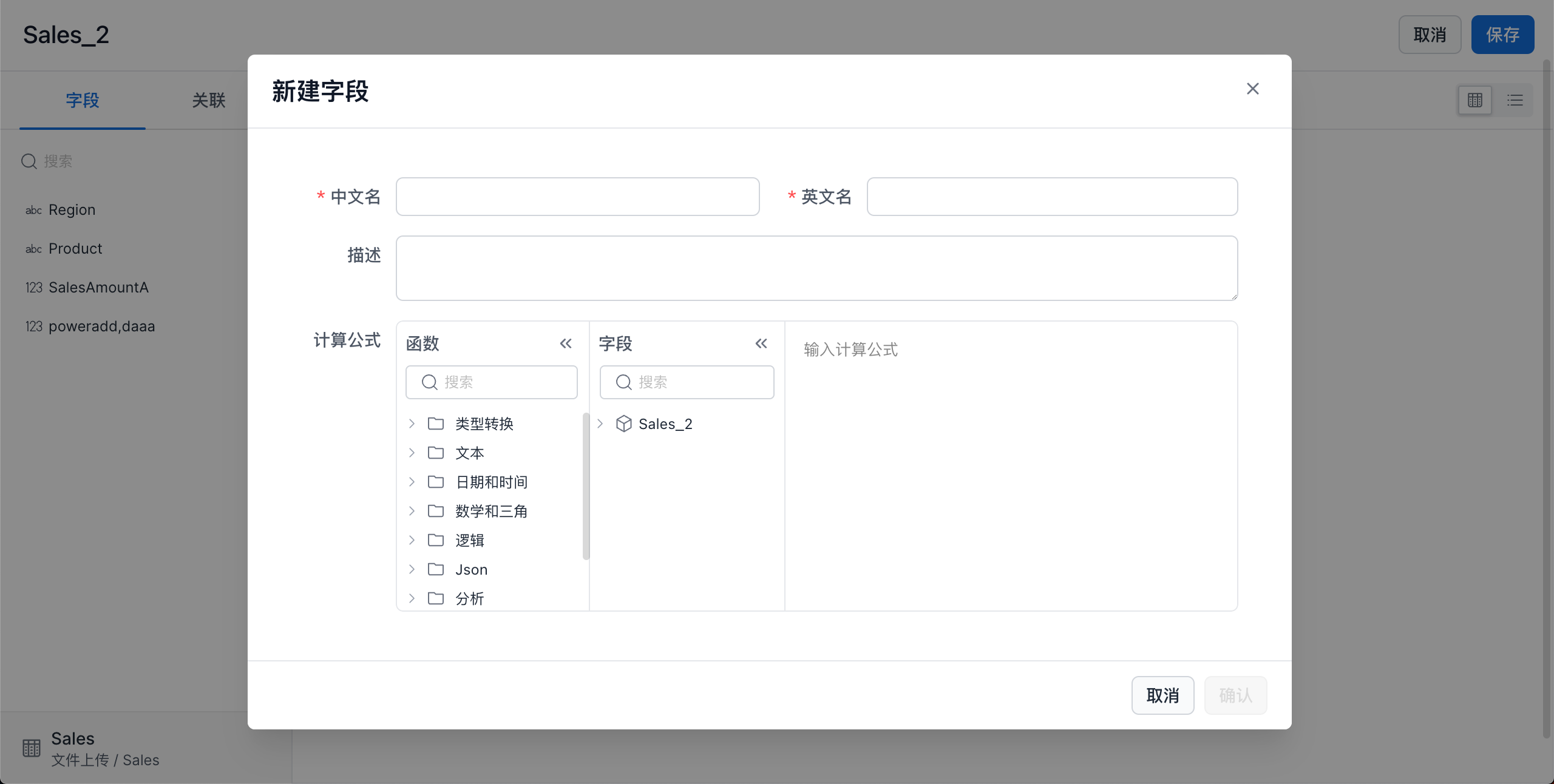
| Item | Description |
|---|---|
| Chinese name | Must be unique within the dataset and no longer than 50 characters. |
| English name | Supports letters, numbers, and underscores (_). Must be unique within the dataset and no longer than 50 characters. |
| Description | Field description, up to 300 characters. |
| Calculation formula | Formula for the field. A new field can only reference fields in the current dataset. |
Save the Calculated Field
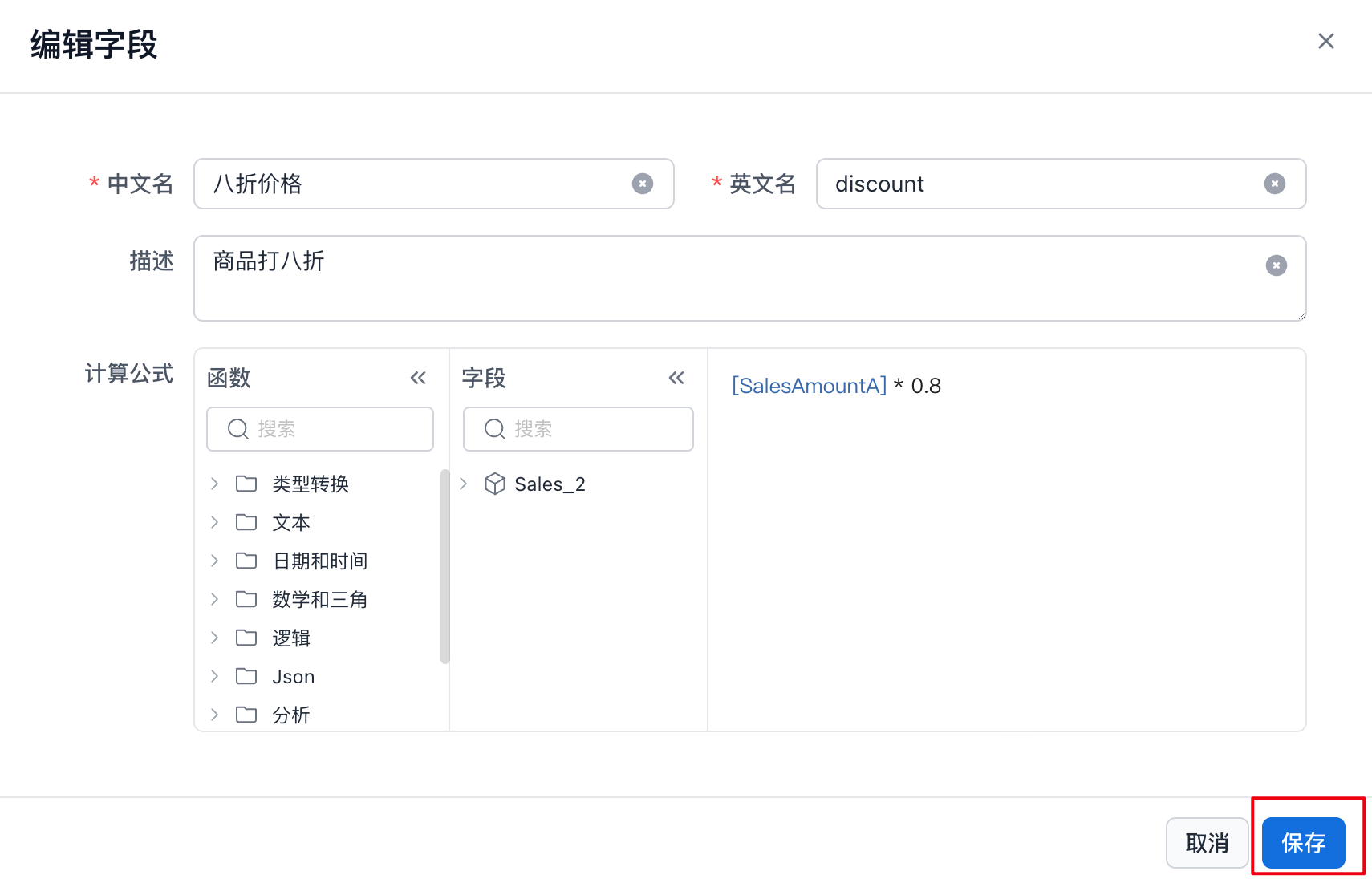
After completing the form, click Save. A preview of the new field is displayed, as shown below.
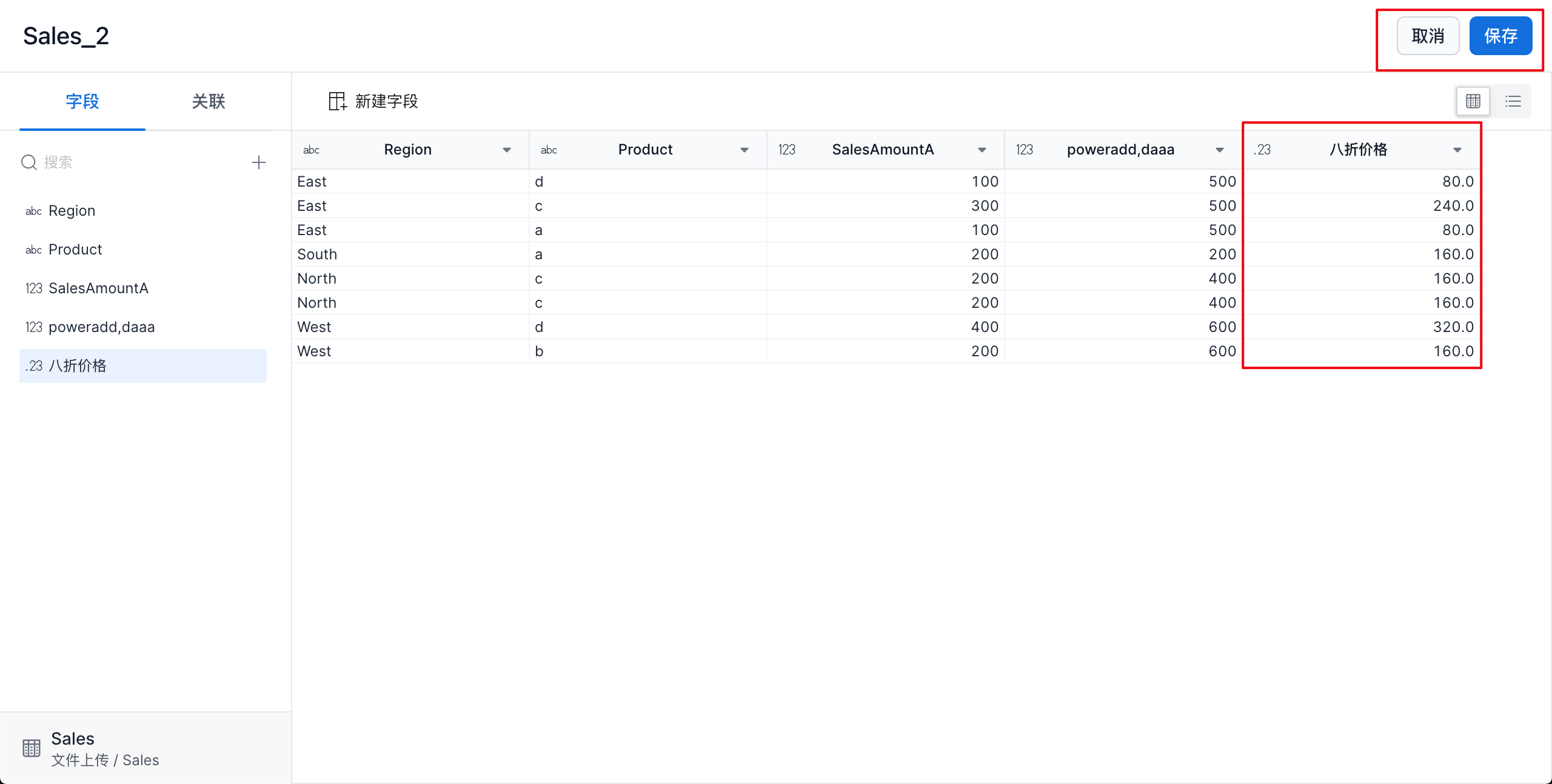
Click Save in the upper-right corner, then enter the basic dataset information in the pop-up window to finish creating the field.
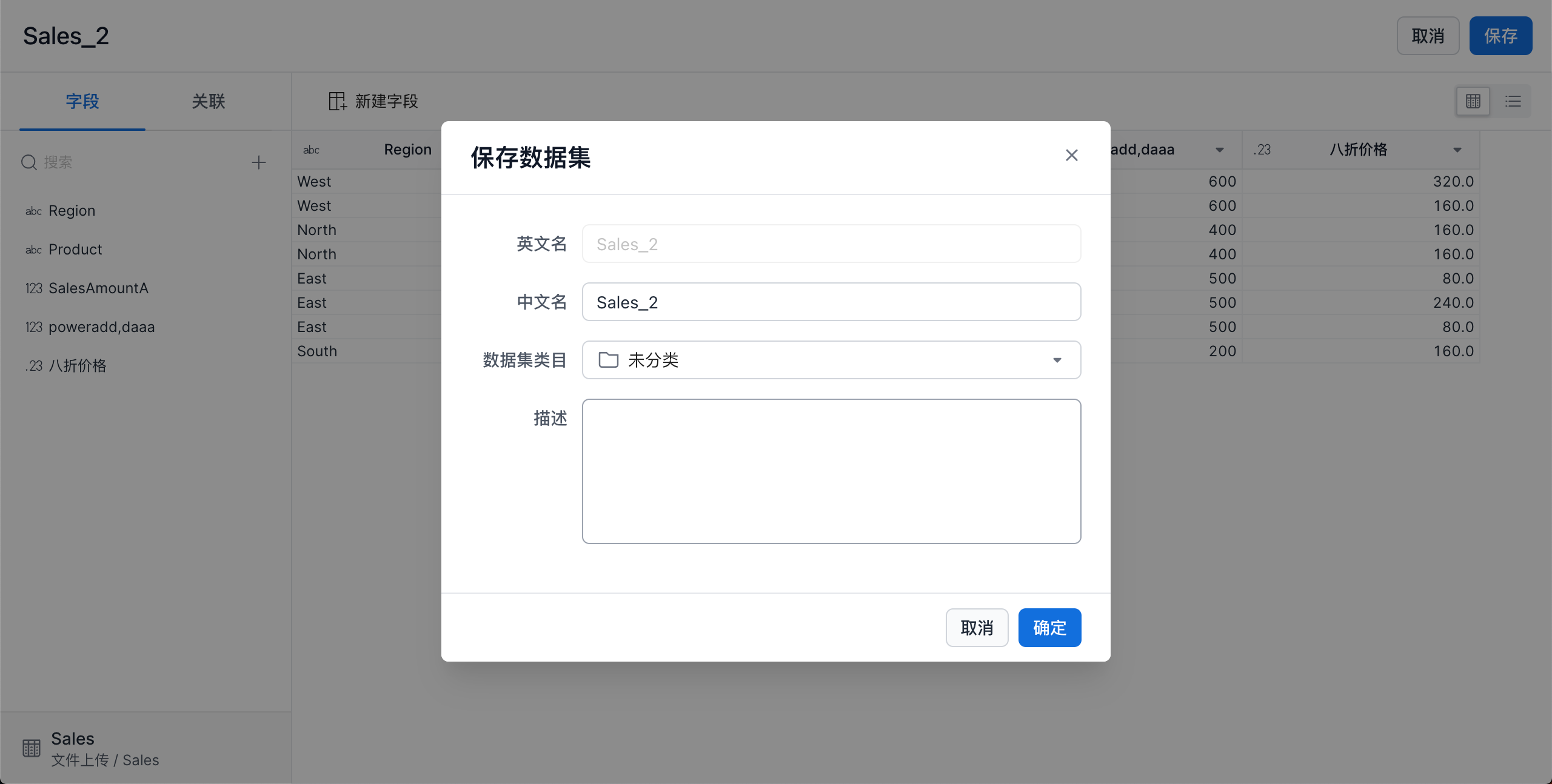
| Item | Description |
|---|---|
| English name | Cannot be changed. |
| Chinese name | Must be unique within the dataset and no longer than 50 characters. |
| Data category | Select the category where the dataset will be stored from the drop-down list. |
| Description | Field description, up to 300 characters. |