Calculation Mechanism Overview
Basic Concepts
Metric Query

When querying metrics, the system uses the selected metrics and dimensions, resolves them through the data model, and converts them into the corresponding SQL statement for execution.
-
Query parameters mainly include
metrics (required)anddimensions (optional). -
Metrics: specify the query result.
-
Dimensions: group or filter the result.
-
Based on the
data modelthat contains themetricsanddimensionsused in the query, the system dynamically generates the SQL statement. -
The query SQL is submitted to the execution engine, which calculates and returns the result.
Data Model
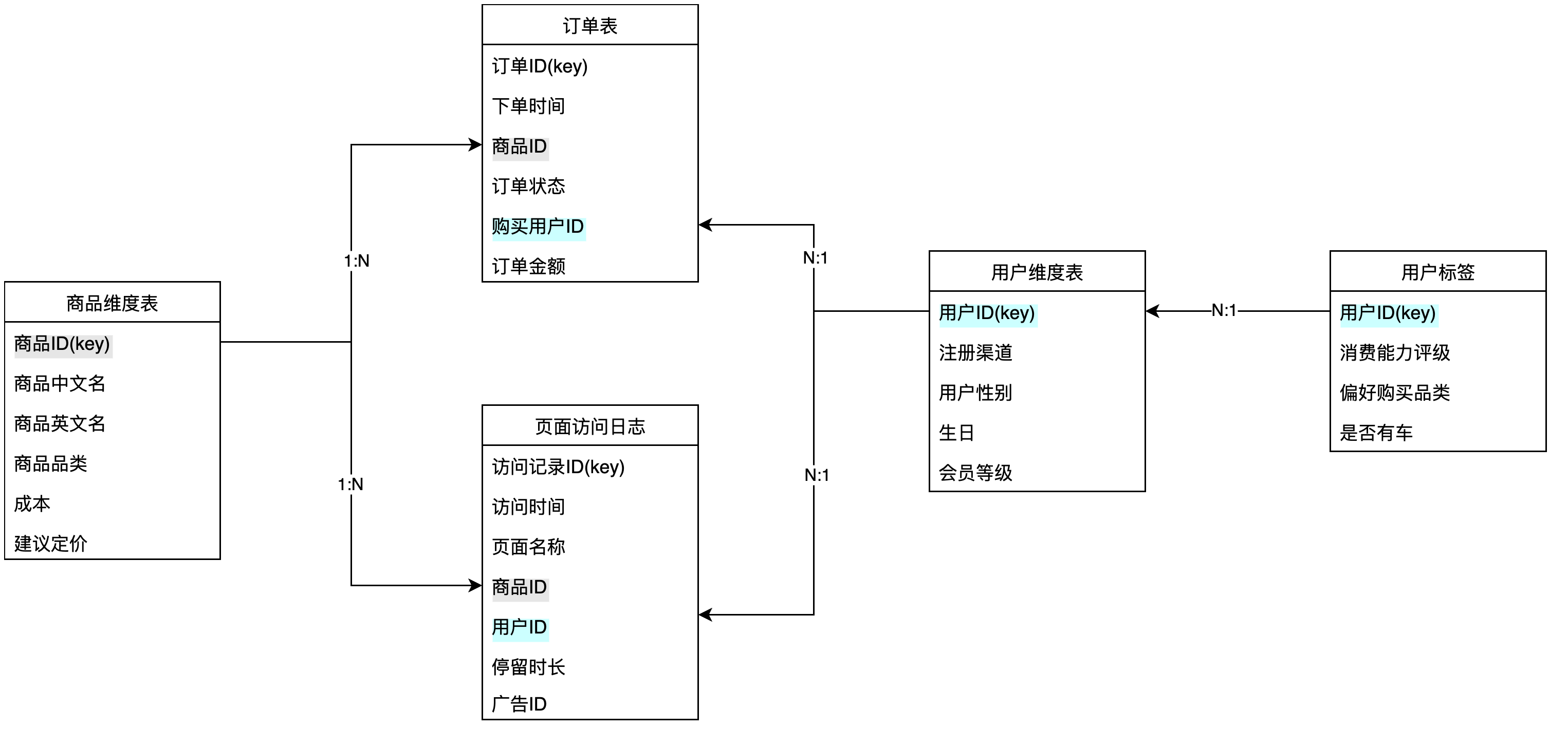
Relationships
Relationships are the core concept of a data model. Multiple datasets are connected through relationships to form a data model.
Using the Product Dimension Table and Order Table in the image above as an example:
| Term | Description |
|---|---|
| Join fields | The join fields between the two datasets are [Product Dimension Table/Product ID] and [Order Table/Product ID]. |
| Relationship direction | The diagram shows a 1:N relationship. For this relationship, Product Dimension Table is the 1-side of Order Table, and Order Table is the N-side of Product Dimension Table. |
Description
The 1-side and N-side are relative. For example, User Dimension Table is the N-side relative to Order Table and Page Visit Log, but may be the 1-side relative to User Tags.
Relationship Propagation
Before understanding relationship propagation, you need to know the following background information.
Every metric and dimension defined in the metric platform can be traced to its owning dataset.
Owning datasets for metrics:
| Metric Type | Owning Dataset |
|---|---|
| Basic metric | The dataset selected when the metric is defined is the owning dataset. 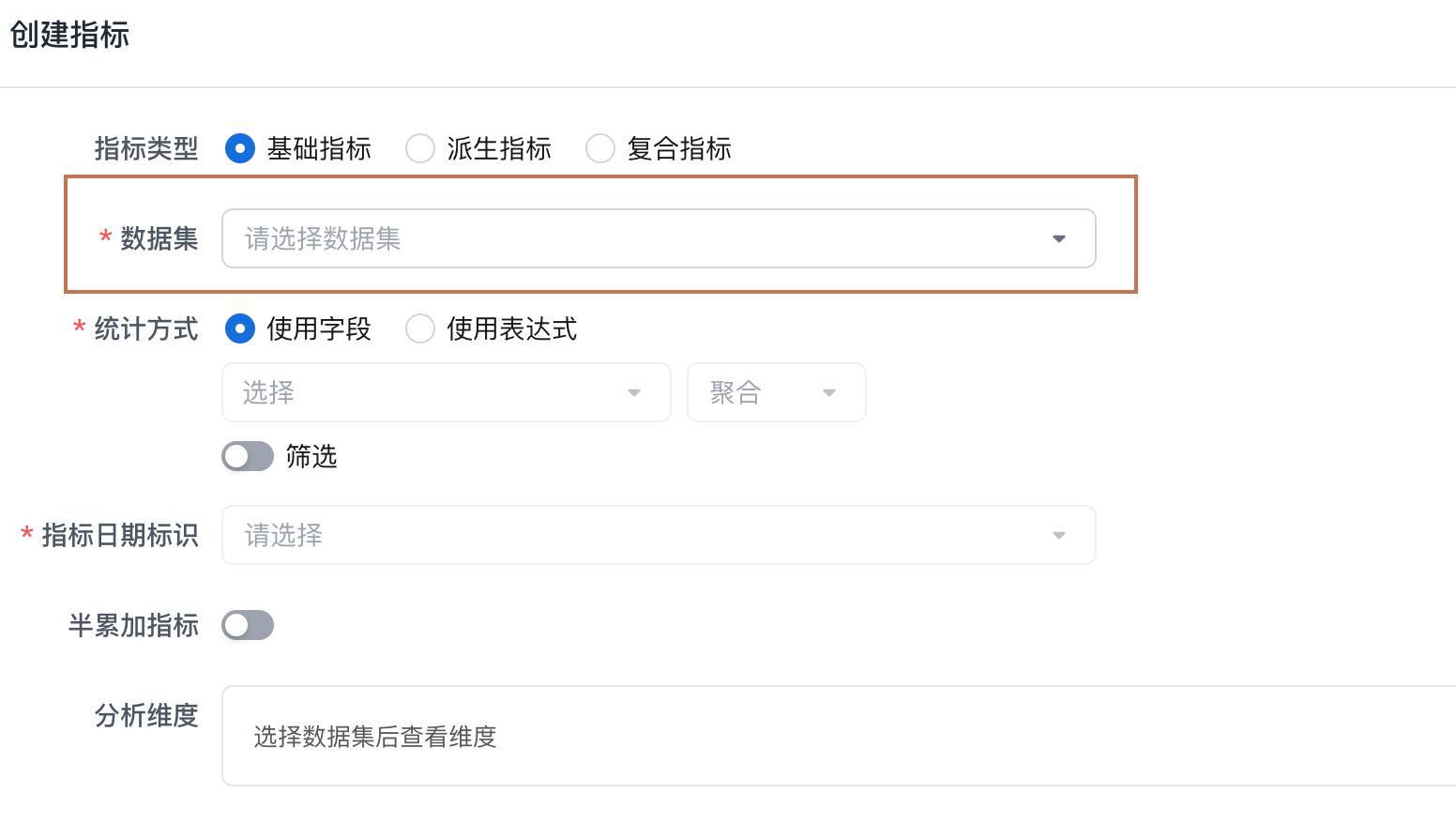 |
| Derived metric | The owning dataset is the same as the selected base or composite metric used in the definition. 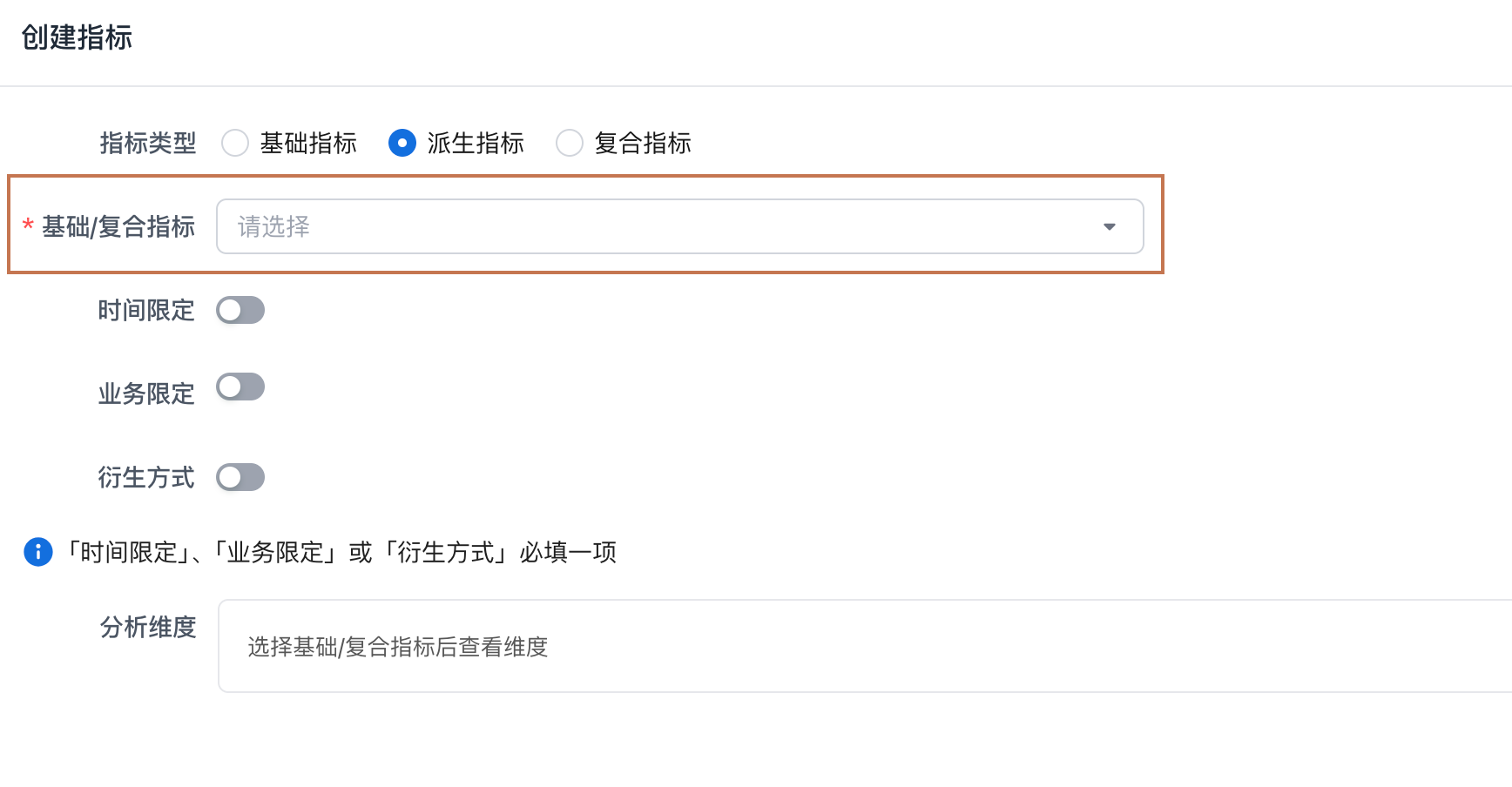 |
| Composite metric | A composite metric belongs to the union of the owning datasets of the metrics referenced in its definition. Therefore, a composite metric may belong to multiple datasets. |
Owning datasets for dimensions:
| Dimension Type | Owning Dataset |
|---|---|
| Field conversion | The dataset that contains the converted field is the owning dataset of the dimension. |
| Custom dimension | The dataset selected when the dimension is defined is the owning dataset. 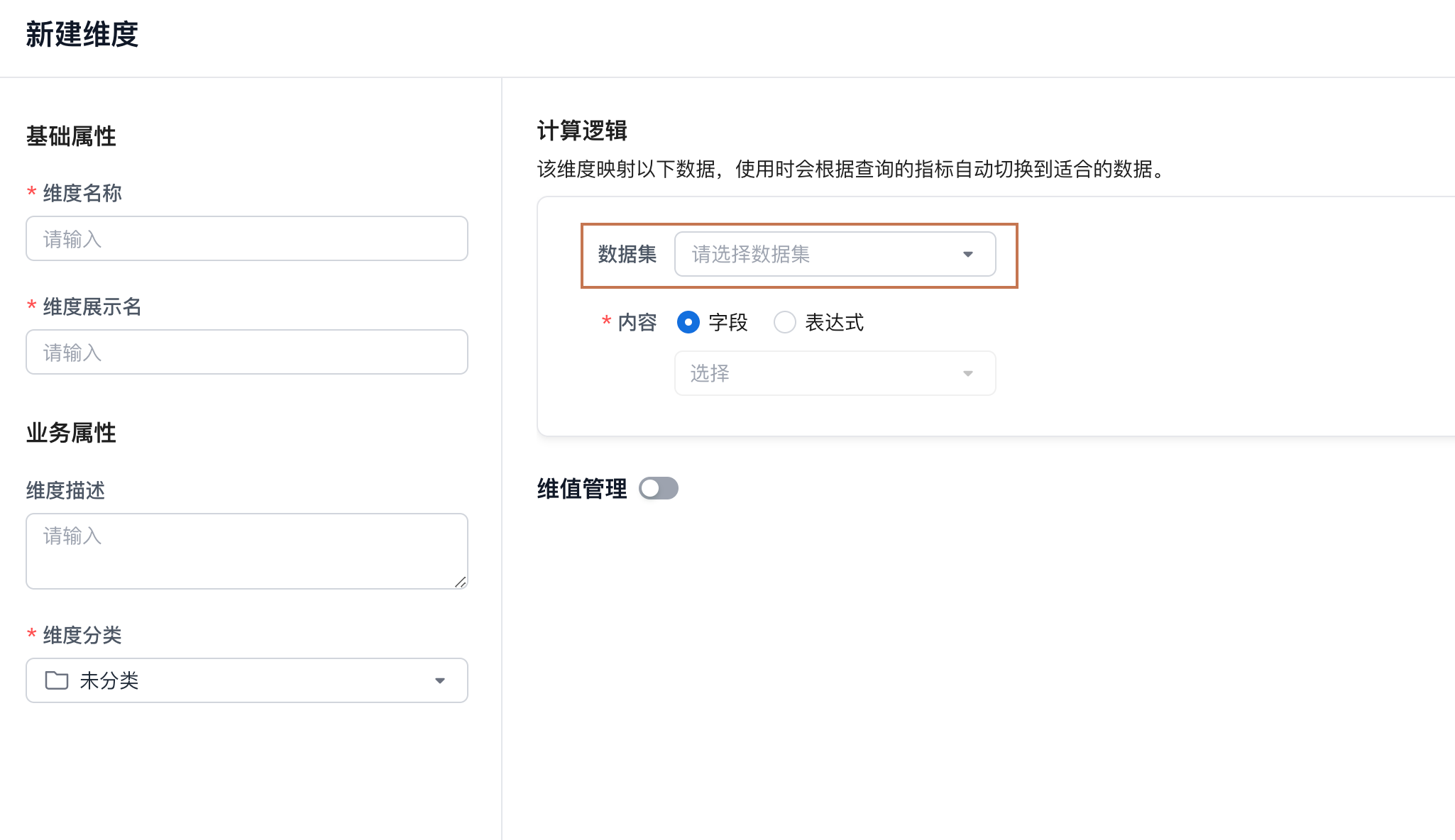 |
Tip
Relationship propagation rules:
-
When defining basic metrics and dimensions, you can use fields from the current owning dataset and all corresponding 1-side datasets.
-
The available analysis dimensions for a basic metric are the dimensions of its owning dataset and the corresponding 1-side datasets.
With relationship propagation, the following scenarios become easier to support:
| Scenario | Description |
|---|---|
| Metric definition | When defining a basic metric, you can reference fields from a 1-side dataset for aggregation calculation or filtering. * Example 1: To create the basic metric Order Gross Profit, you need to subtract [Product Dimension Table/Cost] from [Order Table/Order Amount]. You can reference the field directly in the interface and write the expression, without preprocessing the field or redundantly adding it to the Order Table dataset before defining the metric. * Example 2: To create the basic metric High-Profit Product Sales Amount, you need to compare [Product Dimension Table/Cost] with [Order Table/Order Amount], keep orders whose order amount is more than 1.5 times the cost, and calculate the metric result. |
| Extend dimensions | You can extend the model to introduce new dimensions and quickly add dimensions to a metric. * Example 1: After creating the metric Order Gross Profit, business growth may require user analysis features such as a Member Tags Table. You can create a relationship in the dataset and then quickly use the newly added dimension on the metric. |
Metric Date
The metric platform currently includes a built-in date dimension. Its Chinese name is Metric Date, and its English name is metric_time.
When creating a basic metric in the metric platform, you must specify a date-type field as the metric date. Therefore, metric date is an analysis dimension that every metric has. This does not mean that every metric must be analyzed by metric date. Users can still choose not to use metric date for grouping or filtering during a query.
Example
Introducing the metric date dimension solves scenarios where multiple metrics from different datasets need to be analyzed together.
Using the data model in section 1.2 as an example, suppose a user wants to analyze the two metrics Order Sales Amount and Page Views by day and return them in the same table.
| Date | Order Sales Amount | Page Views |
|---|---|---|
| 2024-09-30 | 14,000 | 800,300 |
| 2024-09-28 | 15,020 | 798,332 |
| 2024-09-27 | 12,000 | 680,000 |
| 2024-09-26 | 16,088 | 820,000 |
As shown above, the expected result is a table with one date column and two metric result columns.
Metric date is useful in this case. The user only needs to query with metric date as a dimension. During the query, the system maps metric date to order time when querying order sales amount, maps it to visit time when querying page views, and finally joins the two result sets before returning them.
Metric Calculation
Metrics defined in the metric platform are only aggregated logic definitions. They do not contain actual data values. To obtain an actual metric value, a metric must be used together with certain constraints. A dimension is one way to add a constraint. Having no constraint is also a kind of constraint.
Example
Order amount is a defined basic metric. Its formula is SUM([Order Amount]). When we want to obtain a metric result, typical contexts include:
Order amount on 2024-09-20: Metric Date = 2024-09-20 is the constraint.
Order amount this year: the metric date range equals this year.
Completed order amount: Order Status = Completed is the constraint.
From these examples, metric calculation depends on a specific context. We call this context the query environment. The query environment is designed to be flexible, so that one metric can be consumed in different query environments and support the principle of define once, use everywhere.
Query Environment
The query environment refers to the environmental conditions for querying a metric.
The query environment as shown in the query interface:
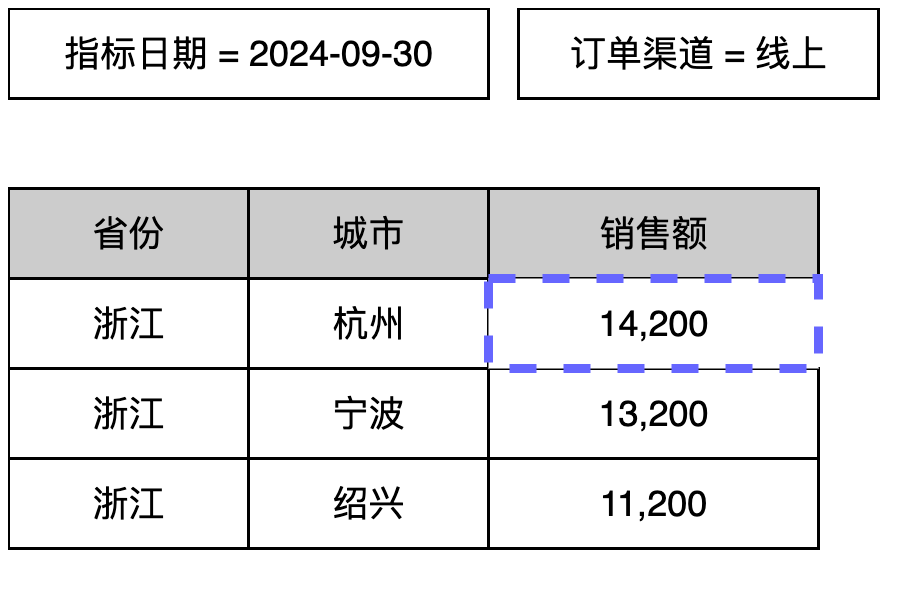
The query environment as shown in an API call:
{
  ...

  "metrics": ["salesAmount"],
  "dimensions": ["province", "city"],
  "filters": ["['orderchannel']=\"online\""],
  "timeConstraint":
  "(['metric_time_day'] = DateTrunc("2024-09-30", \"DAY\"),
  "limit": 10,
  "offset": 1,

  ...
}
No matter how a metric is queried, the query environment works in the same way.
Rule 1
When calculating a single metric, the dimensions used for grouping and filtering in the query environment are both converted into data filters and applied to metric calculation.
In the example above, the sales amount value marked by the blue box is calculated with the following filters:
-
Province = Zhejiang (grouping dimension filter)
-
City = Hangzhou (grouping dimension filter)
-
Metric Date = 2024-09-30 (filter dimension filter)
-
Order Channel = Online (filter dimension filter)
Rule 2
The metric platform supports adjusting filters in the query environment during a query. Adjustment methods include:
Override filter conditions
Add filter conditions
Remove filter conditions
Summary
This page introduces several important metric calculation mechanisms. Understanding these rules helps you understand the calculation logic described in later pages.
-
Datasets have relationships. Data such as fields and dimensions can be propagated from 1-side datasets to N-side datasets for use.
-
The system provides the metric date dimension, which enables multiple metrics to be queried and analyzed together.
-
Filters affect metric result calculation. In general, filters are consistent with query conditions, but the metric platform provides features that can adjust these filters so that expected metric results can be calculated.