Semi-Additive Metrics
Aloudata CAN lets you enable the semi-additive metric flag for a metric in the basic metric configuration.
Definition
A semi-additive metric can be aggregated across some dimensions, such as by sum or average, but not across other dimensions. For example, inventory quantity can be summed by product and region, but summing inventory directly across time is usually not meaningful because inventory represents a snapshot at a specific point in time.
Use Cases for Semi-Additive Metrics
Inventory Quantity
Inventory quantity is a typical semi-additive measure. Inventory can be summed across product and region to produce total inventory. However, summing inventory from different points in time causes inaccurate results because inventory records at each point in time are independent snapshots. For example, inventory in January 2023 and inventory in February 2023 should not be added directly.
Bank Account Balance
Bank account balance is another example of a semi-additive measure. Balances can be summed by account type and region. However, across the time dimension, a balance usually represents the state at a specific point in time and cannot be summed directly to produce a total balance. For example, account balances from different months should not be added directly to represent total balance.
Configure a Semi-Additive Metric
Semi-additive metric settings are enabled in the basic metric configuration.

| Item | Description |
|---|---|
| Non-Additive Dimension | Required. Multiple selections are supported. Select the fields that cannot be aggregated during metric aggregation. Before aggregation, the system filters the non-additive dimension and selects the minimum or maximum value for aggregation. Ending-period metrics usually use the maximum value, while beginning-period metrics usually use the minimum value. |
| Window Grouping | Optional. Multiple selections are supported. During aggregation, the system first groups data by the selected window dimensions, then selects the minimum or maximum value. |
| Window Selection | Select whether to use the maximum or minimum value of the non-additive dimension within each window group to calculate the aggregation result. |
Example
The following example uses an inventory table in Aloudata CAN to calculate the Ending Inventory metric. The metric definition is shown below.

For this dataset, we create the [Ending Inventory] metric. When users analyze data by month, the July value should only sum the inventory quantity from 2024-07-31; it should not sum daily data from 2024-07-01 through 2024-07-31. However, the metric can still aggregate by [Warehouse ID] and [Product ID], because inventory can be summed across different warehouses and products.
Note
Therefore, [Ending Inventory] is a semi-additive metric.
The metric cannot be summed across the [Date] dimension. You must select the ending-period data before summing.
The metric can be summed across the [product] and [region] dimensions.
Use a Semi-Additive Metric
The [Ending Inventory] metric has semi-additive settings enabled.
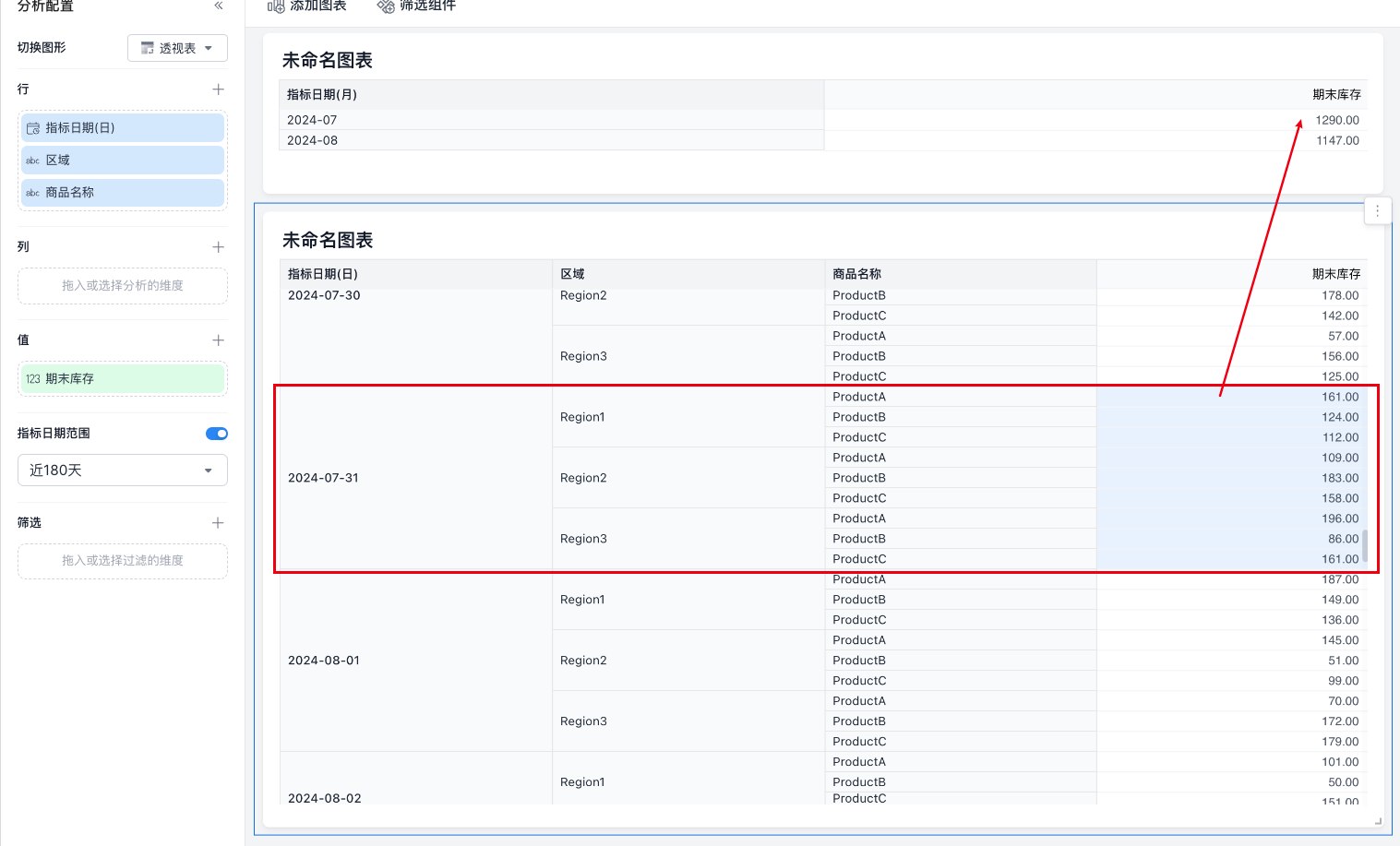
When you use the metric in a dashboard and view [Ending Inventory] by the [Metric Date (Month)] dimension, the query result returns two columns.
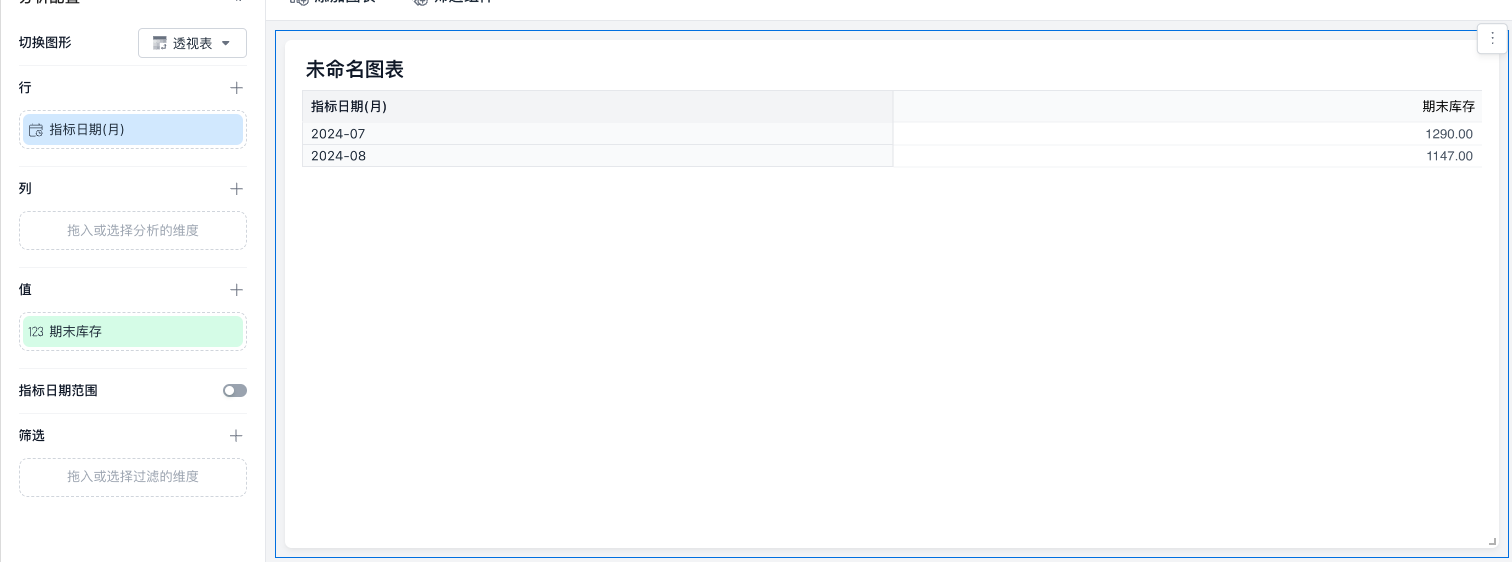
The result in the 2024-07 cell is calculated by summing the rows highlighted in blue in the detail data.