Connect External Data Sources
This page explains how to connect data sources to Aloudata CAN through external tables. Aloudata CAN currently supports StarRocks and Doris as compute engines. Supported data source types vary by engine.
1. Supported Data Sources
Data sources can be connected in two ways:
- UI connection: Connect a supported data source through the Aloudata CAN user interface.
- Backend connection: Register a native catalog in StarRocks or Doris and connect the data source through command-line operations.
| Data source | StarRocks | Doris |
|---|---|---|
| Hive | Supported | Supported |
| Iceberg | Supported | Supported |
| Hudi | Supported | Supported |
| Delta Lake | Supported | Not supported |
| Elasticsearch | Supported | Supported |
| MySQL | Supported through UI | Supported through UI |
| PostgreSQL | Supported through UI | Supported through UI |
| Oracle | Supported | Supported through UI |
| SQL Server | Not supported | Supported through UI |
| ClickHouse | Not supported | Supported through UI |
| SAP HANA | Not supported | Supported |
| Trino | Not supported | Supported |
| OceanBase | Not supported | Supported |
| Alibaba Cloud DLF | Not supported | Supported |
| HDFS | Supported | Supported |
| Paimon | Supported | Not supported |
| MaxCompute | Supported | Supported |
2. Connect Through The UI
2.1 Entry Point
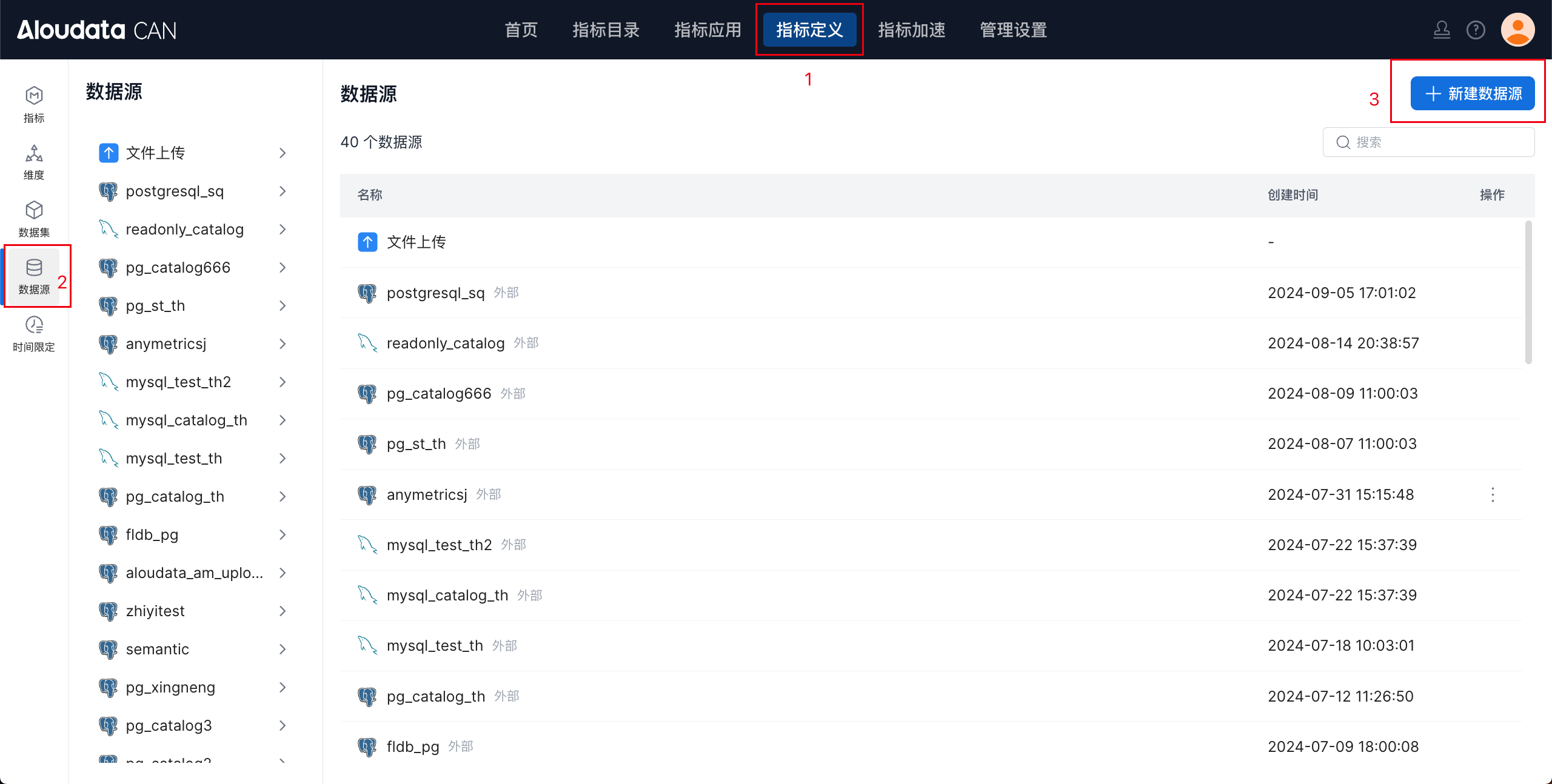
In the top navigation, click Metric Definition. In the left navigation, select Data Source. On the Data Source page, click Create Data Source in the upper-right corner.
2.2 Select A Data Source
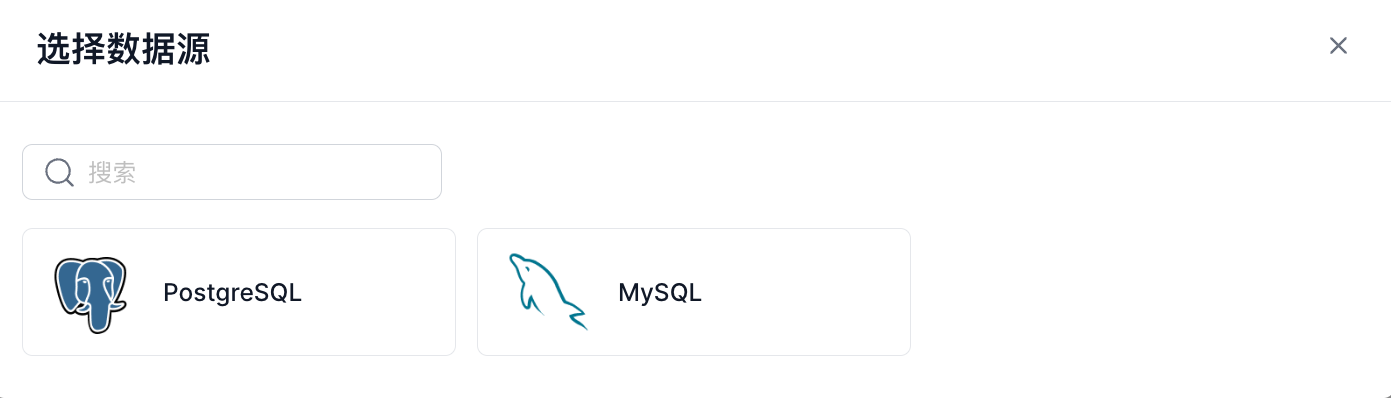
Aloudata CAN supports StarRocks and Doris as compute engines. The data sources available through the UI depend on the selected engine. See the supported list above.
2.3 Configure The Data Source
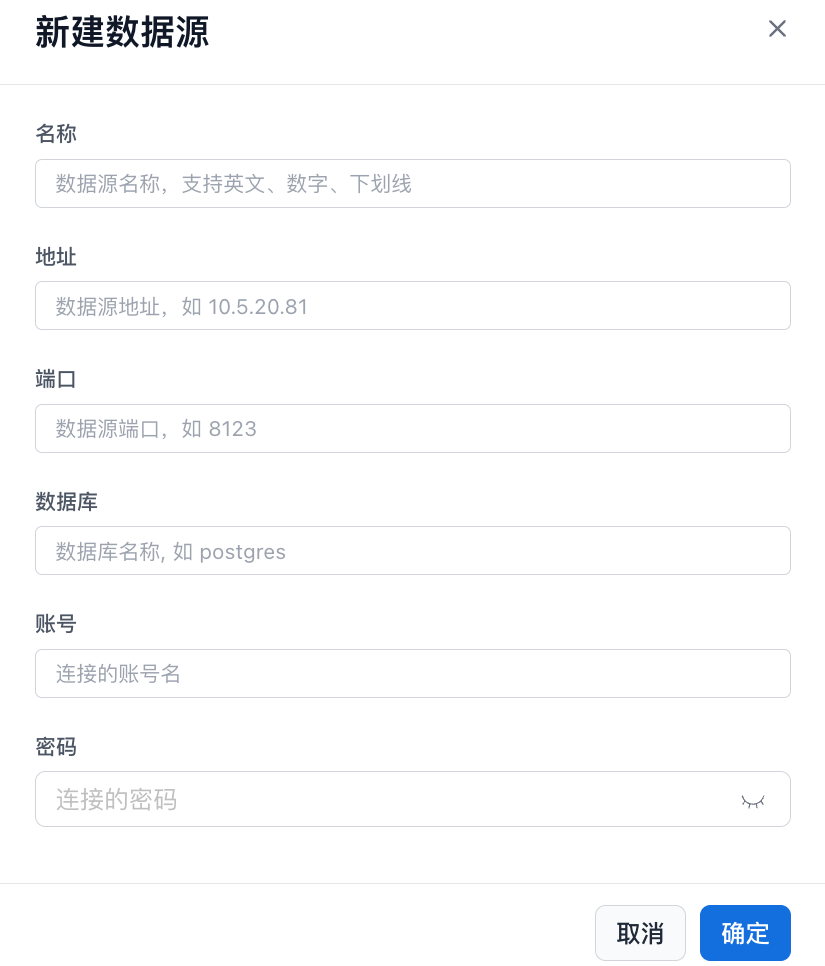
After selecting a data source, the system opens the configuration page. Different data sources require different configuration fields. Fill in the required information and click OK to create the data source.
2.4 Connect Through The Backend
You can query external data directly through StarRocks or Doris external catalogs without importing or migrating the data.
StarRocks
- Hive catalog: Query data in a Hive cluster.
- Iceberg catalog: Query data in an Iceberg cluster.
- Hudi catalog: Query data in a Hudi cluster.
- Delta Lake catalog: Query data in Delta Lake.
- JDBC catalog: Query data from JDBC data sources.
- Elasticsearch catalog: Query data in Elasticsearch. This feature is supported from version 3.1.
- Paimon catalog: Query data in Paimon. This feature is supported from version 3.1.
- Unified catalog: Query Hive, Iceberg, Hudi, and Delta Lake as a unified data source. This feature is supported from version 3.2.
Doris
- Hive catalog: Query data in a Hive cluster.
- Iceberg catalog: Query data in an Iceberg cluster.
- Hudi catalog: Query data in a Hudi cluster.
- Elasticsearch Catalog: Query data in Elasticsearch.
- JDBC Catalog: Query data from JDBC data sources.
- Paimon Catalog: Query data in Paimon.
- MaxCompute Catalog: Query data in MaxCompute.