Platform Settings
In Aloudata CAN, you can enable metric and dimension codes in Platform Settings.
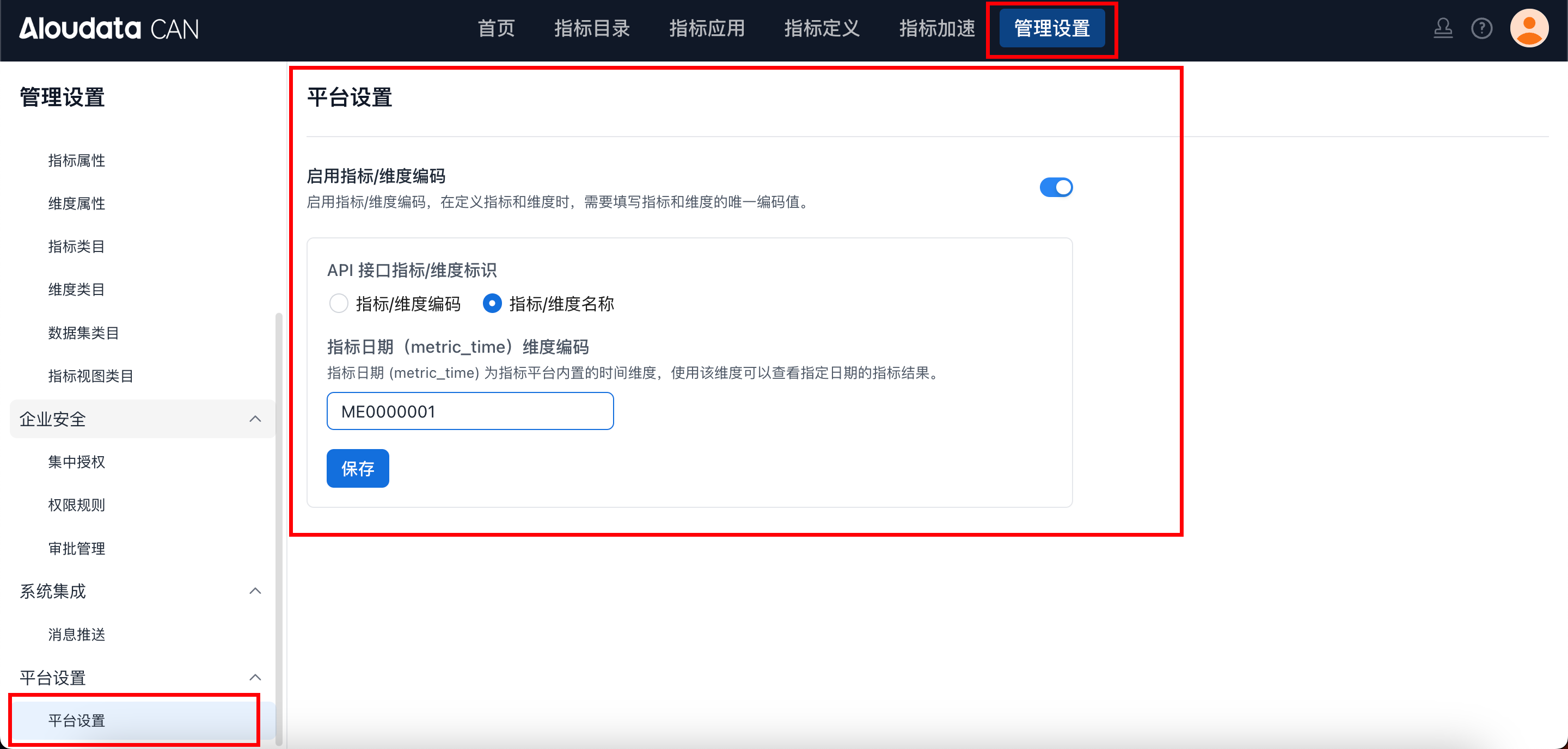
After enabling this setting, configure the API interface/dimension identifier and the metric date dimension code. Both fields are required.
Metrics and Dimensions
Basic Properties
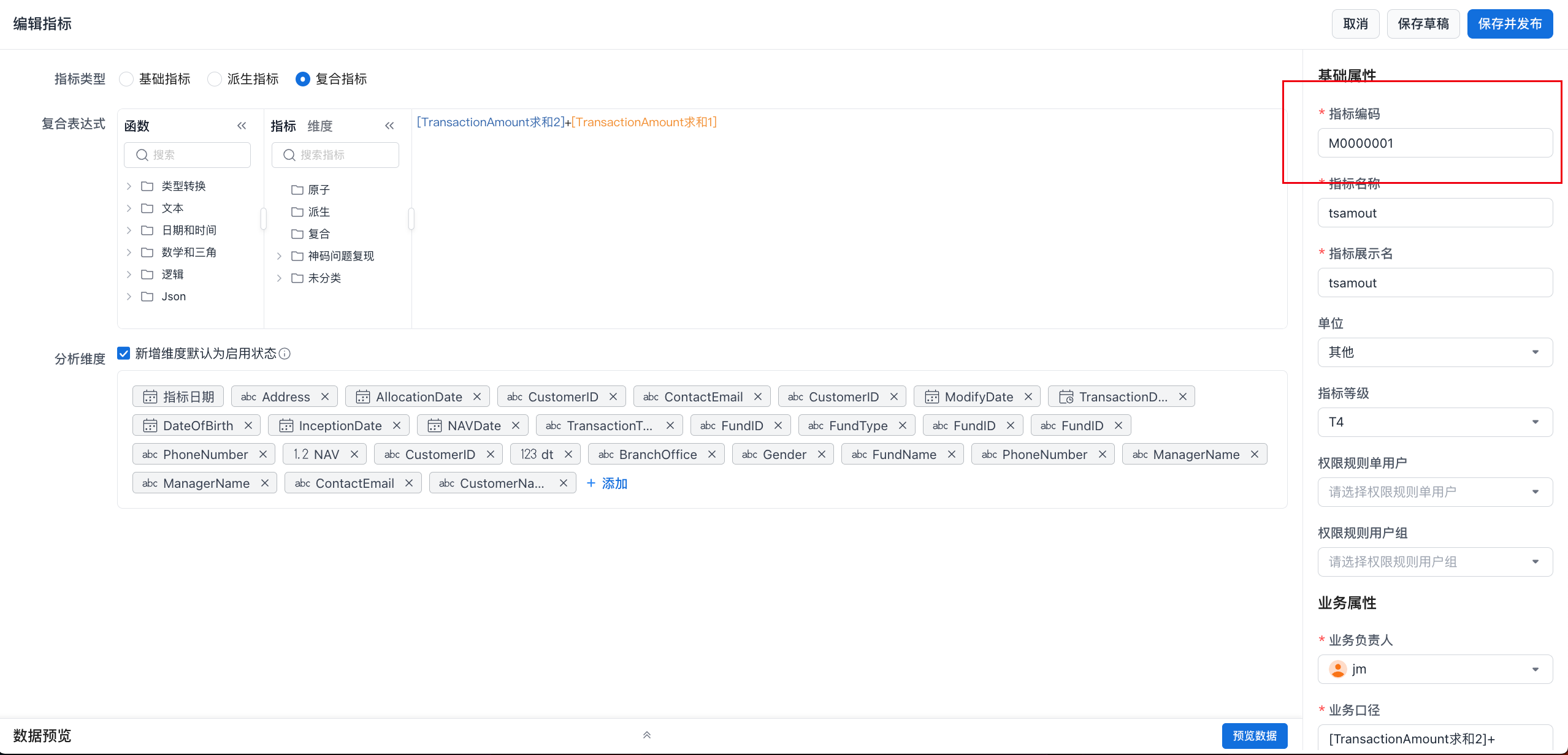
After metric and dimension codes are enabled, an additional property is displayed when you define a metric or dimension. Enter the unique code for the metric or dimension, as shown below.
Metric and Dimension List
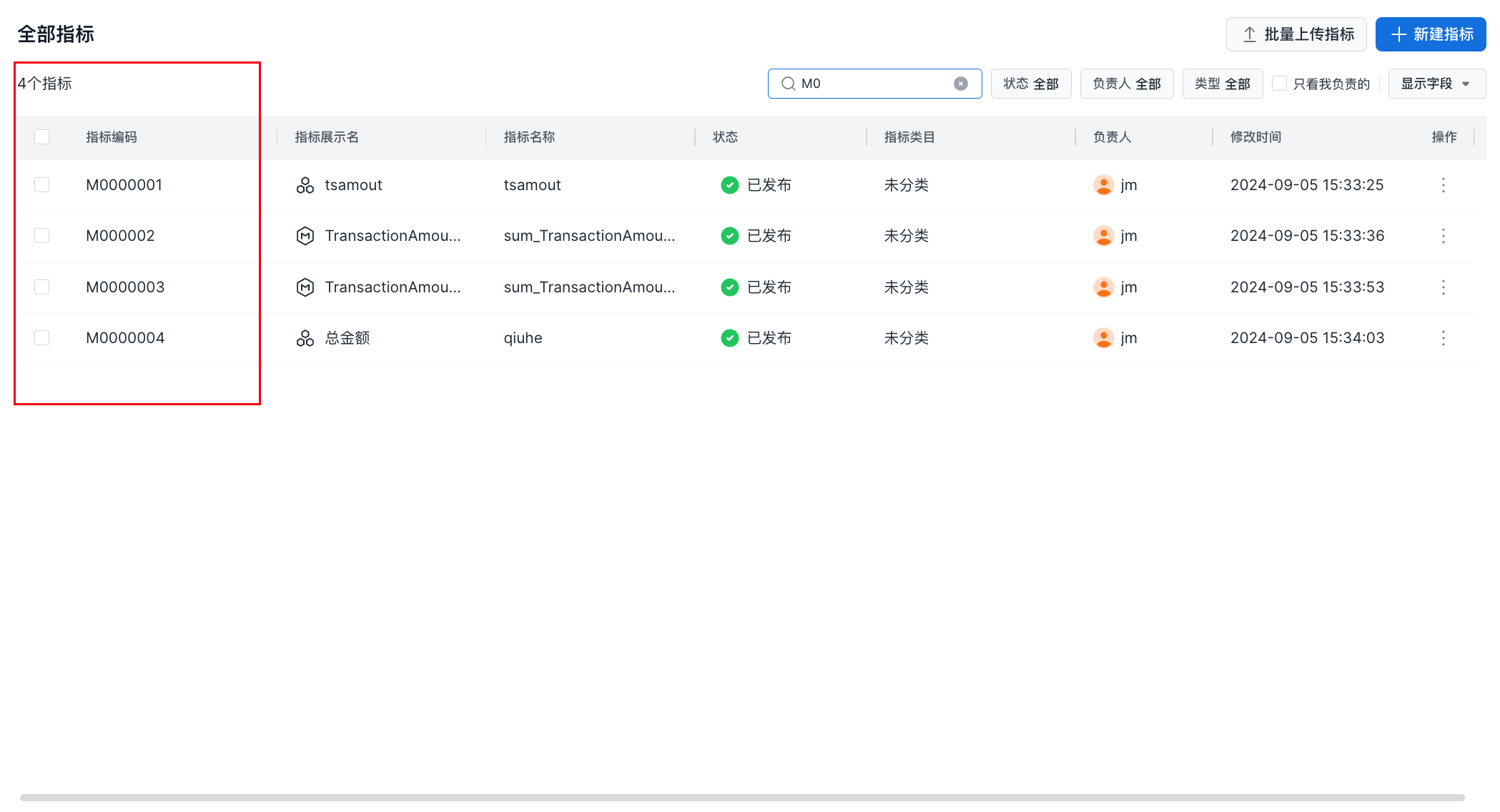
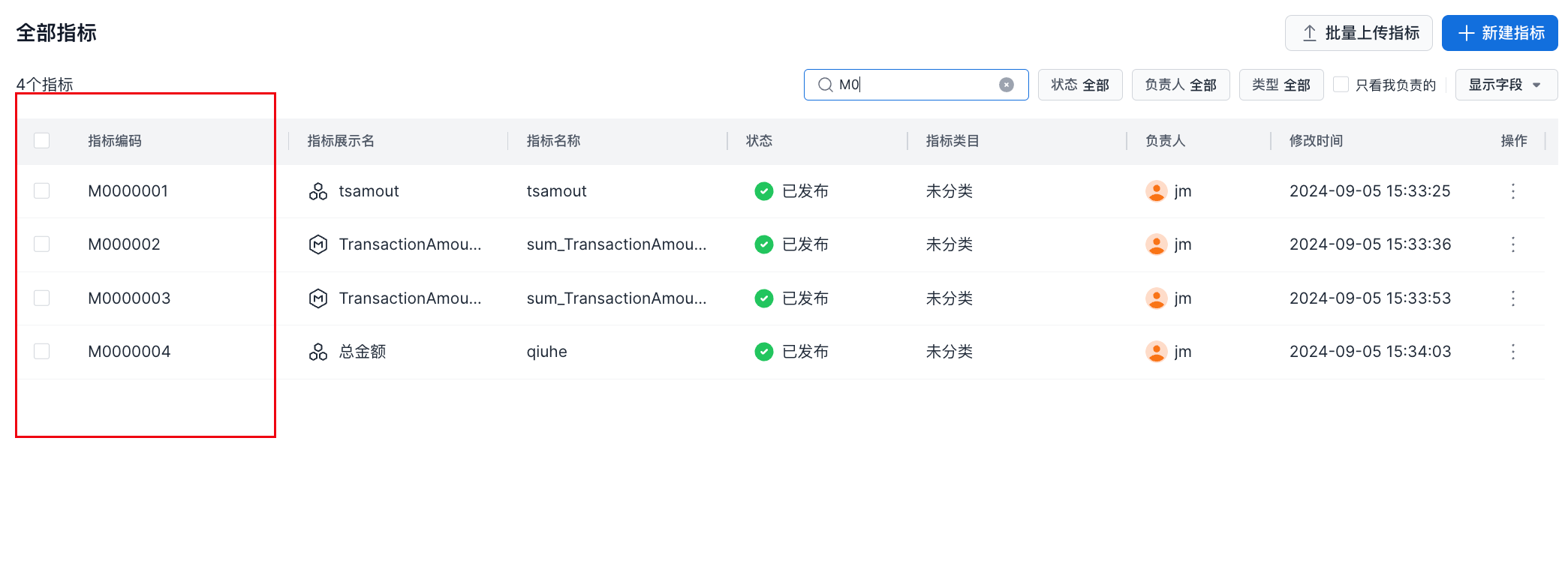
After metric and dimension codes are enabled, the metric list includes a metric code field and supports searching for metrics by metric code, as shown below.
API
Aloudata CAN APIs support two calling modes: code mode and name mode. The system uses name mode by default.
Metric and Dimension Name
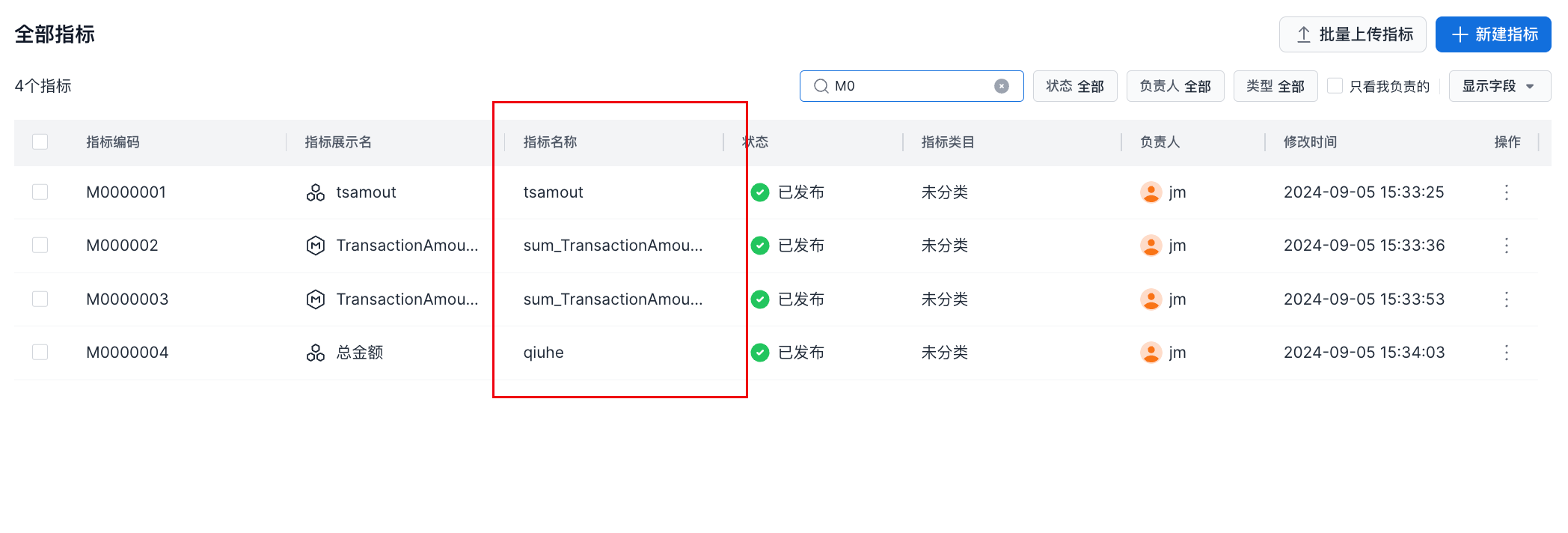
When metric and dimension names are selected, metric API calls must specify the metric name. This is the default Aloudata CAN mode, as shown below.
Call Example
The following example queries details for a single metric. The value of metricName is the metric name:
Metric and Dimension Code
When metric and dimension codes are selected, metric API calls must specify the metric code, as shown below.
Call Example
The following example queries details for a single metric. The value of metricName is the metric code: