Update External Acceleration Partition Data
API Description
This API marks update results for specific partitions in an external materialization plan, such as success or failed.
⚠️ Important:
This API does not operate on the physical table. It only updates the materialized-table partition metadata maintained inside CAN.
It records which partitions have been backfilled successfully or failed, and is used to determine whether queries can hit the materialized data.
API URL
Request parameters
Common Request Headers
| parameter | Type | required | Description |
|---|---|---|---|
| tenant-id | String | Yes | Tenant ID, used to identify the tenant for metric query content. |
| auth-type | String | Yes | Authentication method. Supports UID, TOKEN, ACCOUNT, and APIKEY. |
| auth-value | String | Yes | Authentication value corresponding to auth-type. |
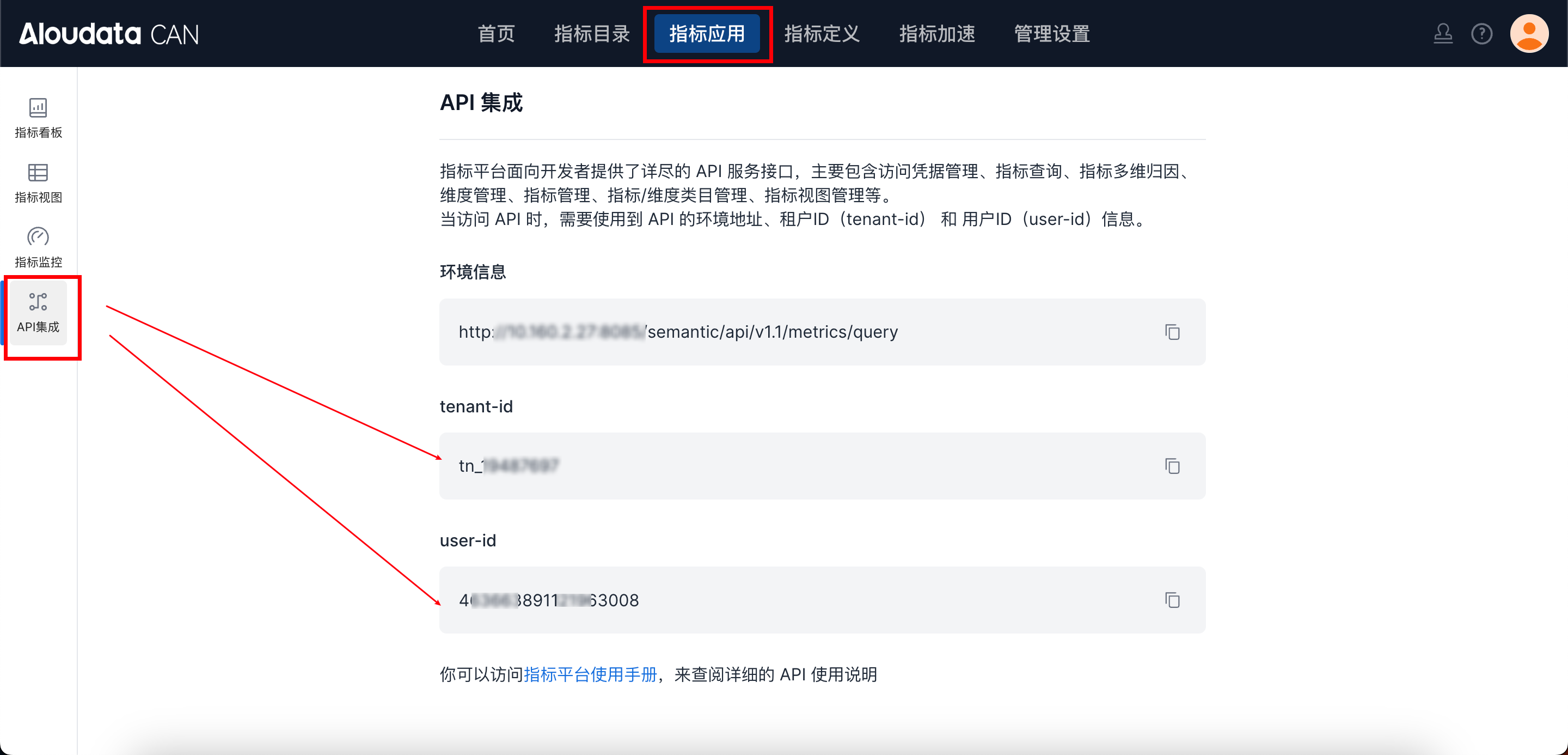
How to Obtain Common parameters
You can obtain this in the top navigation of Aloudata CAN under Metric Applications > API Integration.
Request parameters
| Field | Type | required | Description |
|---|---|---|---|
| uuid | String | Yes | UUID of the current materialization plan |
| runType | String | No | Backfill type: MANUAL |
| successTimeRange | List | No | Time ranges updated successfully. The granularity must match the materialized table |
| failedTimeRange | List | No | Time ranges that failed to update. The granularity must match the materialized table |
successTimeRange / failedTimeRange Item Structure
| Field | Type | Description |
|---|---|---|
| dateGranularity | String | Granularity, such as DAY or MONTH |
| startTime | String | Start time in ISO format |
| endTime | String | End time in ISO format |
Request Example
{
  "uuid": "ecfc2a9539a04ef49897a9b4e3d65e7f",
  "runType": "MANUAL",
  "successTimeRange": [
    {
      "dateGranularity": "DAY",
      "startTime": "2025-10-22T00:00:00",
      "endTime": "2025-10-22T00:00:00"
    },
    {
      "dateGranularity": "DAY",
      "startTime": "2025-10-20T00:00:00",
      "endTime": "2025-10-21T00:00:00"
    }
  ],
  "failedTimeRange": [
    {
      "dateGranularity": "DAY",
      "startTime": "2025-10-23T00:00:00",
      "endTime": "2025-10-23T00:00:00"
    }
  ]
}
Response parameter Description
| Field | Type | Description |
|---|---|---|
| data | String | returns the fixed value "success" after a successful call |
| success | Boolean | Whether successful |
| code | String | Status code |
| errorMsg | String | Error message |
| detailErrorMsg | String | Detailed error message |
Response Example
Usage Notes
-
For full-refresh tables, you do not need to pass
successTimeRangeorfailedTimeRange
Calling the API marks the update as successful. -
The granularity of all time ranges must exactly match the granularity of the materialized table. For example:
-
DAY tables can only pass DAY
-
MONTH tables can only pass MONTH
-
This API does not trigger any data write. It only marks status.
Actual data writes must be completed through an external scheduling system. -
To clear specific partitions, use:
➜/accelerate/plan/clearPartition -
To view the current partition list, use:
➜/accelerate/plan/queryMtPartitionList