Dataset Category Management
This section describes how to manage dataset categories, including creating categories, creating child categories, renaming categories, deleting categories, and searching categories.
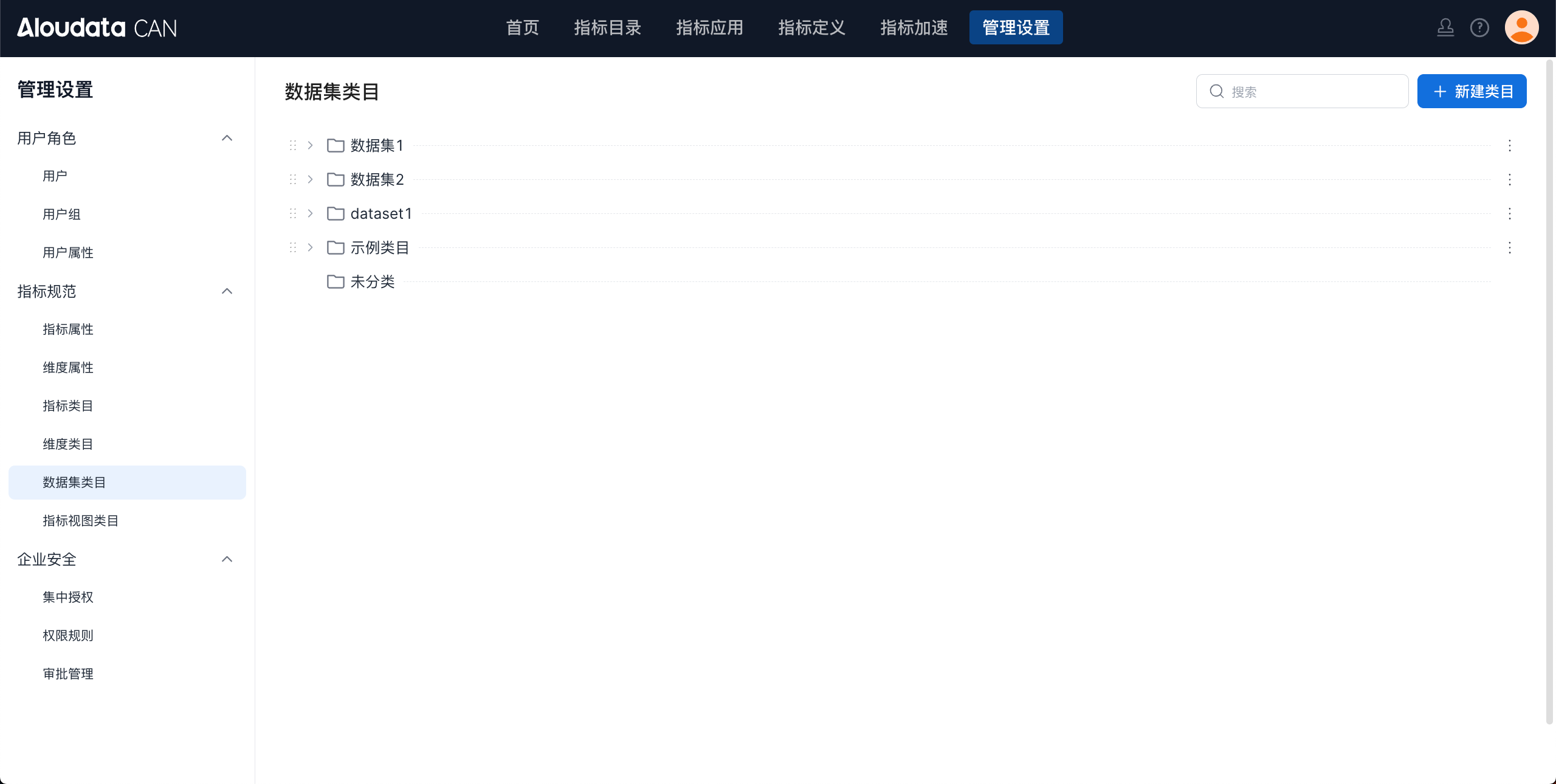
Create a Category
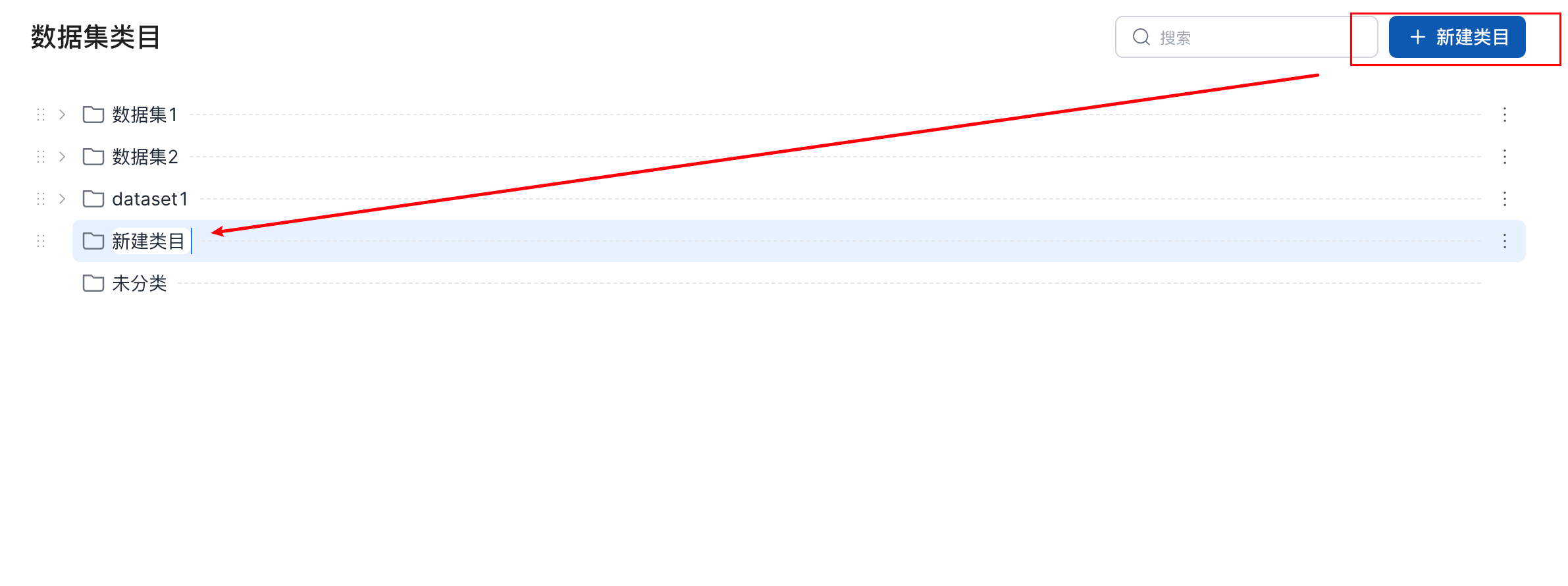
On the dataset category page, click Create Category in the upper-right corner. A category named "Dataset Category" is added to the dataset category list by default. You can then rename the category, as shown below.
Create a Child Category
You can create a child category in three ways:
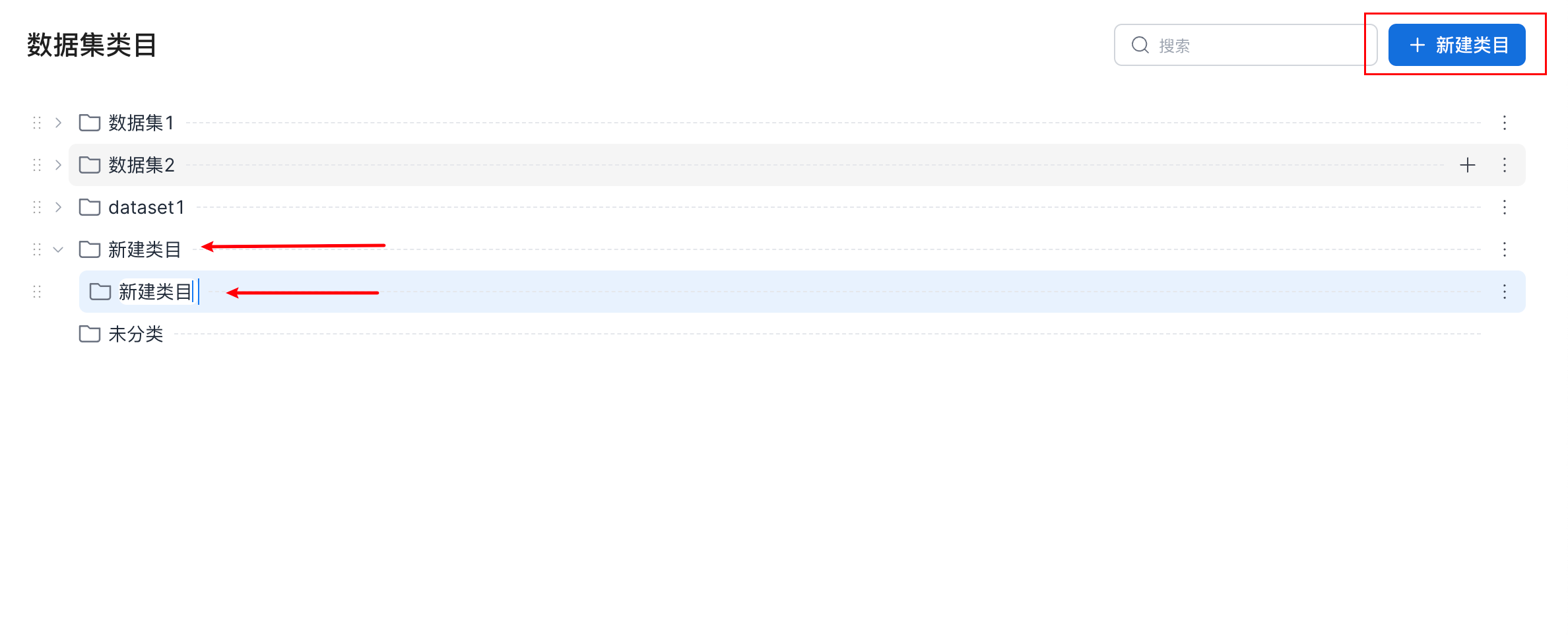
- On the dataset category page, click the parent category, and then click
Create Categoryin the upper-right corner. A child category named "Dataset Category" is created under that category by default. You can then rename the category, as shown below.
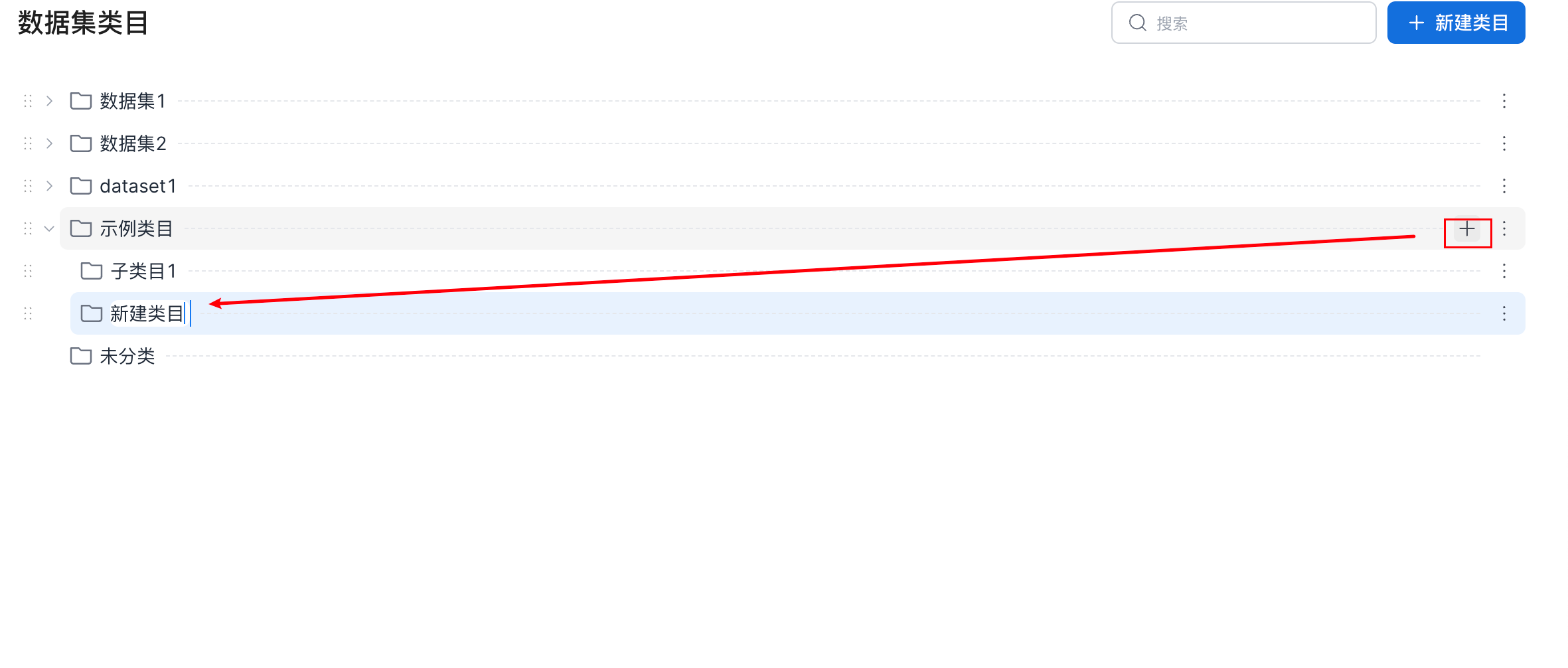
- On the dataset category page, select the parent category where you want to create a child category. Click the
+button on the right side of the category. A child category named "Dataset Category" is created under that category by default. You can then rename the category, as shown below.
- On the dataset category page, select the parent category where you want to create a child category. Click the
...button on the right side of the category and select Create Category. A child category named "Dataset Category" is created under that category by default. You can then rename the category, as shown below.
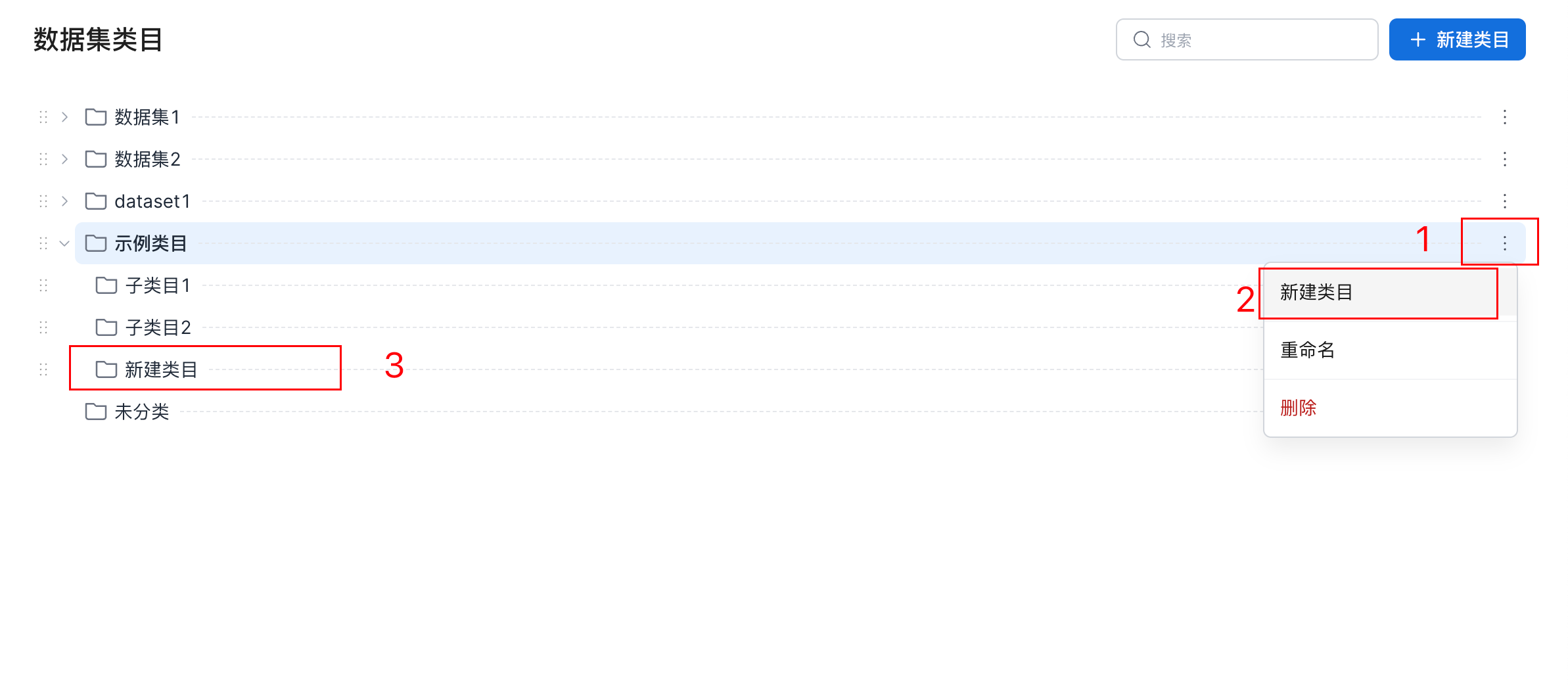
Rename a Category
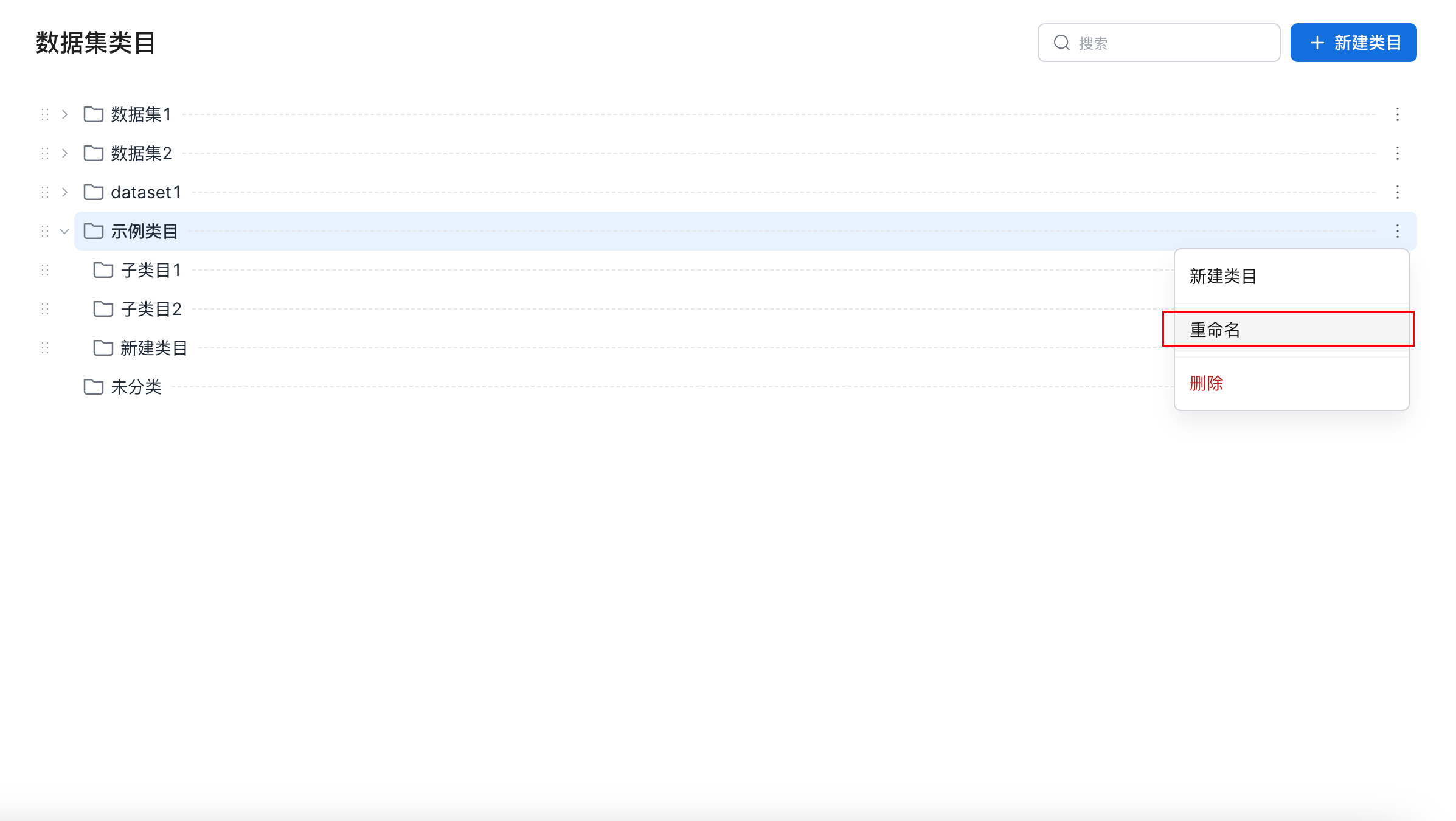
On the dataset category page, select the category to rename. Click the ... button on the right side of the category and select Rename. You can then rename the category, as shown below.
Delete a Category
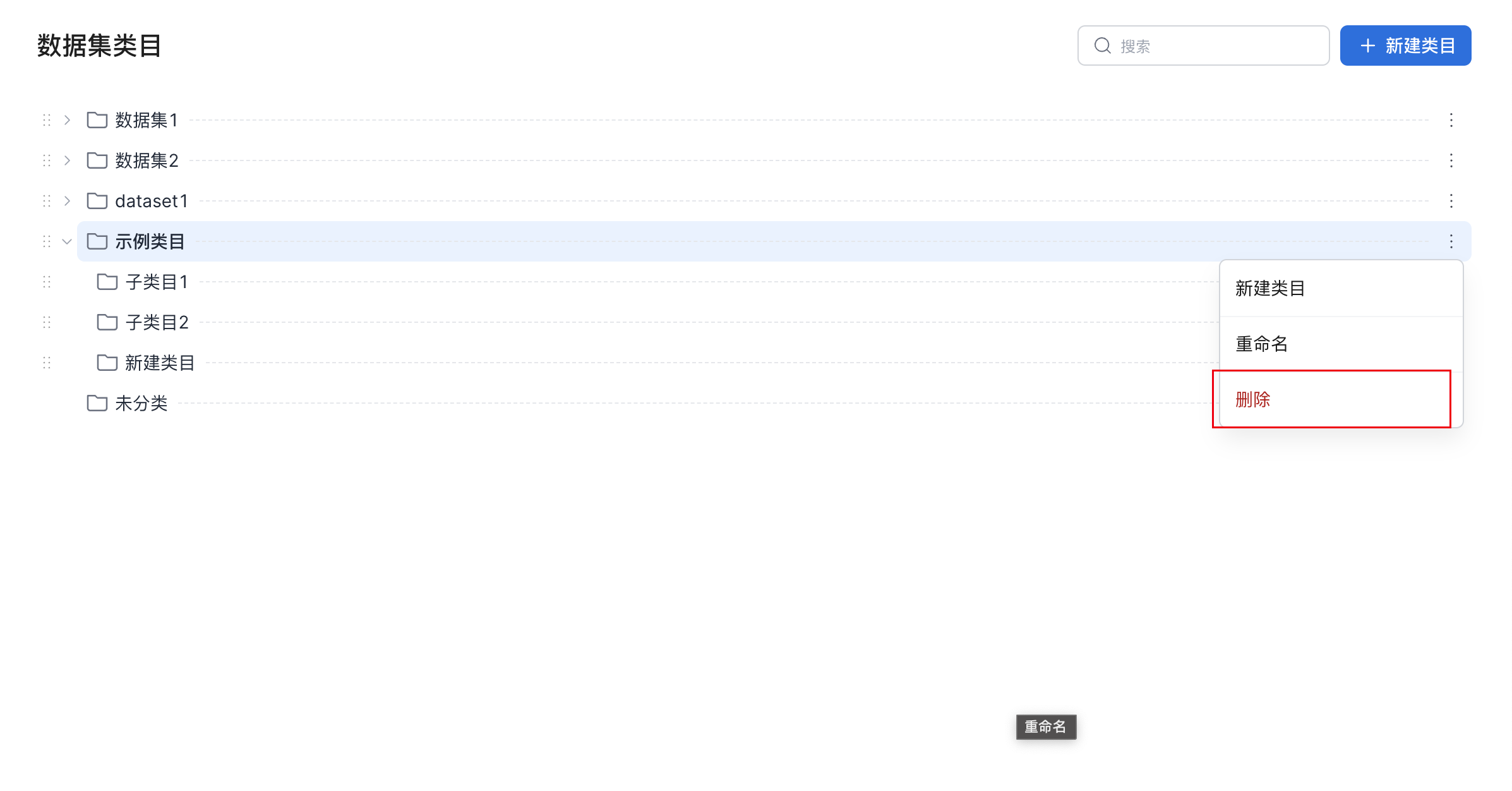
On the dataset category page, select the category to delete. Click the ... button on the right side of the category and select Delete. You can then delete the category, as shown below.
Note
Deleting a category also deletes all categories under it. Resources are moved to the "Uncategorized" category.