Delete Dimension
API Description
Use this API to delete a dimension.
API URL
POST Http://{anymetrics_host:anymetrics_port}/anymetrics/api/v1/dimension/delete
To obtain anymetrics_host:anymetrics_port, see Calling APIs.
Request Parameters
Common Request Headers
| Parameter | Type | Required | Description |
|---|---|---|---|
| tenant-id | String | Yes | The tenant ID of the tenant that contains the metric query assets. |
| auth-type | String | Yes | Authentication type. Supported values: UID, TOKEN, ACCOUNT, APIKEY. |
| auth-value | String | Yes | Authentication value corresponding to auth-type. |
| queryBy | String | No | UUID: delete by dimension code. |
How to Obtain Common Parameters
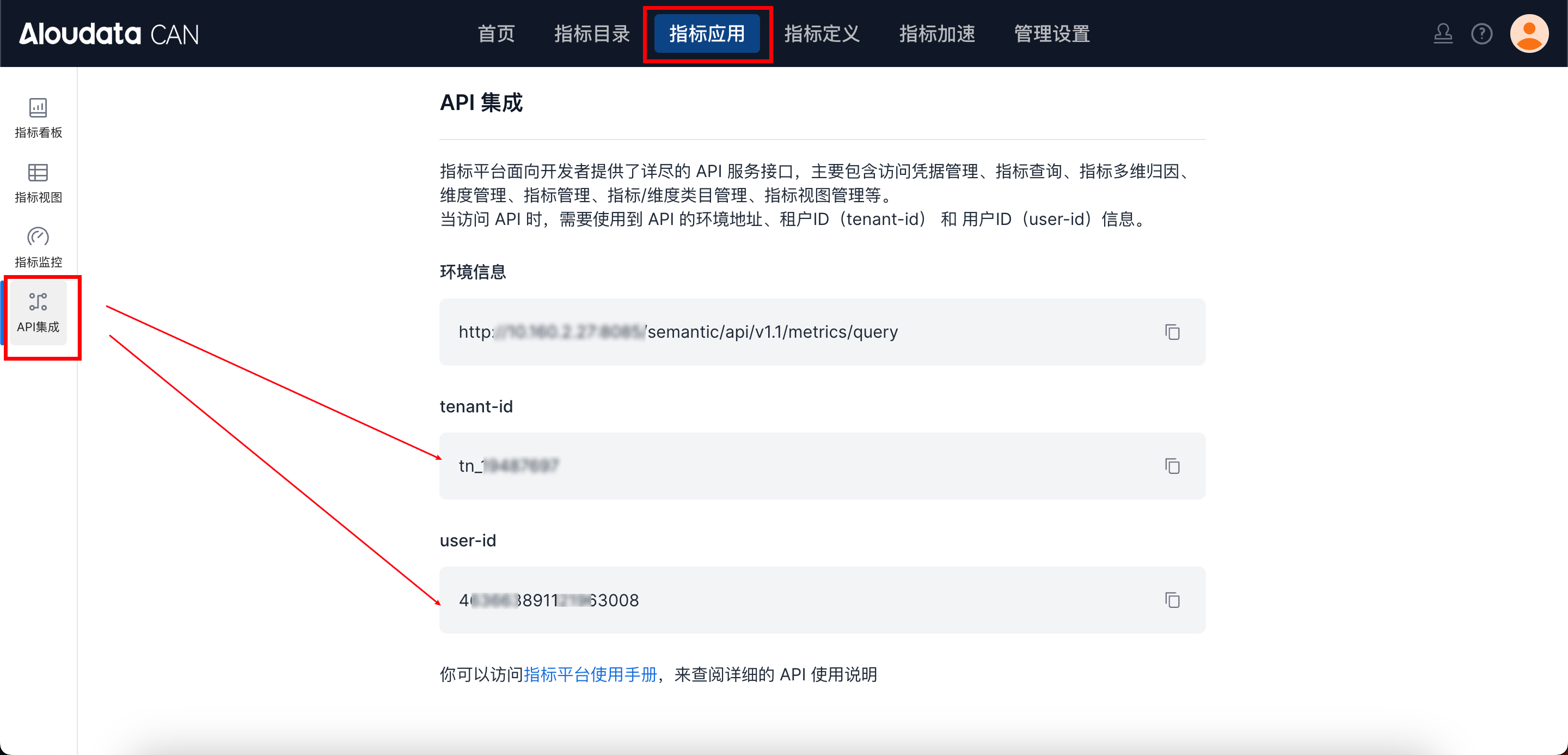
In Aloudata CAN, select the metric application from the top navigation bar, then choose API Integration from the left navigation menu. You can obtain tenant-id on the API Integration page. Set auth-value to the authentication value required by the selected auth-type.
Request Body
| Parameter | Type | Required | Description |
|---|---|---|---|
| dimName | String | Yes | Dimension name. This uniquely identifies the dimension to delete. |
Response Parameters
| Parameter | Type | Required | Max Length | Description |
|---|---|---|---|---|
| code | String | Yes | 32 | API response code. |
| success | boolean | Yes | Whether the request succeeded. | |
| errorMsg | String | Yes | 512 | Error message. |
| detailErrorMsg | String | Yes | Detailed error message. | |
| traceId | String | Yes | 128 | Trace ID for troubleshooting. |
| data | Boolean | Yes | Whether the deletion succeeded. |