Metric Attribute Management
Overview
Metric attributes allow users to customize metric information.
-
Only users with the
Metric Governance Managementpermission can edit metric attributes. By default, theMetric Governance Managementpermission is bound to theSuper AdministratorandAdministratorplatform roles. -
Attributes include built-in system attributes and user-maintained attributes. Built-in attributes cannot be deleted or modified.
-
Attributes are grouped into four categories:
Basic Attributes,Business Attributes,Technical Attributes, andManagement Attributes. You can adjust the order of attributes within each category.
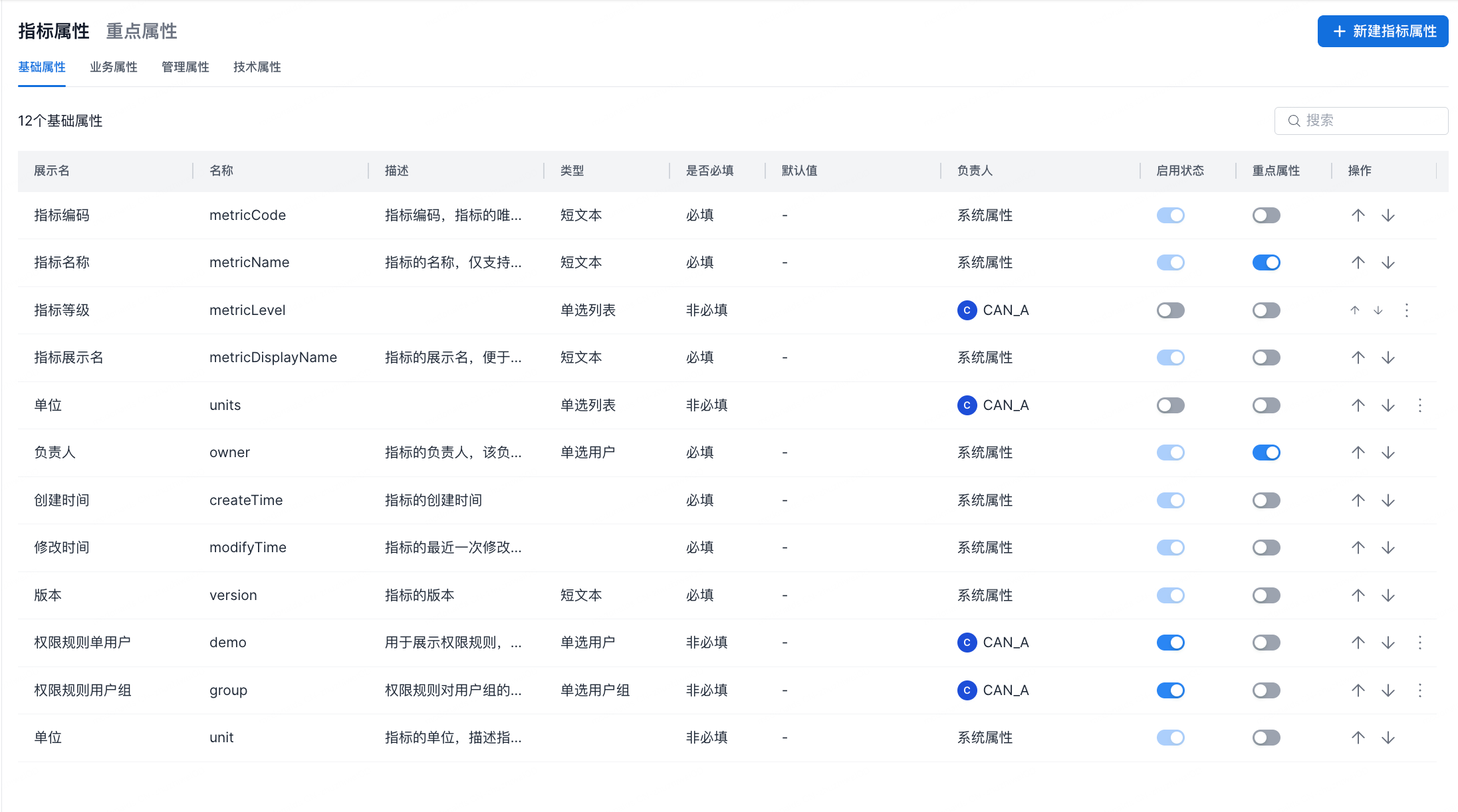
System Metric Attributes
| Attribute | English Name | Description | Type | Required | Default Value | Owner |
|---|---|---|---|---|---|---|
| Metric Name | metricName | The metric name. Only English names are supported. The metric name is used as a parameter in API requests and cannot be modified after creation. | Short Text | Required | None | System Attribute |
| Metric Display Name | metricDisplayName | The display name of the metric, used to make the metric easier to understand. | Short Text | Required | None | System Attribute |
| Unit | unit | The unit of the metric, used to describe the unit of the metric result. | Optional | None | System Attribute | |
| Owner | owner | The metric owner. The owner has all management permissions for the metric. | Single User | Required | None | System Attribute |
| Created At | createTime | The metric creation time. | Required | None | System Attribute | |
| Modified At | modifyTime | The most recent modification time of the metric. | Required | None | System Attribute | |
| Version | The metric version. | Required | None | System Attribute | ||
| Business Owner | businessOwner | The business owner of the metric. This owner manages the business definition of the metric. | Single User | Required | None | System Attribute |
| Business Definition | businessCaliber | The business definition of the metric, describing the business rules used to calculate the metric. | Long Text | Required | None | System Attribute |
| Metric Category | metricCategoryId | The metric category. | Required | None | System Attribute | |
| None | System Attribute | |||||
| None | System Attribute |
Key Attributes
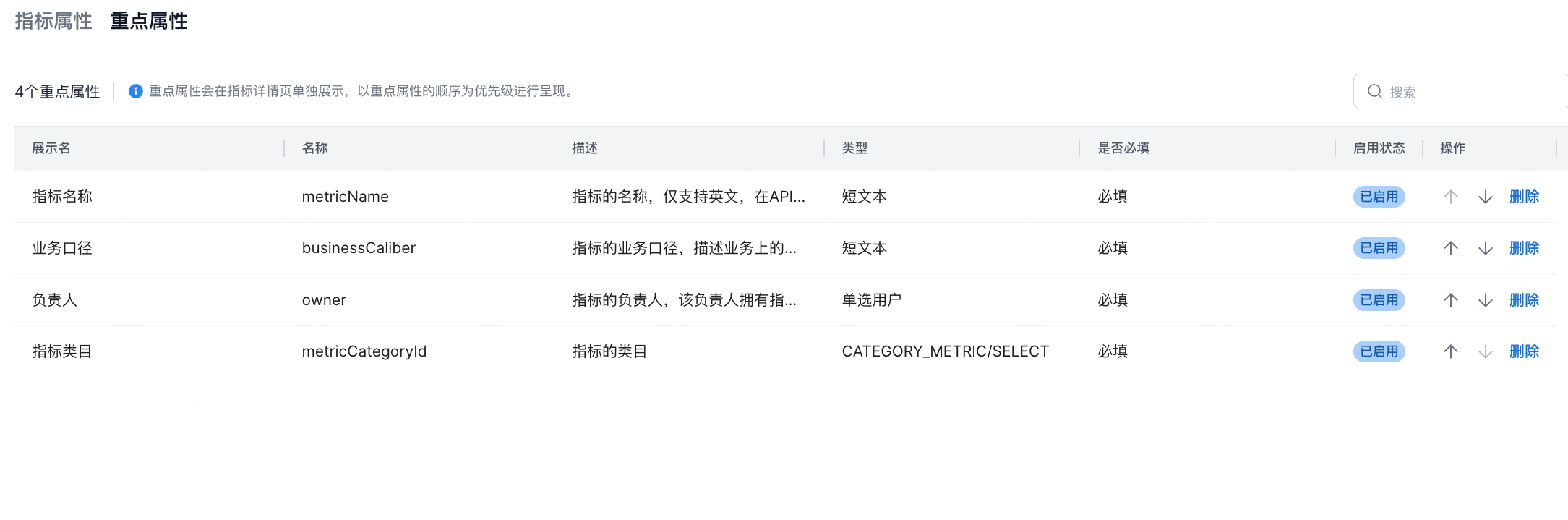
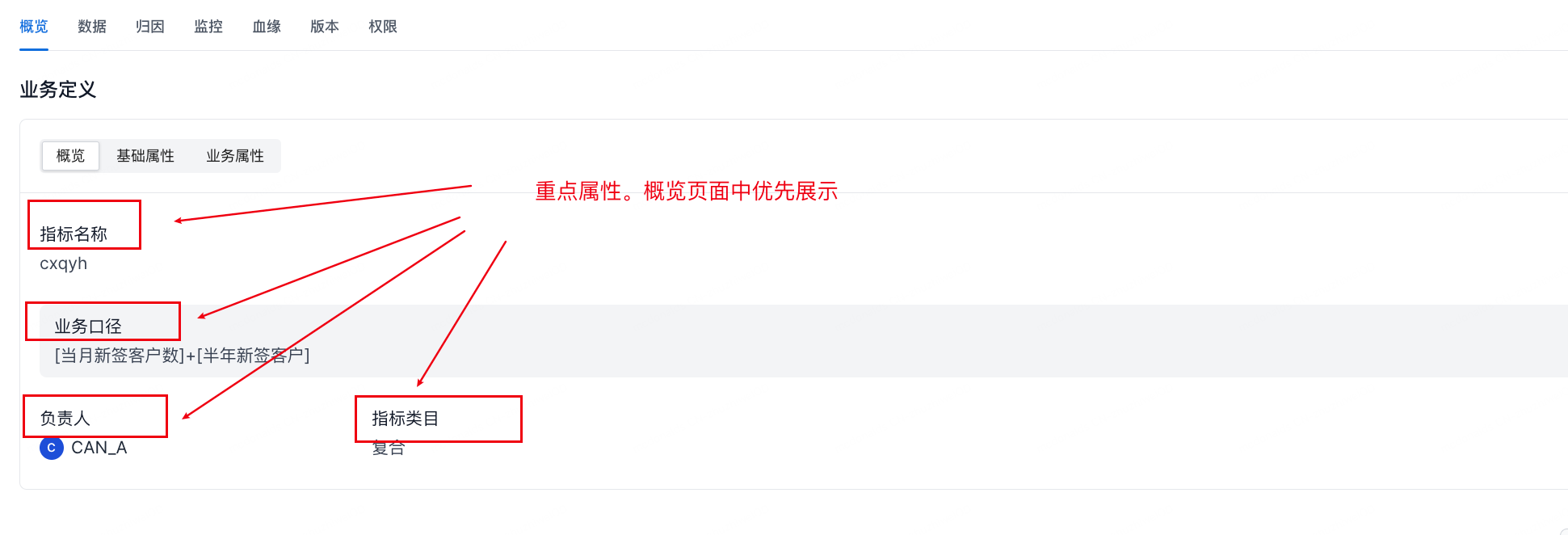
After a key attribute is enabled, it is displayed with priority on the metric detail overview page. You can adjust the order of key attributes on the Key Attributes tab.
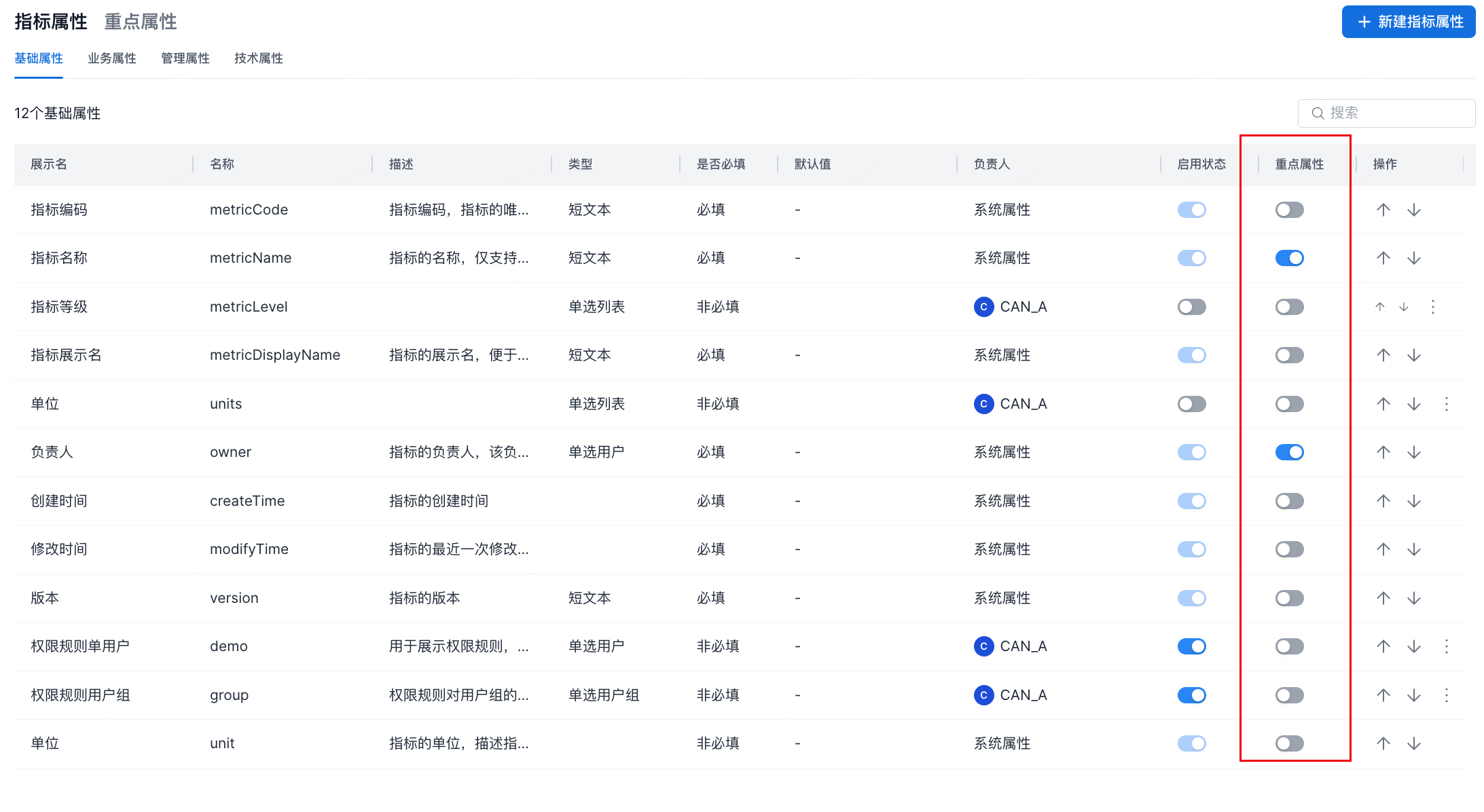
The display effect is shown below.
Create an Attribute
| Module | Description |
|---|---|
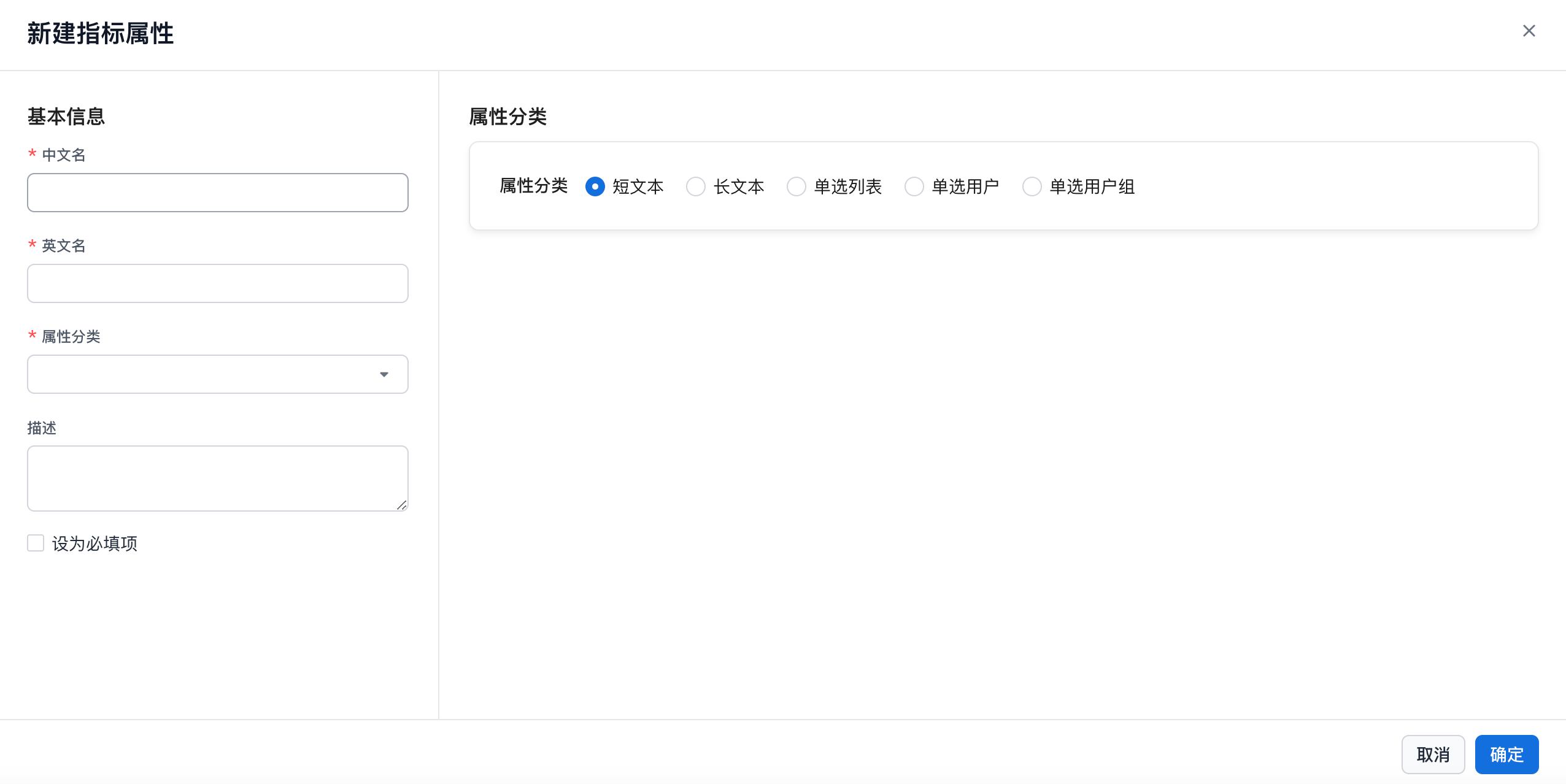
| Display Name | Attribute display name. Any characters are supported, up to 150 characters. |
| English Name | English letters, numbers, underscores (_), and parentheses (()) are supported. |
| Attribute Category | Basic Attributes, Business Attributes, Technical Attributes, or Management Attributes. If you enter from the create metric attribute entry point, the current page's attribute category is populated automatically. |
| Description | Any characters are supported, up to 300 characters. |
| Required | Optional (default) or Required. |
| Text Input | Short Text or Long Text. |
| Single-Select List | 1. You can add candidate values to a single-select list. 2. One candidate value can be set as the default value. 3. Duplicate candidate values are not allowed. |
| Single User | User selector. Supports selecting one user from a drop-down list and setting the metric creator as the default value. |
| Single User Group | User group selector. Supports selecting one user group from a drop-down list. |
Metric Attribute List
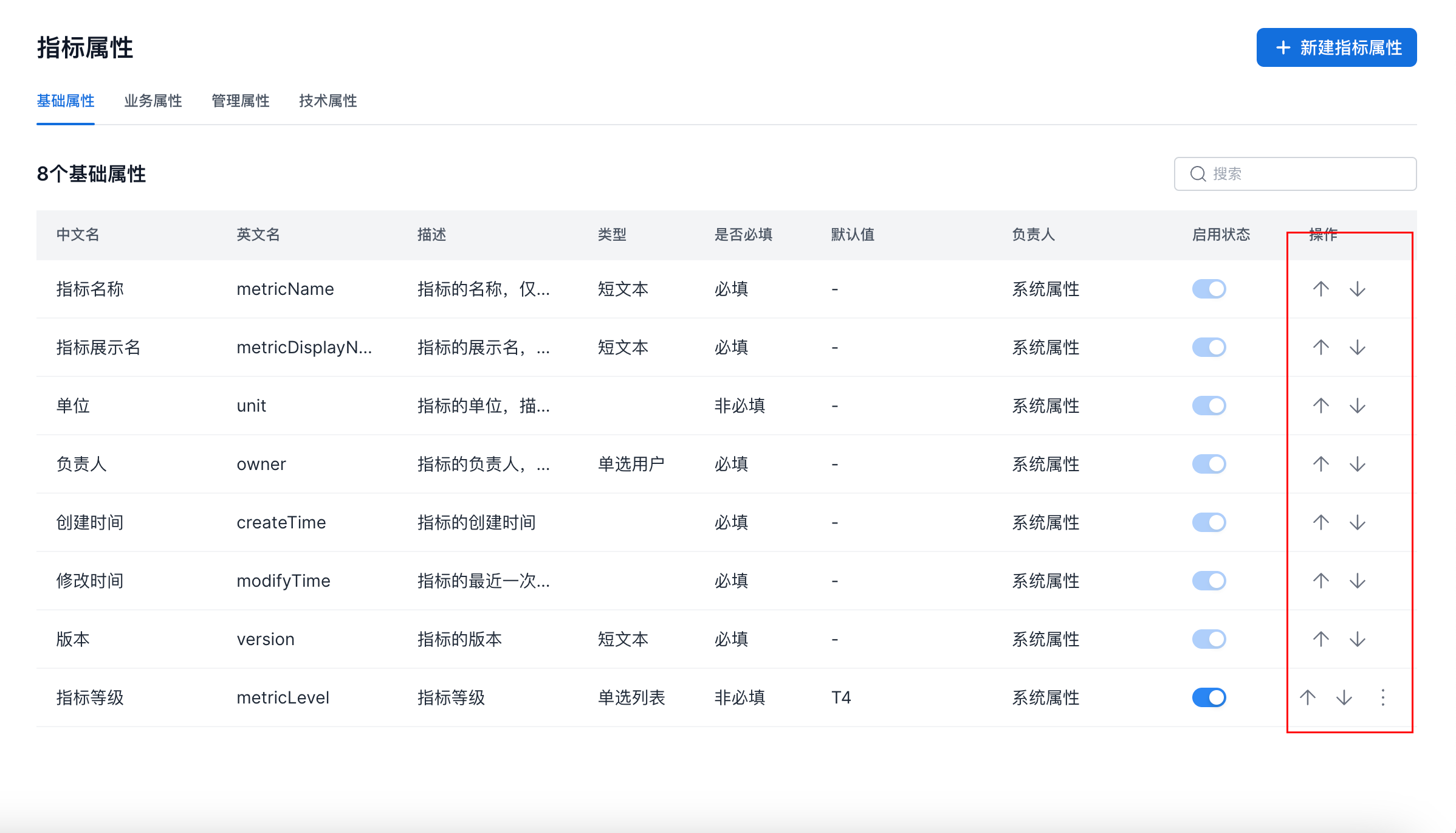
In the metric list, you can adjust the display order of metric attributes, as shown below.
Edit a Metric Attribute
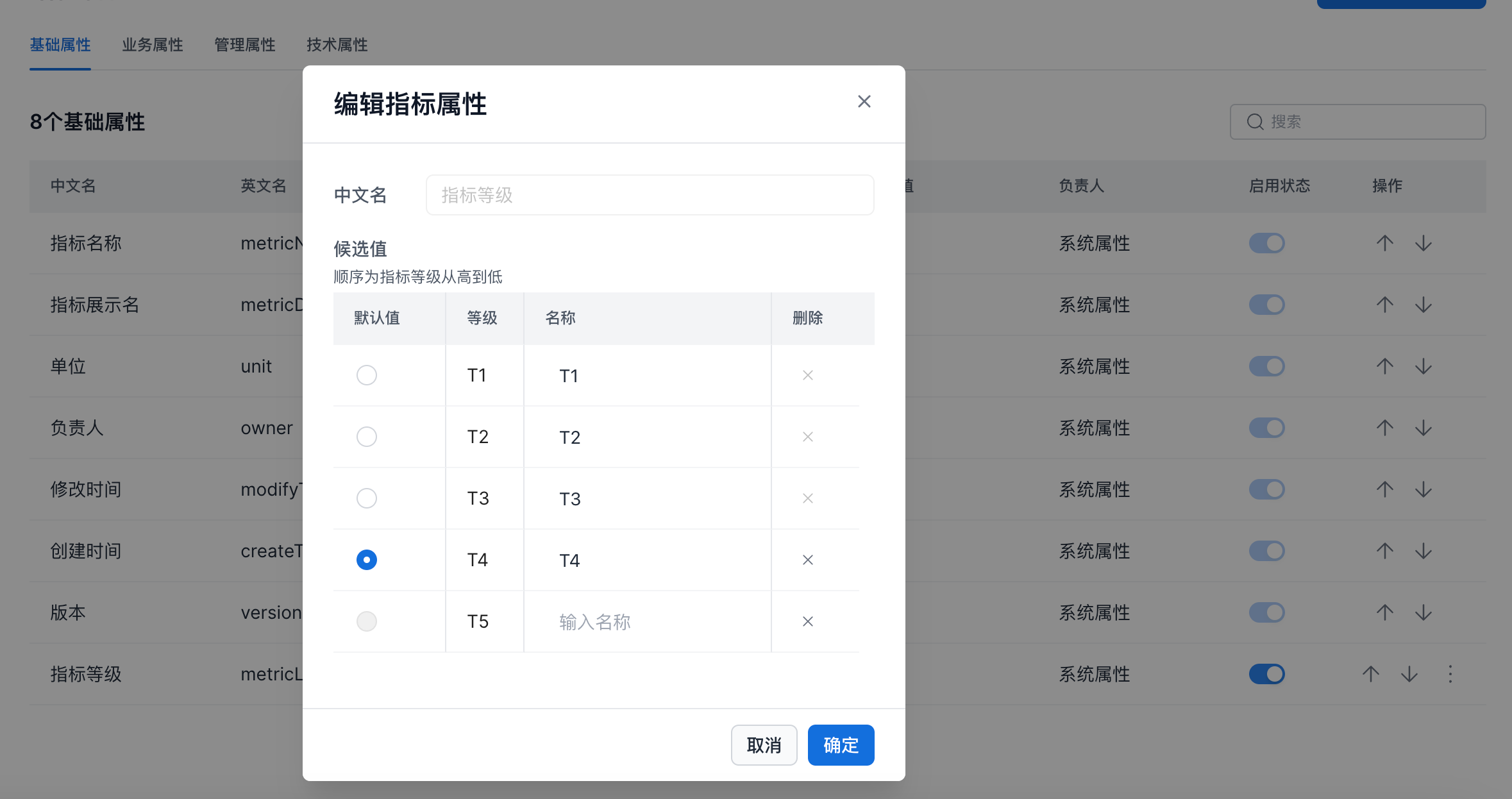
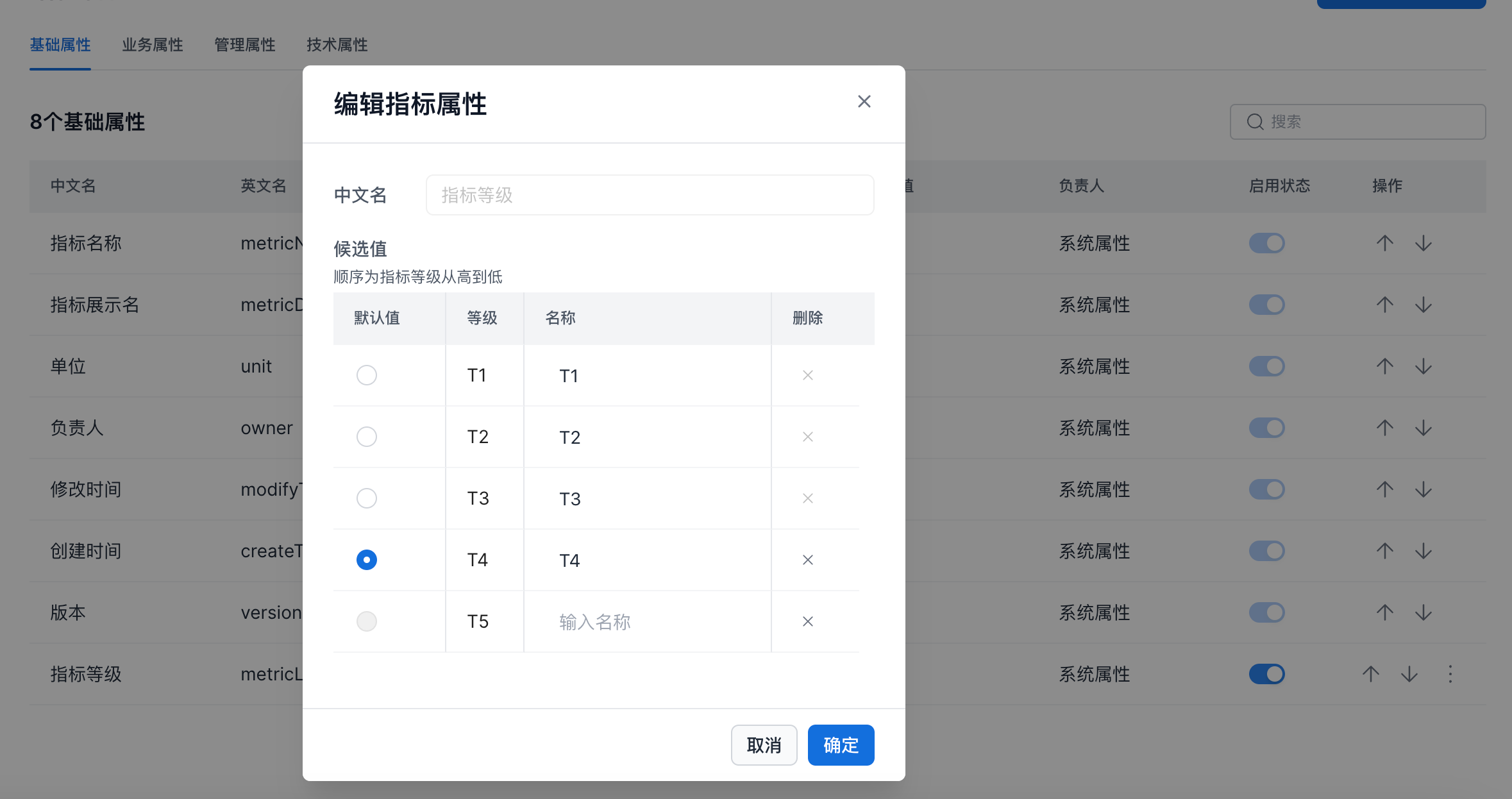
On the metric attribute page, select the attribute to modify. On the right side of the attribute, click the ... button and select Edit. You can then modify the attribute, as shown below.
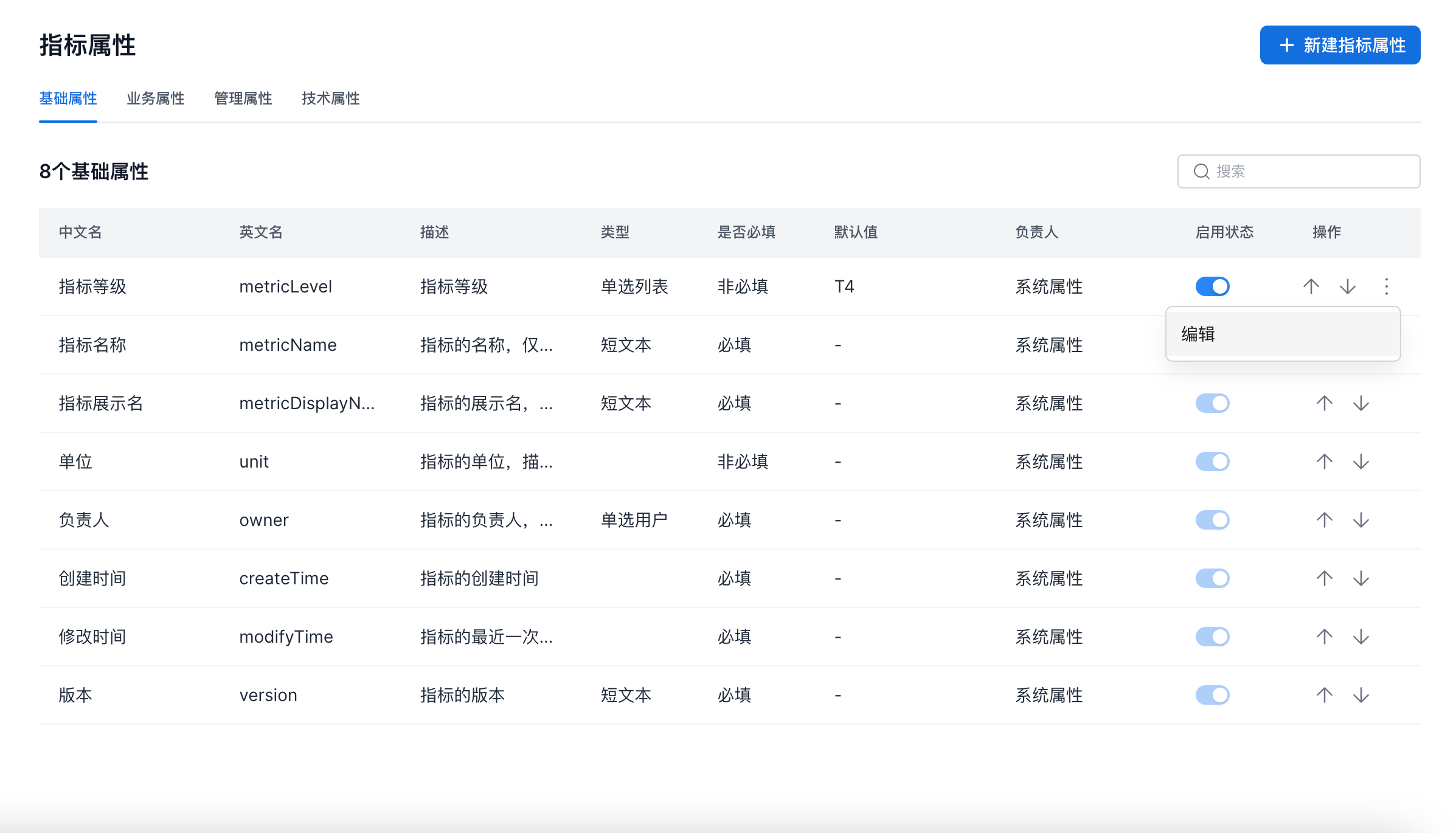
You can edit the metric level and custom metric attributes.