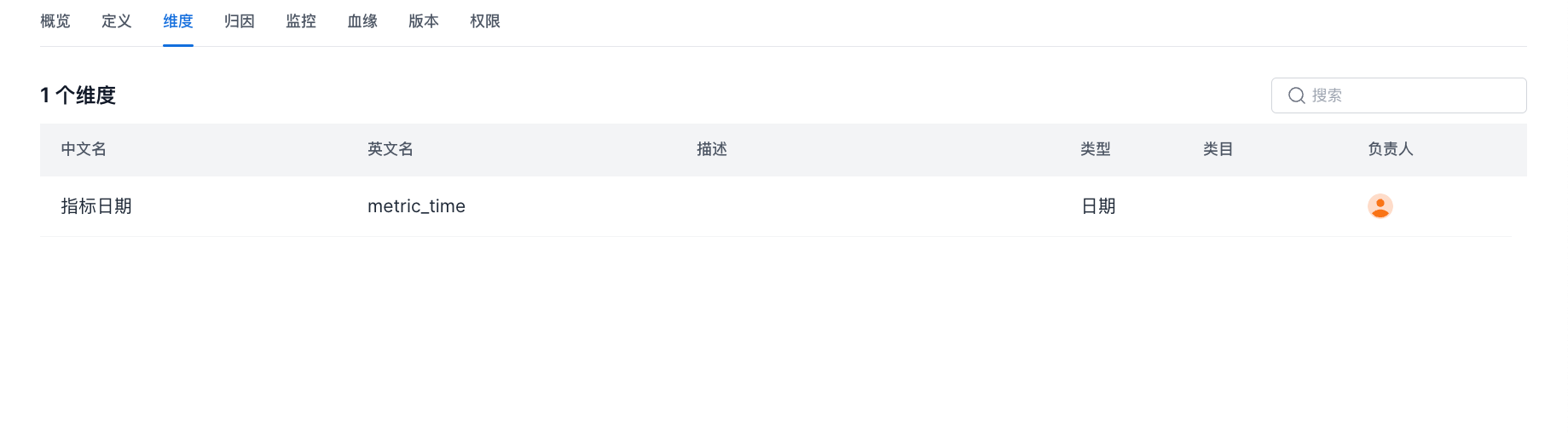
View Metric Details
This section explains how to view metric details, including the metric overview, metric definition, and metric dimension information.
Overview
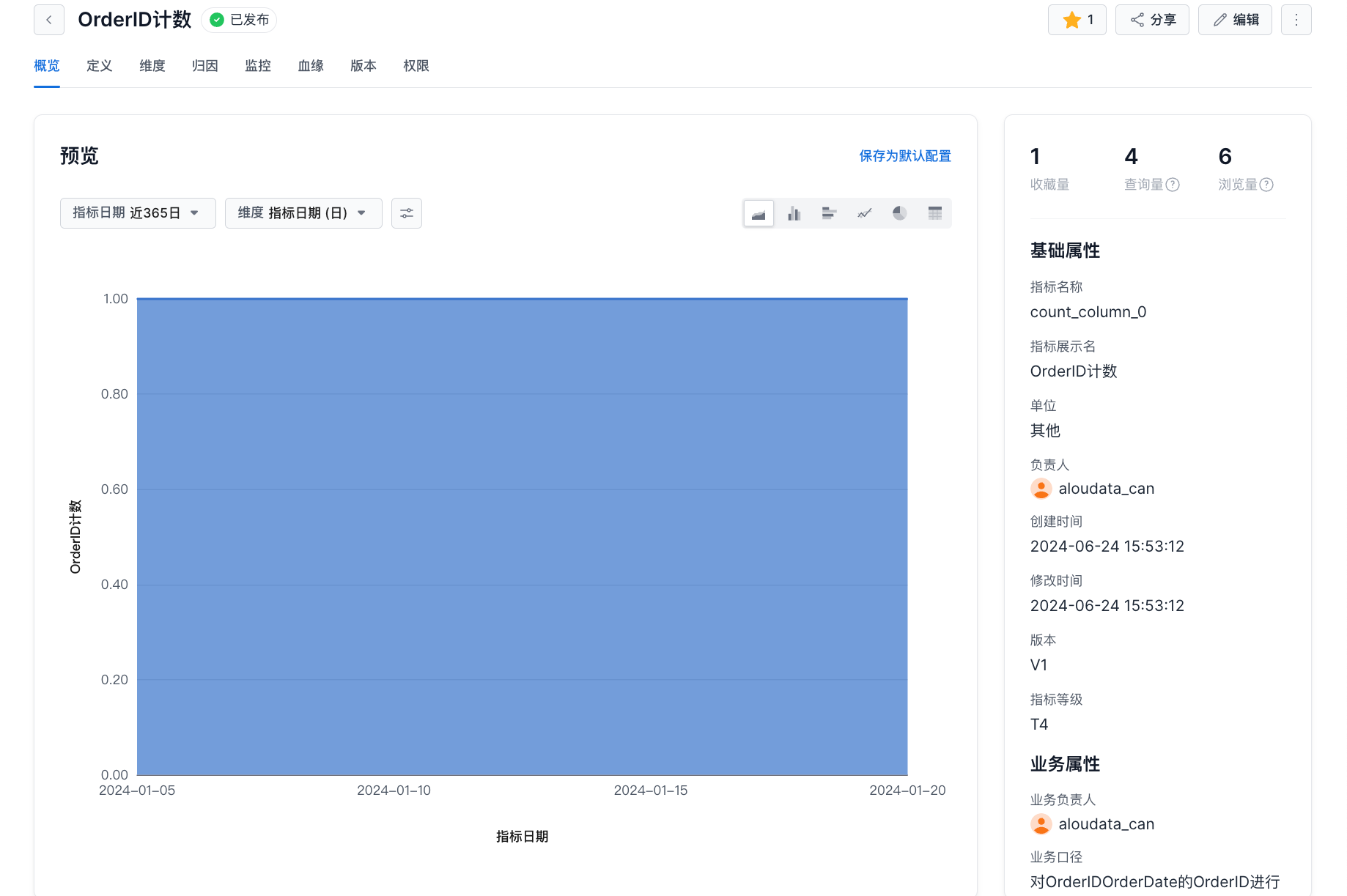
| Item | Description |
|---|---|
| Metric Date | Defaults to the last 30 days. You can change the time range. |
| Dimension | Defaults to metric date (day). You can switch to other dimensions. |
| Visualization | Supports line charts, column charts, bar charts, pie charts, and tables. |
| Query Results | If the dimension is metric date, results are returned sorted by metric date. If the dimension is not metric date, results are returned sorted by metric value. |
Definition
This module shows the metric's source dataset, aggregation method, date identifier, and SQL.
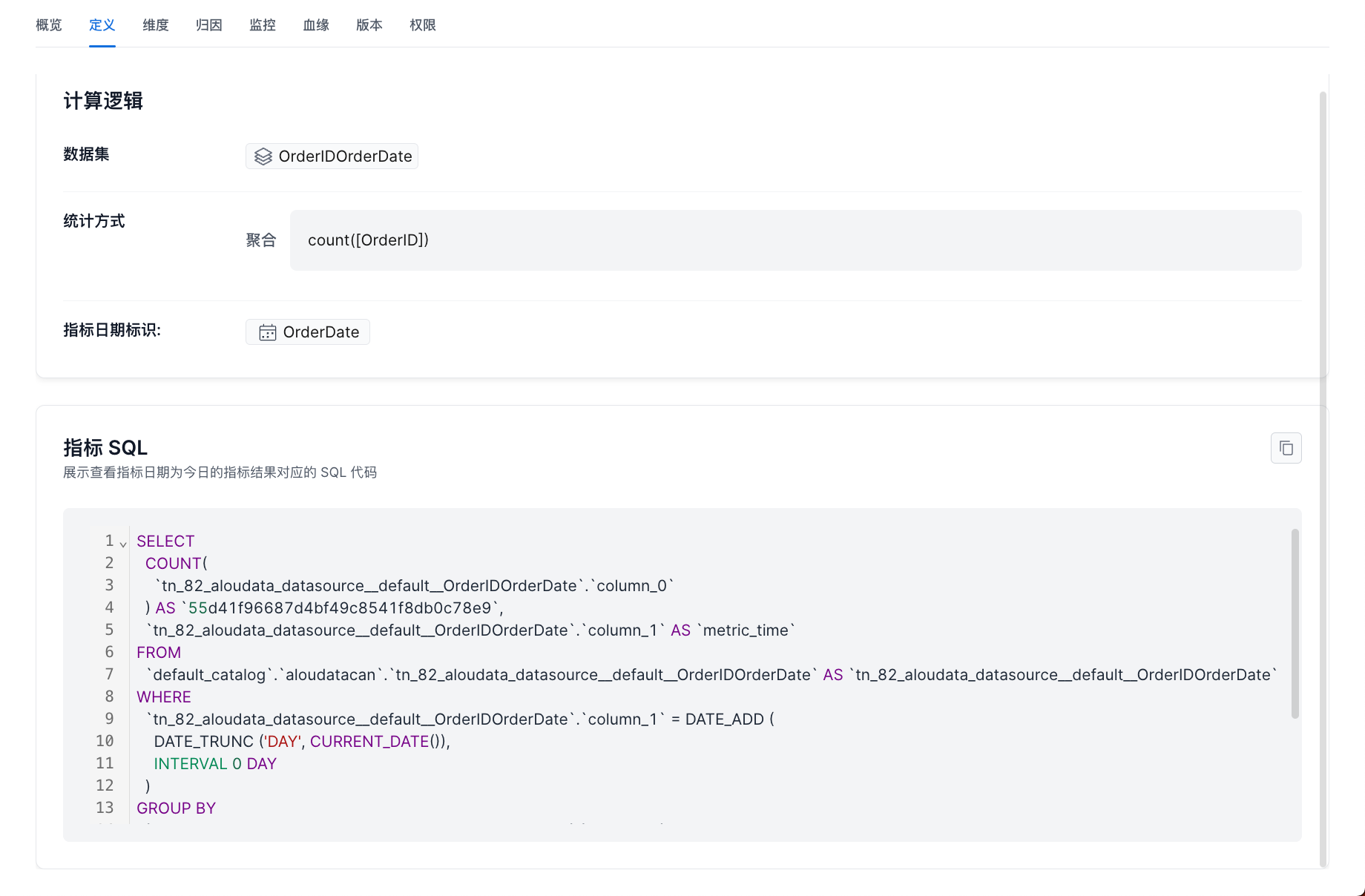
| Item | Description |
|---|---|
| Calculation Logic | Dataset: the dataset this metric comes from. Aggregation method: the metric calculation expression. Metric date identifier: the source field for the metric date. |
| Metric SQL | Shows the SQL code for querying metric results where the metric date is today. |
Dimensions
This module shows all dimensions that can be used to analyze the current metric.