Add a user to a Tenant
API Overview
Use this API to bind a user to a tenant. A tenant can register multiple users. Pass the tenant and user ID in the request headers. The user must be the tenant creator, and the account parameter is the user to add to the current tenant.
API URL
POST Http://{anymetrics_host:anymetrics_port}/anymetrics/api/v1/user/registerToTenant
To obtain anymetrics_host:anymetrics_port, see Calling APIs.
Request parameters
Common Request Headers
| parameter | Type | required | Description |
|---|---|---|---|
| tenant-id | String | Yes | Tenant ID, used to identify the tenant for metric query content. |
| auth-type | String | Yes | Authentication method. Supports UID, TOKEN, ACCOUNT, and APIKEY. |
| auth-value | String | Yes | Authentication value corresponding to auth-type. |
How to Obtain Common parameters
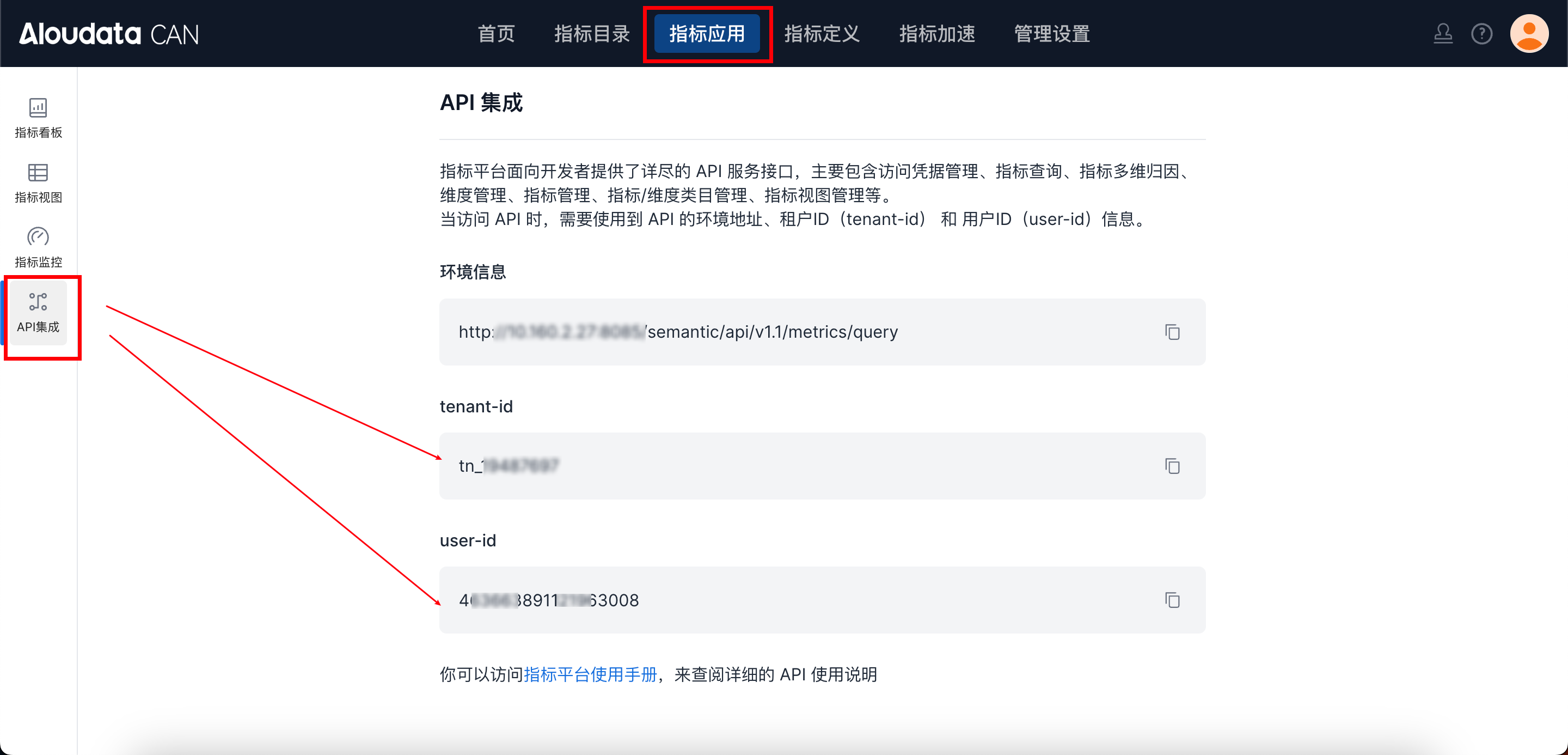
In Aloudata CAN, select Metric Applications in the top navigation bar, then select API Integration in the left navigation menu. You can obtain tenant-id on the API Integration page. Set auth-value according to auth-type.
Request parameters
| parameter | Type | required | Max Length | Description | Example Value |
|---|---|---|---|---|---|
| userId | Long | Yes | 32 | user ID to register | 338979817842016256 |
| role | String | Yes | 16 | Permission role. Enumerated values: ADMIN: administrator; ANALYST: metric definer; USAGER: metric user. | ADMIN |
Response parameters
| parameter | Type | required | Max Length | Description | Example Value |
|---|---|---|---|---|---|
| code | String | Yes | 32 | API response code | 200 |
| success | Boolean | Yes | Whether the request succeeded | true | |
| errorMsg | String | Yes | 512 | Error message | null |
| detailErrorMsg | String | Yes | Detailed error message | null | |
| traceId | String | Yes | 128 | traceId | fdde6861bd554805998343f9ff2dcd70.292.16857691758642861 |
| data | Boolean | Yes | Result | true/false |