Metric Date
Metric Date
Metric Date is a built-in system dimension in Aloudata CAN. It helps you query metric data by date without manually aligning date fields across metrics.
Basic Usage
-
The English name of the Metric Date dimension is
metric_time. -
When using Metric Date, you can switch the granularity to year, quarter, month, week, day, hour, or minute. If no granularity is specified, the system uses day granularity by default.
Note
Hour and minute granularity for Metric Date is supported in Aloudata CAN 1.2.0 and later, mainly for real-time metric scenarios. For best practices, see Real-Time Metric Querying.
Analyze Metrics Across Multiple Datasets
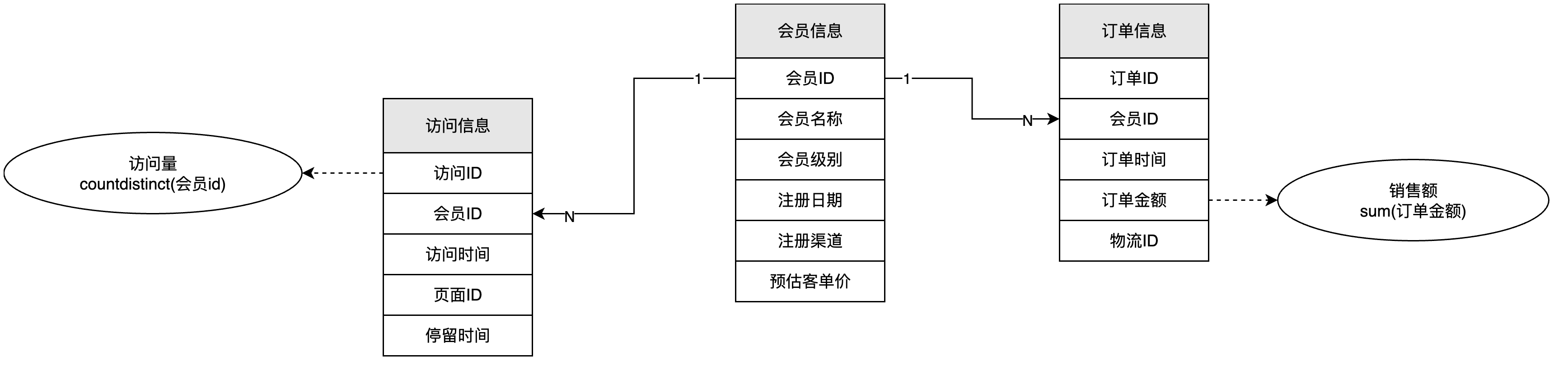
Assume you define two metrics, [Visits] and [Sales Amount], calculated from fields in the visit dataset and order dataset respectively.
During analysis, you may want a result like this:
| Date | Member Level | Visits | Sales Amount |
|---|---|---|---|
| 2021-05-20 | Premium | 1000 | 450 |
| 2021-05-20 | Standard | 800 | 500 |
| 2021-05-20 | Basic | 600 | 240 |
| ... | ... | ... |
Add [Metric Date] to Dimensions and add [Visits] and [Sales Amount] to Metrics to generate the result. Metric Date links the calculation results from multiple datasets by their configured metric date fields.
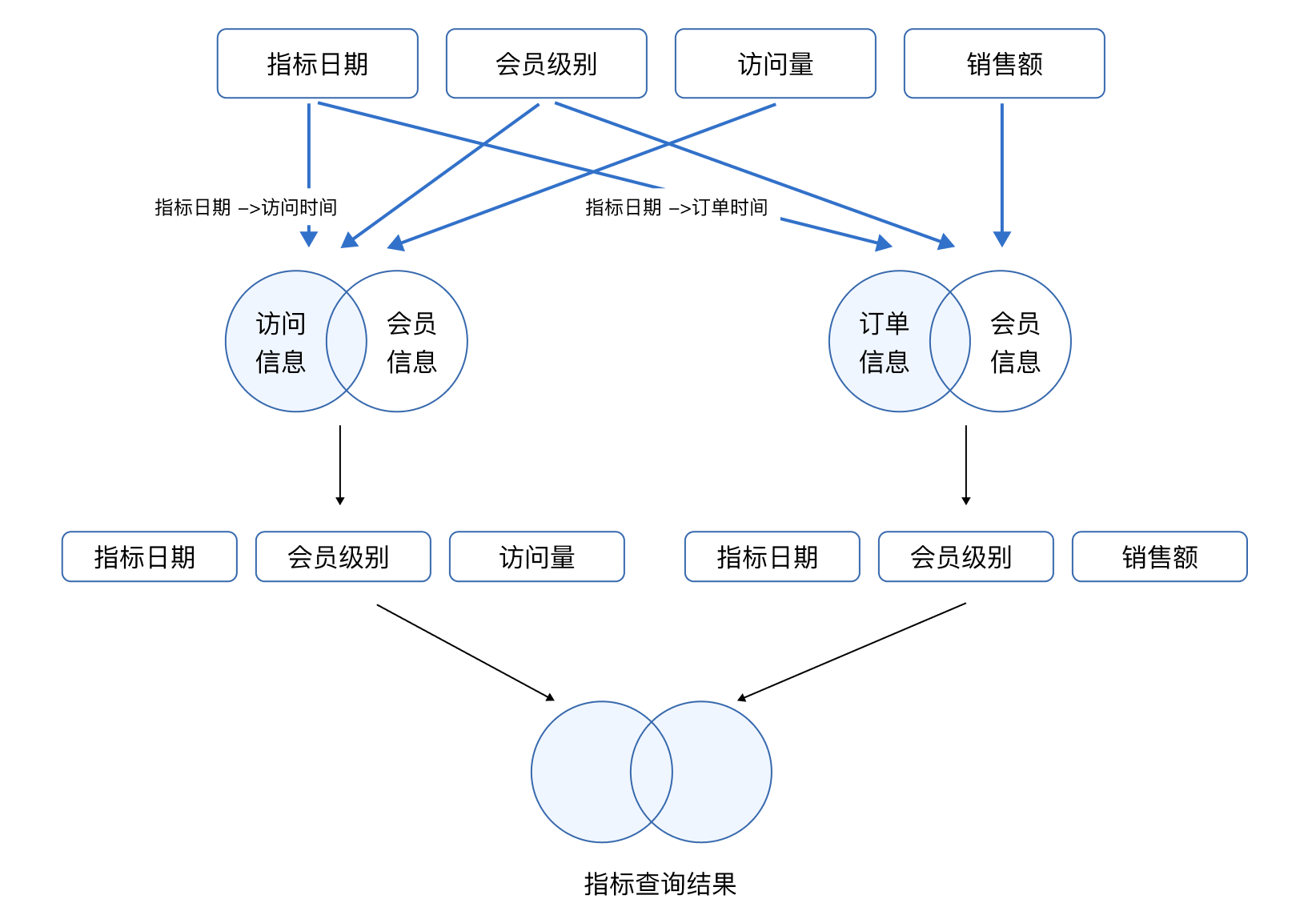
Atomic Metrics with Different Date Semantics
Suppose an order detail table has two date fields: order time and shipment time. You want to produce the following result:
| Date | Orders | Shipments |
|---|---|---|
| 2021-05-20 | 800 | 1000 |
| 2021-05-21 | 900 | 690 |
| ... | ... | ... |
Both Orders and Shipments are calculated with COUNT([Order ID]). To distinguish the ordering and shipping actions, set the metric date identifier separately when creating each atomic metric: use Order Time for the Orders metric and Shipment Time for the Shipments metric.
Bind Metric Date
The binding between Metric Date and a date field is configured in the basic metric definition. See Set the Metric Date Identifier in Create a Basic Metric.