Delete Metric
API Description
Use this API to delete a metric.
API URL
POST Http://{anymetrics_host:anymetrics_port}/anymetrics/api/v1/metrics/delete
For how to obtain anymetrics_host:anymetrics_port, see Calling APIs.
Request Parameters
Common Request Parameters (HEADERS)
| Parameter | Type | Required | Description |
|---|---|---|---|
| tenant-id | String | Yes | The tenant ID for the tenant that contains the metric query content. |
| auth-type | String | Yes | Authentication method. Supported values: UID, TOKEN, ACCOUNT, APIKEY. |
| auth-value | String | Yes | Authentication value that corresponds to auth-type. |
| queryBy | String | No | Identifier type to use for the query. When set to UUID, the API deletes the metric by metric code. If omitted, the API identifies the metric by English metric name or metric code based on the API configuration. |
How to Obtain Common Parameters
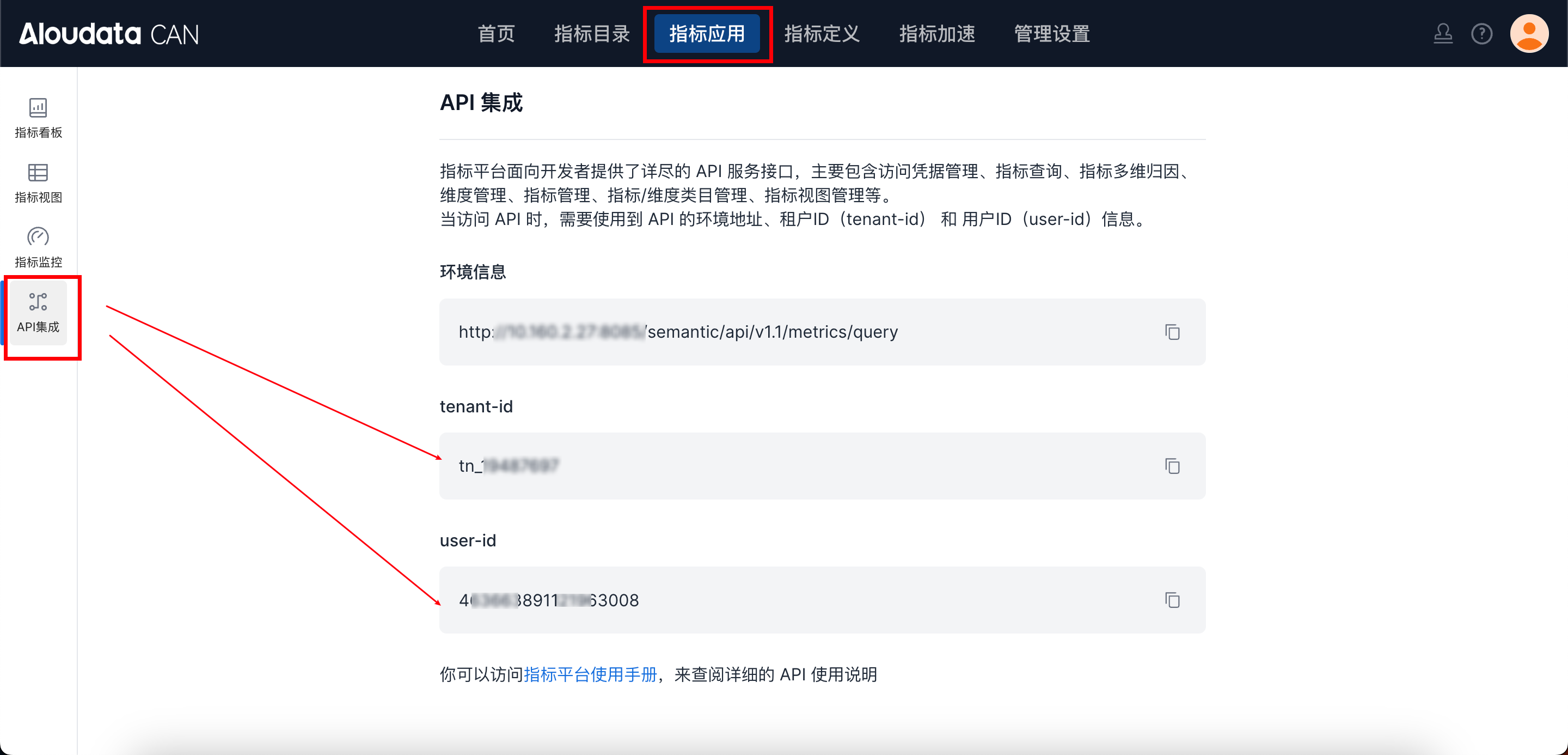
To obtain tenant-id, select the metric application from the top navigation bar in Aloudata CAN, choose API Integration from the left navigation menu, and copy it from the API Integration page. Set auth-value based on the selected auth-type.
Query/Form Request Parameters
| Parameter | Type | Required | Maximum Length | Description |
|---|---|---|---|---|
| metricName | String | Yes | 128 | Name or code of the metric to delete. The meaning depends on queryBy. |
Note:
metricNameis a request parameter. Pass it as a URL query parameter or in anapplication/x-www-form-urlencodedform.
Response Parameters
| Parameter | Type | Required | Maximum Length | Description |
|---|---|---|---|---|
| code | String | Yes | 32 | API response code. |
| success | Boolean | Yes | - | Whether the request succeeded. |
| errorMsg | String | No | 512 | Error message. |
| detailErrorMsg | String | No | - | Detailed error message. |
| traceId | String | Yes | 128 | Trace ID for troubleshooting. |
| data | Boolean | Yes | - | Whether the metric was deleted successfully. |
Request Example
Using query parameters:
curl -X POST 'http://{anymetrics_host:anymetrics_port}/anymetrics/api/v1/metrics/delete?metricName=OrderCount' \
  -H 'tenant-id: <tenant-id>' \
  -H 'auth-type: APIKEY' \
  -H 'auth-value: <auth-value>'