Metric-to-Filter Rules
Overview
The metric platform supports referencing the calculation result of another metric as a filter, which supports more complex scenarios.
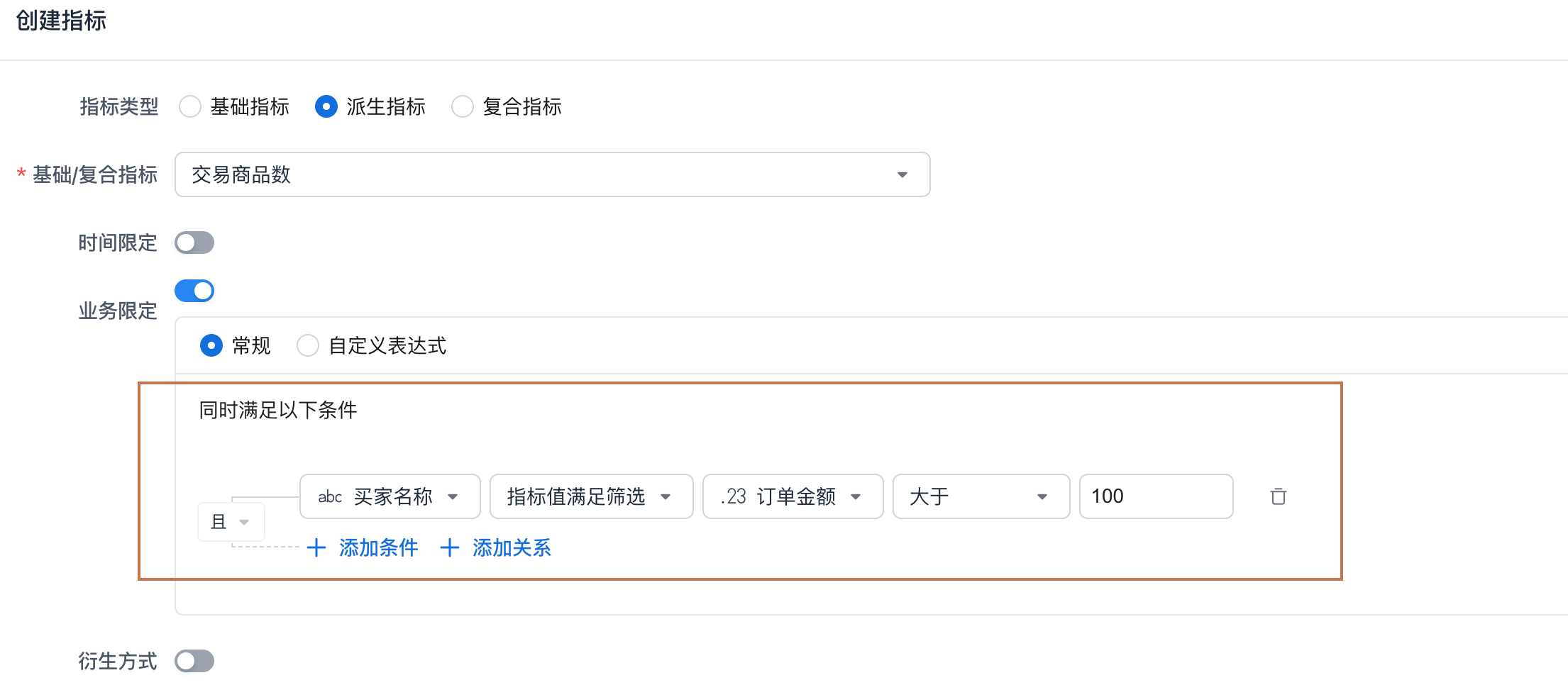
Calculation Mechanism
A metric result filter can be understood as an independent metric query. Its query environment is exactly the same as the query environment of the metric that contains it. For example:
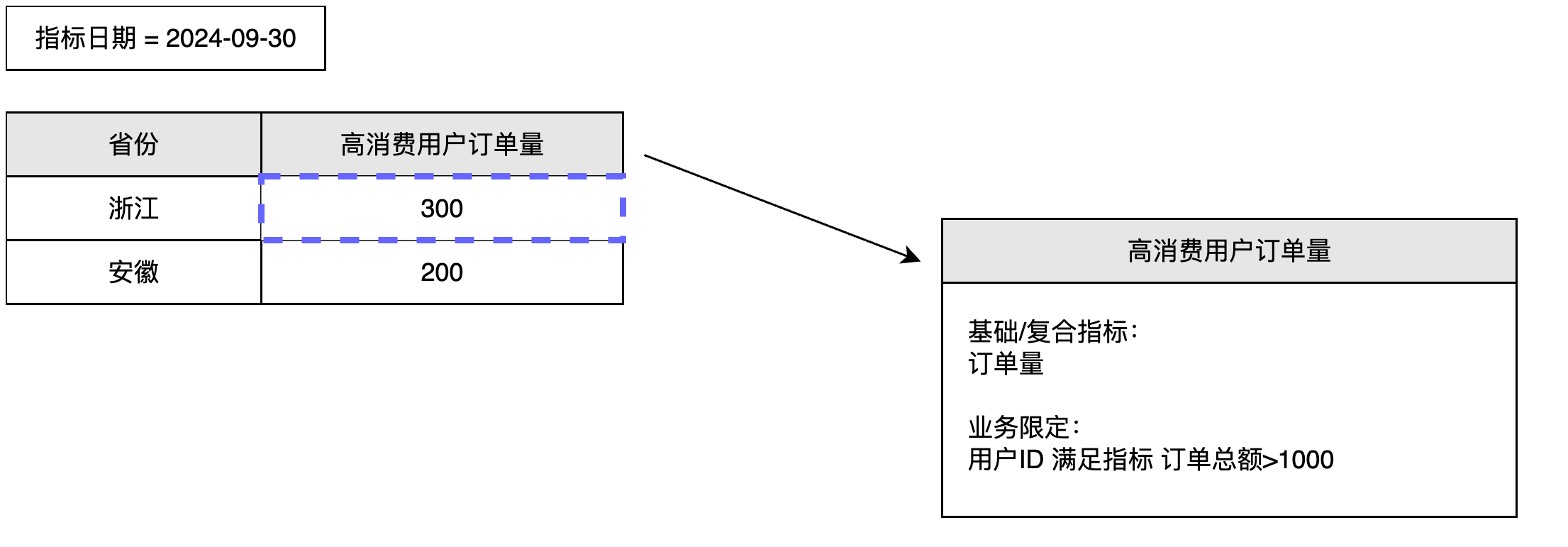
When defining High-Consumption User Order Volume, a metric result filter based on User ID is used. During query execution, the calculation steps are:
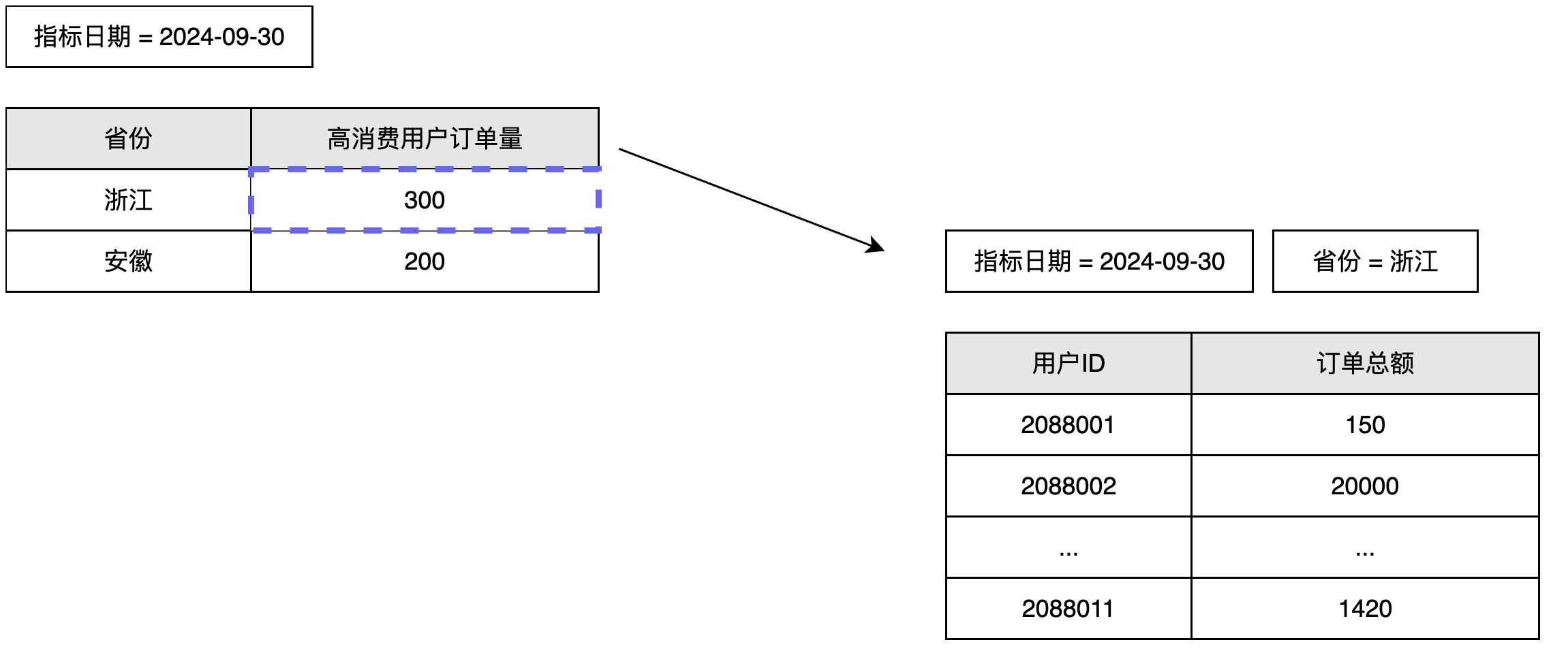
- Apply the query environment to the metric result filter. In the example shown, the system calculates the result for
User IDunderMetric Date = 2024-09-03andProvince = Zhejiang.
-
In the result above, keep the
User IDvalues whoseTotal Order Amountresult is greater than 1000, and apply thoseUser IDvalues to the filter forHigh-Consumption User Order Volume. -
Generate the calculation result.
Notes
A metric result filter can be understood as using the metric query environment to calculate a metric value under a specific dimension, and then keeping only the values of that specific dimension whose metric values meet the required range.
Because a metric result filter can use a derived metric with a time limit, the external query environment must satisfy the requirements that allow the derived metric to work correctly.
For example, suppose the business limit is set to: User ID satisfies Order Amount in Recent 7 Days > 1000. In this case, the query environment must contain metric date as a dimension or a point-in-time filter on metric date applied to the current calculation. Only then can the metric value be calculated correctly.