Data Update
Overview
Use this API to update materialized table data related to this table.
API URL
POST Http://{anymetrics_host:anymetrics_port}/anymetrics/api/v1/scheduler/task/trigger
To obtain anymetrics_host:anymetrics_port, see Calling APIs.
Request parameters
Common Request Headers
| parameter | Type | required | Description |
|---|---|---|---|
| tenant-id | String | Yes | Tenant ID, used to identify the tenant for metric query content. |
| auth-type | String | Yes | Authentication method. Supports UID, TOKEN, ACCOUNT, and APIKEY. |
| auth-value | String | Yes | Authentication value corresponding to auth-type. |
How to Obtain Common parameters
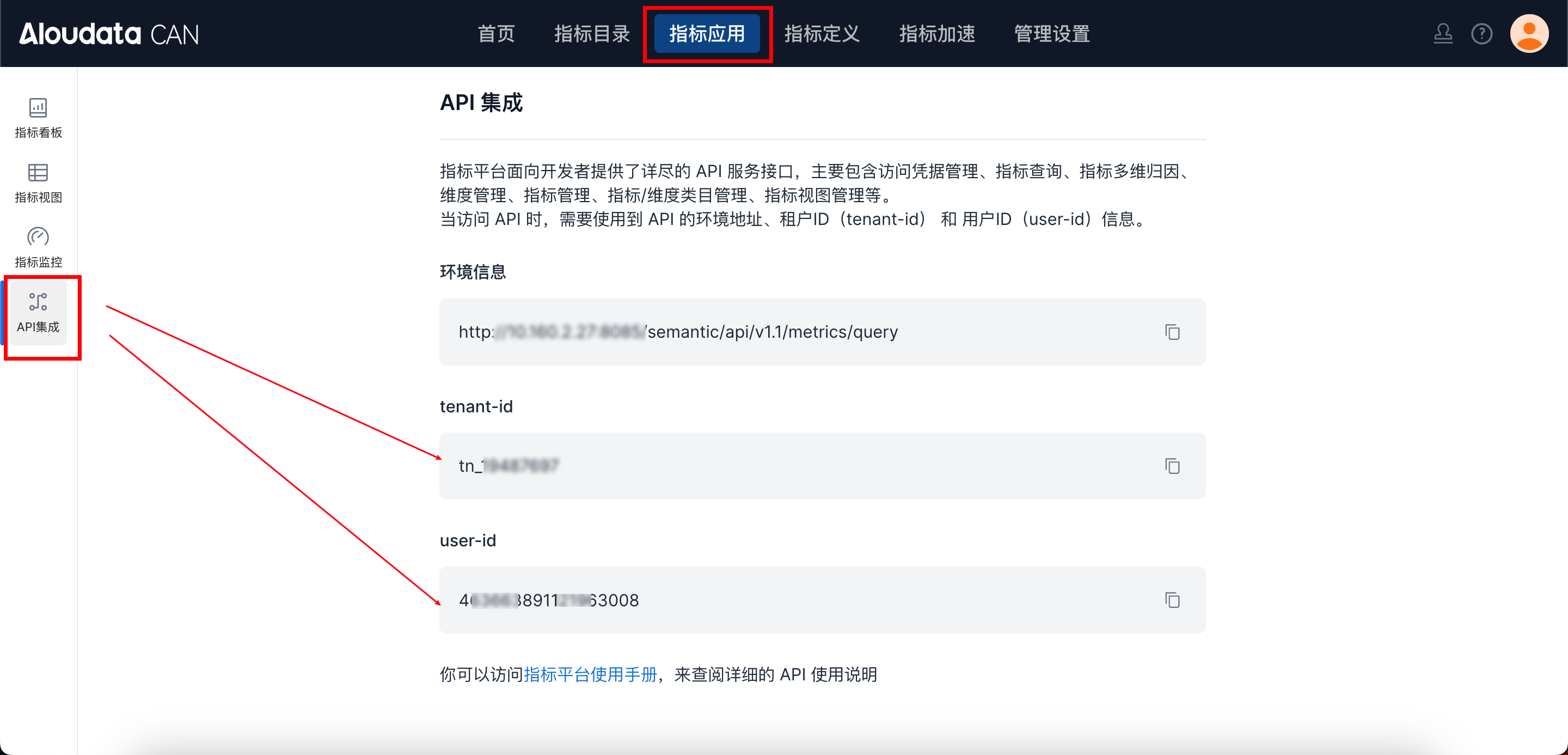
In Aloudata CAN, select Metric Applications in the top navigation bar, then select API Integration in the left navigation menu. You can obtain tenant-id on the API Integration page. Set auth-value according to auth-type.
Request Body parameters
| parameter Name | Type | Max Length | required | Description |
|---|---|---|---|---|
| tableName | String | 128 | Yes | Data source table name. It must follow Data Source Name Composition Rules below. |
| tenantId | String | 128 | Yes | Tenant ID。 |
| tablePartition | String | - | Yes | Partition name to update,format must be yyyy-MM-dd,for example:2024-07-17。 |
Data Source Name Composition Rules
The complete composition rule for tableName is:
Data source name + `catalog.schema`.Table name
- Data source name
The custom engine name specified when binding the data source during platform initialization,for example:starrocks、mysql、oracle。
Note: The data source name is not the native database name. It is the custom name used during binding.
-
catalog.schema
Must be wrapped in backticks, for example`default_catalog.schema`。 -
Table name
Actual business table name。
Example
"tableName": "starrocks.`default_catalog.schema`.p_order"
-
starrocks → Data source name, the custom engine name used during platform binding
-
default_catalog.schema→ catalog and schema, wrapped in backticks -
p_order → Table name
Response parameters
| parameter Name | Type | required | Max Length | Description |
|---|---|---|---|---|
| code | String | Yes | 32 | API response code. For example, 200 indicates success. |
| succeed | Boolean | Yes | - | Whether successful。 |
| traceId | String | Yes | 128 | Unique request trace ID for troubleshooting。 |
| data | String | No | - | API response result, usually a Boolean value. |
| errorMsg | String | No | - | Error message returned when the call fails. |
Request Example
{
    "tableName": "starrocks.`default_catalog.schema`.p_order",
    "tenantId": "tn_597771",
    "tablePartition": "2024-07-17"
}