Email Push
System Configuration Procedure
- Update the database table structure
Update the fields in the
am_push_channel configuration table in the anymetrics database. This table stores the underlying configuration parameters for system message push channels.
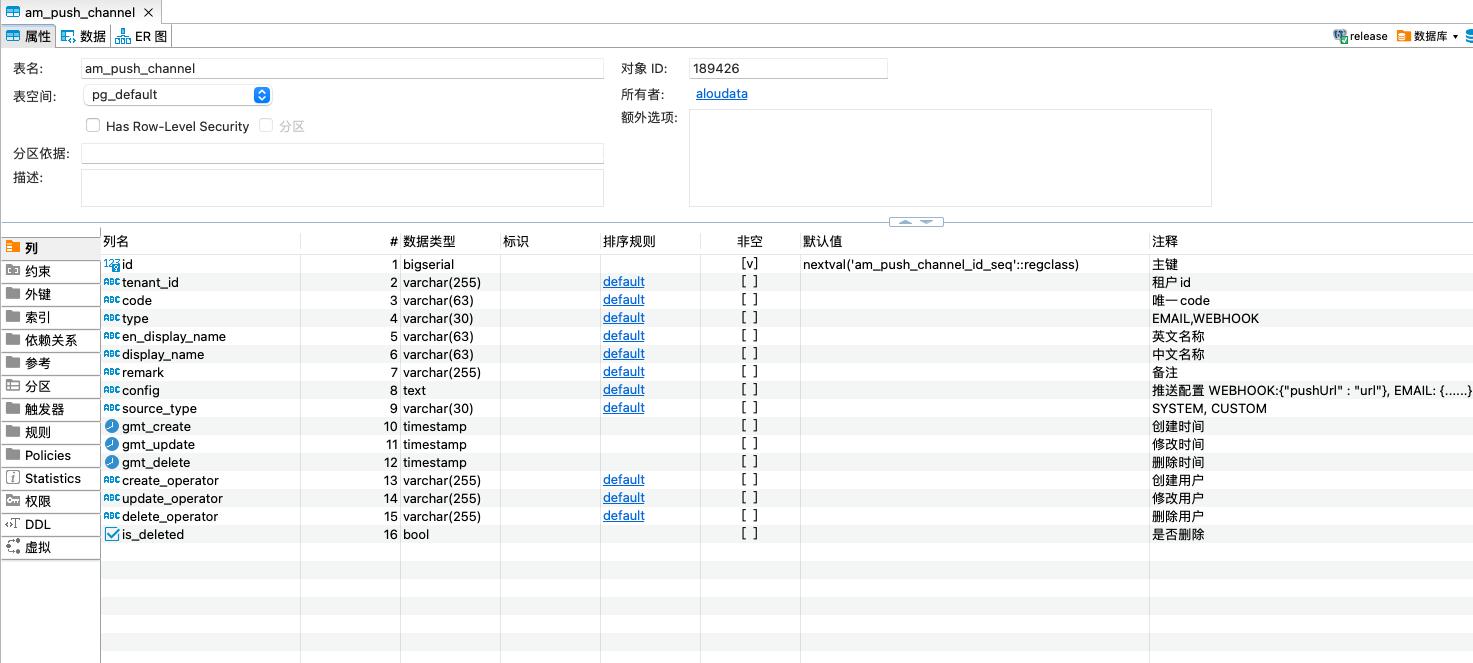
- Update the configuration item
For push channel records where the
type field is email, update the config field as follows:
{
  "protocol": "SMTP_SSL",
  "host": "smtp.example.com",
  "port": "465",
  "sender": "noreply@example.com",
  "username": "service_account@example.com",
  "auth": true,
  "authCode": "XXXXXXXXXXXX"
}
Configuration Parameters
| Configuration item |
Description |
| protocol |
Email transfer protocol. Supported values are SMTP and SMTP_SSL. |
| host |
SMTP server address provided by the email service provider. |
| port |
Network port used by the selected protocol. For example, SMTP_SSL commonly uses port 465 or 587. |
| sender |
Sender email address. |
| username |
Account identifier used for SMTP server authentication, usually the full email address. |
| auth |
Optional SMTP authentication switch. Boolean value: true enables authentication, and false disables authentication. |
| authCode |
Authorization credential for the SMTP account. |