Resource Queue
This article explains the concept of resource queues and describes how to create, edit, and delete them.
1. Overview
Resource queues are the platform-level logical abstraction of resource groups in the underlying compute engine. They are used to isolate resources and control concurrency for different types of tasks.
Resource queues help address the following issues:
-
Query tasks and materialization build tasks competing for resources
-
High-priority tasks being blocked by low-priority tasks
-
Uncontrolled resource usage during peak hours
2. Relationship Between Resource Queues and Engine Resource Groups
-
One resource queue is bound to one engine resource group.
-
The same engine resource group can be bound to multiple resource queues.
-
Platform-side resource queues are mainly used for:
-
Usage scope control
-
Concurrency limits
-
Scheduling priority
-
3. Resource Queue Types
1. Query Resource Queue
Purpose:
-
Query pages
-
Query APIs
Characteristics:
-
Allows only query tasks
-
Does not participate in materialization builds or backfill tasks
2. Build Resource Queue (Materialization Resource Queue)
Purpose:
-
Standard materialization builds
-
Accelerated materialization builds
Characteristics:
-
Allows only build tasks
-
Supports a specified user scope
-
Supports concurrency limits
-
Supports time-based concurrency control
4. Create a Resource Queue
4.1 Configuration Entry Point
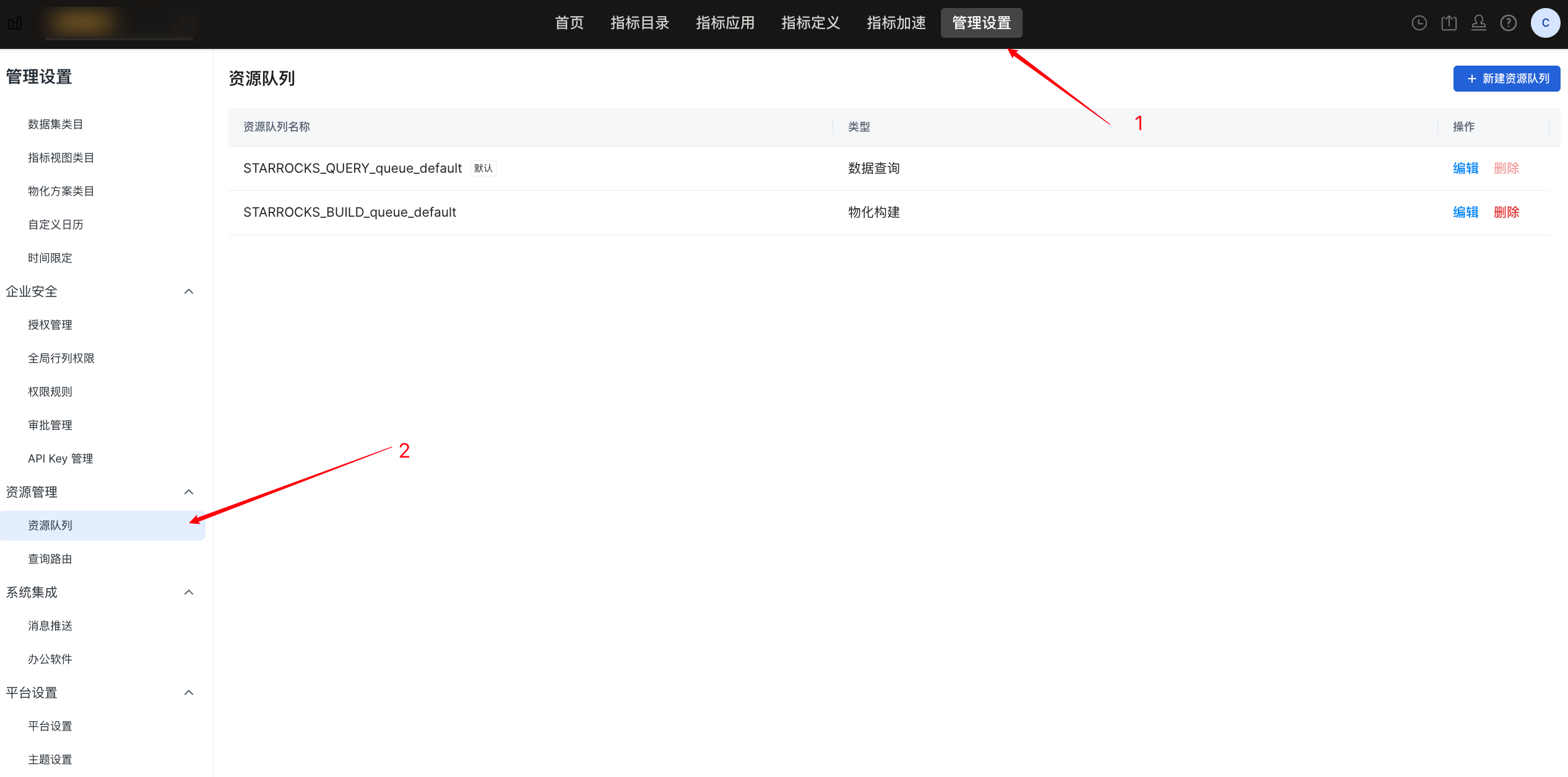
In Aloudata CAN, go to Management Settings -> Resource Management -> Resource Queue, as shown below:
4.2 Create a Resource Queue
On the Resource Queue page, click New Resource Queue in the upper-right corner. The resource queue creation dialog is shown below.
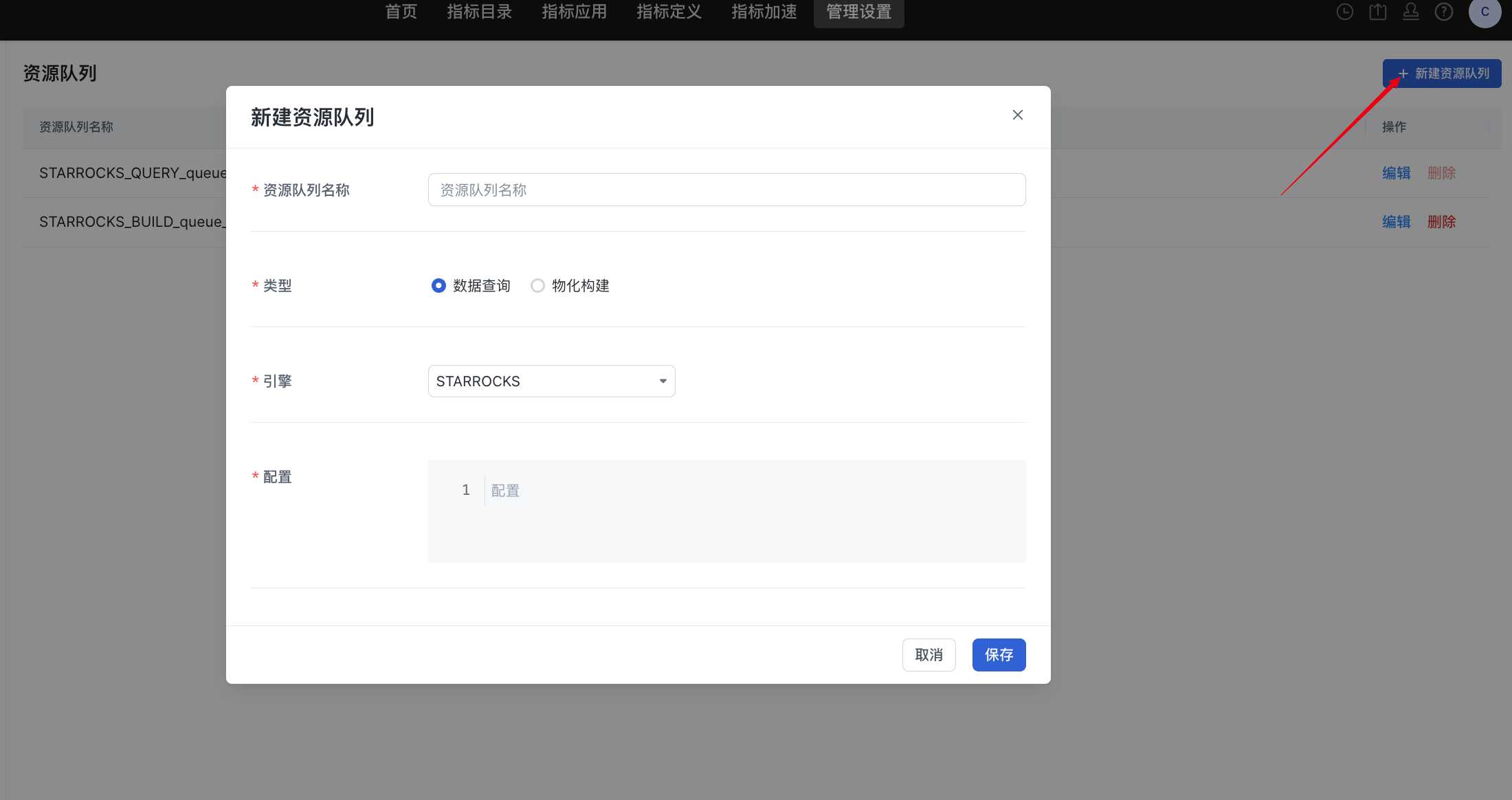
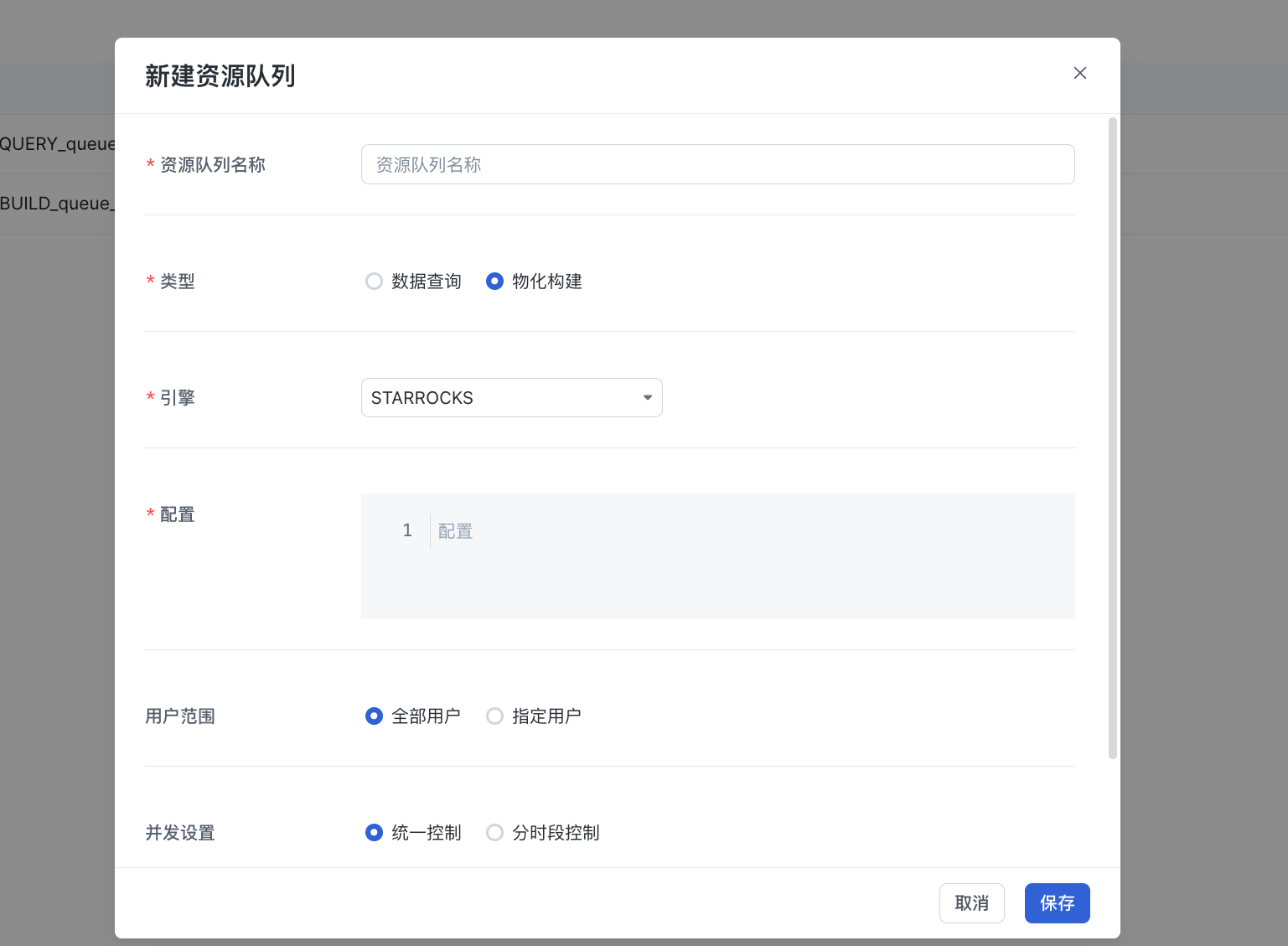
| Configuration Item | Description | Example |
|---|---|---|
| Resource Queue Name | The unique identifier of the resource queue in the platform. It is used for selection in scenarios such as materialization tasks and query routing. | STARROCKS_QUERY_DEFAULT |
| Type | Data Query: can be referenced by query routing rules and is used only for query tasks. Materialization Build: used for materialization build tasks. | |
| Engine | Specifies the compute engine type bound to the resource queue. | |
| Configuration | Configures engine-side resource group information. | "resourceIsolationSql": "SET resource_group = ''" |
| User Scope | Controls which users can use the resource queue. Options include all users and specified users. | |
| Concurrency Control | Limits the number of tasks that can run concurrently in the resource queue. Unified control sets a fixed maximum concurrency value. Time-based control sets different concurrency limits for different time periods. | Example: - Daytime (09:00-18:00): concurrency 2 - Nighttime (18:00-09:00): concurrency 10 |
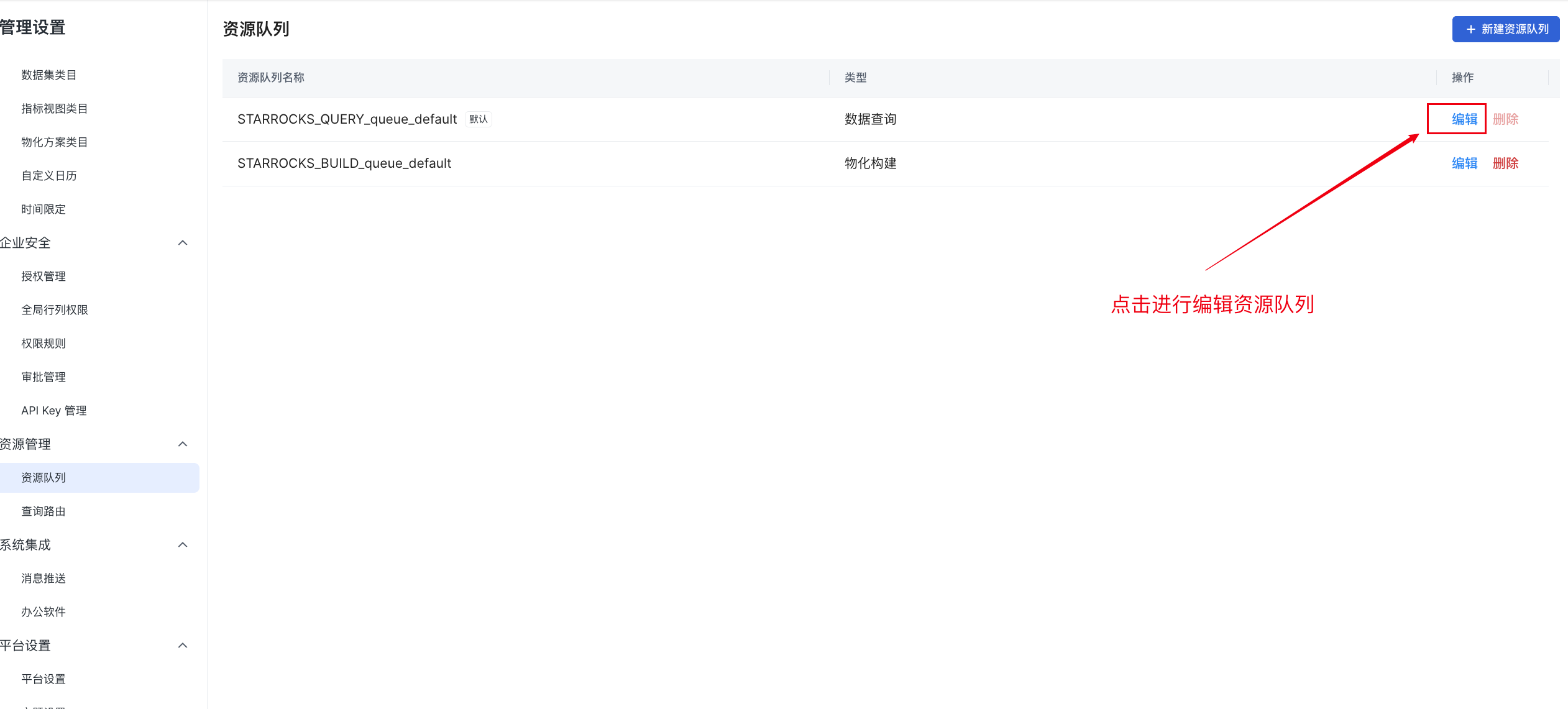
5. Edit a Resource Queue
The edit entry point is shown below:
6. Delete a Resource Queue
The delete entry point is shown below:
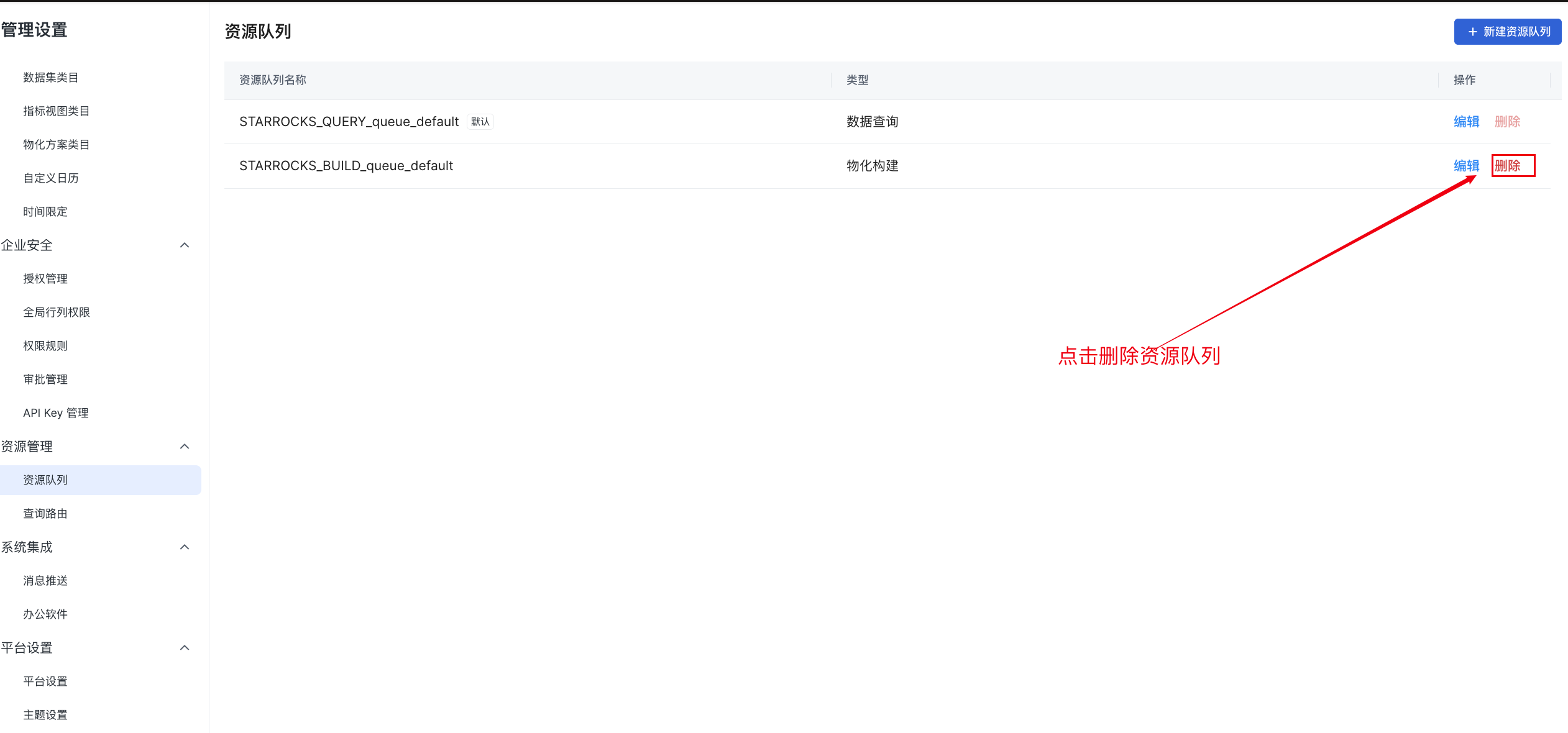
7. Use Resource Queues in Materialization Tasks
1. Resource Settings for a Materialization Plan
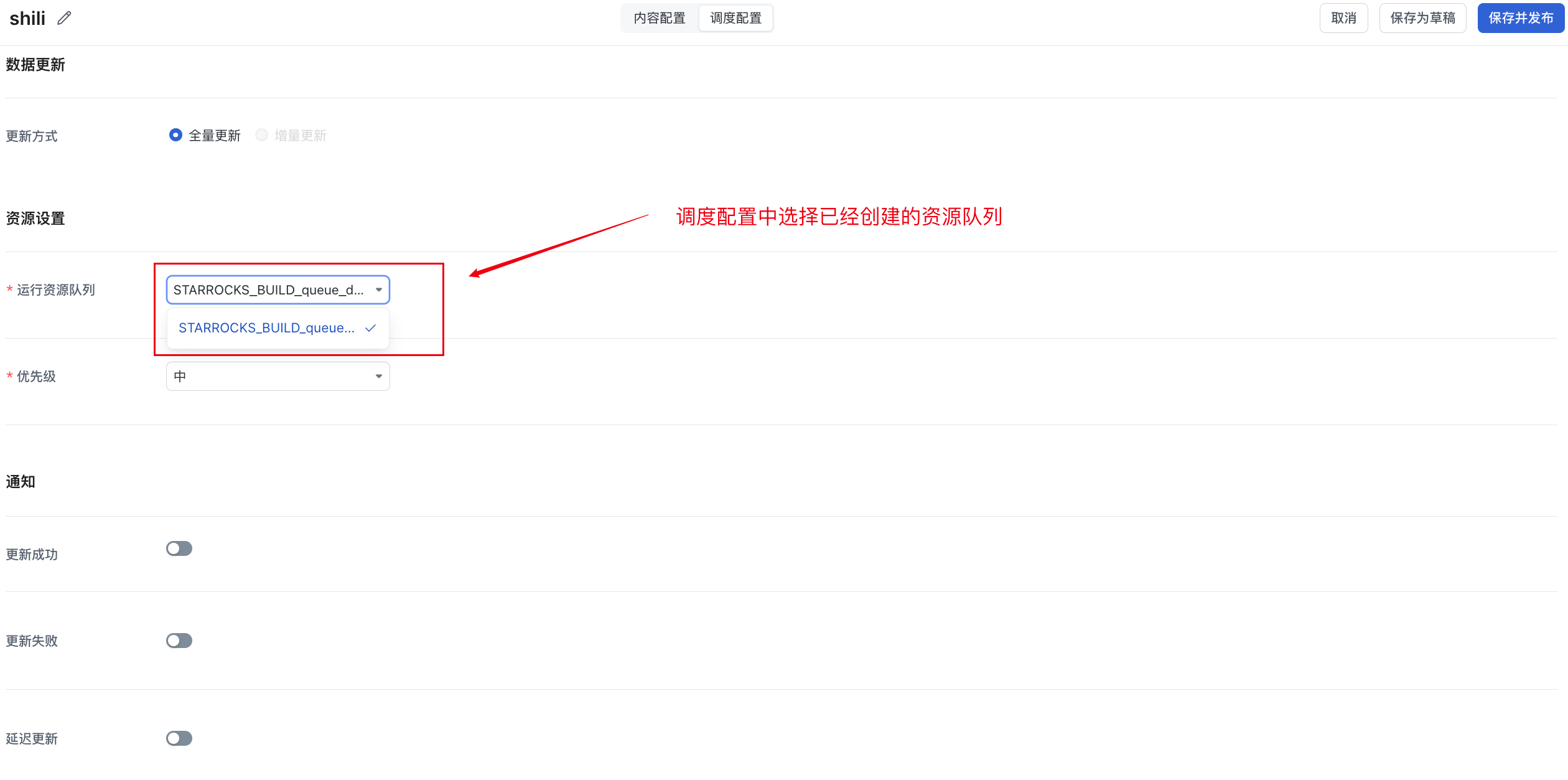
In the Scheduling Configuration section of a materialization plan, you can set:
-
Runtime resource queue (build type)
-
Scheduling priority
This configuration applies to:
-
Scheduled instances
-
Default backfill instances
2. Resource Settings for Backfill Tasks
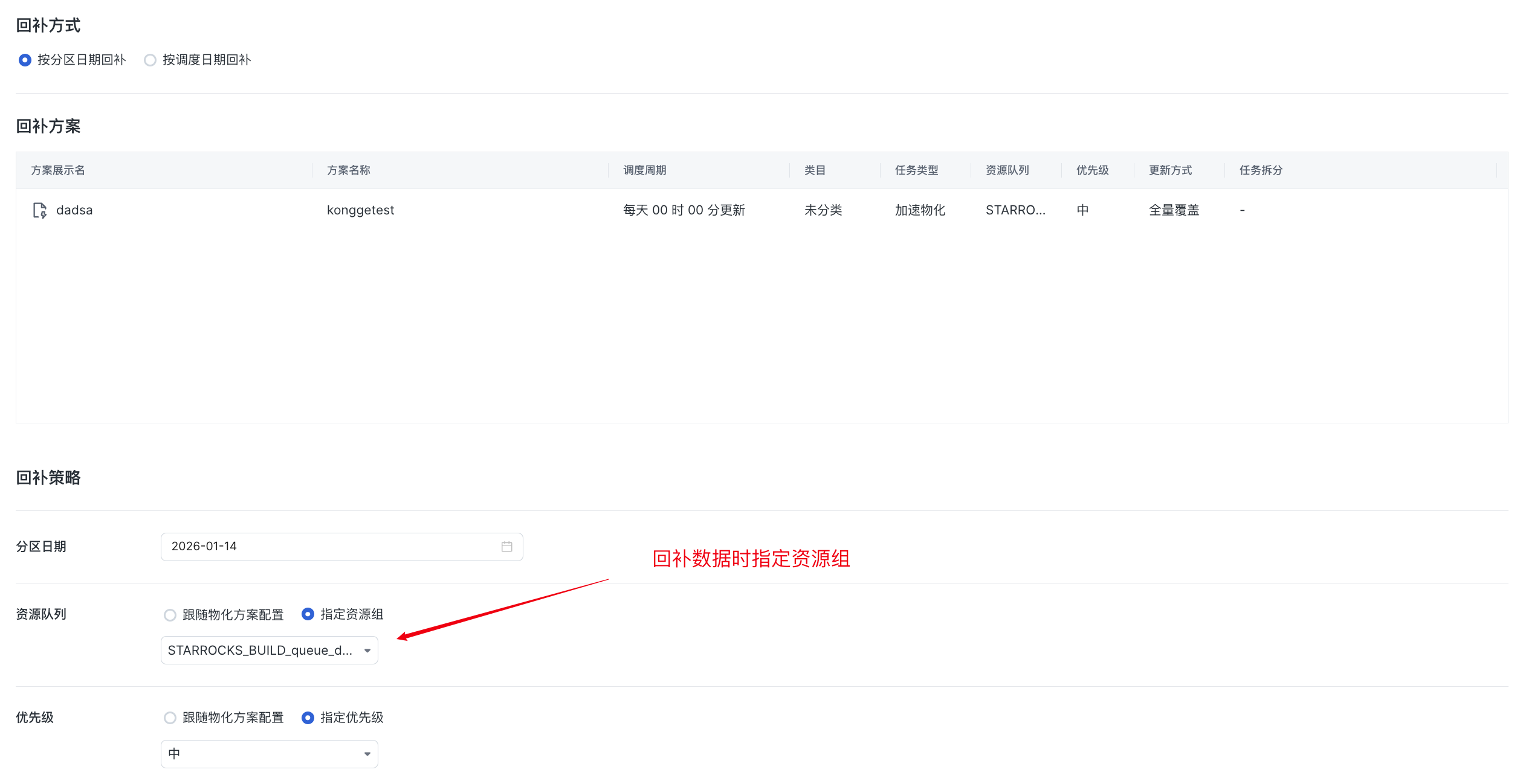
When submitting a backfill task:
-
The task follows the materialization plan configuration by default.
-
You can temporarily specify a resource queue and priority.