User Interface Overview
Overview
Note
This page applies to Aloudata CAN version 1.XXX and later.
Aloudata CAN is a browser-based product. You can access the metric platform directly through a web browser.
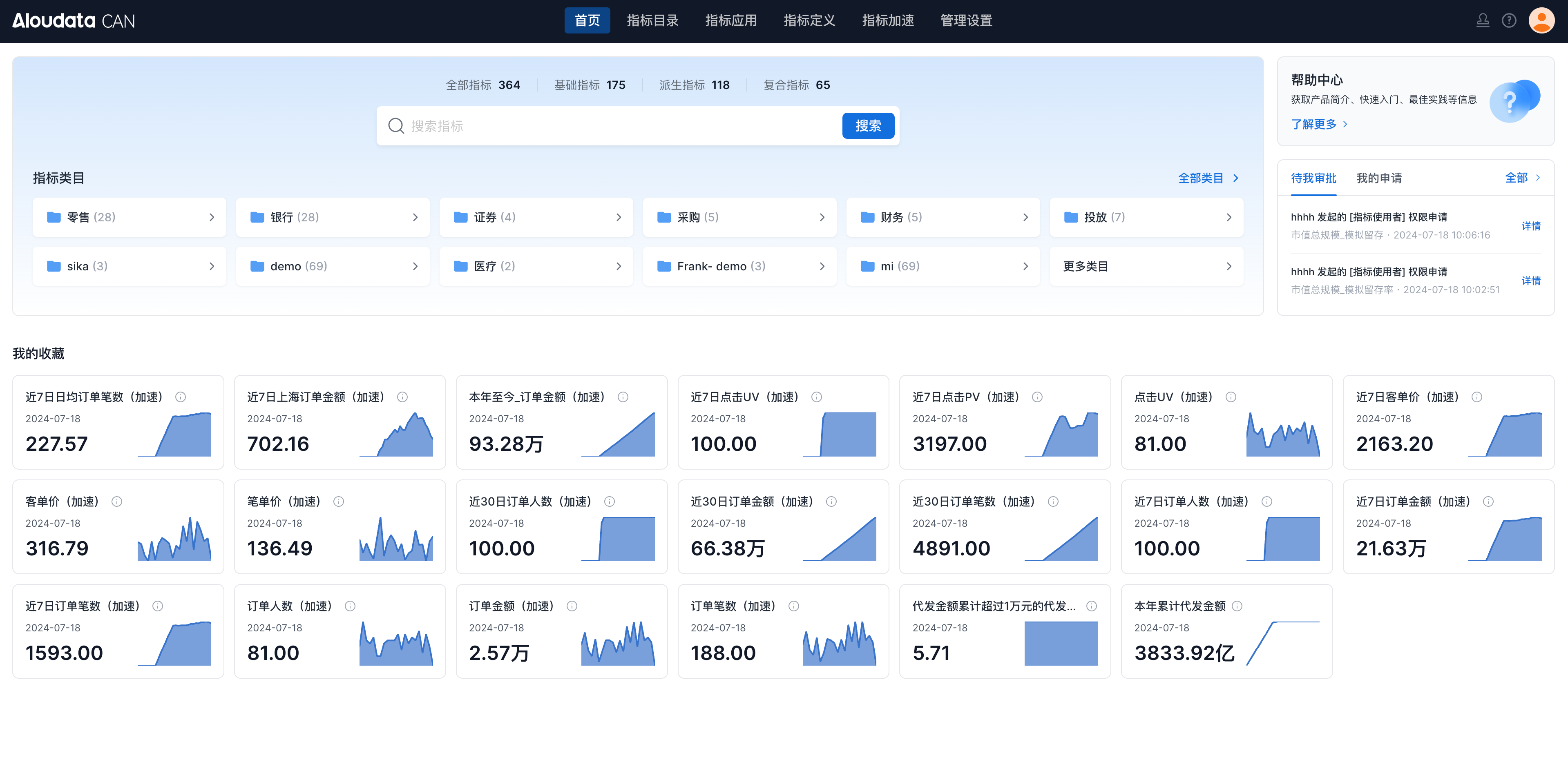
After signing in, you can see the main navigation: Home, Metric Catalog, Metric Application, Metric Acceleration, and Management Settings.
Important
The metric acceleration module is an add-on module. Contact Aloudata staff to enable it.
Home
The Home page shows each user's favorite metrics, pending approvals, and submitted requests. It helps users quickly find metric information.
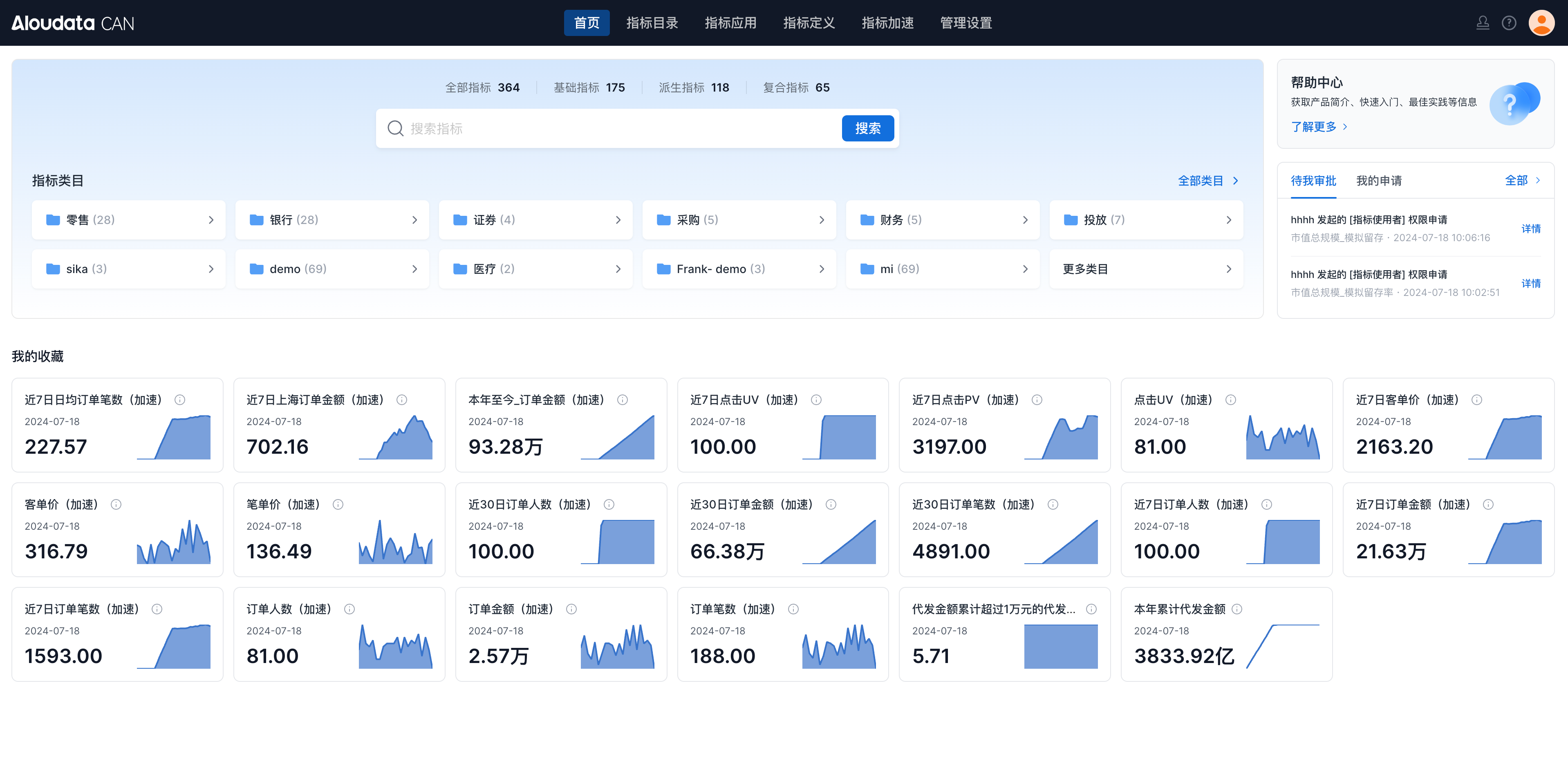
| Module | Description |
|---|---|
| Search | Search metric data by metric name or display name.  |
| Metric categories | View metric categories in the current platform. Click a category to open the metric catalog and browse metrics.  |
| Help center | Open the online documentation.  |
| My approvals | View approval tasks assigned to the current user and requests submitted by the current user. This area helps users approve assets and track approval progress.  |
| My favorites | View metrics favorited by the current account.  |
Note
The card style in My favorites is configured by the metric owner.
Metric Catalog
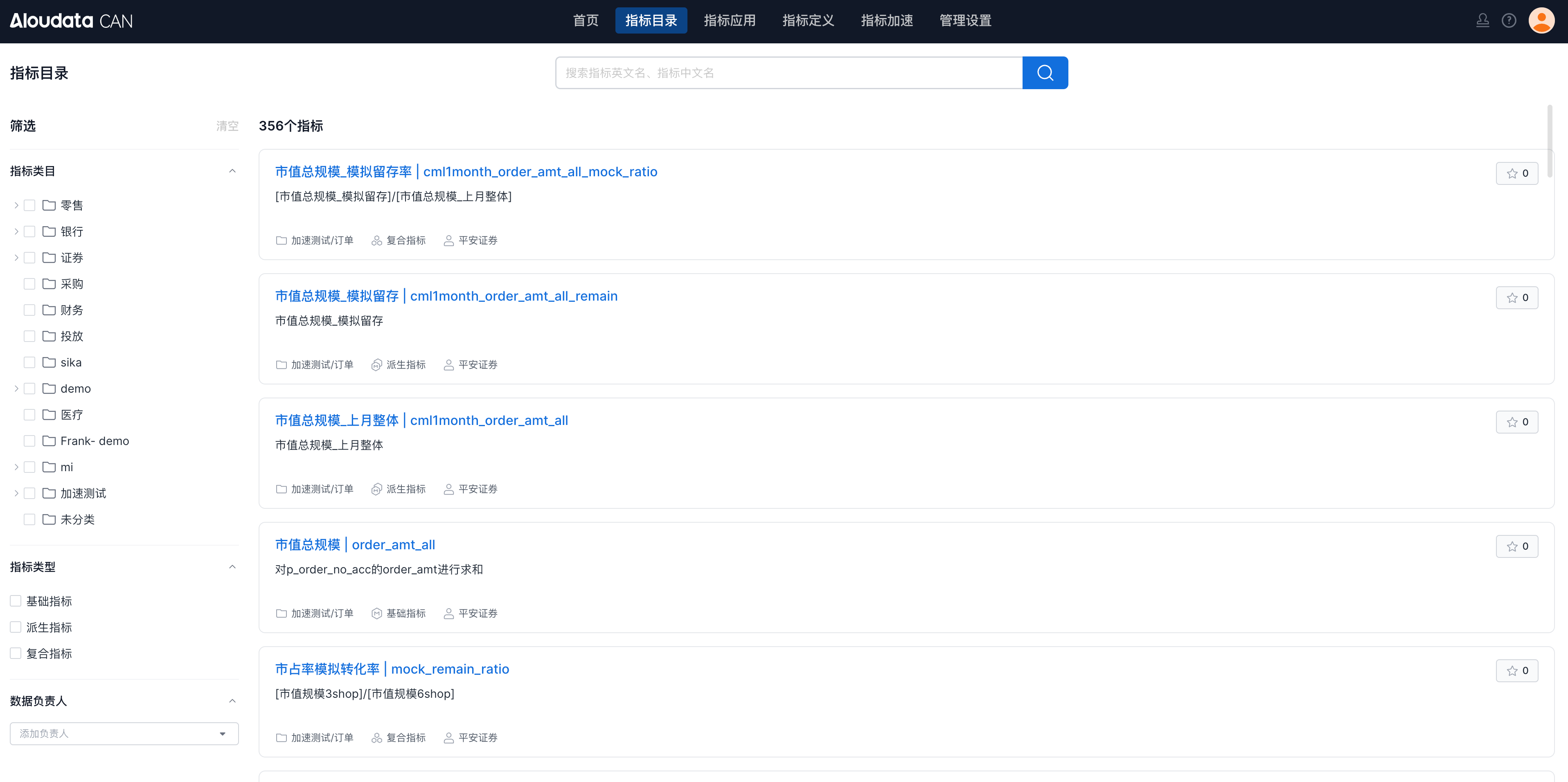
The Metric Catalog shows all published metrics in the platform. You can use search and sidebar filters to find the metrics you need.
Metric Application
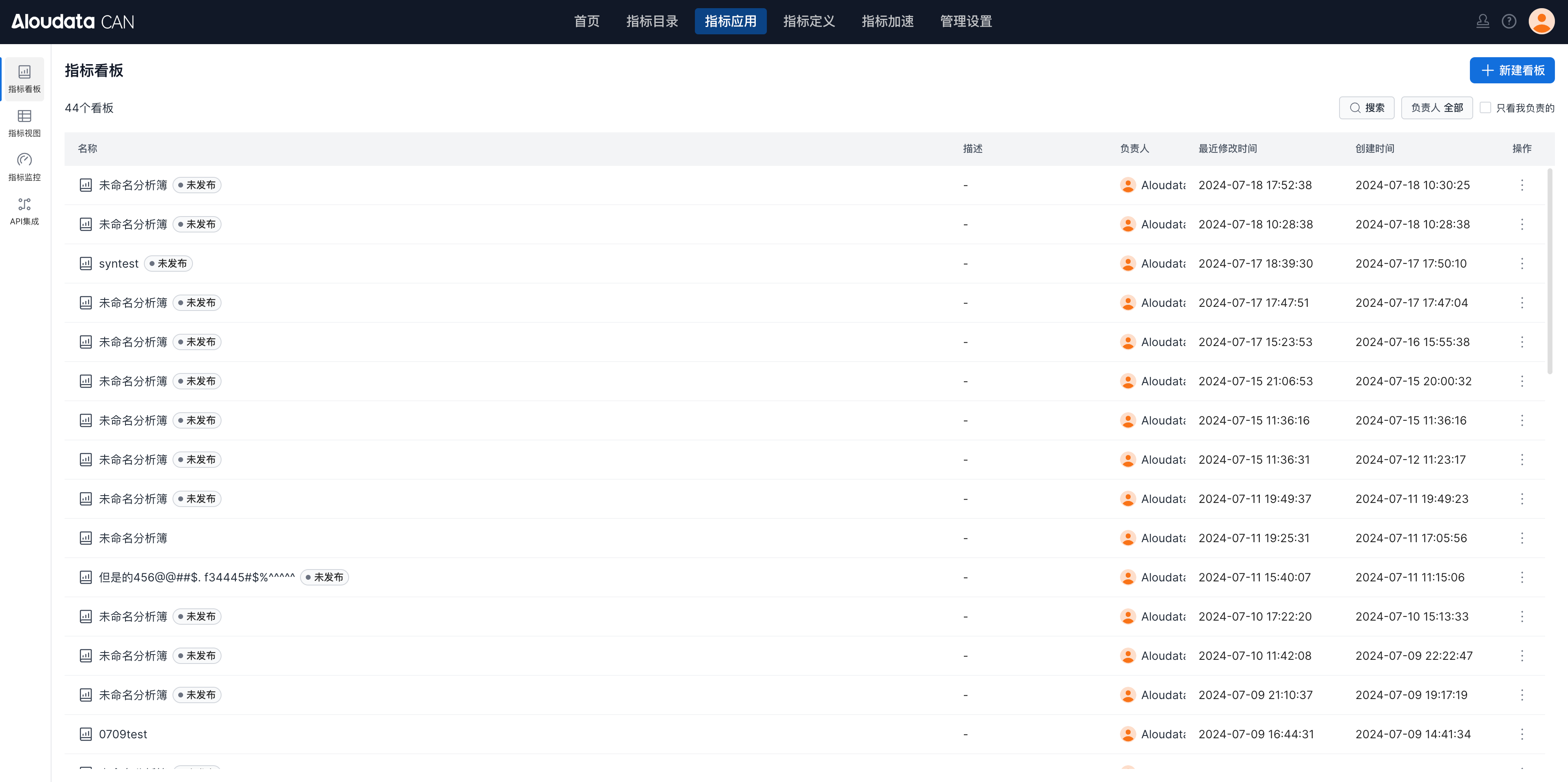
Aloudata CAN provides several ways to use metrics:
- Metric Dashboard for business self-service analysis.
- Metric View for connecting metric results to external BI tools.
- Metric Monitoring for configuring metric checks and alerts.
- API Integration for viewing API usage and request information.
Metric Dashboard
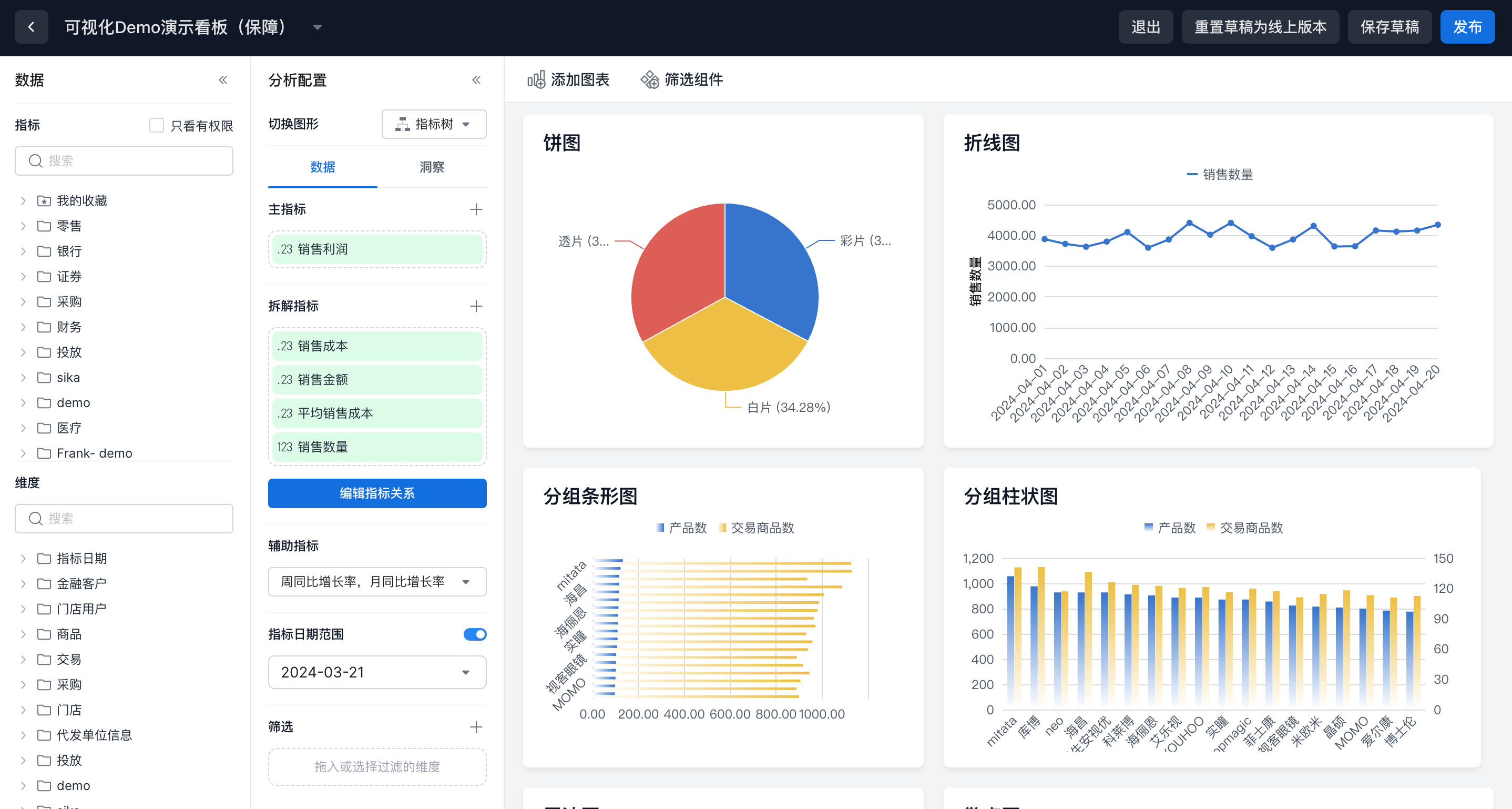
Metric dashboards support multidimensional metric analysis, filtering, and visualization through multiple chart types.
Metric View
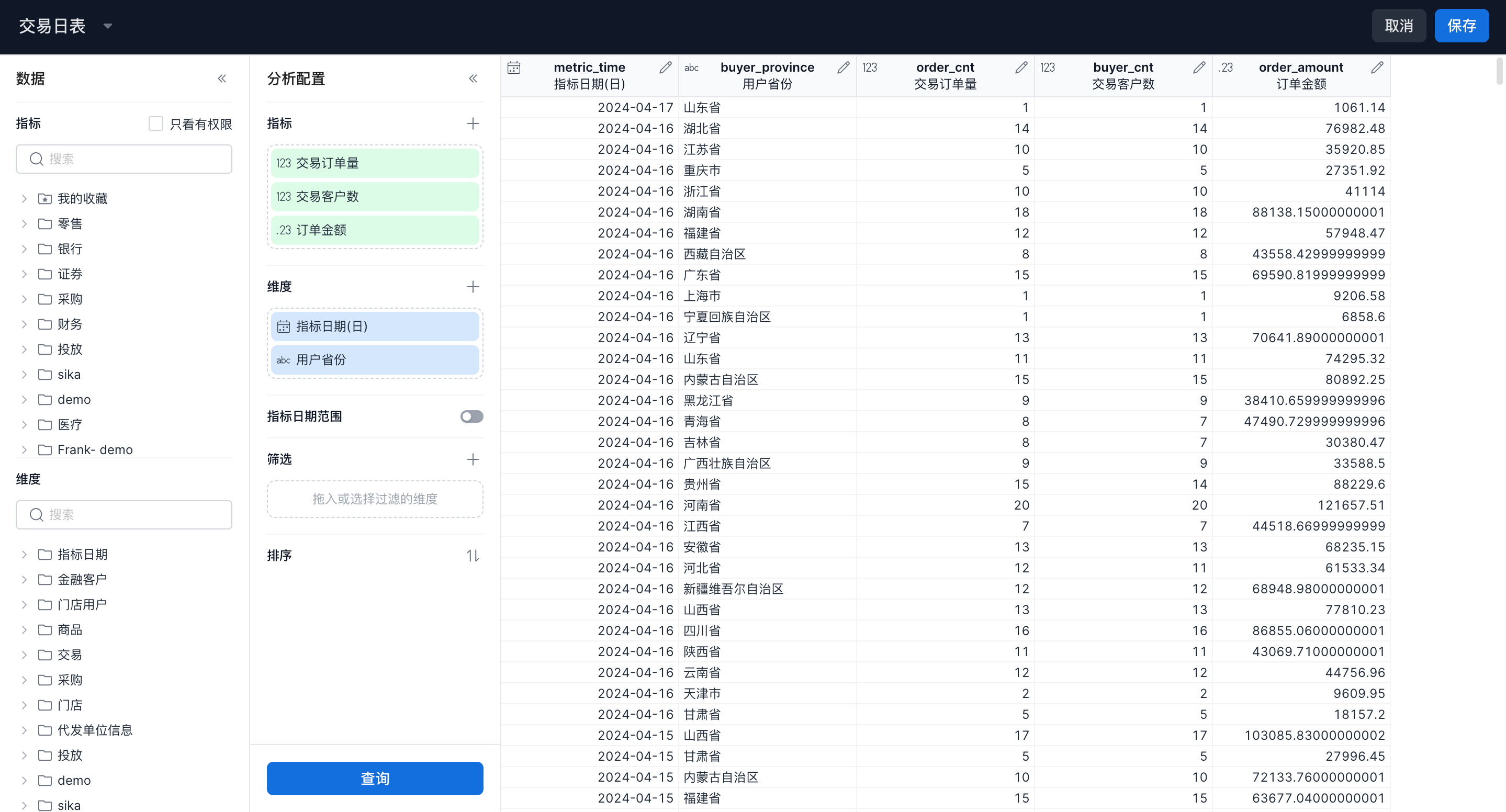
Metric views connect Aloudata CAN with BI tools. By selecting metrics, dimensions, date ranges, filters, and sorting rules, you can save query logic as an analysis view. BI tools can then access the results by adding a MySQL or StarRocks data source.
Metric Monitoring
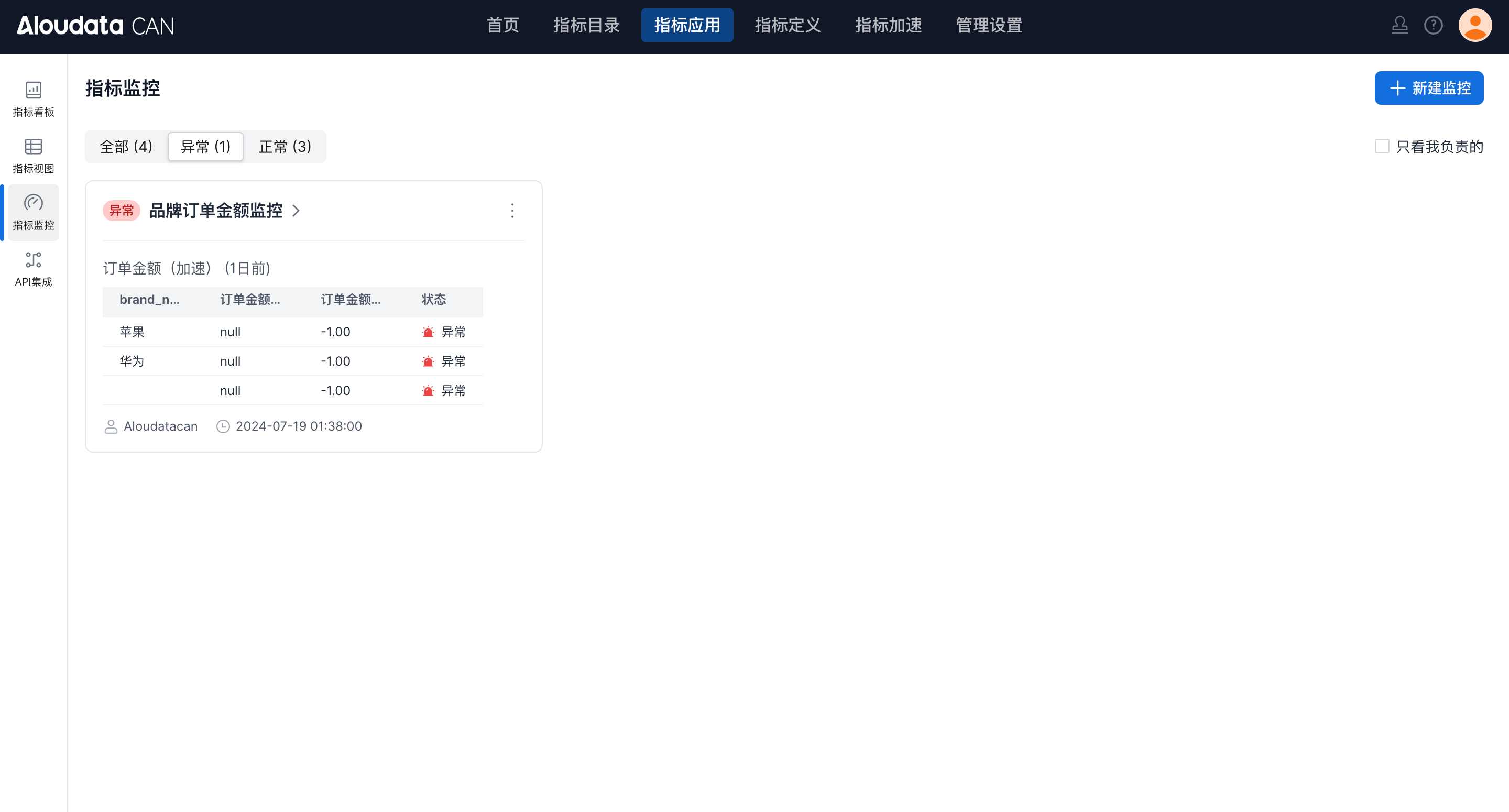
Metric monitoring lets you create monitoring tasks and alert rules. For example, you can send an email alert when a metric's day-over-day change exceeds plus or minus 15%.
API Integration
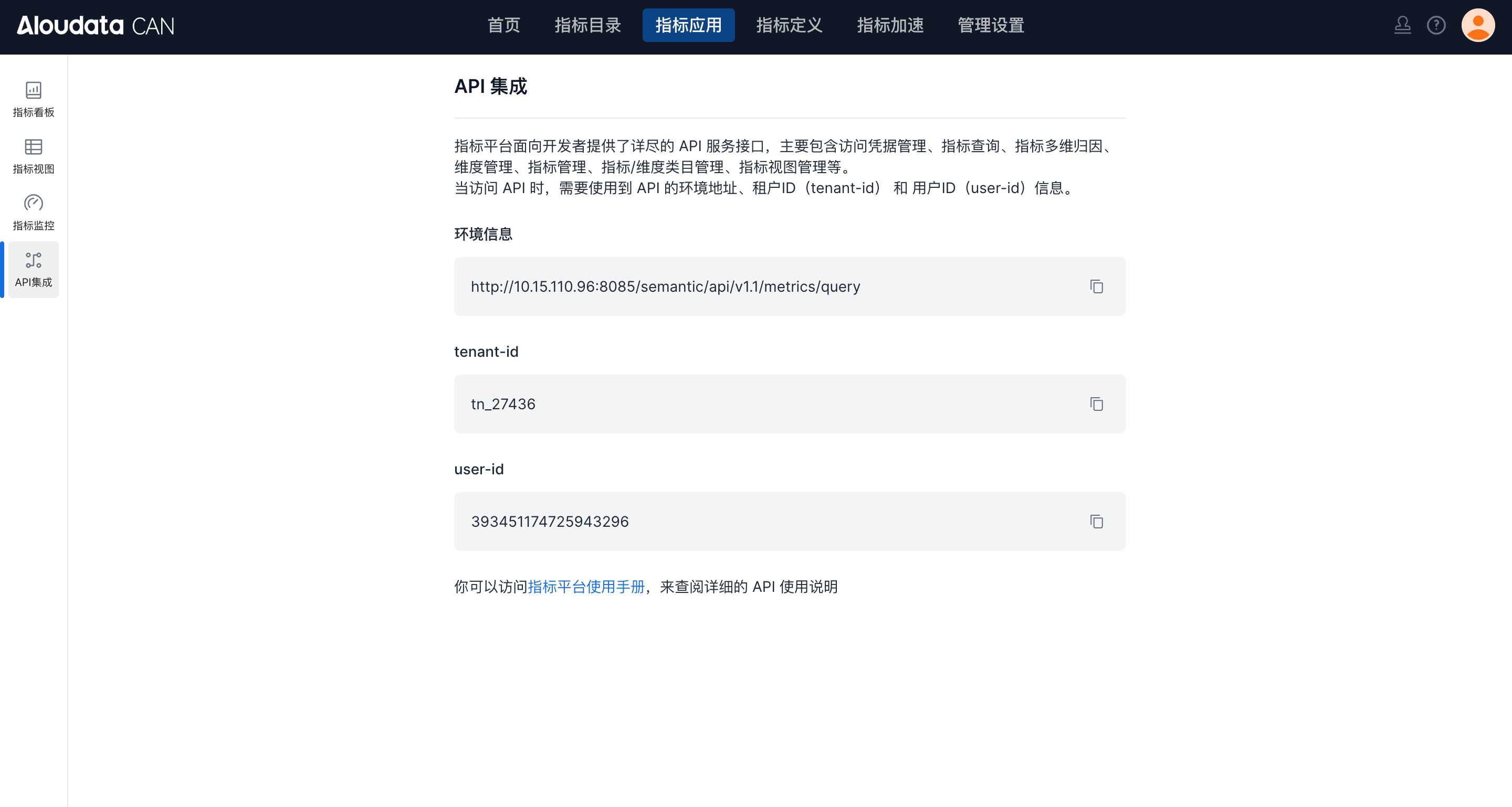
Aloudata CAN provides API interfaces for custom integration needs. In the API Integration module, you can view the current environment address and required request parameters. The full API reference is available in the documentation.
Metric Definition
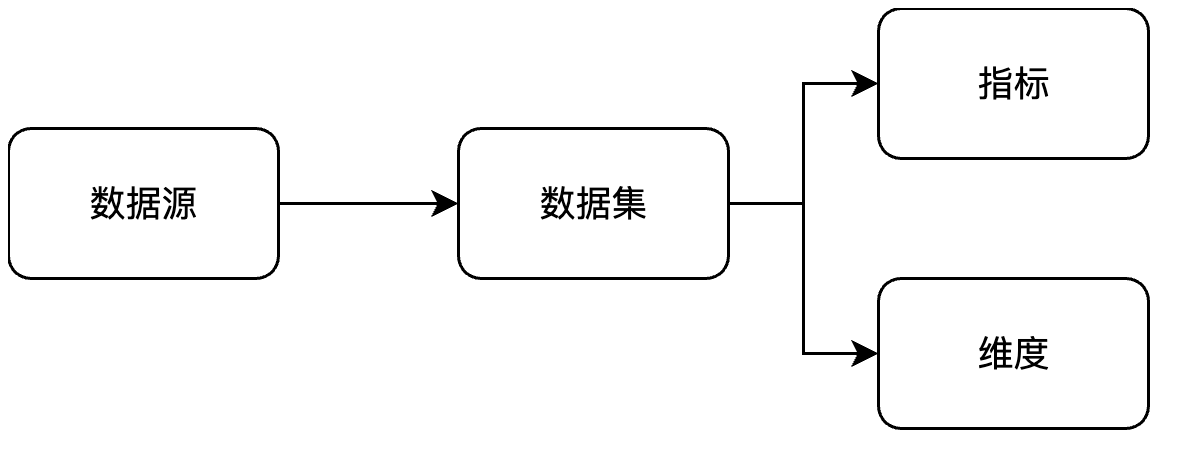
In Metric Definition, users can complete the full metric definition workflow.
Follow this workflow to define metrics and dimensions:
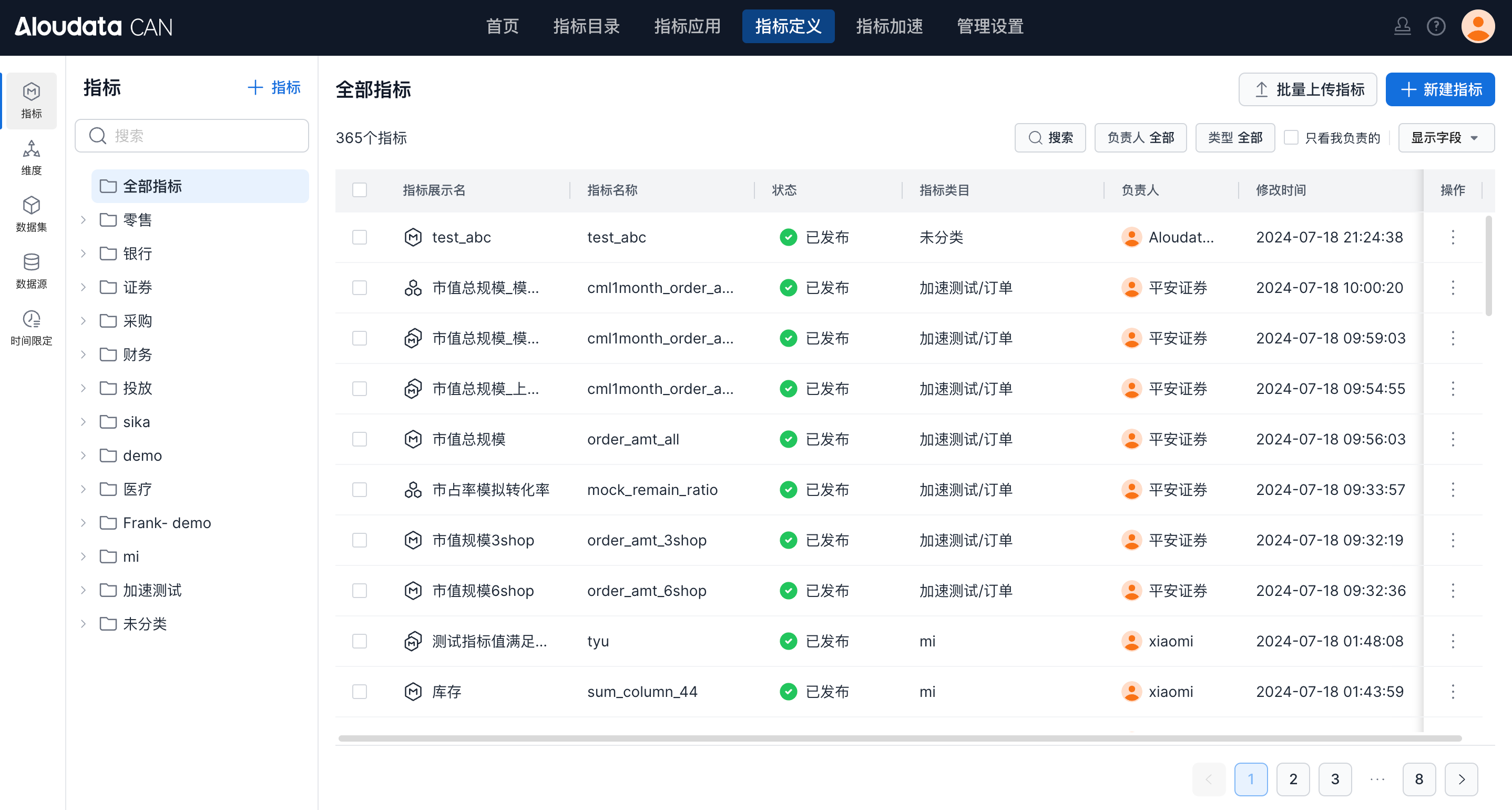
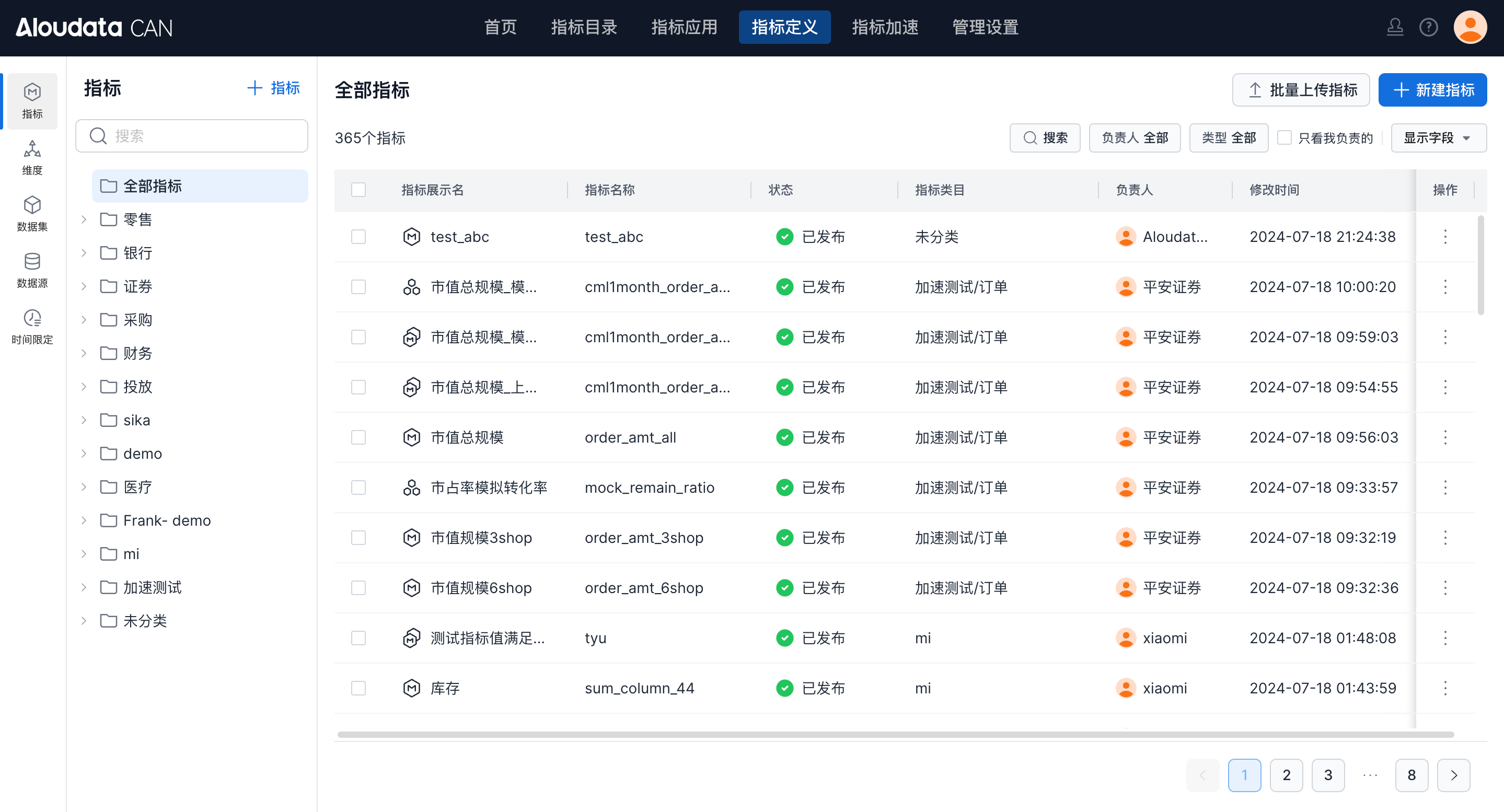
Metrics
The Metrics module shows all metrics in the current platform. You can create and manage metrics here.
Click a metric to view its details.
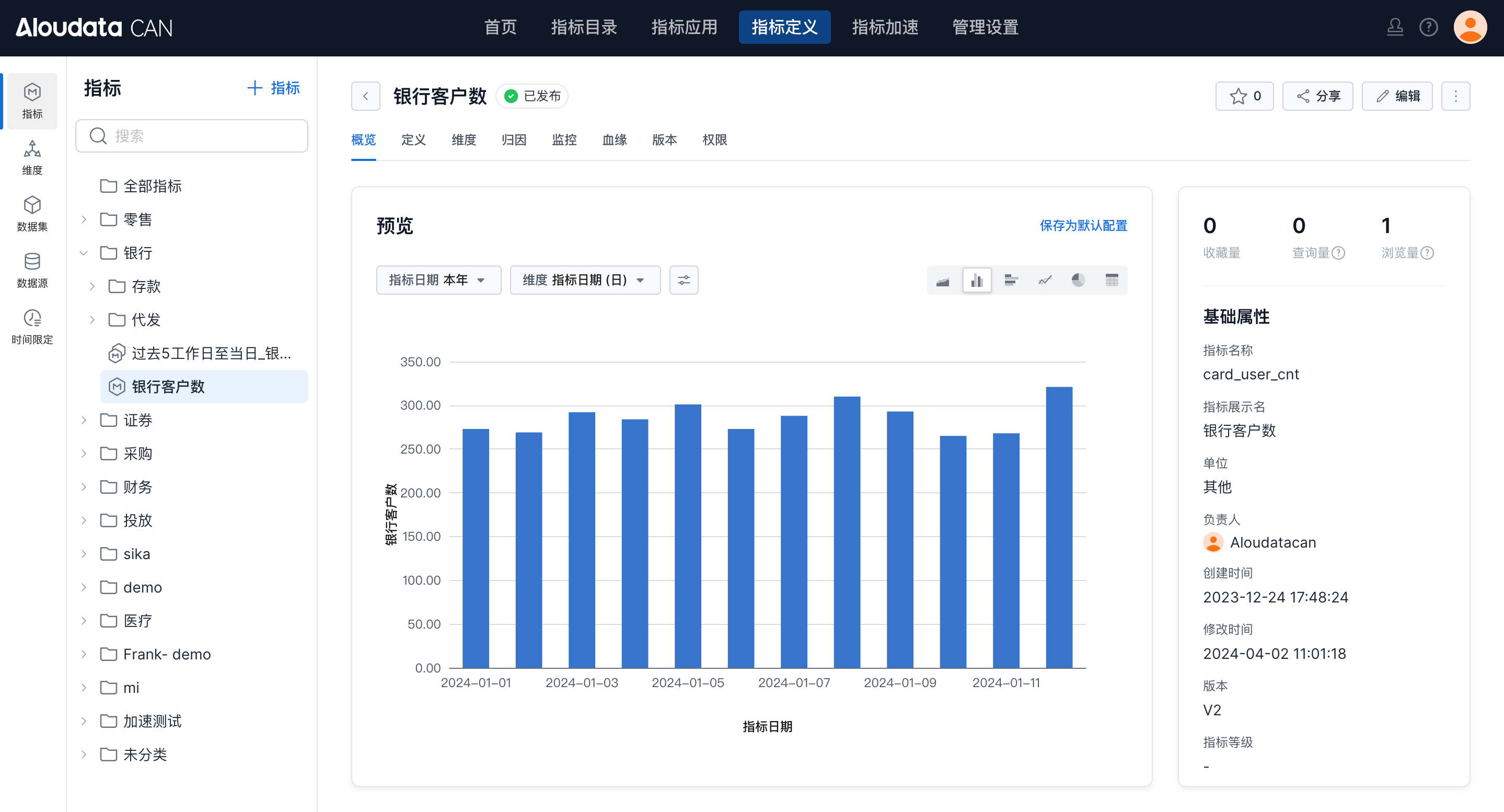
| Module | Description |
|---|---|
| Overview | View metric attributes and preview metric results. |
| Definition | View the metric definition configuration. |
| Dimensions | View the dimensions available for analysis. |
| Attribution | Analyze a metric through multidimensional fluctuation attribution. |
| Monitoring | Manage monitoring tasks for the metric. |
| Lineage | View metric lineage, including the path from source table to dataset, metric, and metric view. |
| Versions | View historical versions of the metric definition. Click a version to review its calculation logic. |
| Permissions | Configure usage permissions and row-level permissions for the metric. |
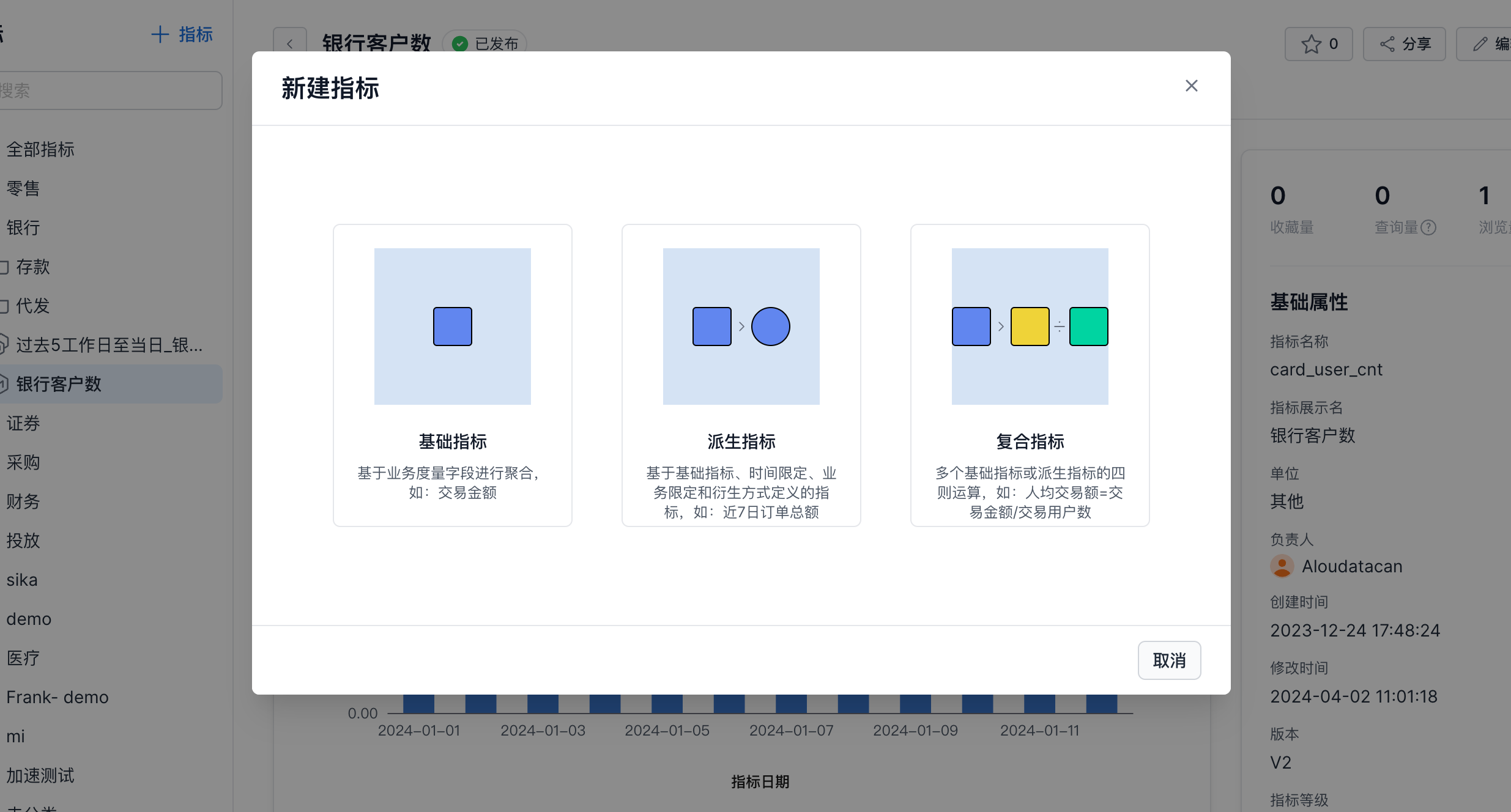
Click Create to create a metric. Aloudata CAN supports Basic Metric, Derived Metric, and Composite Metric.
Dimensions
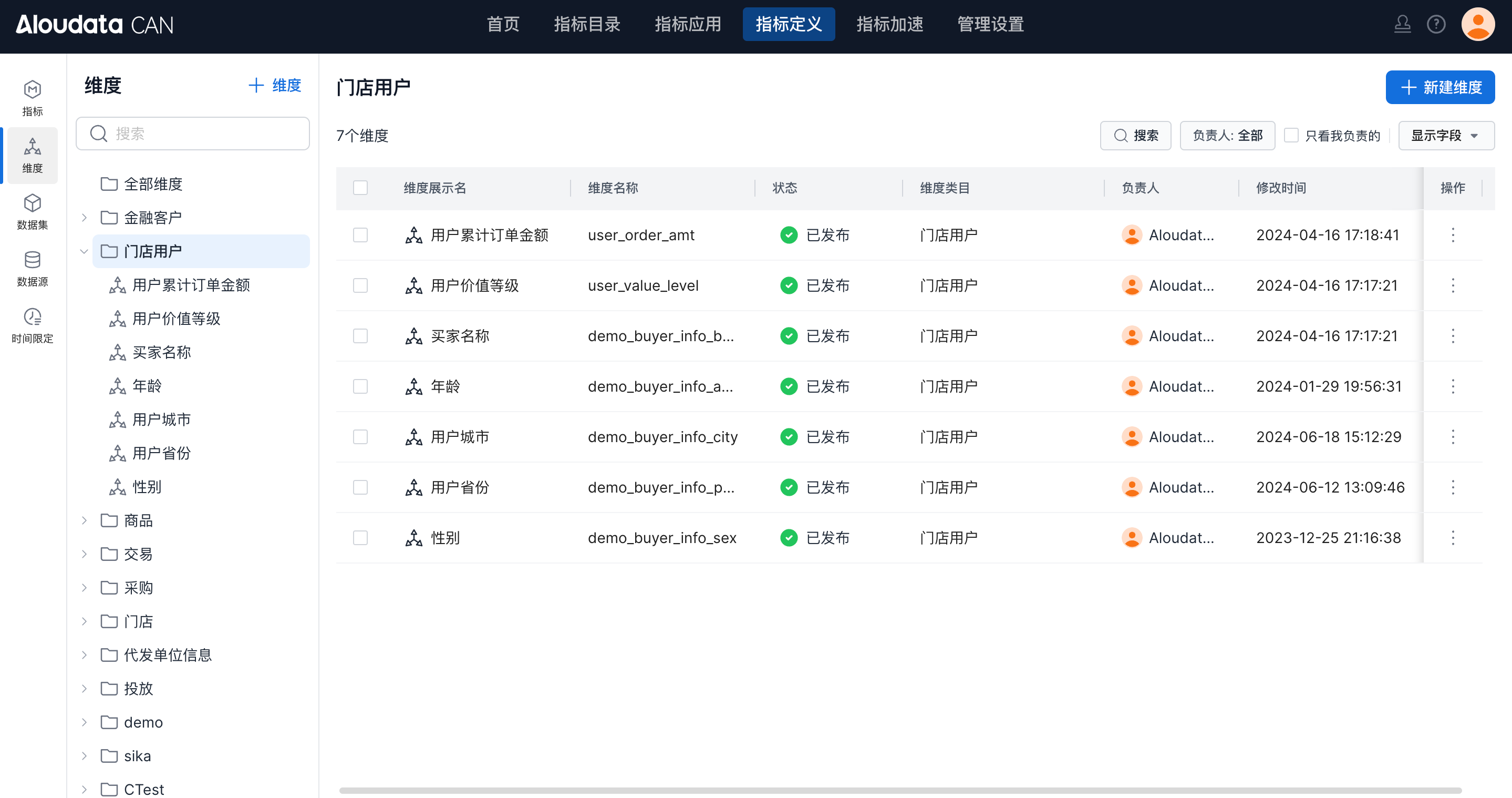
The Dimensions module is used to create and manage dimensions.
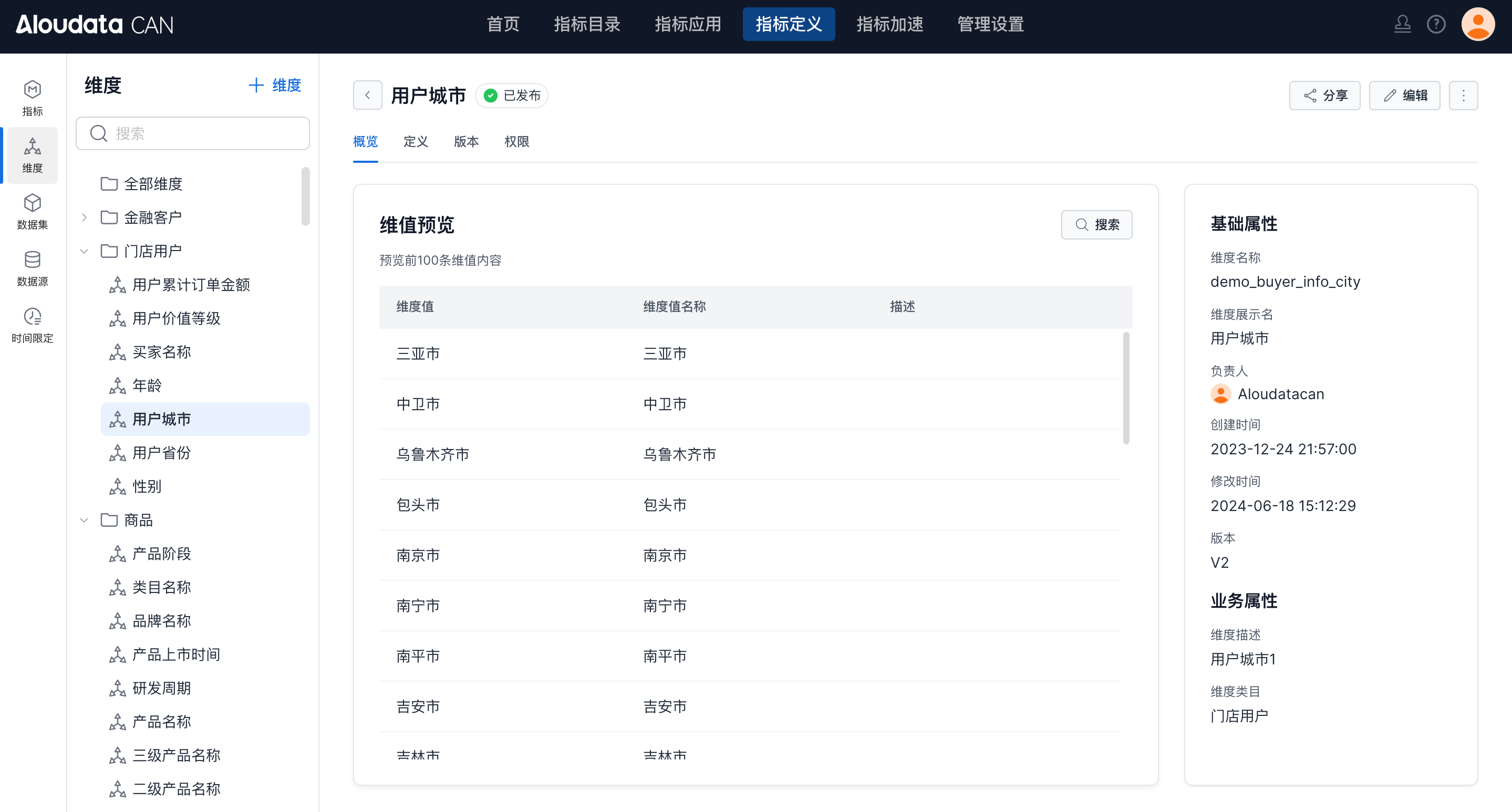
Click a dimension to view its details.
| Module | Description |
|---|---|
| Overview | Preview dimension values and view basic attributes. |
| Definition | View the dimension definition configuration. |
| Versions | View historical versions of the dimension definition. |
| Permissions | Configure management permissions for the dimension. |
Datasets
The Datasets module shows all datasets in the platform. Users can create and manage datasets here.
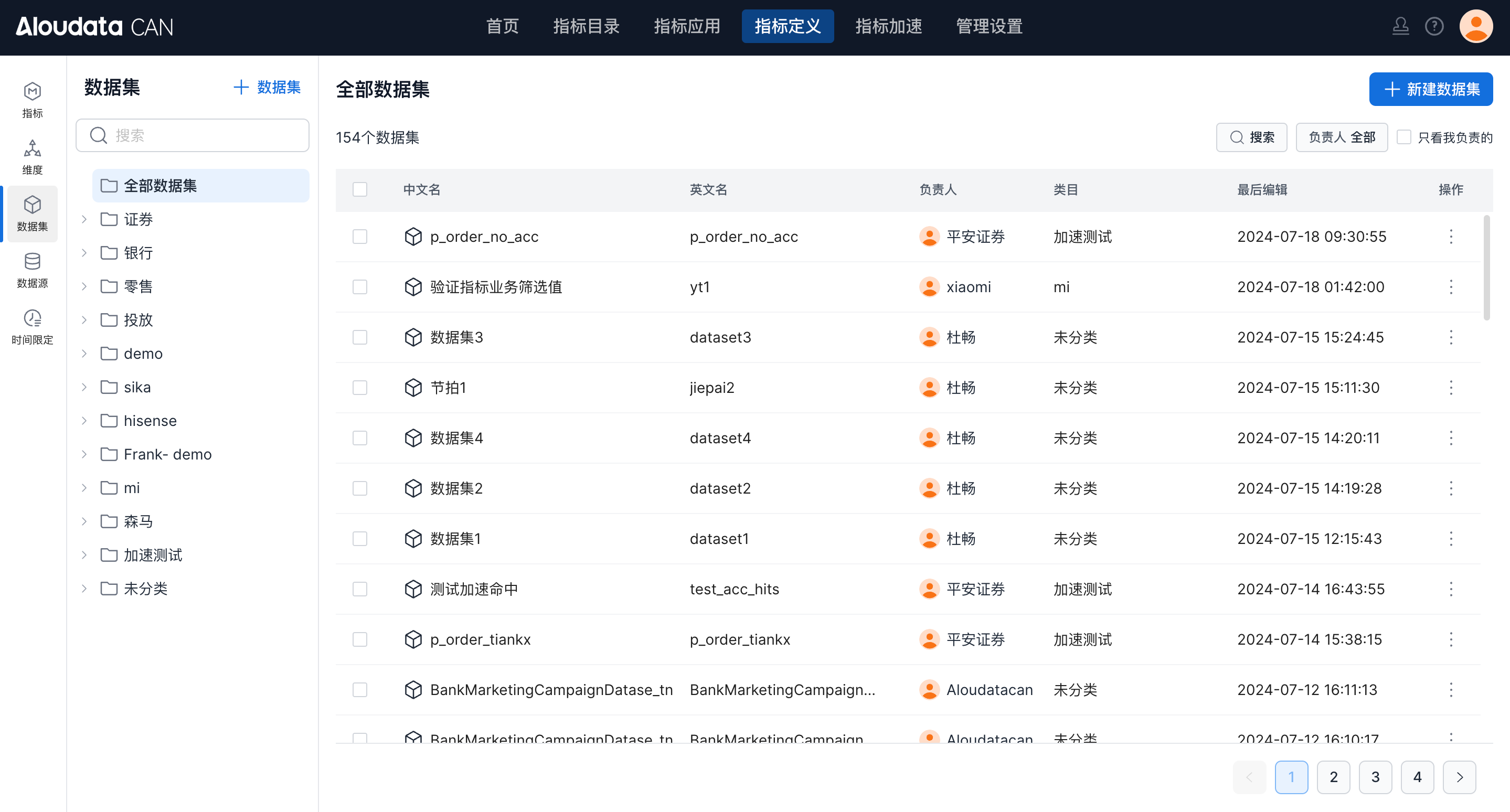
Click a dataset to view its details.
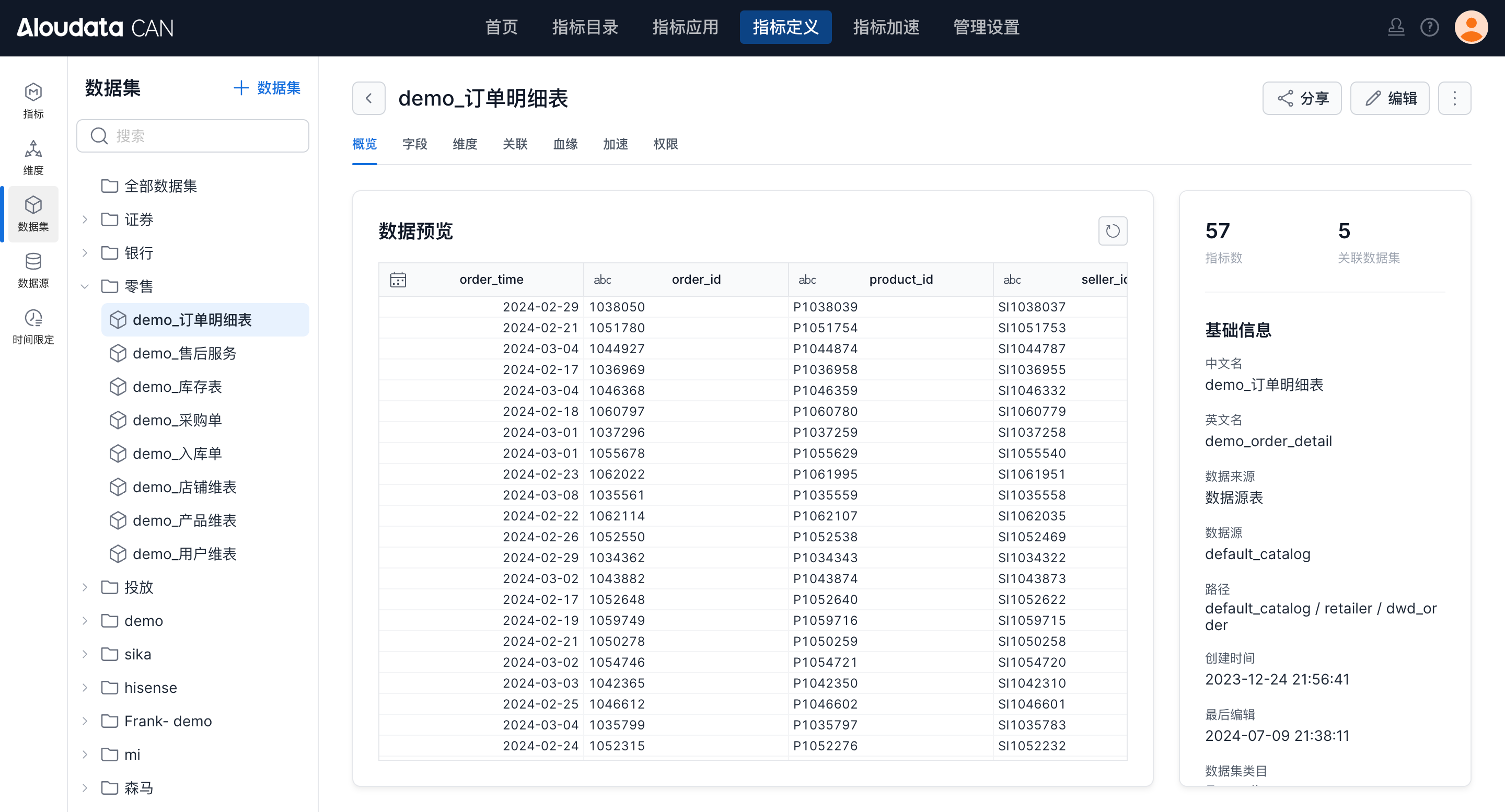
| Module | Description |
|---|---|
| Overview | View dataset attributes and preview data. |
| Fields | View fields in the current dataset. |
| Dimensions | View dimensions bound to fields in the current dataset and manage dimensions in bulk. |
| Relationships | View datasets connected to the current dataset, including relationships where the current dataset is on the 1 side. |
| Lineage | View dataset lineage, including the path from source table to dataset, metric, and metric view. |
| Acceleration | View acceleration plans under the current dataset. |
| Permissions | View available and management permissions for the dataset. |
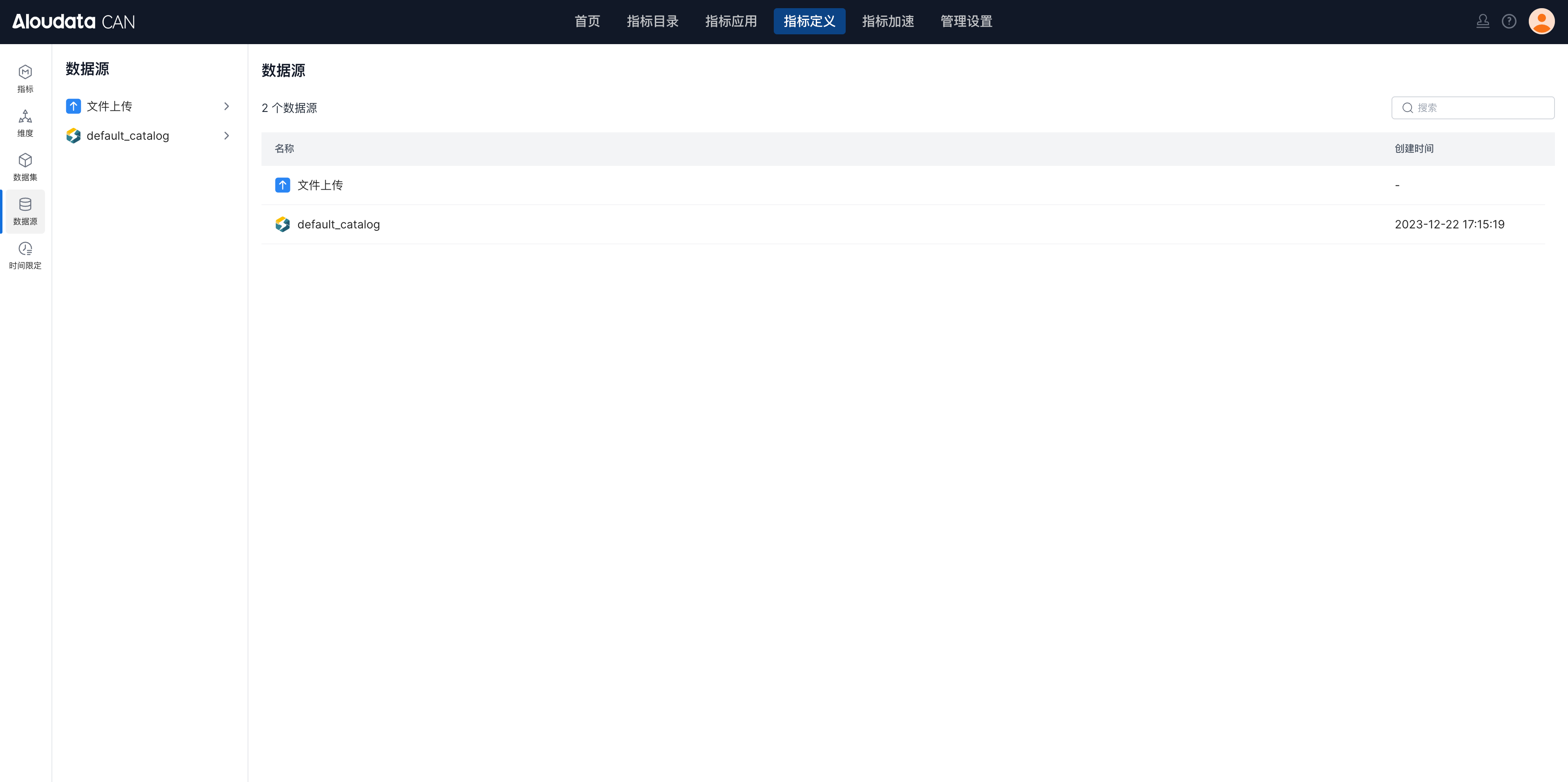
Data Sources
The Data Sources module shows data sources connected to the platform. Users can upload local files through File Upload, or create datasets directly from data source tables.
Time Constraints
Time Constraints lets you manage commonly used time-range shortcuts and date identifiers.
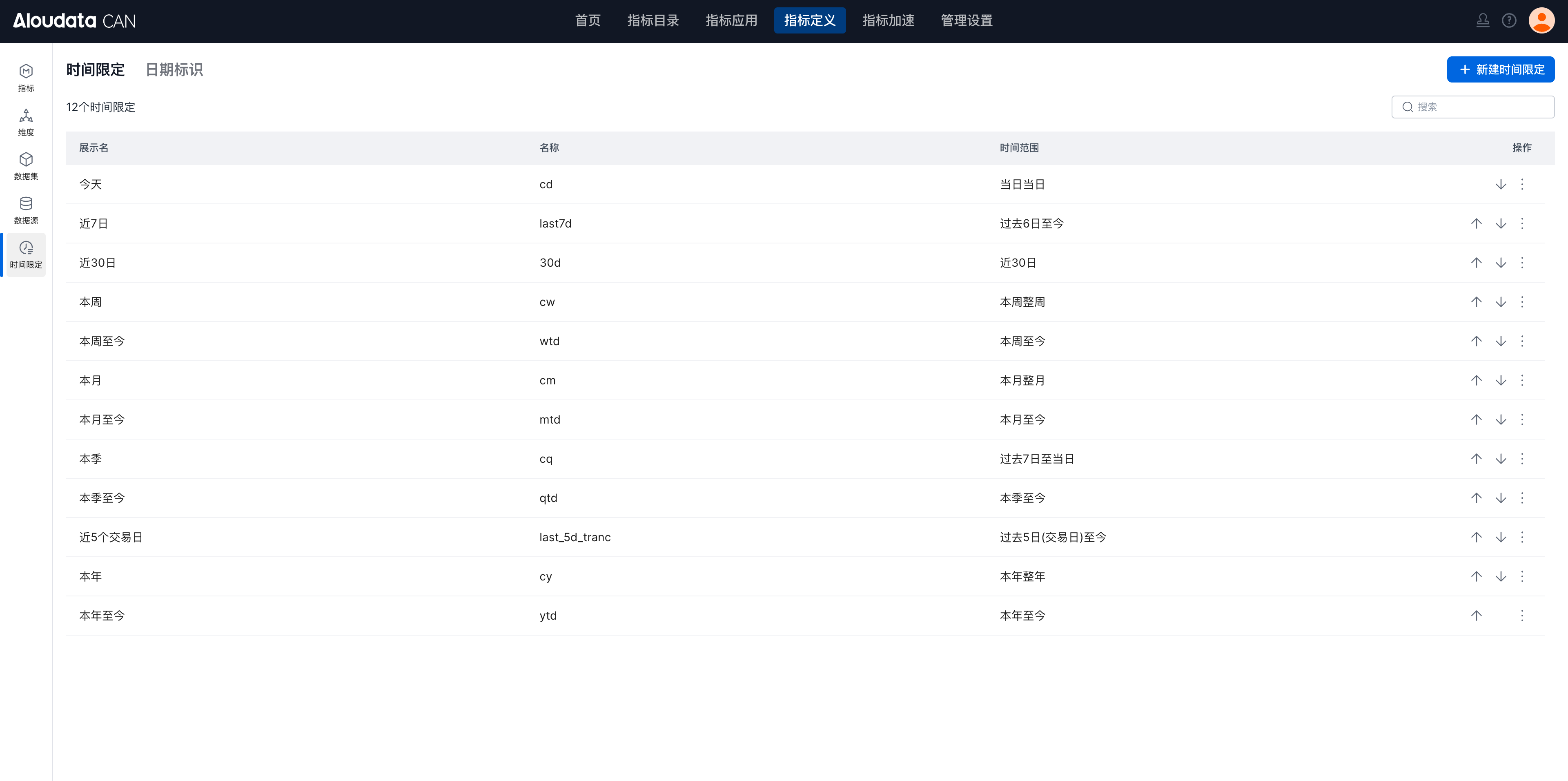
| Module | Description |
|---|---|
| Time constraints | Preset time ranges that can be selected quickly when defining derived metrics. |
| Date identifiers | Upload date tables such as trading calendars, then use recent trading days and period-over-period comparisons based on those dates. |
Metric Acceleration
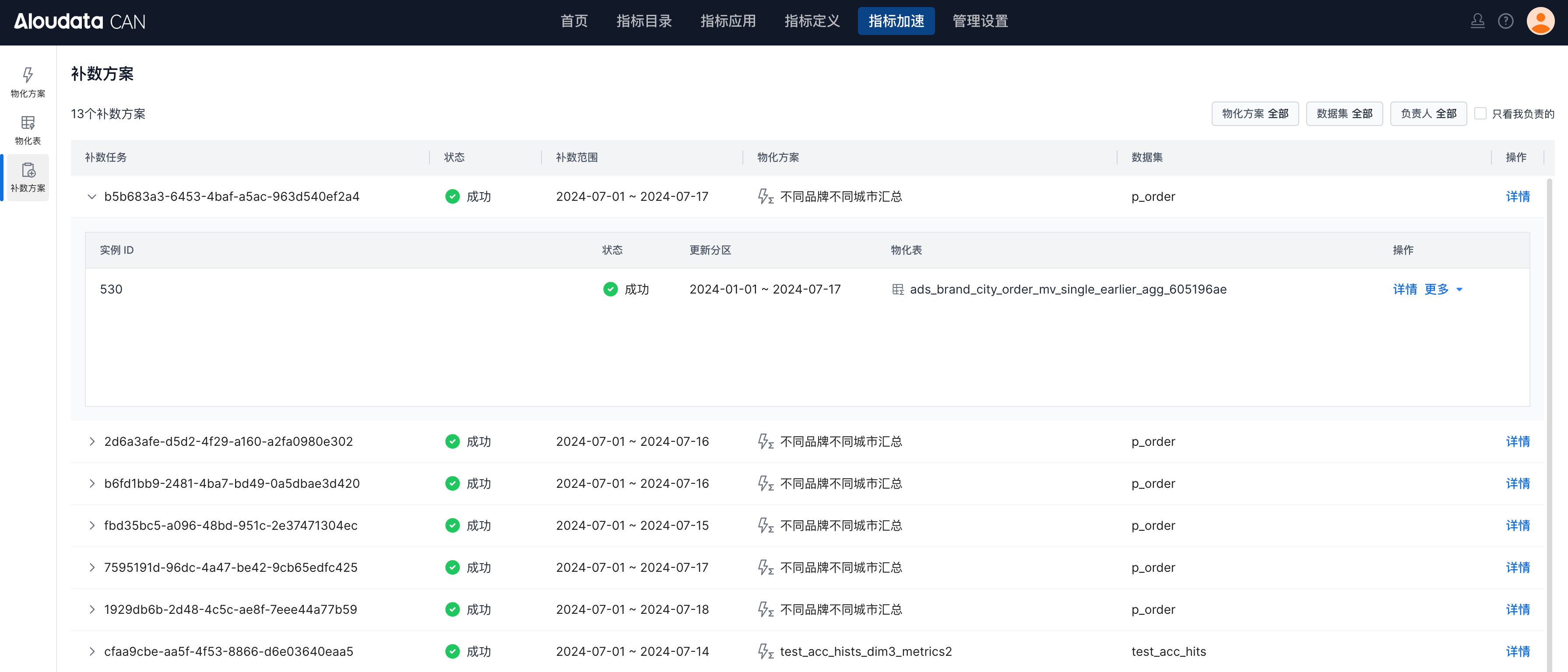
The Metric Acceleration module provides task viewing and management capabilities. The Materialization Plan list shows materialization plans created in the platform. The Materialized Table list shows generated materialized tables. The Backfill Plan list records each backfill plan and its progress.
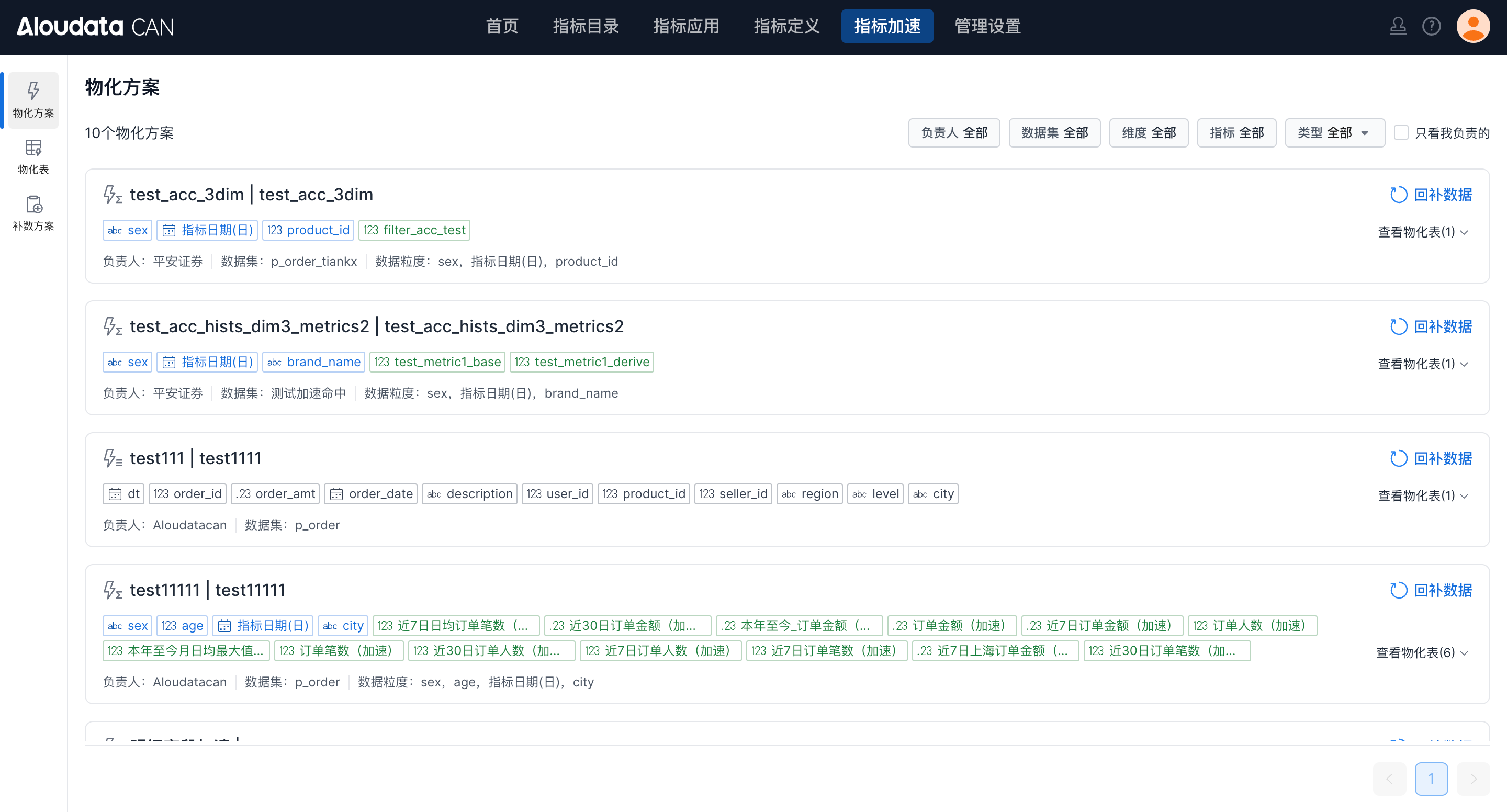
Materialization Plans
Materialization Plans lets you view all materialization information.
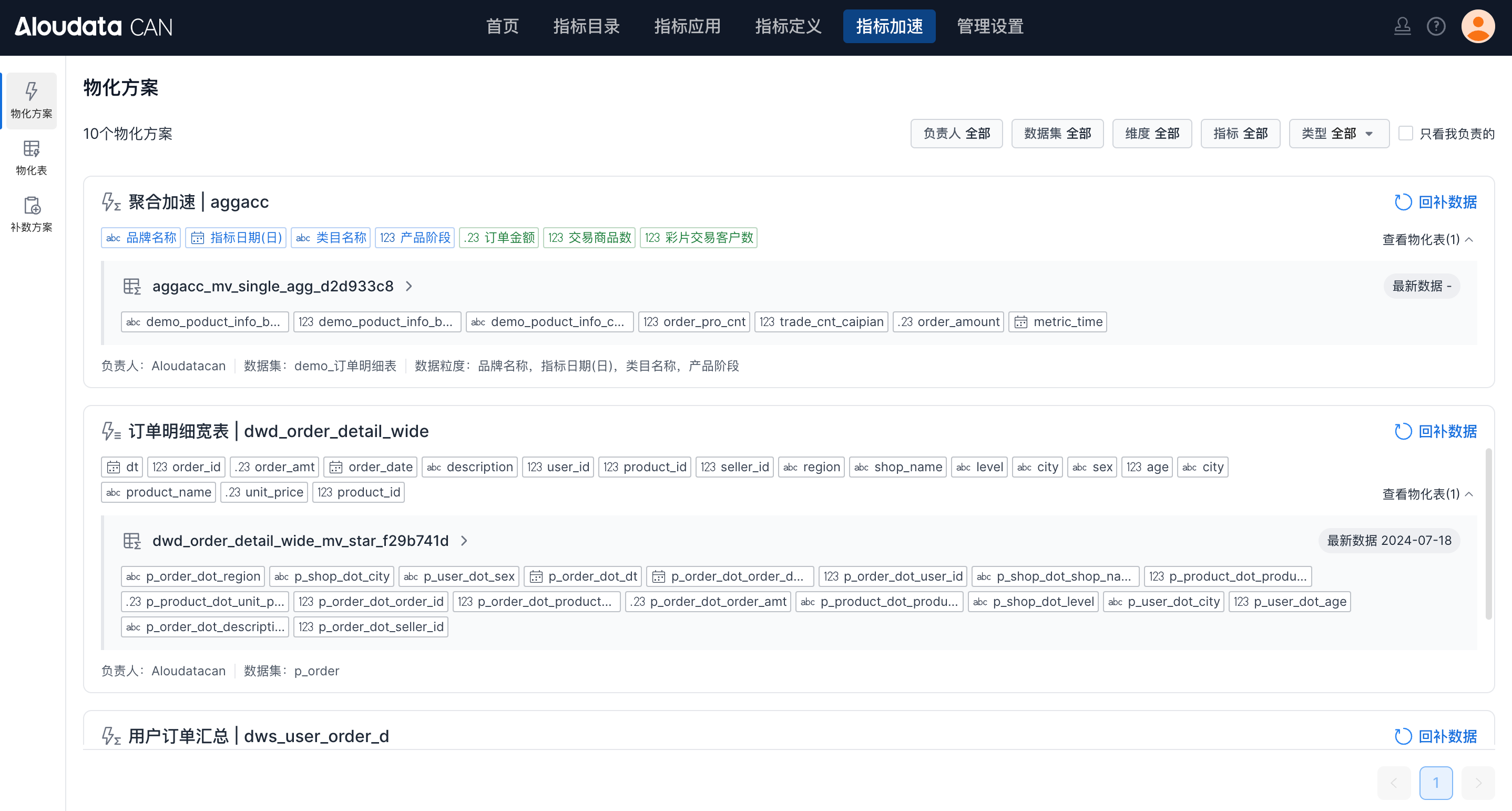
| Module | Description |
|---|---|
| Basic information | View basic plan information, including the plan name and configuration.  |
| Related materialized tables | View materialized tables related to the plan. Click a table to view details.  |
Materialized Tables
Materialized Tables shows the list of materialized tables in the metric platform.
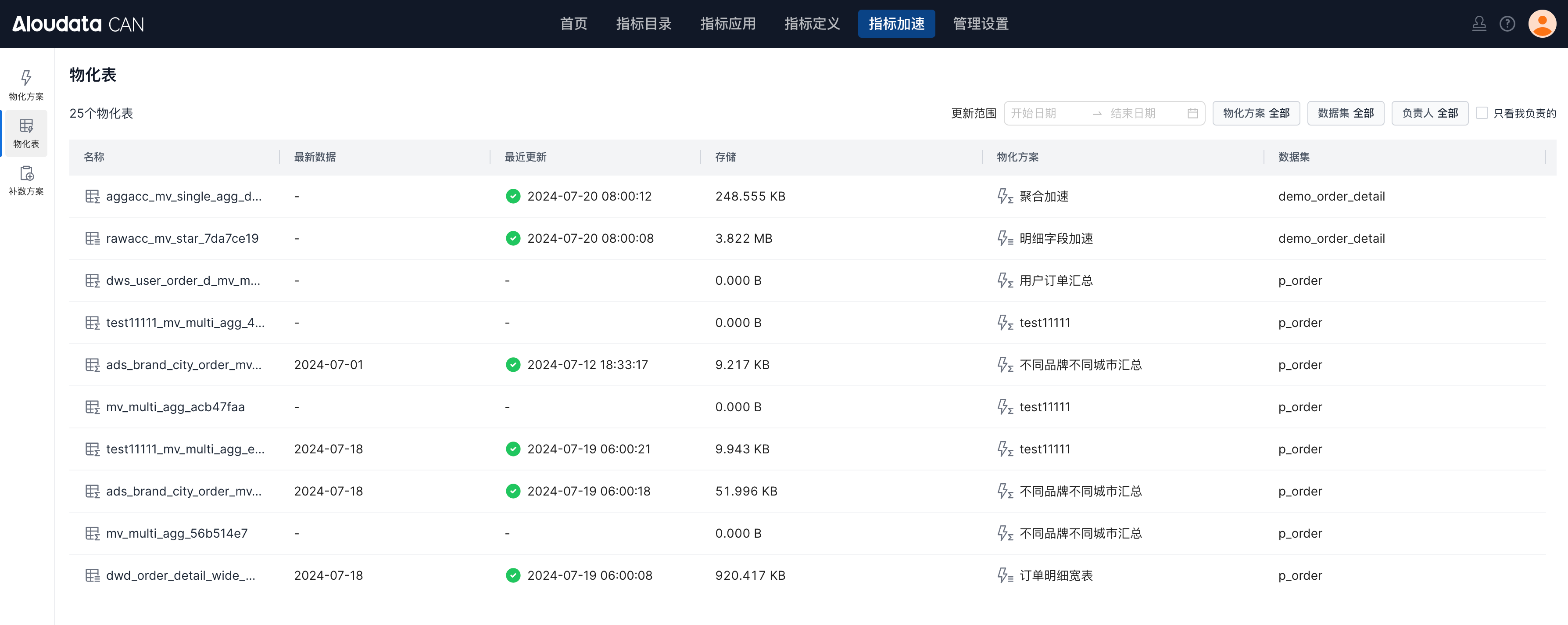
Click a materialized table to view its details.
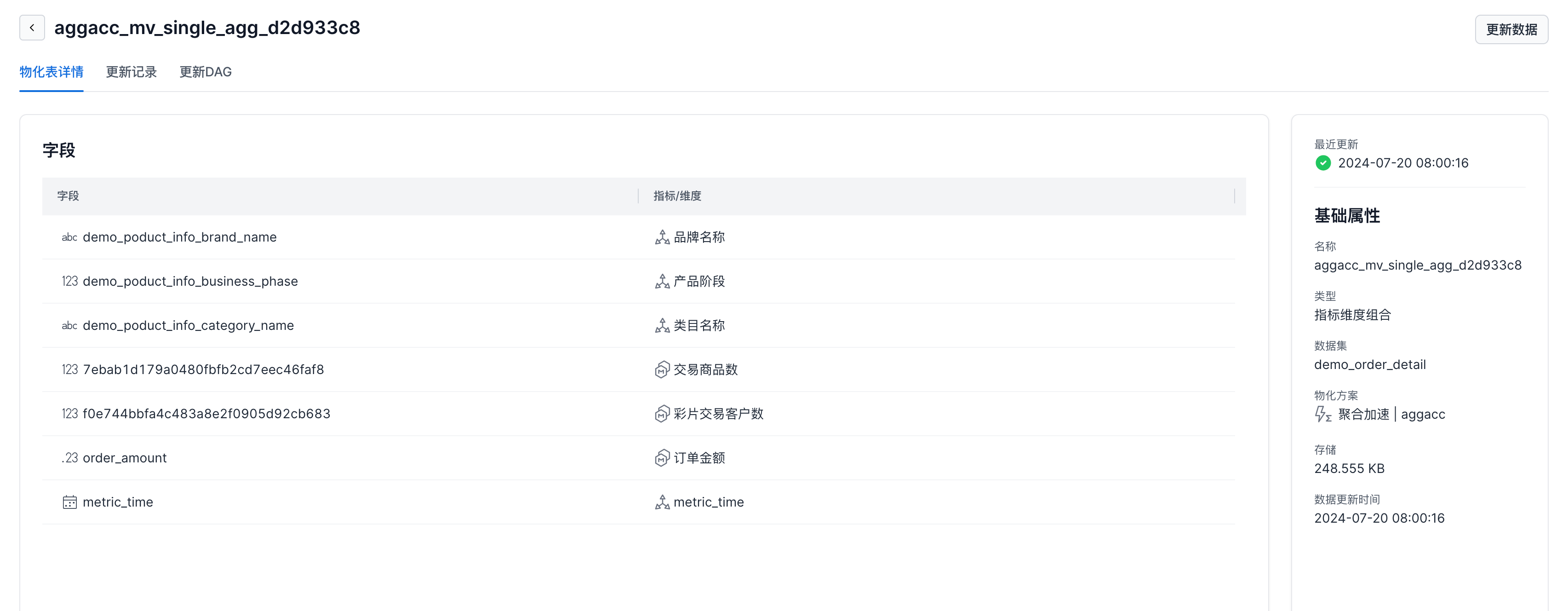
| Module | Description |
|---|---|
| Materialized table details | View table field details and the corresponding metrics or dimensions. |
| Update records | View data update and data backfill status. |
| Update DAG | View the dependency chain for materialized table updates. 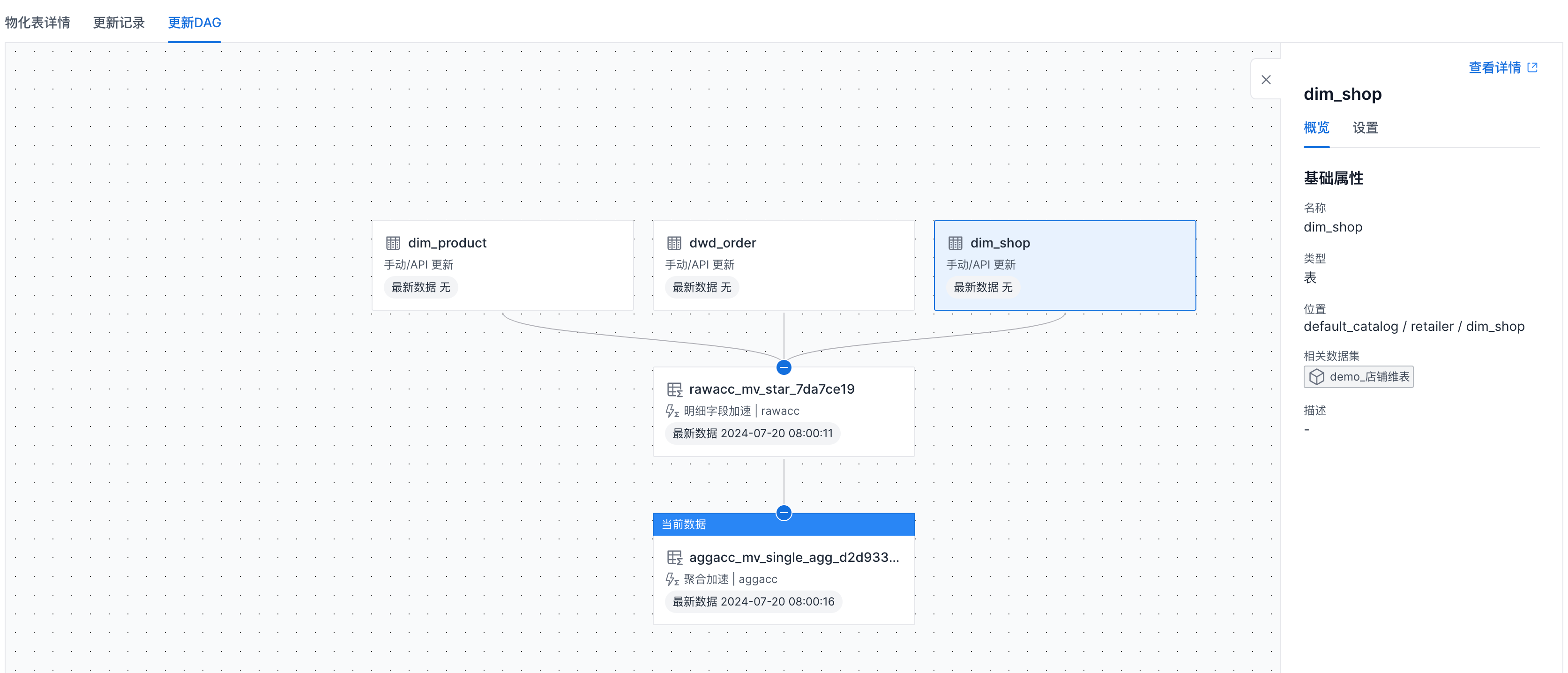 |
Backfill Plans
Backfill Plans shows all backfill plans. Open a plan to view detailed instance records under that plan.
Management Settings
Administrators can use Management Settings to configure users, metric standards, and enterprise security.
User Roles
User Roles lets administrators manage users, user groups, and user attributes.
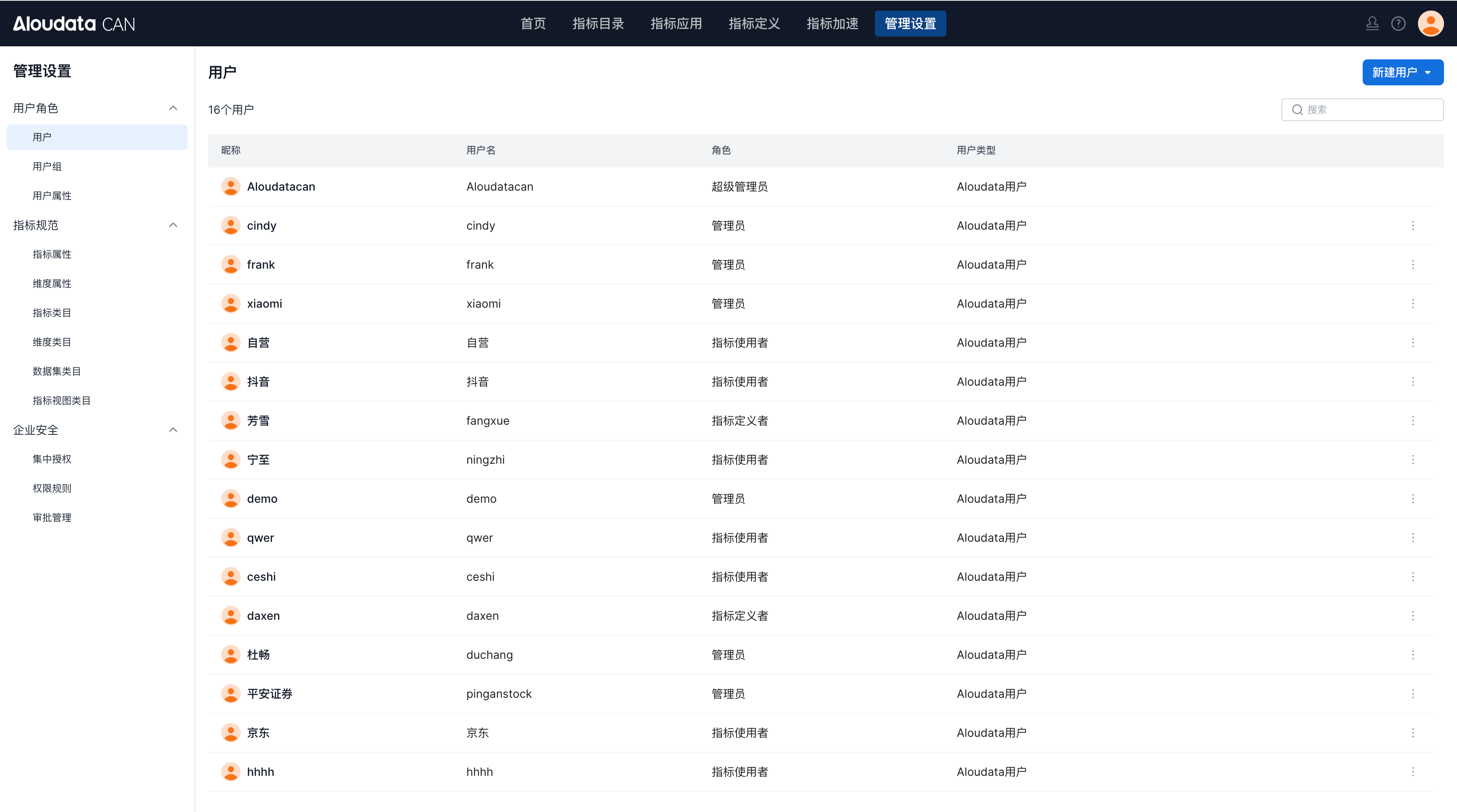
| Module | Description |
|---|---|
| Users | Create and manage users, and assign platform roles. |
| User groups | Manage users in batches and authorize users by group. |
| User attributes | Manage user attributes that can be used for attribute matching in row-level permission rules. |
Metric Standards
Metric Standards lets administrators manage metric and dimension attribute standards and categories.
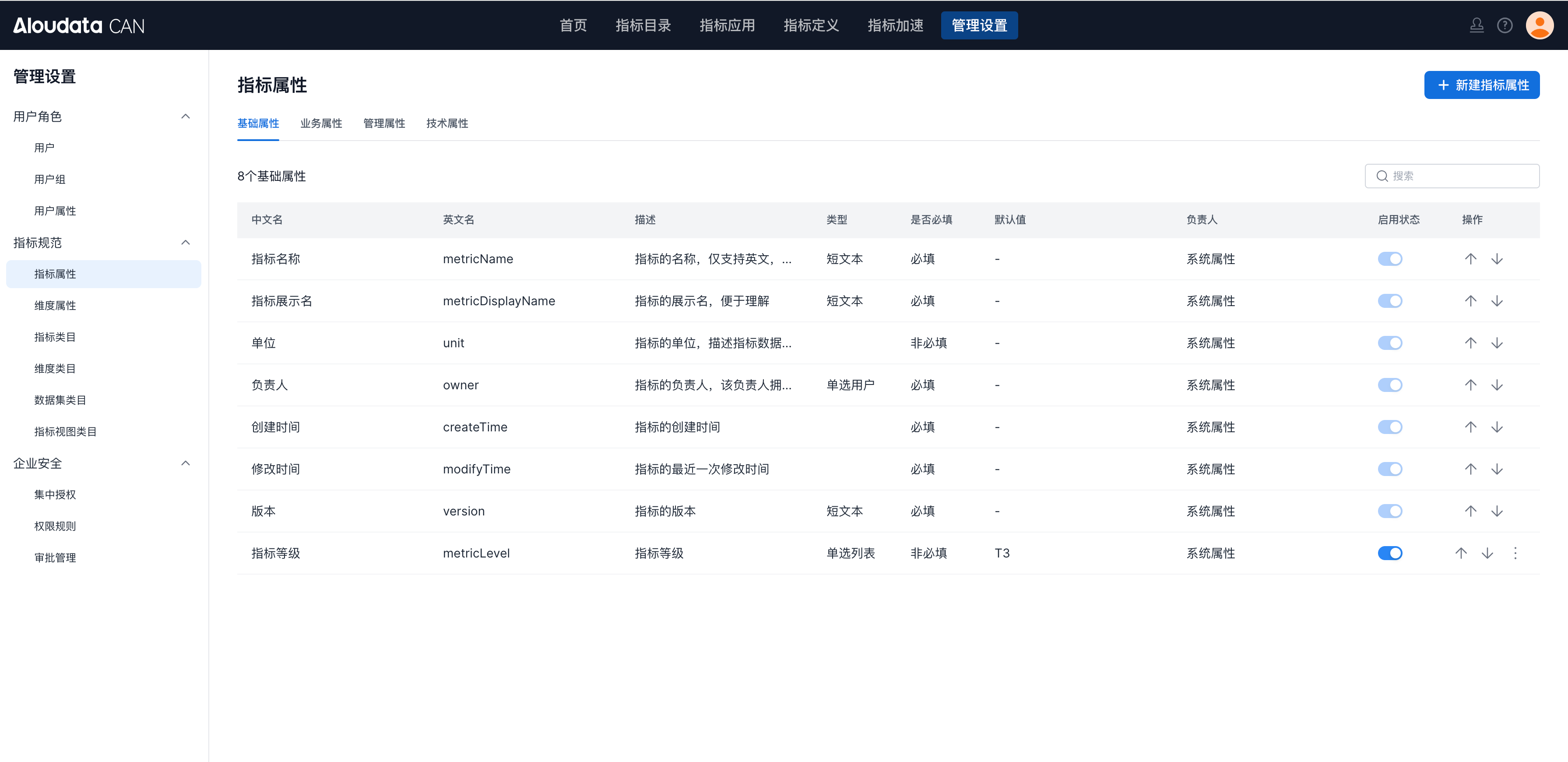
| Module | Description |
|---|---|
| Metric attributes | Configure attribute fields for metrics so users can view more metric information. |
| Dimension attributes | Configure attribute fields for dimensions so users can view more dimension information. |
| Metric categories | Manage category structures for metrics, dimensions, datasets, and metric views. The platform supports multi-level category management. |
| Dimension categories | Manage dimension category structures. |
| Dataset categories | Manage dataset category structures. |
| Metric view categories | Manage metric view category structures. |
Enterprise Security
Enterprise Security supports batch authorization, automatic authorization based on metric or dimension attributes, and approval flow configuration.
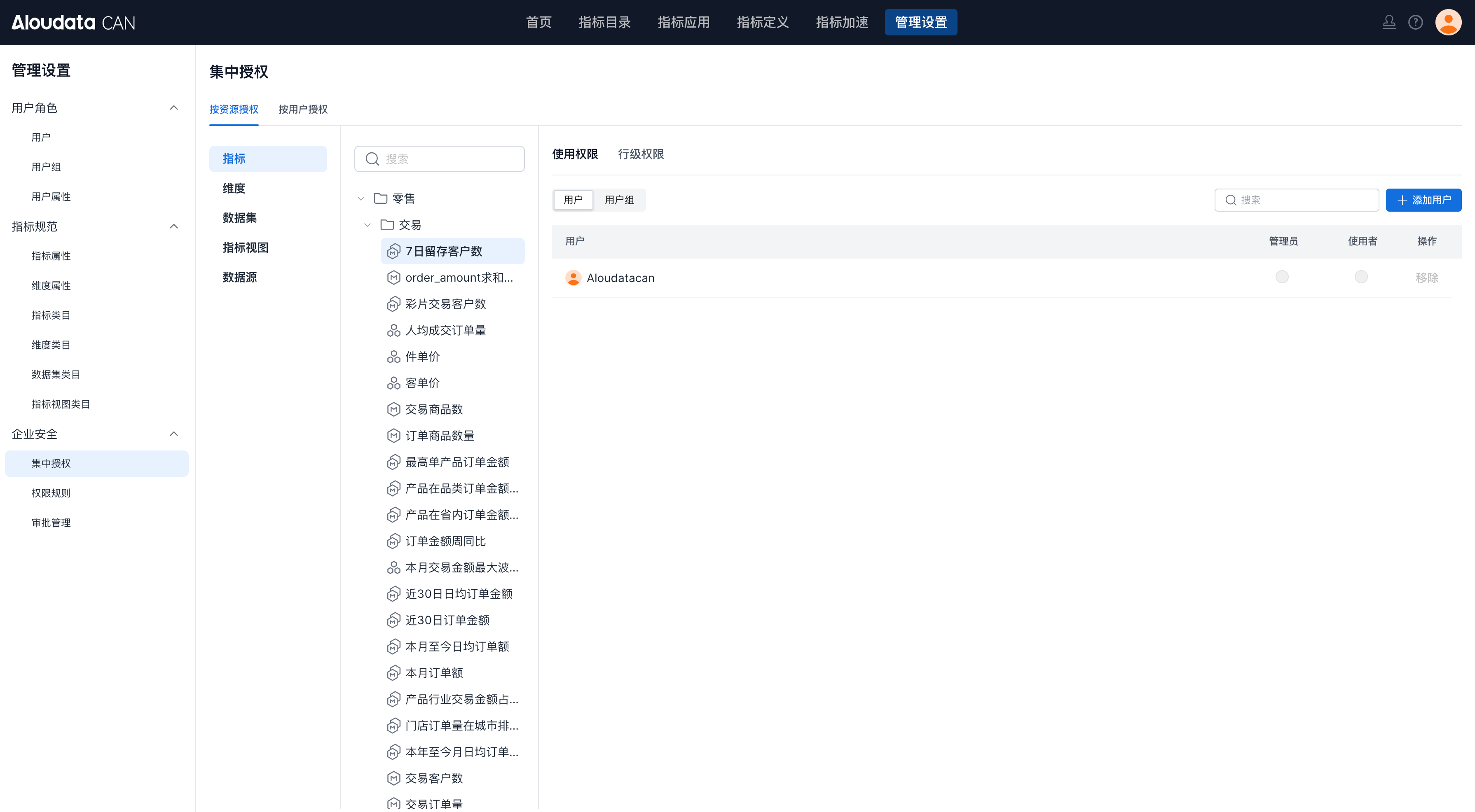
| Module | Description |
|---|---|
| Centralized authorization | Grant permissions from either a resource view or a user view. |
| Permission rules | Configure automatic authorization based on metric or dimension attributes. For example, if a metric has an owner attribute, permission rules can automatically grant edit permissions to the owner. 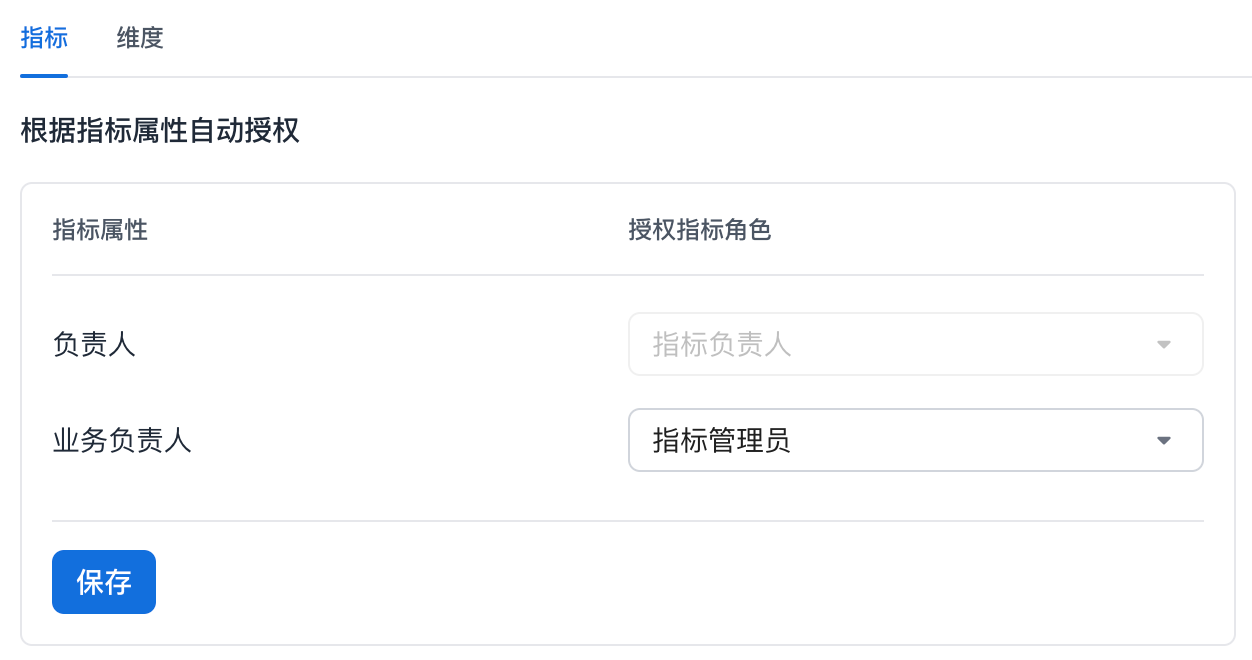 |
| Approval management | Enable approval flows for specific processes and choose one or more approvers. 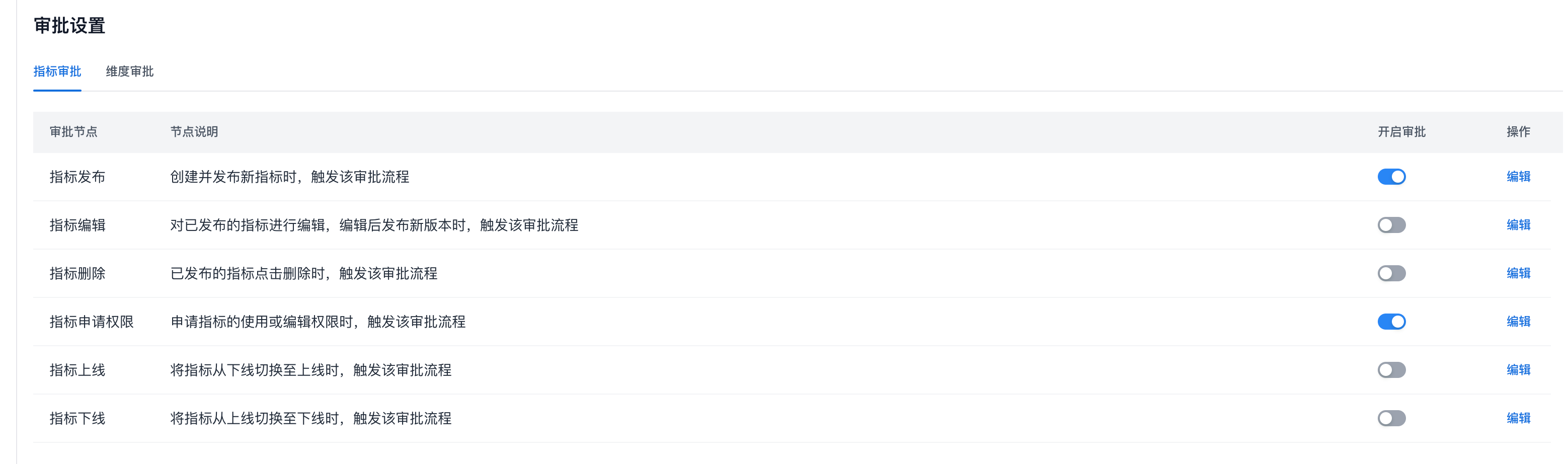 |
Other Entry Points
Approval Center
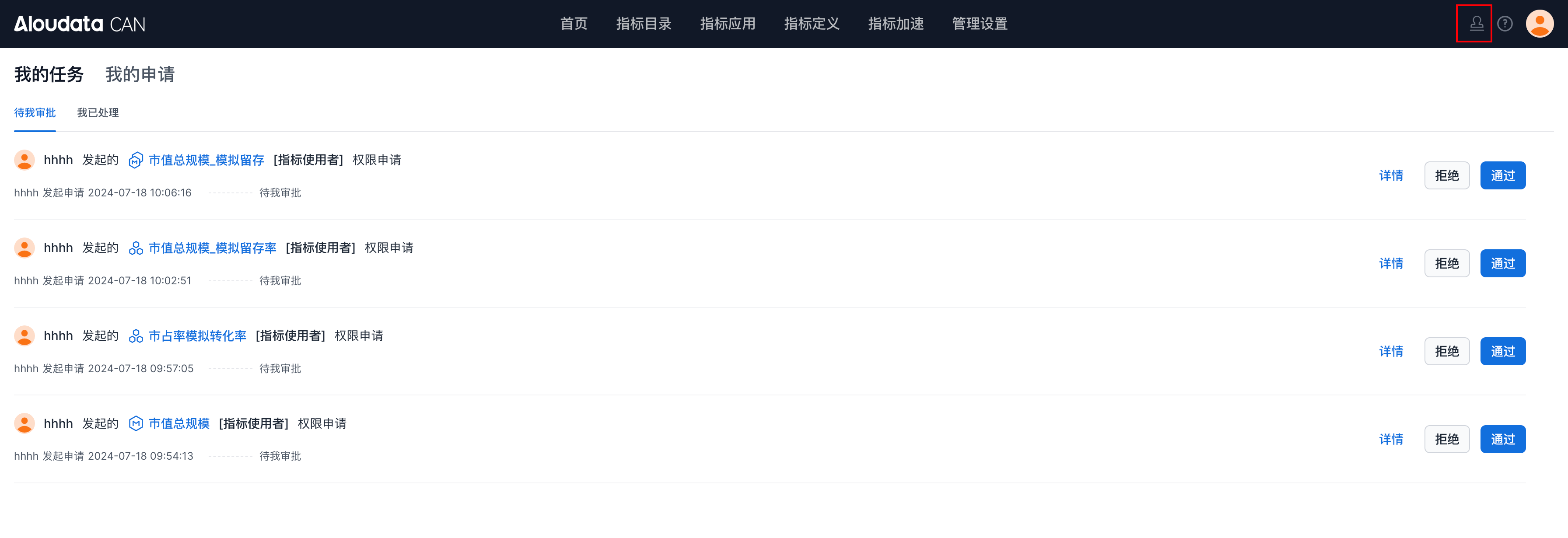
Click Approval Center to view tasks waiting for your approval and approval requests you have submitted.
Help Center
Click Help Center to open the online documentation for the metric platform.