API Key Management
API keys provide secure API-based access to system capabilities, such as metric queries. This article describes how to create API keys in Aloudata CAN and explains common API key usage scenarios.
1. Open the API Key Management Page
Navigation path:
Management Settings → API Key Management
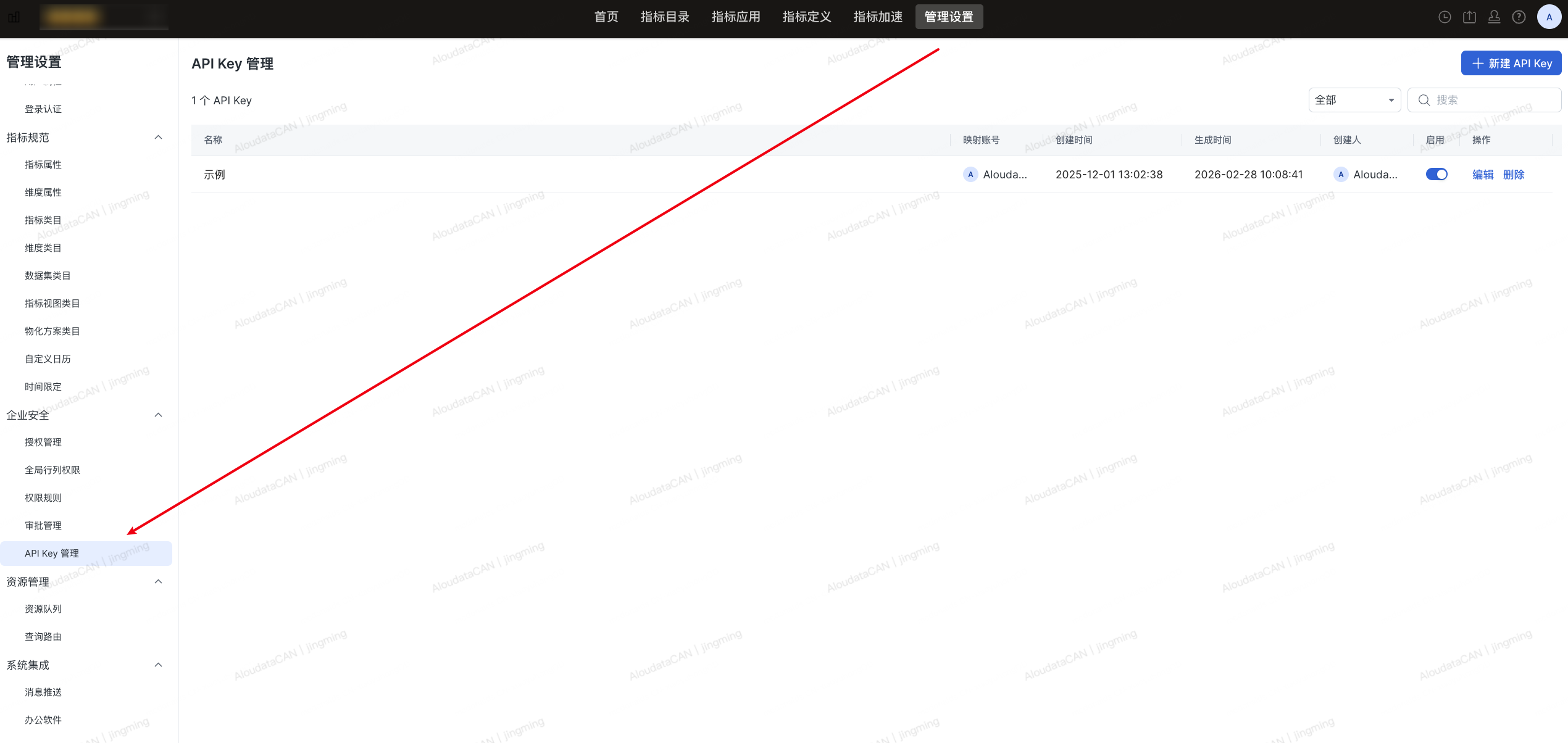
On this page, you can:
-
Create an API key
-
View the API key list
-
Edit or reset an API key
-
Enable, disable, or delete an API key
2. Create an API Key
2.1 Steps
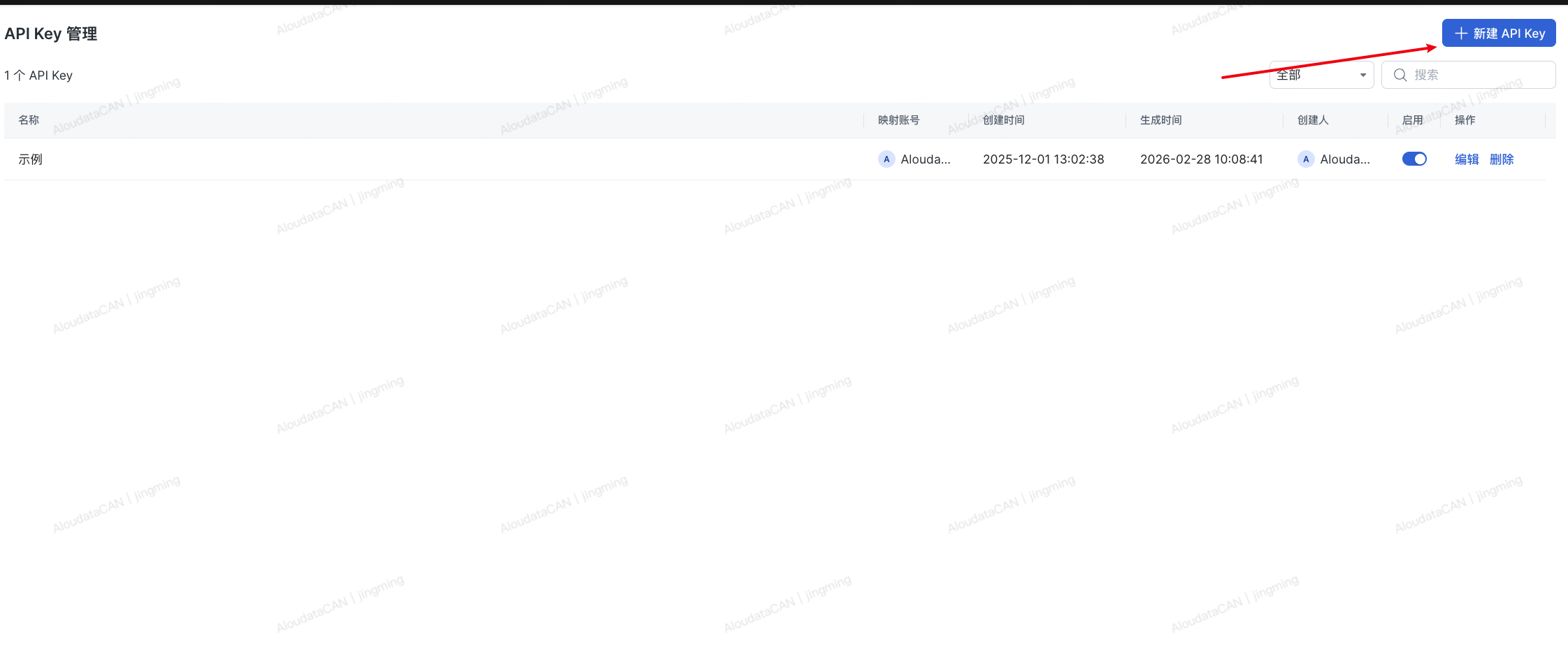
- Click + New API Key in the upper-right corner.
- Enter the basic API key information.
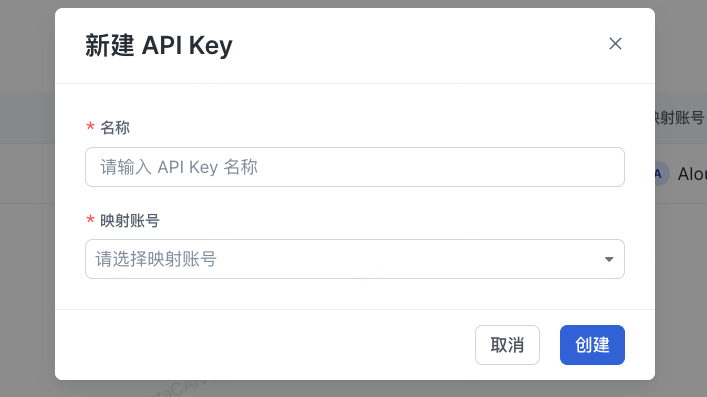
- Click Create to finish.
2.2 Field Descriptions
| Field | Required | Description |
|---|---|---|
| Name | Yes | The API key name |
| Mapped Account | Yes | The system account bound to the API key. API calls are executed with this account's permissions. |
3. API Key List
After creation, the API key appears in the list.
3.1 List Fields
| Field | Description |
|---|---|
| Name | API key name |
| Mapped Account | Currently bound account |
| Created At | Time when the API key was first created |
| Generated At | Most recent time when the API key was generated or reset |
| Created By | API key creator |
| Enabled | Whether the current API key is allowed to call APIs |
| Actions | Edit / Delete |
3.2 Created At vs. Generated At
-
Created At: The time when the API key was first created.
-
Generated At: The most recent time when Regenerate API Key was clicked.
This field helps determine whether the key has been rotated.
4. Edit an API Key
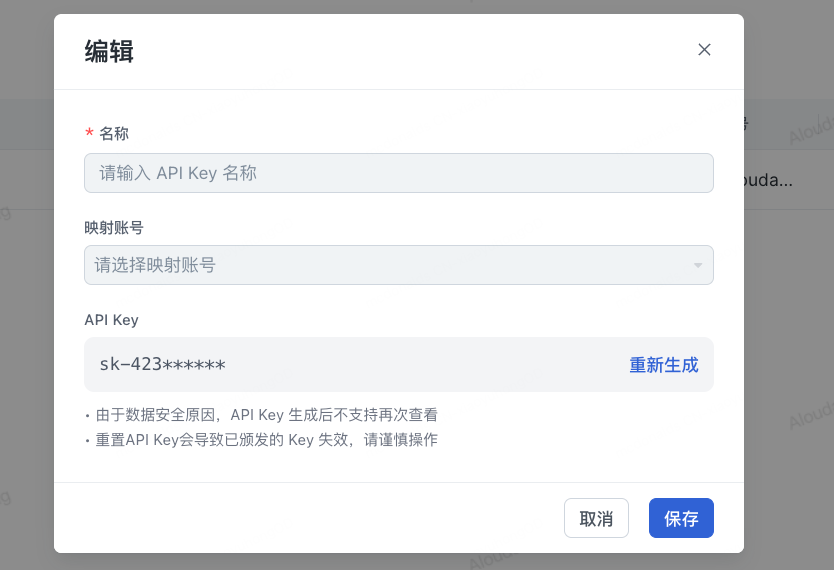
In the API key list, click Edit to open the edit page.
4.1 Editable Fields
| Field | Editable | Description |
|---|---|---|
| Name | Yes | Modify the API key display name |
| Mapped Account | Yes | Rebind the execution account for the API key |
| API Key | No | Only masked content is displayed for security reasons |
4.2 API Key Security Notes
-
The full API key is displayed only when it is generated.
-
After that, only a masked format is shown, such as
sk-423******. -
The system does not support viewing the full key again.
5. Regenerate an API Key
On the edit page, click Regenerate to generate a new API key.
5.1 Impact of Regeneration
-
The new API key takes effect immediately.
-
The original API key becomes invalid immediately.
-
All API calls that use the old key will fail.
6. Enable or Disable an API Key
Use the enable switch in the API key list to quickly control whether a key is available.
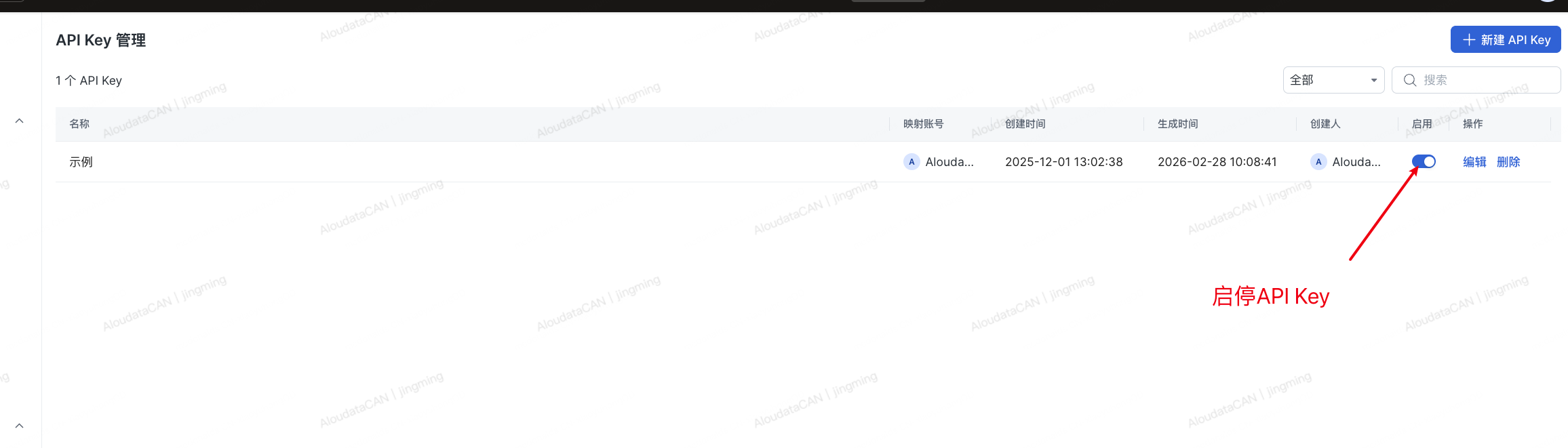
| Status | Description |
|---|---|
| Enabled | The API key can call APIs normally. |
| Disabled | API calls using this API key are rejected. |
7. Delete an API Key
After you click Delete:
-
The API key is permanently deleted.
-
It cannot be restored.
-
All related calls become invalid immediately.