Create a Basic Metric
1. Use Cases
Basic metrics are the foundation of all metrics. Derived metrics and composite metrics both depend on basic metric definitions. A basic metric is a statistical measure of a business process. Common examples include:
| Metric Name | Metric Definition | Description |
|---|---|---|
| Total Order Amount | Sum([Order Table/Order Amount]) |
Calculates the sum of order amount from the order table. |
| Gross Profit | Sum([Order Table/Order Amount] - [Product Table/Product Cost]) |
Uses the order table and its related product table to subtract product cost from each order amount and calculate gross profit. |
| Ordering Users | CountDistinct([Order Table/User ID]) |
Counts distinct user IDs in the order table. |
2. Feature Introduction
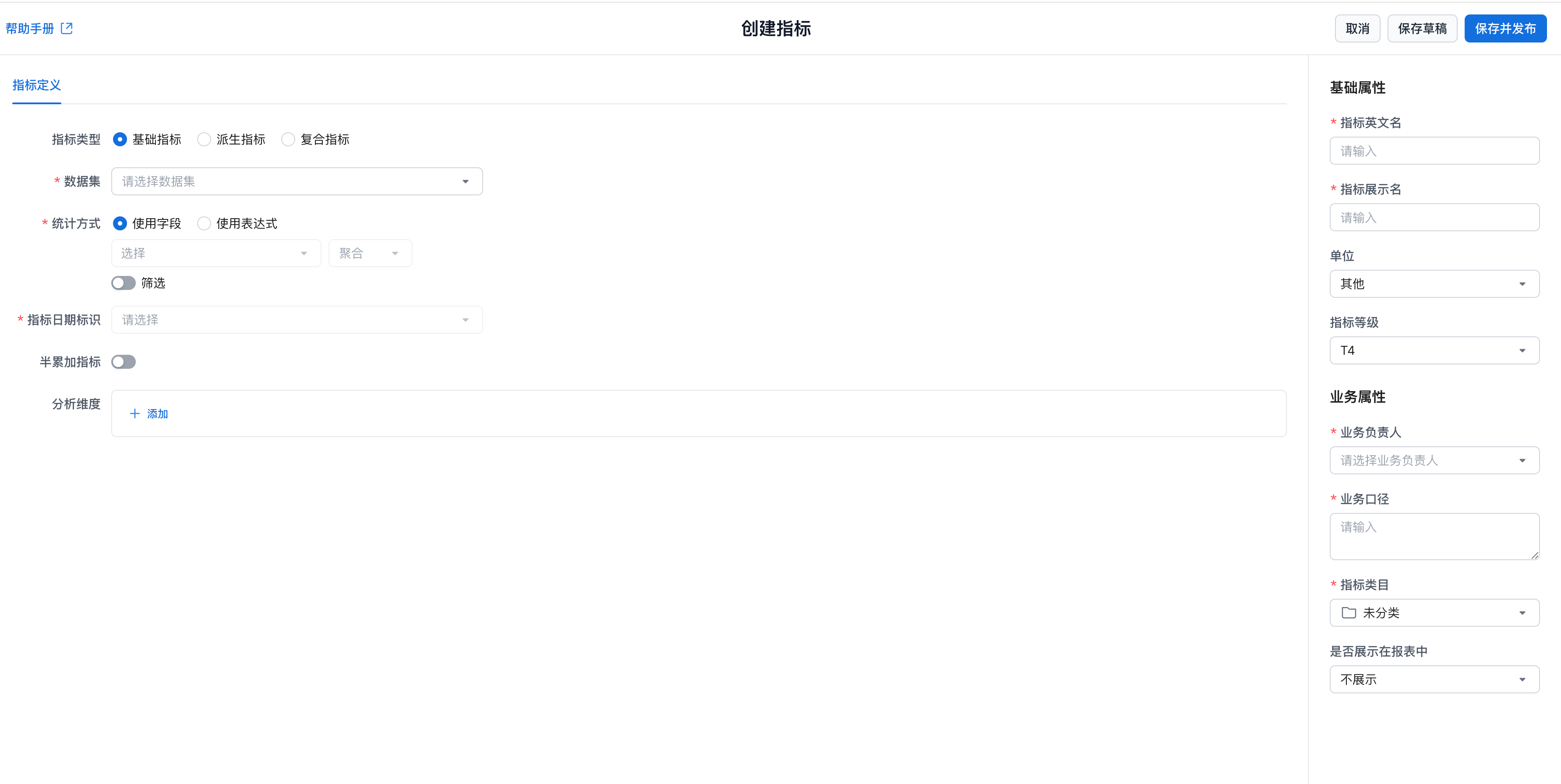
In the metric platform, you can define a basic metric from a dataset. After a basic metric is defined, it can be used to create derived metrics and composite metrics.
A basic metric definition includes calculation logic and metric properties. The calculation logic mainly consists of the dataset, aggregation method, metric date identifier, and semi-additive metric settings.
3. Feature Guide
Steps
Entry Point
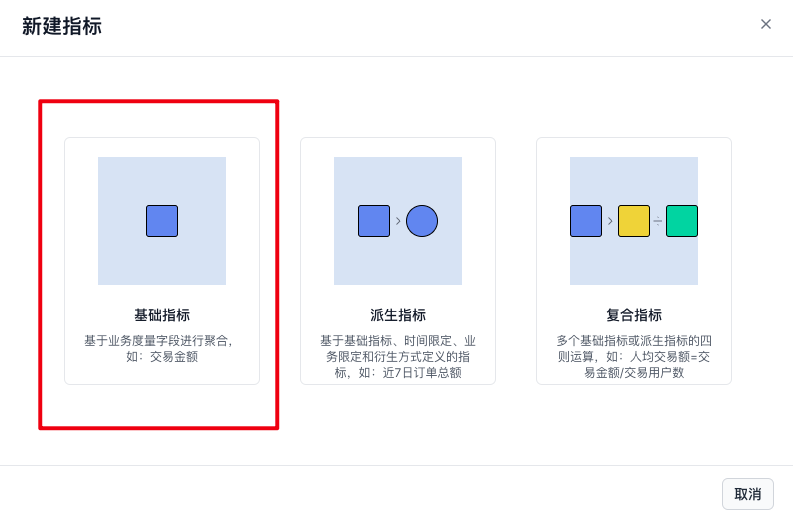
Go to Metric Definition -> New Metric, then select Basic Metric in the dialog.
Configure Metric Definition
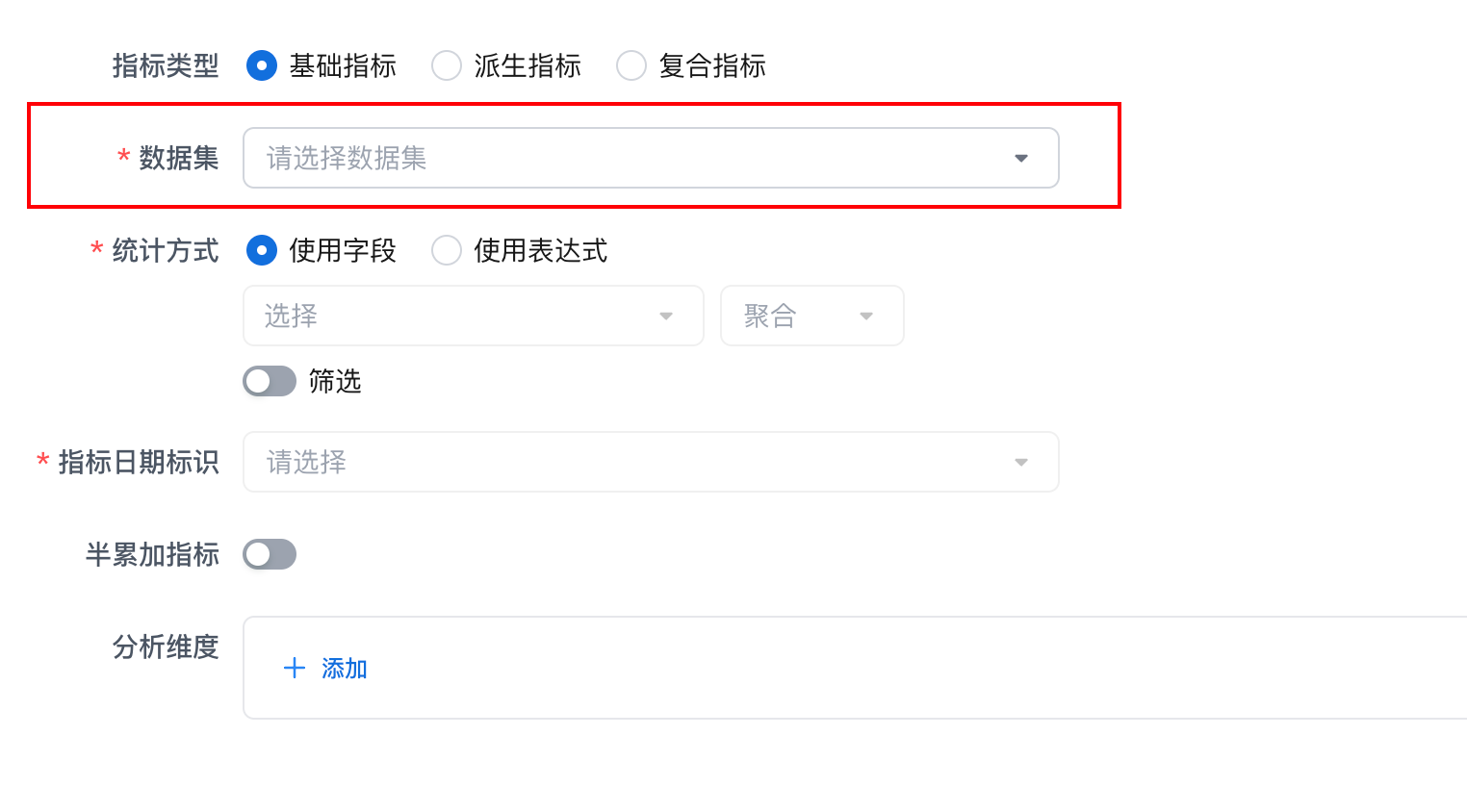
Set Dataset
Select a Dataset that you have permission to use. The basic metric will be created from the data in this dataset.
Important
The dataset must contain at least one date or datetime field so it can be bound as the metric date identifier. You can adjust field data types in the dataset definition.
Set Aggregation Method
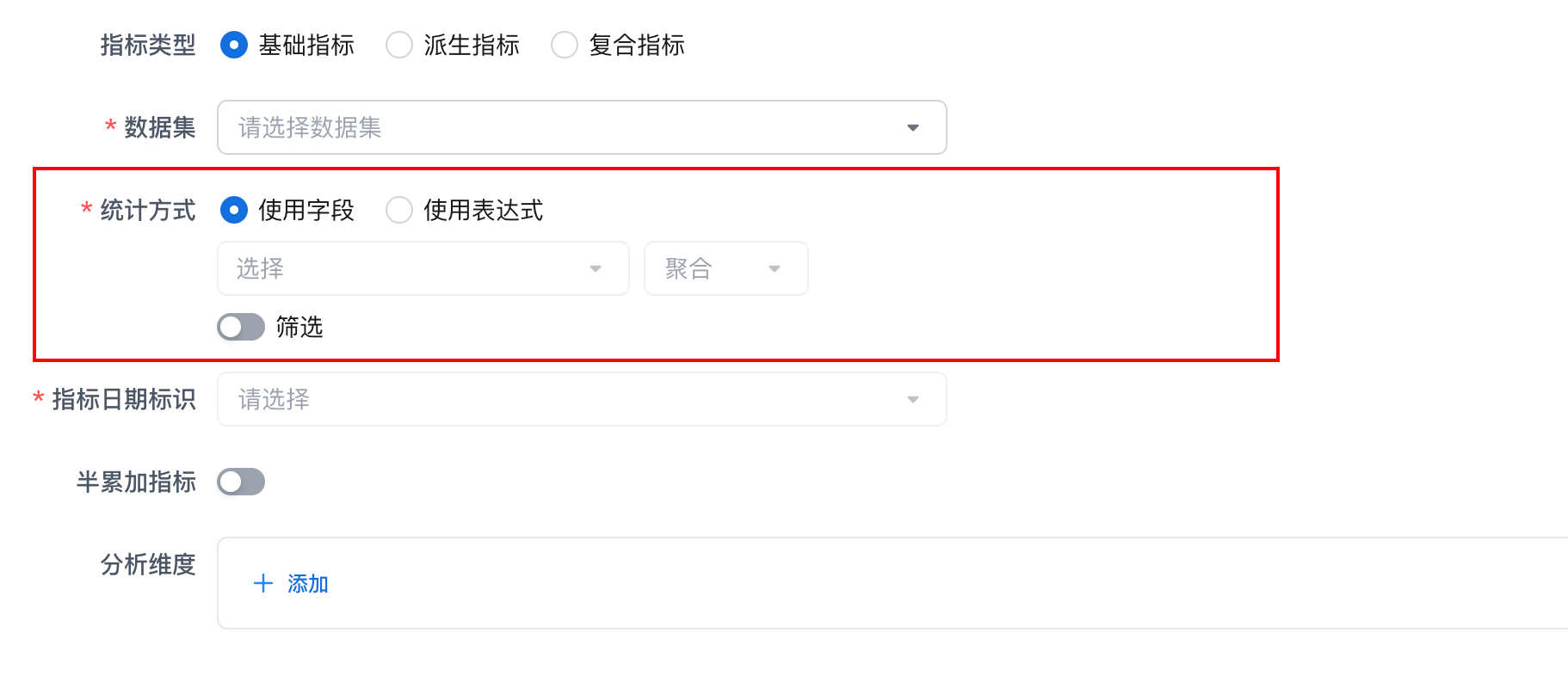
Configure what the basic metric calculates. Based on the selected dataset, choose the content to aggregate and optionally add filters. The metric is calculated from the filtered data.
| Configuration Item | Description |
|---|---|
| Aggregation Content | * Use Field: use fields from the current dataset with an aggregation method as the metric aggregation content. 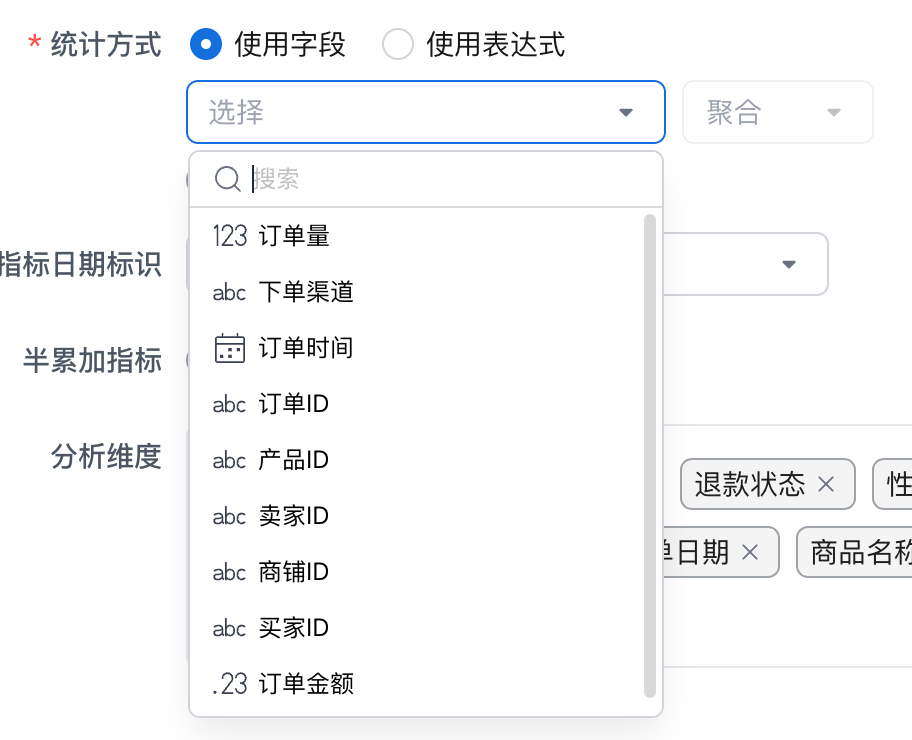 Select the field to aggregate and the aggregation method. The platform supports Sum, Count, CountDistinct, Avg, Max, and Min. --- * Use Expression: use the aggregation result of a custom formula as the metric aggregation content. Select the field to aggregate and the aggregation method. The platform supports Sum, Count, CountDistinct, Avg, Max, and Min. --- * Use Expression: use the aggregation result of a custom formula as the metric aggregation content. 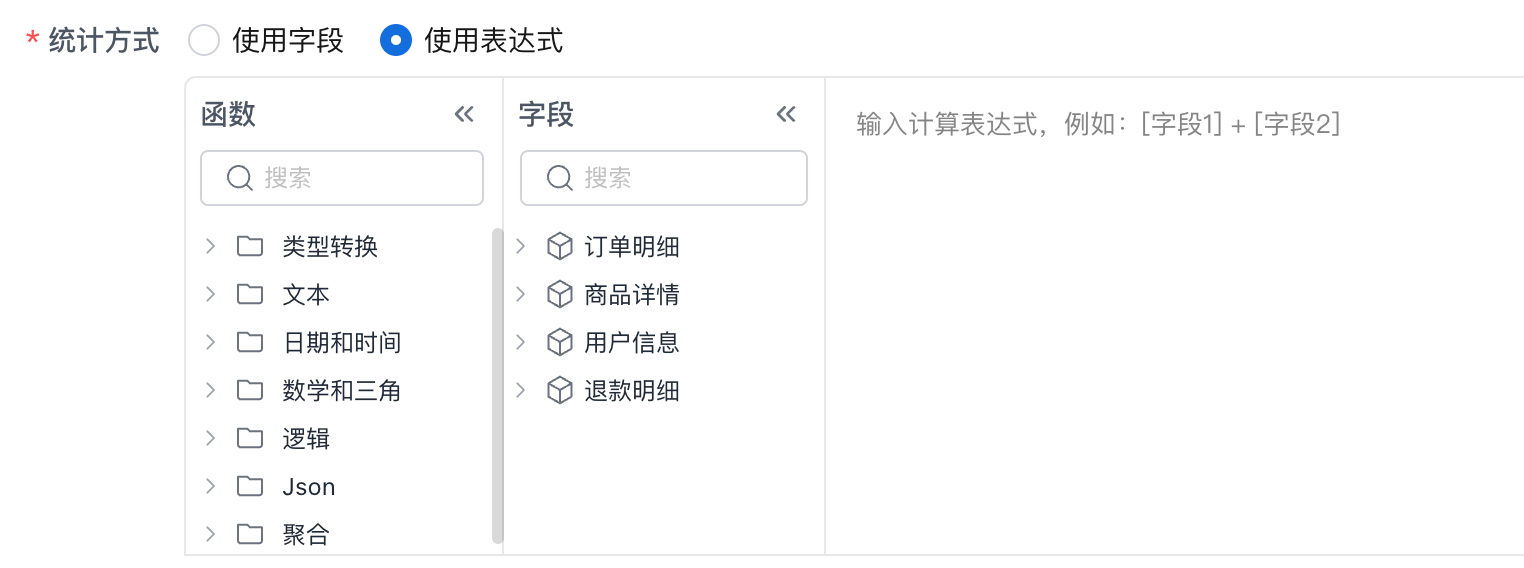 Use a custom expression to calculate an aggregated field result, for example: use fields from the current dataset and related datasets to write an aggregation expression. Use a custom expression to calculate an aggregated field result, for example: use fields from the current dataset and related datasets to write an aggregation expression. sql Sum([Order Table/Order Amount] - [Product Table/Product Cost]) Use conditional functions in the aggregation. sql Sum(If([Order Table/Order Status]="Valid",[Order Amount],0)) |
| Filter | * Regular: filter by fields. The metric is calculated from the filtered data. 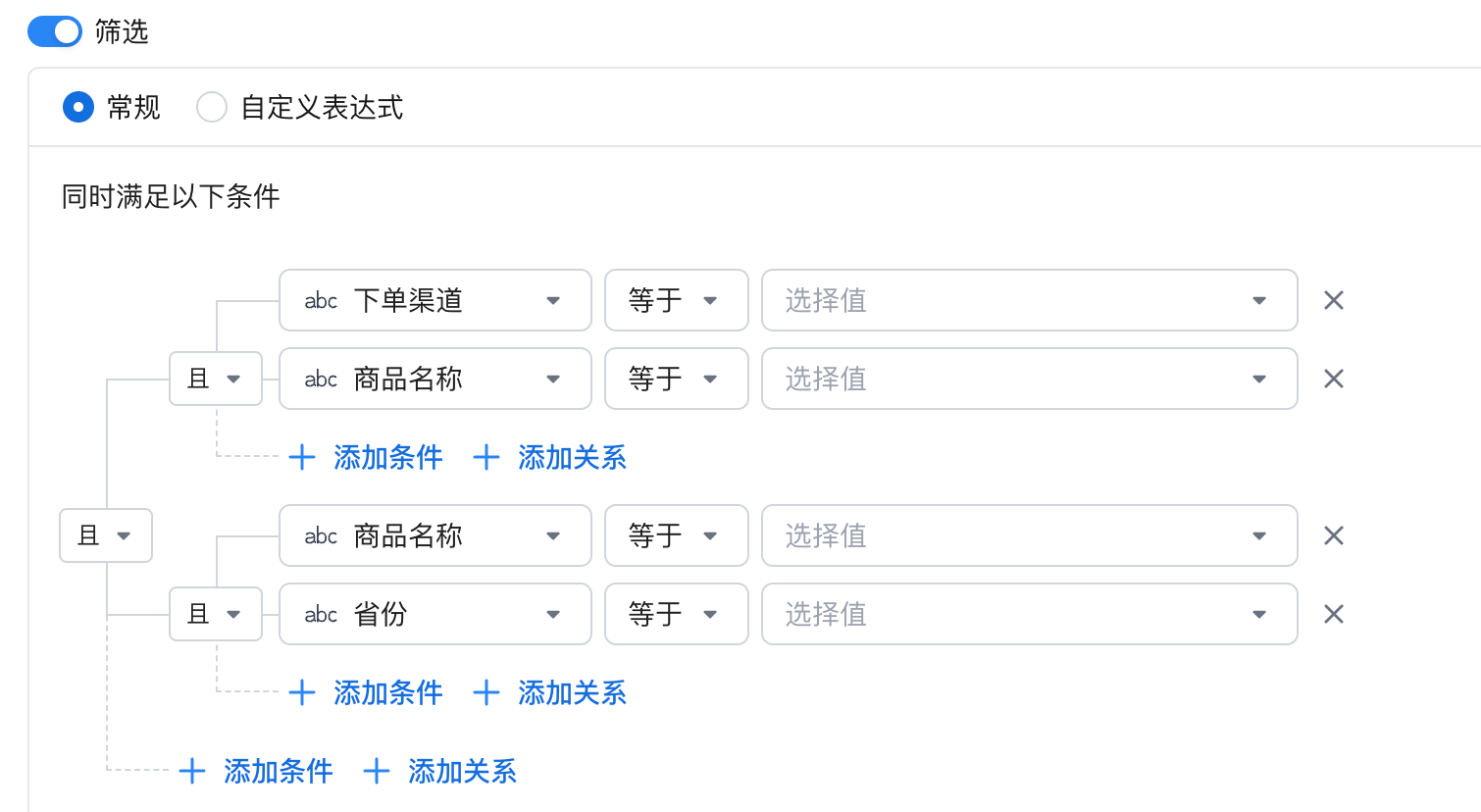 Different field types support different matching rules. Text: equals or does not equal, with multiple values treated as OR; contains or does not contain; starts or does not start with; ends or does not end with. Numeric fields, including integers and decimals: equals, does not equal, greater than, less than, greater than or equal to, less than or equal to, between, and outside range. Time fields, including date and datetime: specified time, time range, outside range, earlier than, and later than. --- * Custom Expression: use a filter expression. The metric is calculated from the filtered data. Different field types support different matching rules. Text: equals or does not equal, with multiple values treated as OR; contains or does not contain; starts or does not start with; ends or does not end with. Numeric fields, including integers and decimals: equals, does not equal, greater than, less than, greater than or equal to, less than or equal to, between, and outside range. Time fields, including date and datetime: specified time, time range, outside range, earlier than, and later than. --- * Custom Expression: use a filter expression. The metric is calculated from the filtered data. 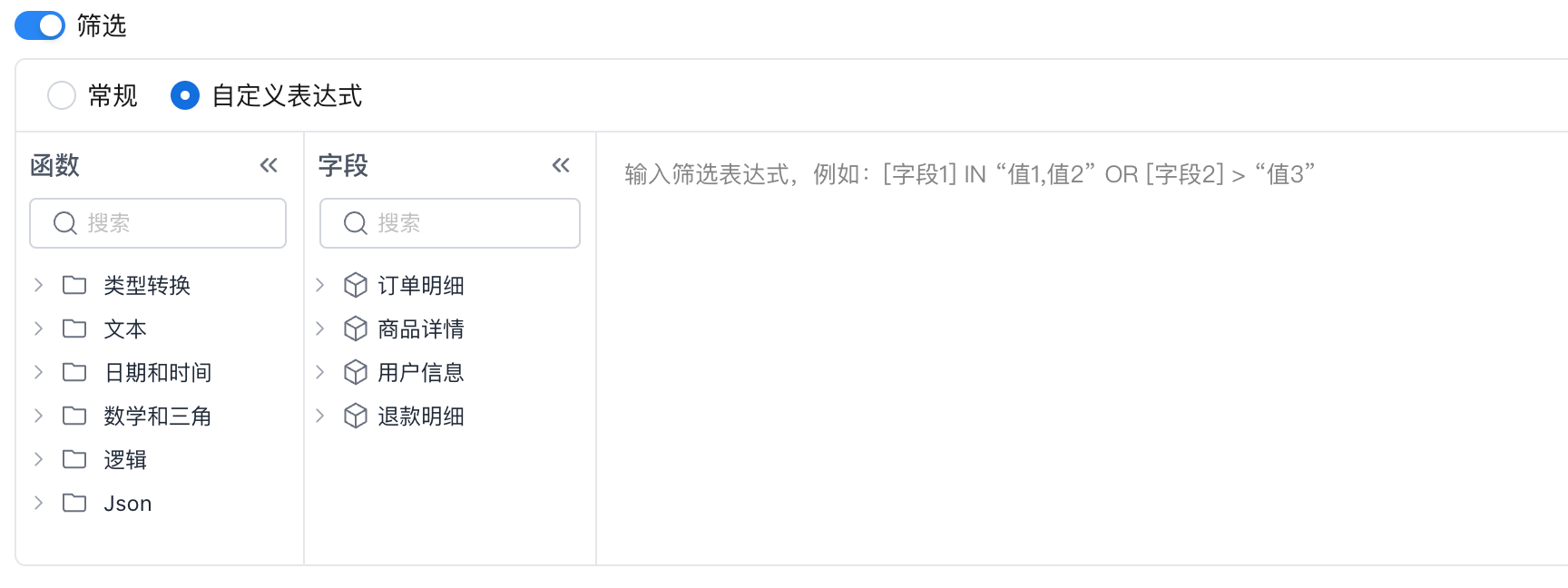 Use Use AND and OR to combine multiple conditions. Keep orders from the past 7 days: sql [Order Table/Order Date] >= Dateadd(Today(),-6,"DAY") AND [Order Table/Order Date] <= Today() Keep paid orders or unpaid orders from third-party channels: sql [Order Table/Order Status]="Paid" OR ([Order Table/Order Status]="Unpaid" AND In([Payment Channel/Channel],"Alipay","WeChat Pay","UnionPay")) |
Set Metric Date Identifier
The metric date identifier is used as the date grouping field when metric values are queried.
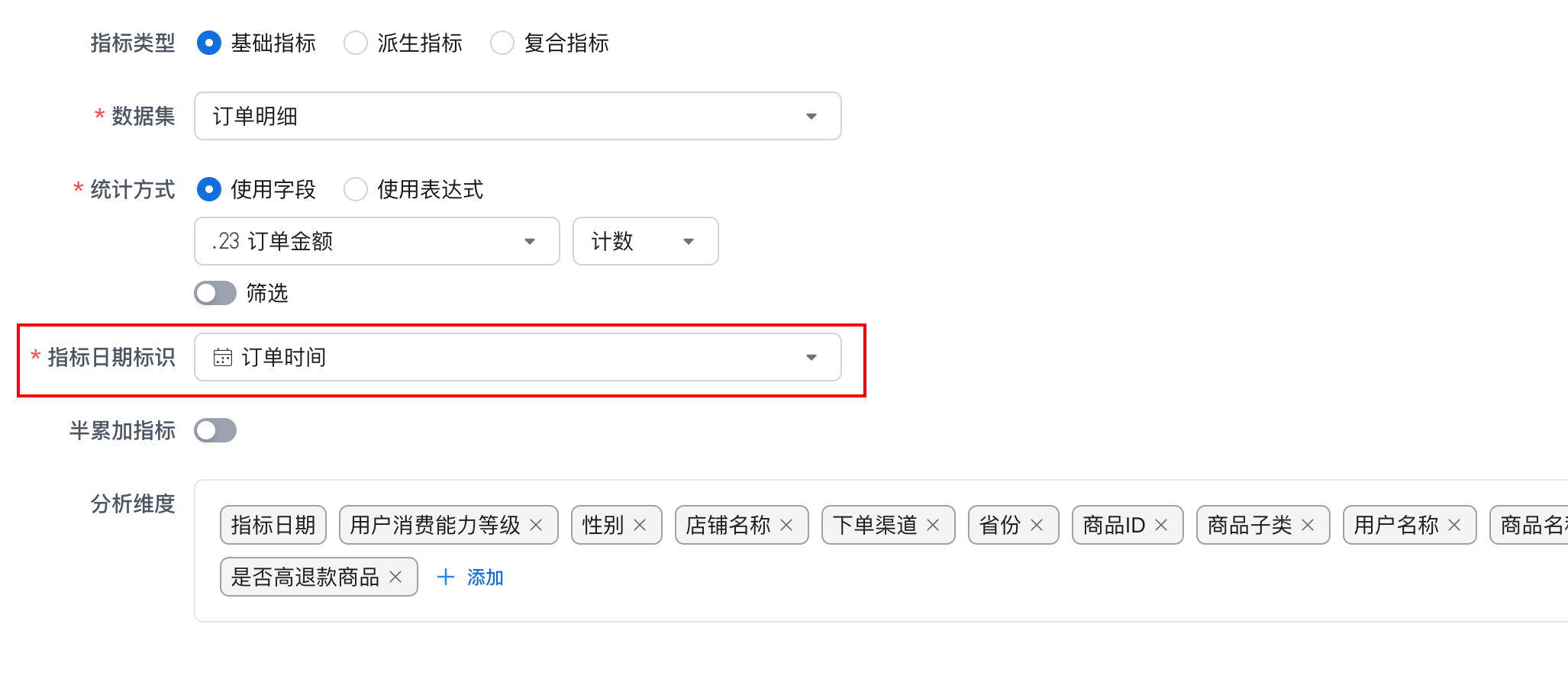
Important
The metric platform supports analyzing multiple metrics together. For example, one query can return Date, Orders, and Visits. The Orders metric may use [Order Table/Order Time], while the Visits metric may use [Visit Table/Visit Time].
The platform provides the built-in Metric Date dimension. When you select Metric Date as an analysis dimension during a query, the system can query multiple metrics at once and replace Metric Date with the date field configured for each metric.
Set Semi-Additive Metric
If the current dataset is a snapshot dataset, where one business process can have multiple rows, and you only want to keep one row for calculation during aggregation, enable the semi-additive metric feature.
Important
Semi-additive metrics are needed when defining metrics from the following dataset types:
Full snapshot data: commonly used in inventory records and deposit balance records. For example, a deposit balance table records the daily balance of each user in each row.
Incremental snapshot data: commonly used in order slowly changing dimension tables. For example, order detail data records a new row whenever order status changes.
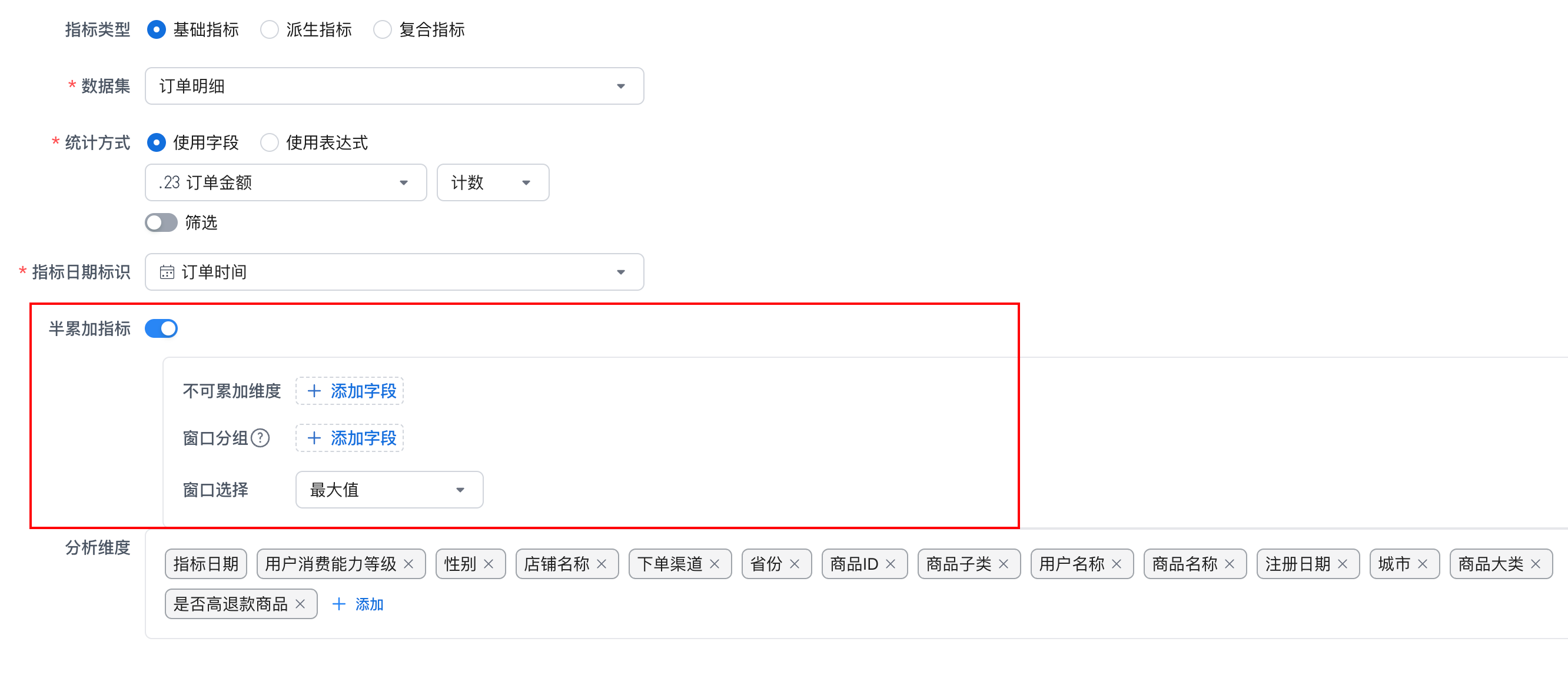
| Configuration Item | Description |
|---|---|
| Non-Additive Dimension | Select fields from the dataset. During metric calculation, if the same window group contains multiple values for a non-additive dimension, the system keeps the specified data according to the rule. |
| Window Grouping | Select fields from the dataset. During metric calculation, the system groups data by the selected windows before selecting the specified data. |
| Window Selection | Supports maximum and minimum. The system keeps the corresponding data based on your selection. |
Set Analysis Dimensions
Select the dimensions that can be used to analyze this basic metric. These dimensions can be used for multi-dimensional grouping or filtering.
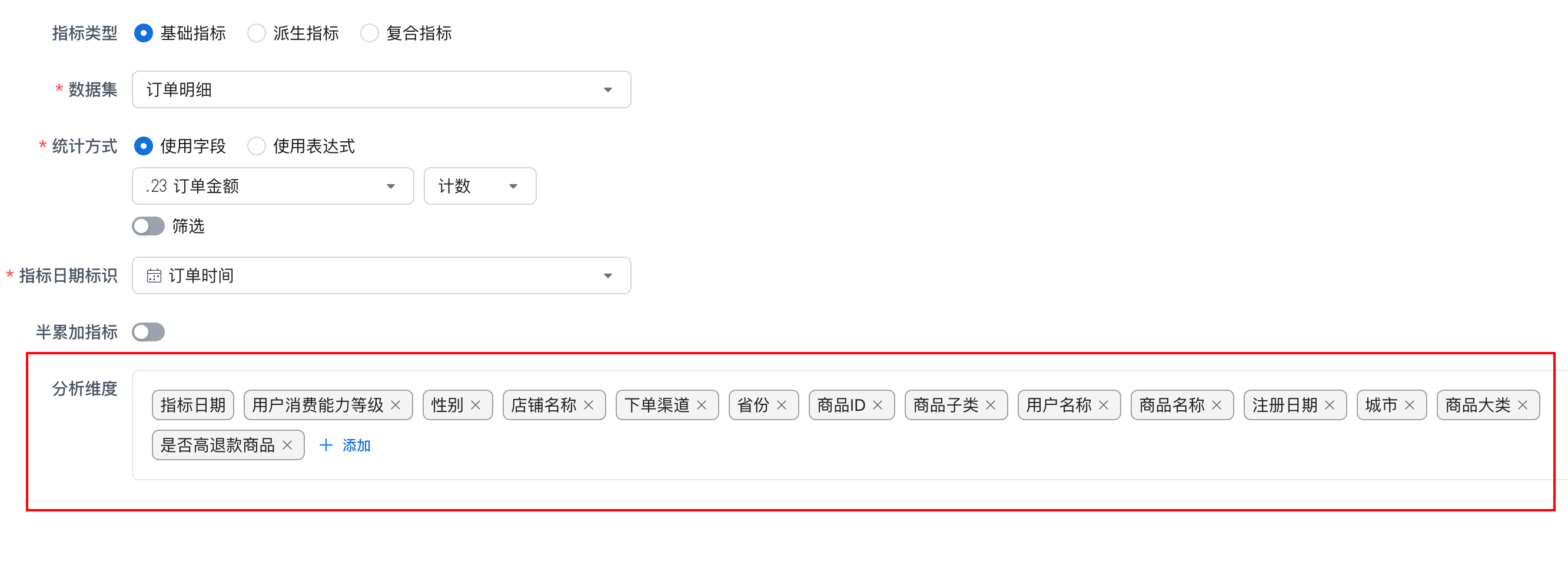
Important
Available dimensions for a basic metric come from relationships between datasets. Using the dataset selected by the current basic metric as the center, you can select dimensions defined on the current dataset and on all related datasets on the one side of a relationship.
Configure Metric Properties
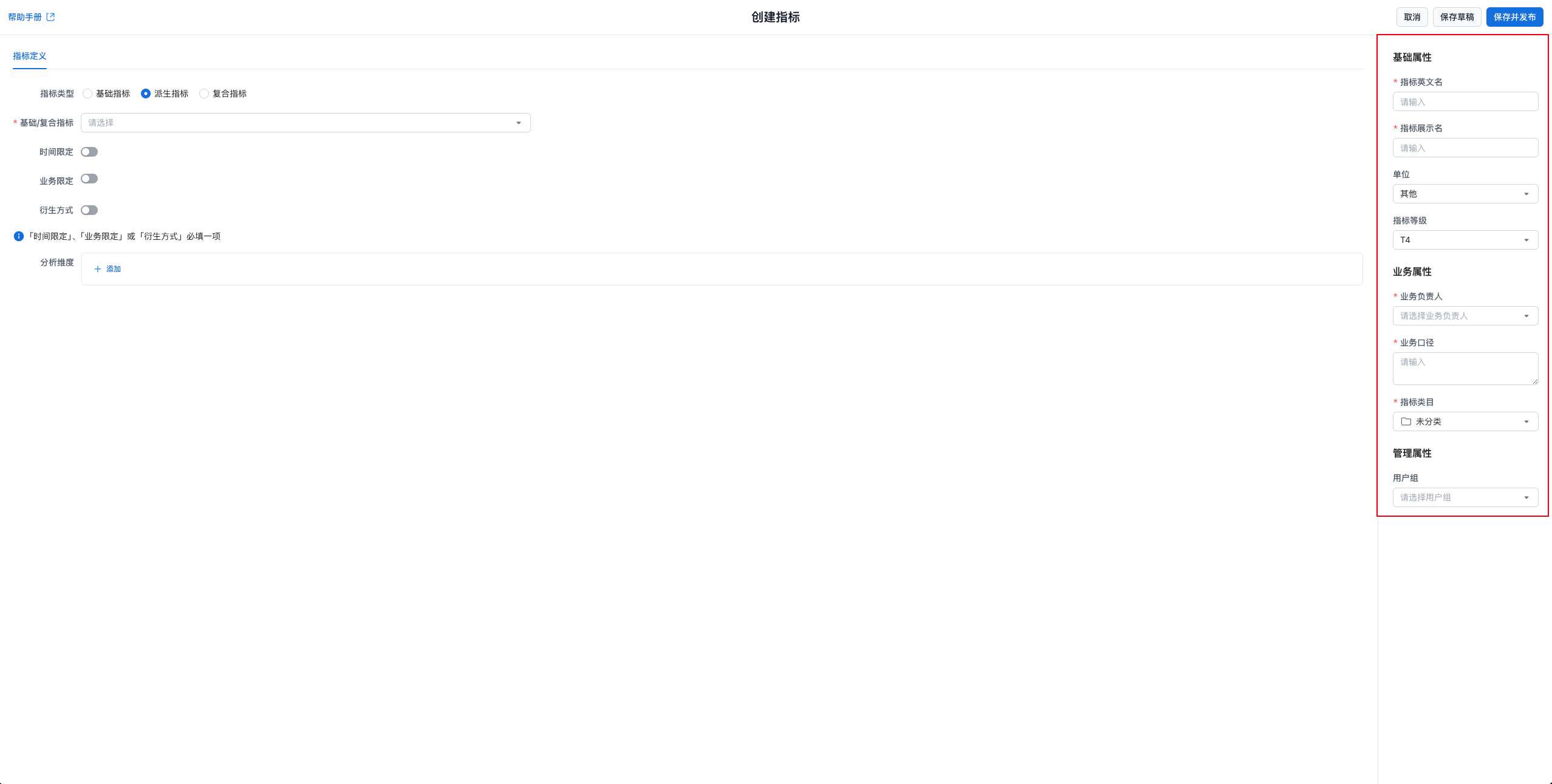
Fill in metric property information. Administrators can customize which properties are available and whether they are required. Built-in system properties cannot be customized. Important system properties include:
| Property | Rule |
|---|---|
| Metric Name | Supports English letters, numbers, and underscores (_), and must be globally unique. !!! note "The metric name cannot be changed after creation. Use the metric name in the query API to retrieve metric results." |
| Metric Display Name | Supports any characters and must be globally unique. |
| Unit | Select the metric unit. |
| Business Owner | The business owner of the metric. Administrators can disable this property. |
| Business Definition | The business definition of the metric, used to describe its calculation scope and business meaning in detail. |
| Metric Category | The metric category. The system provides an Uncategorized category. |
Save or Publish the Metric
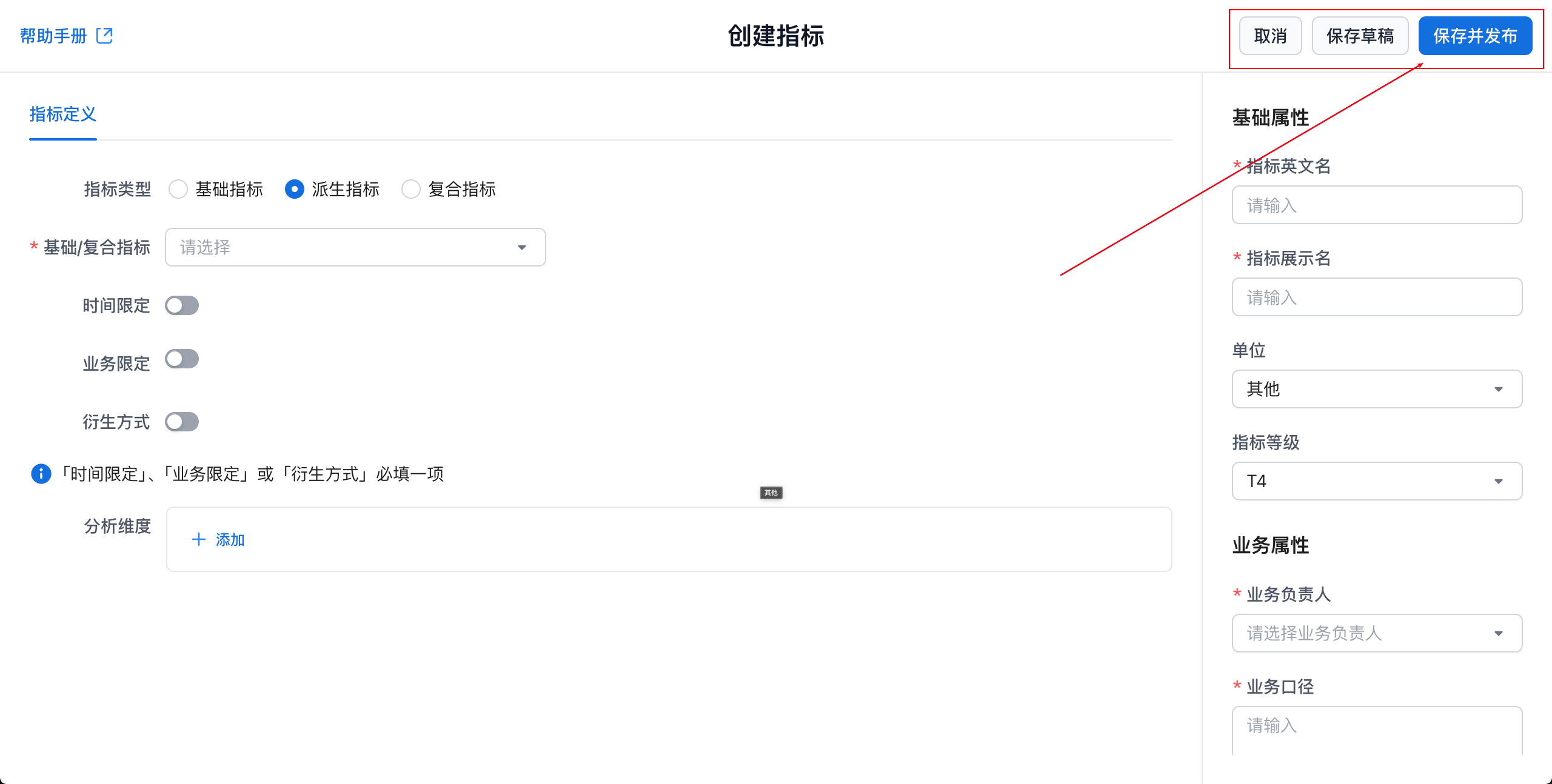
| Action | Description |
|---|---|
| Save Draft | Save the current metric definition as a draft. |
| Save and Publish | Publish the current metric. After publishing, other users can query this metric. |
Examples
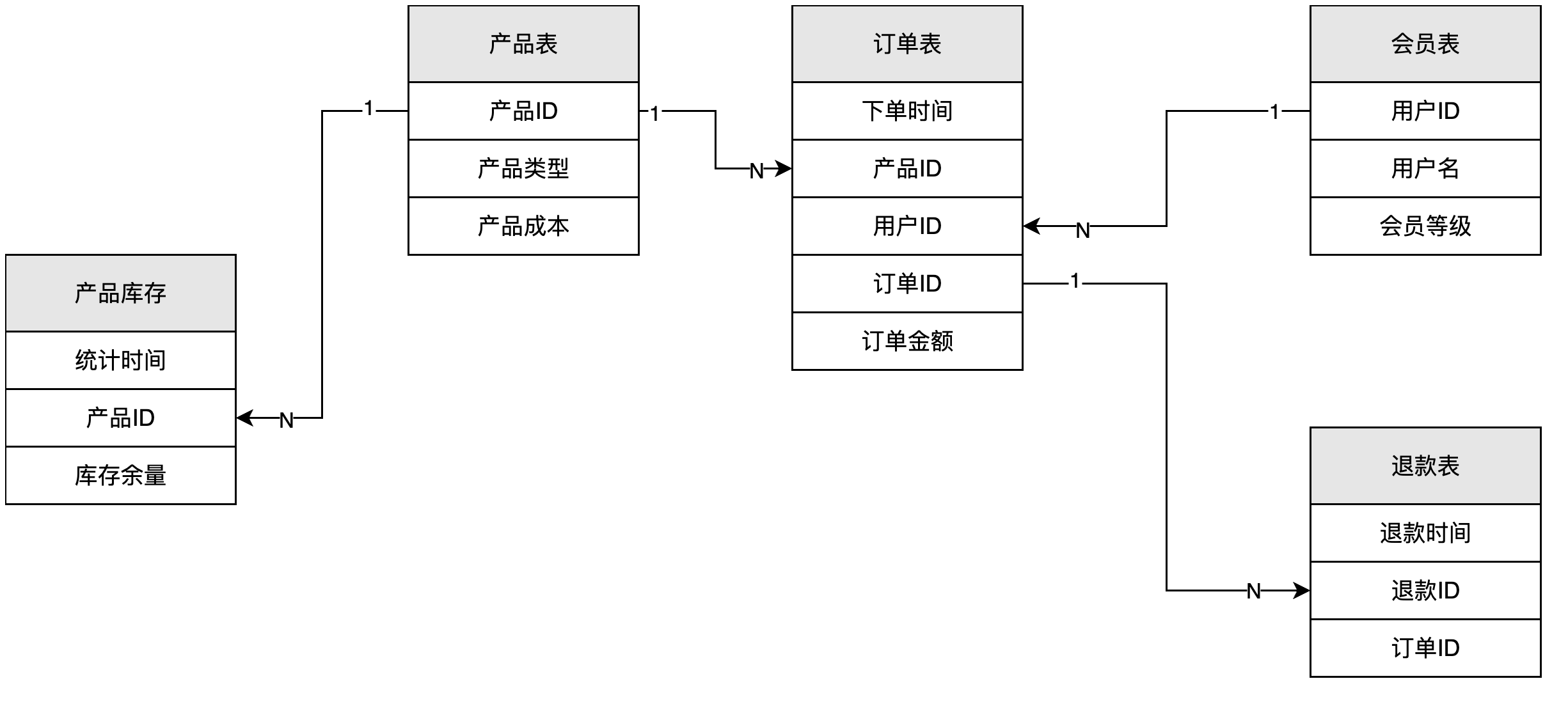
Create a Metric from Multiple Datasets: Gross Profit
-
Metric Name: Gross Profit
-
Dataset: Order Table
-
Aggregation Method: Sum(
[Order Table/Order Amount]-[Product Table/Product Cost]) -
Metric Date Identifier: Order Time
Data Query
Dimension: Metric Date (Day)
Metric: Gross Profit
SELECT Datetrunc(order_table.order_time, "DAY"), Sum(order_table.order_amount - product_table.product_cost)
FROM order_table
LEFT JOIN product_table ON order_table.product_id = product_table.product_id
GROUP BY Datetrunc(order_table.order_time, "DAY")
Query Metrics from Multiple Datasets: Orders and Refunds
-
Metric Name: Orders
-
Dataset: Order Table
-
Aggregation Method: Count(
[Order Table/Order ID]) -
Metric Date Identifier: Order Time
-
Metric Name: Refunds
-
Dataset: Refund Table
-
Aggregation Method: Count(
[Refund Table/Order ID]) -
Metric Date Identifier: Refund Time
Data Query
Dimension: Metric Date (Day)
Metrics: Orders, Refunds
WITH orders AS (
  SELECT Datetrunc(order_table.order_time, "DAY") AS metric_date, Count(order_table.order_id) AS orders
  FROM order_table
  GROUP BY Datetrunc(order_table.order_time, "DAY")
),
refunds AS (
  SELECT Datetrunc(refund_table.refund_time, "DAY") AS metric_date, Count(refund_table.order_id) AS refunds
  FROM refund_table
  GROUP BY Datetrunc(refund_table.refund_time, "DAY")
)
SELECT orders.metric_date, orders.orders, refunds.refunds
FROM orders
FULL JOIN refunds ON orders.metric_date = refunds.metric_date
Define a Semi-Additive Metric from a Snapshot Dataset: Ending Inventory
-
Metric Name: Ending Inventory
-
Dataset: Inventory Table
-
Aggregation Method: Sum(
[Inventory Table/Remaining Inventory]) -
Metric Date Identifier: Statistics Time
-
Semi-Additive Metric
-
Non-Additive Dimension: Statistics Time
-
Window Selection: Maximum
Data Query
Dimension: Metric Date (Month)
Metric: Ending Inventory
WITH ending_data AS (
  SELECT
    statistics_time,
    remaining_inventory,
    RANK() OVER (PARTITION BY Datetrunc(inventory_table.statistics_time, "MONTH") ORDER BY statistics_time DESC) AS date_rank
  FROM inventory_table
)
SELECT Datetrunc(ending_data.statistics_time, "MONTH"), Sum(ending_data.remaining_inventory)
FROM ending_data
WHERE date_rank = 1