WeCom Integration
Aloudata CAN supports integration with office software. After integration, you can use it for user information synchronization, login authentication, and monitoring message push notifications. WeCom integration is currently supported. This guide explains how to integrate WeCom.
Prerequisites
Create a WeCom App
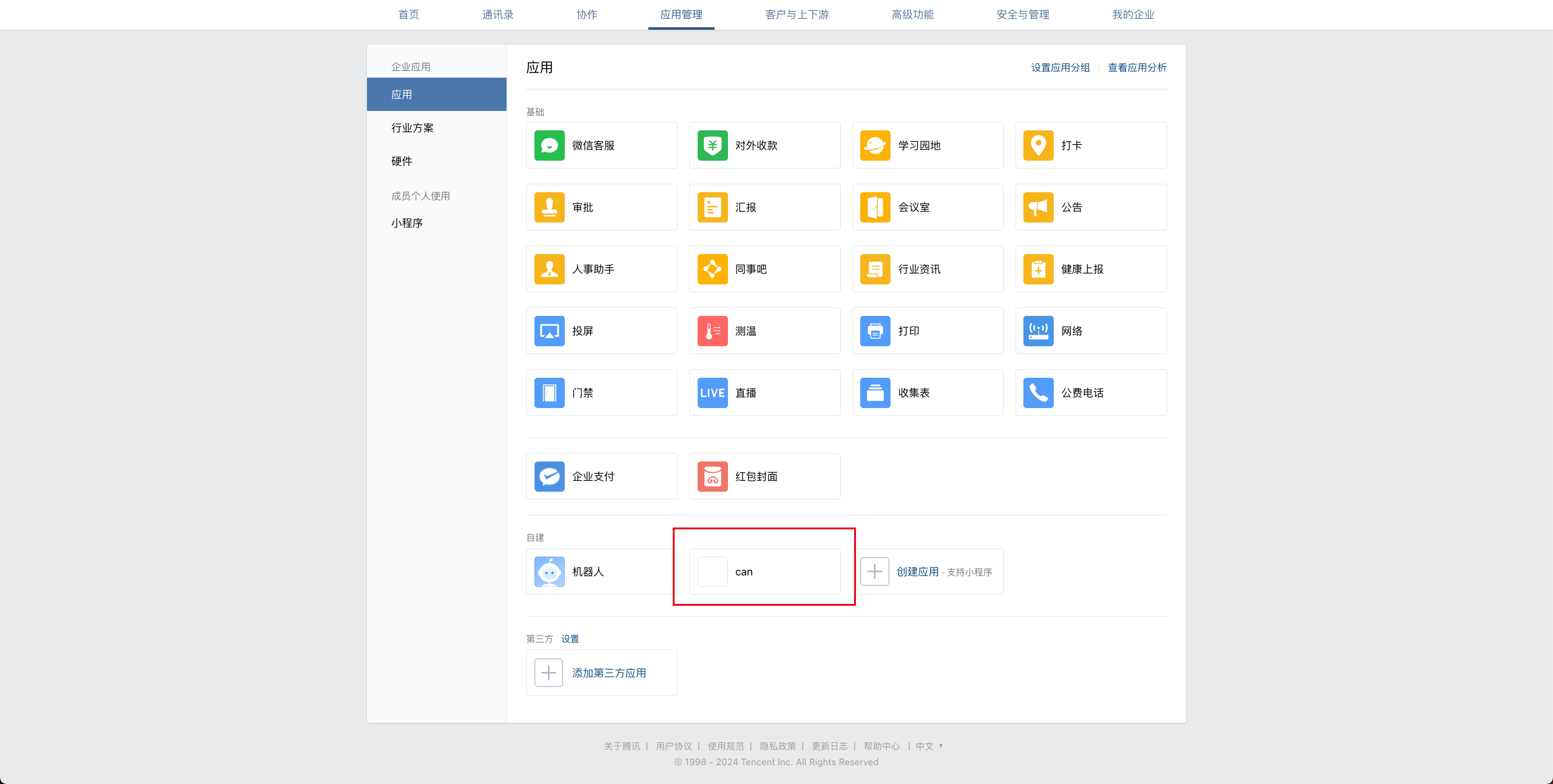
In WeCom Admin, go to App Management > Apps and create a self-built app, as shown below:
WeCom Integration
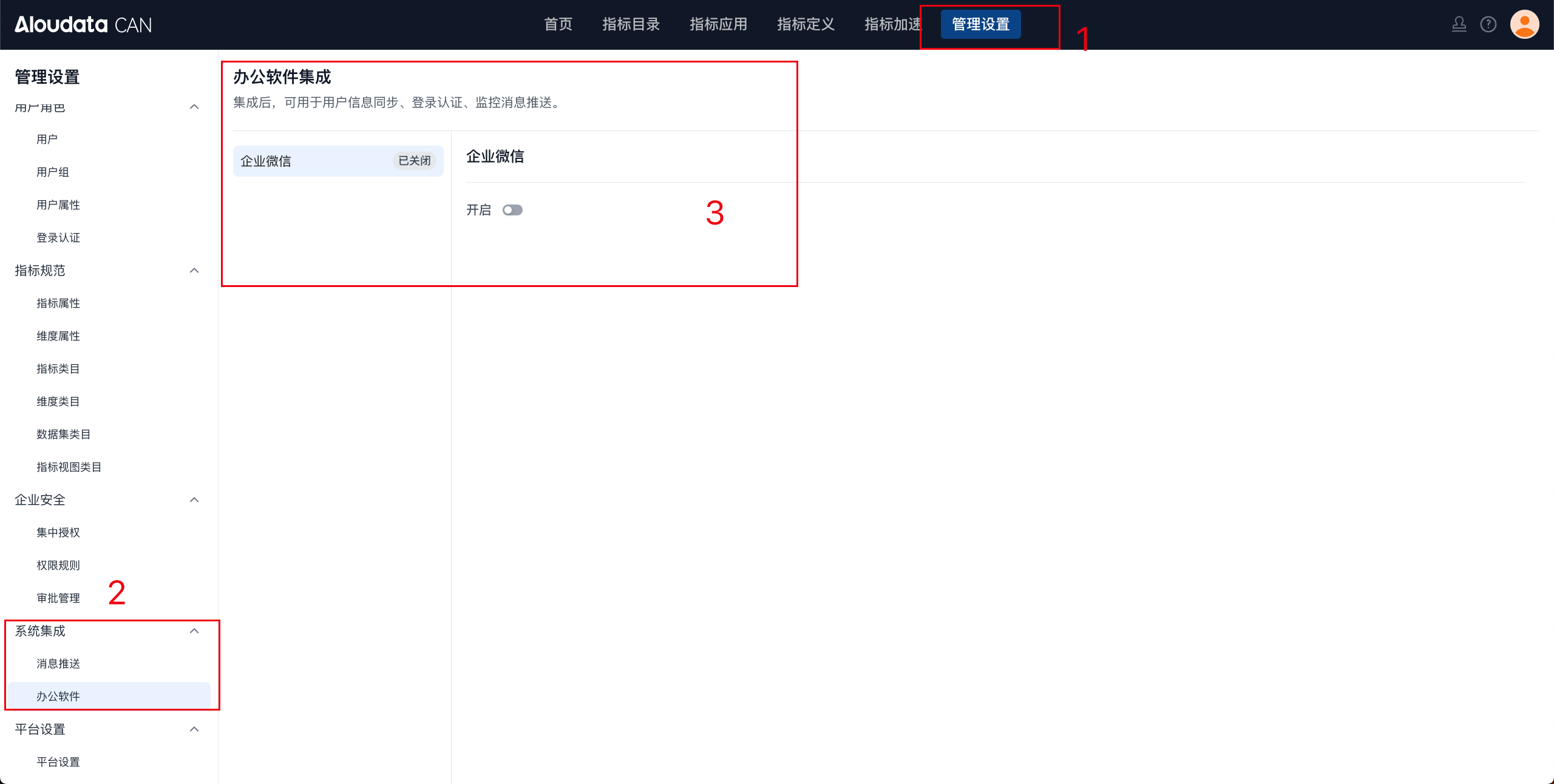
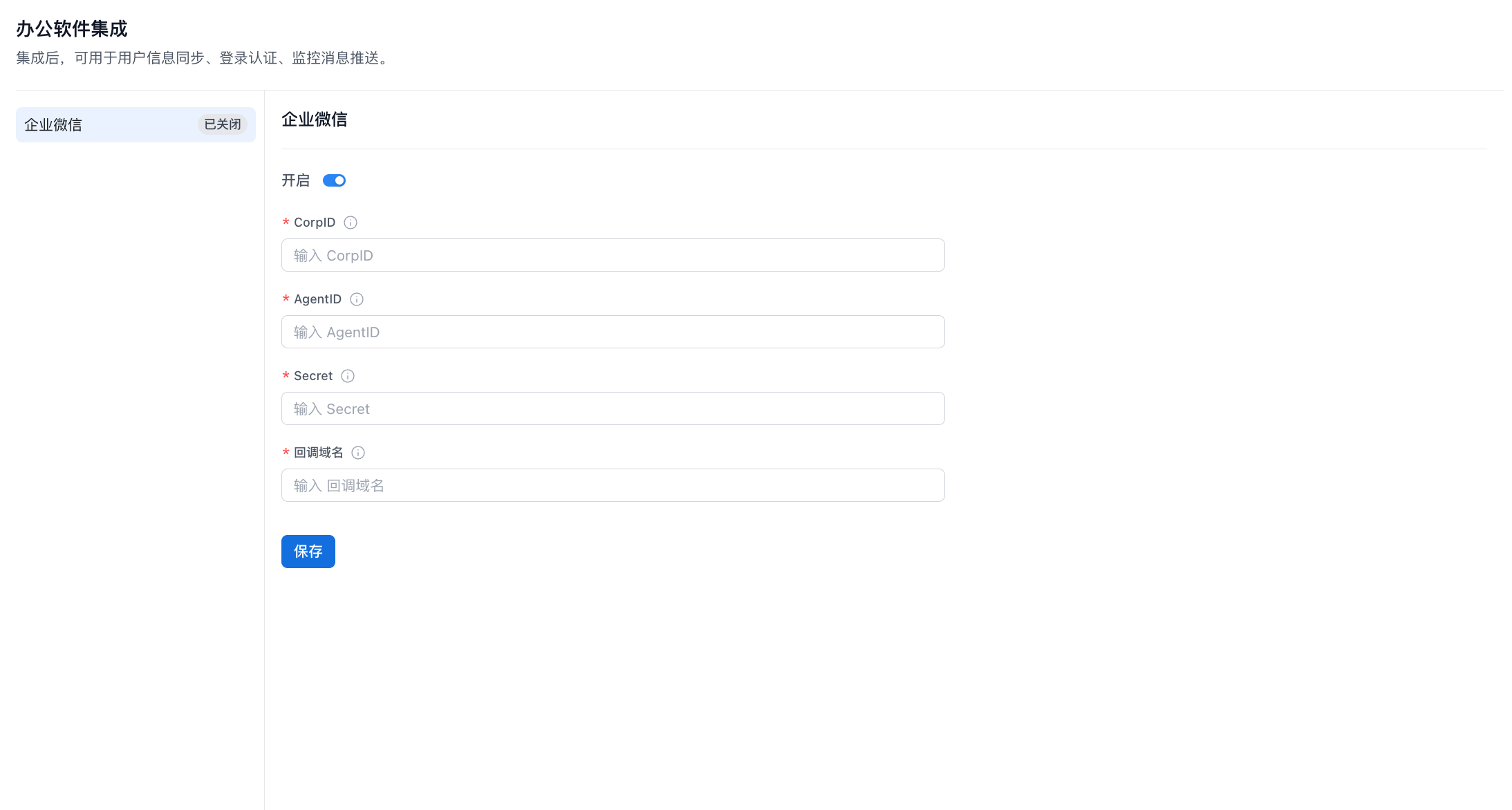
In the top navigation bar of Aloudata CAN, select Management Settings. In the left menu, select Office Software under System Integration. In the office software integration list, select WeCom and click the enable button, as shown below:
Parameter Configuration
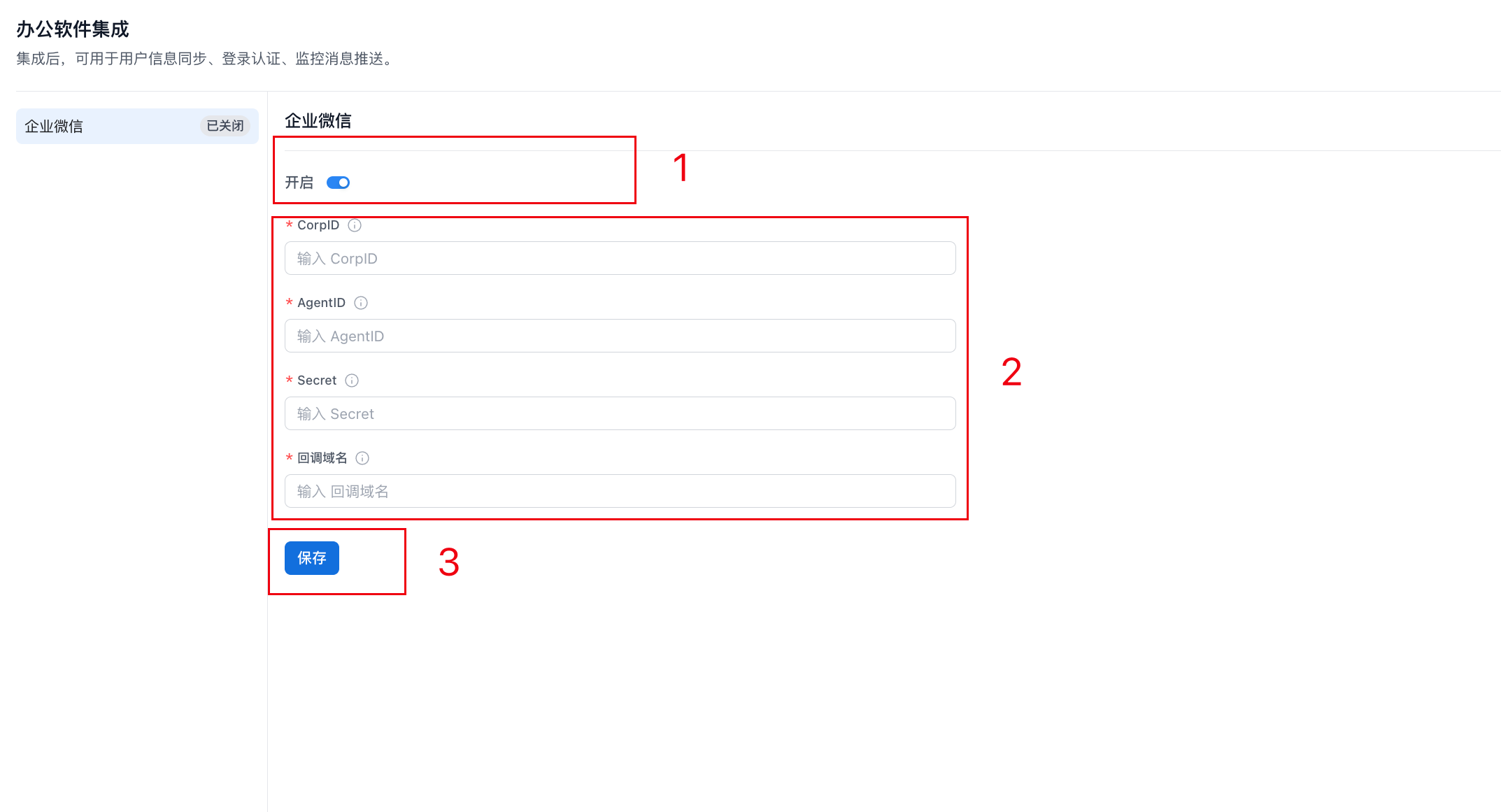
To integrate WeCom in office software integration, enter the following information:
-
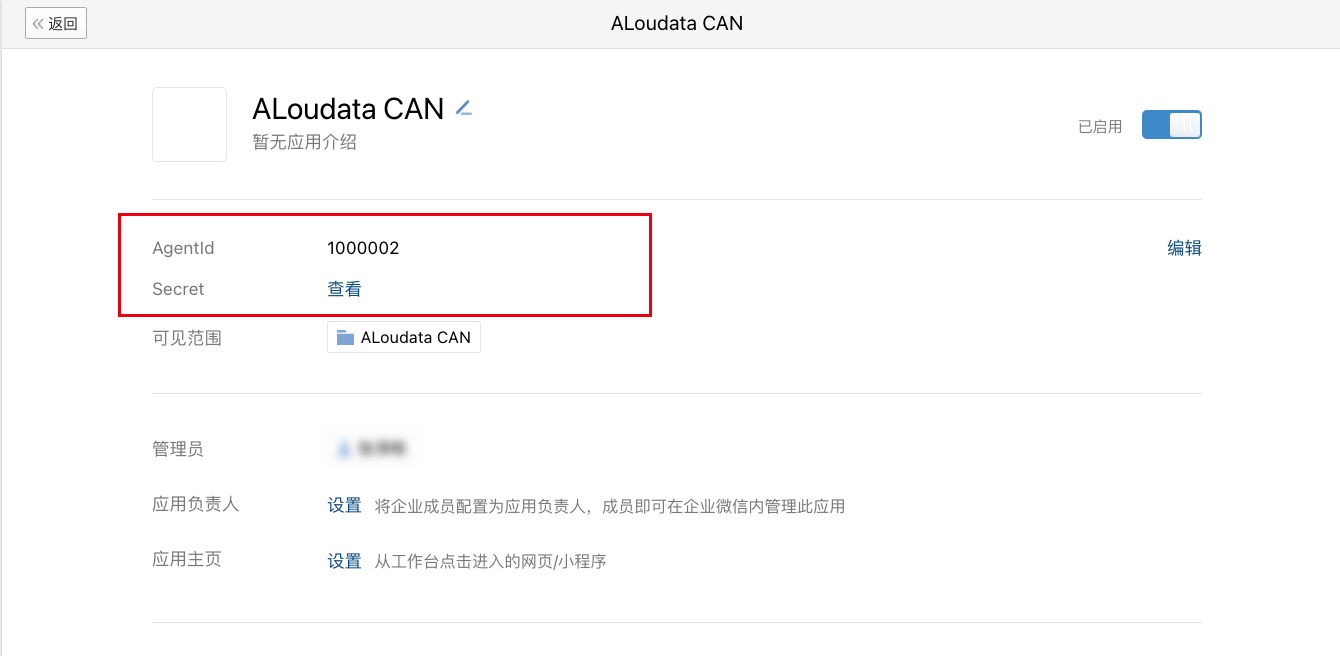
AgentId: App ID
-
Secret: Secret key
-
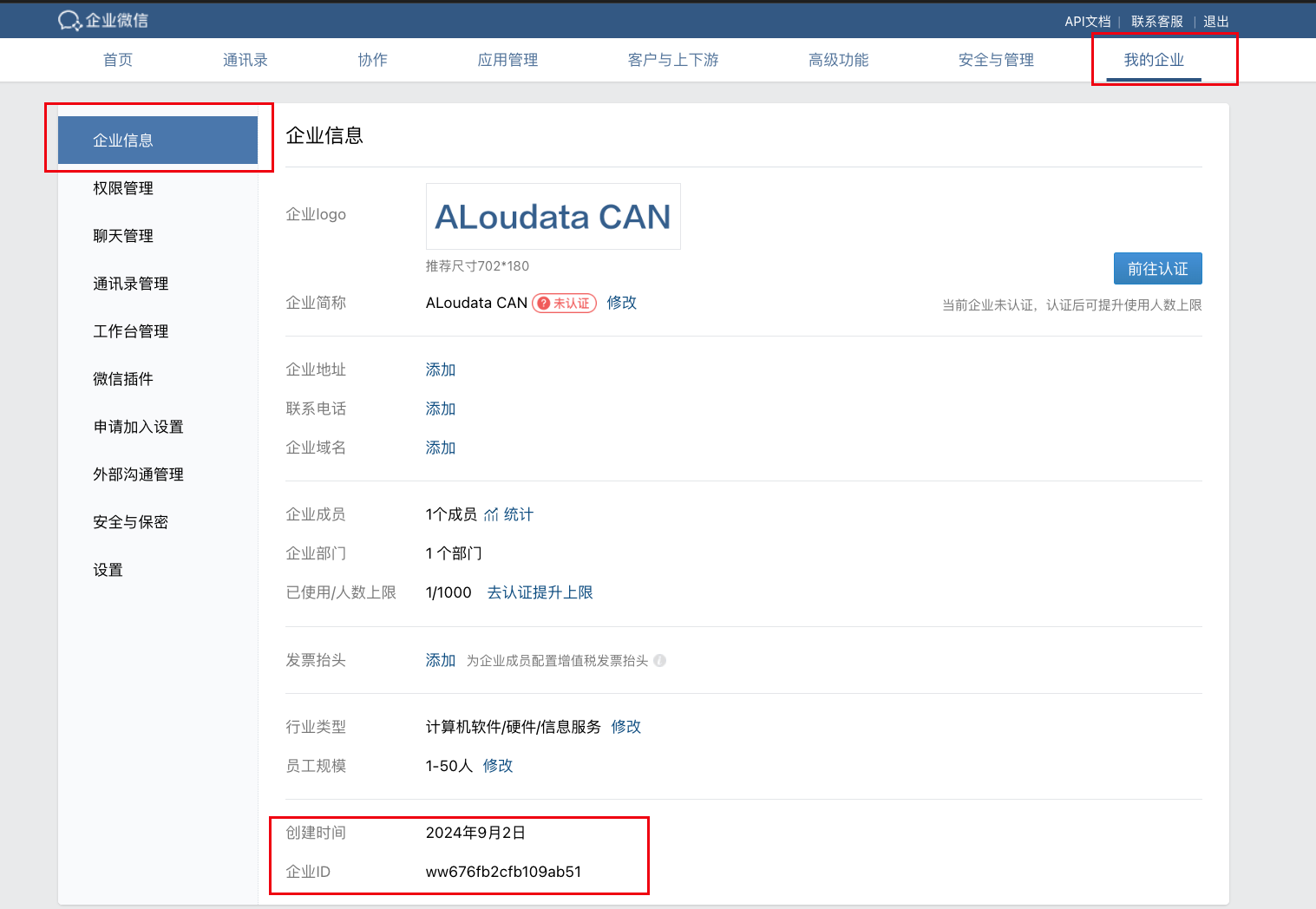
Agent ID: Enterprise ID
-
Callback domain: The page to redirect to after QR code login. Product home page: http://IP:PORT/home
3.1 Account Binding Configuration
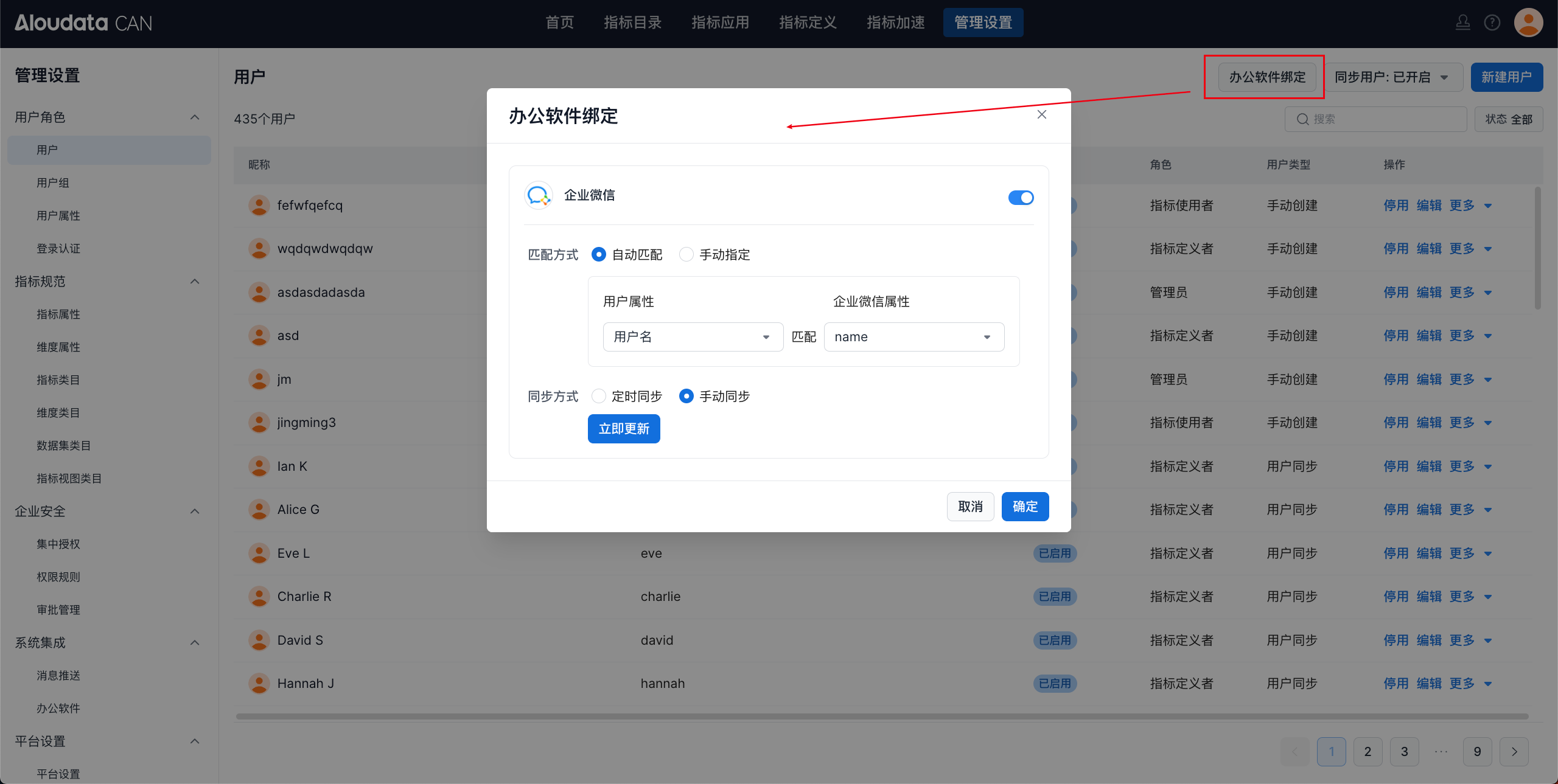
In User Management, bind each user's WeCom account to their Aloudata CAN account.
WeCom integration is now complete. Users can sign in to Aloudata CAN by scanning the WeCom QR code.