Review required 5ec72813
API Description
This API validates whether a metric can be used for attribution analysis. When the result is true, the metric can be attributed; when false, it cannot be used for attribution analysis.
API URL
POST Http://{anymetrics_host:anymetrics_port}/anymetrics/api/v1/metric/attribution/report/check
For how to obtain anymetrics_host:anymetrics_port, see Calling APIs
Request Parameters
Common Request Parameters (HEADERS)
| Parameter | Type | Required | Description |
|---|---|---|---|
| tenant-id | String | Yes | Tenant ID, used to identify the tenant that contains the metric query content |
| auth-type | String | Yes | Authentication method. Supports UID、TOKEN、ACCOUNT、APIKEY |
| auth-value | String | Yes | Authentication value corresponding to auth-type |
How to Obtain Common Parameters
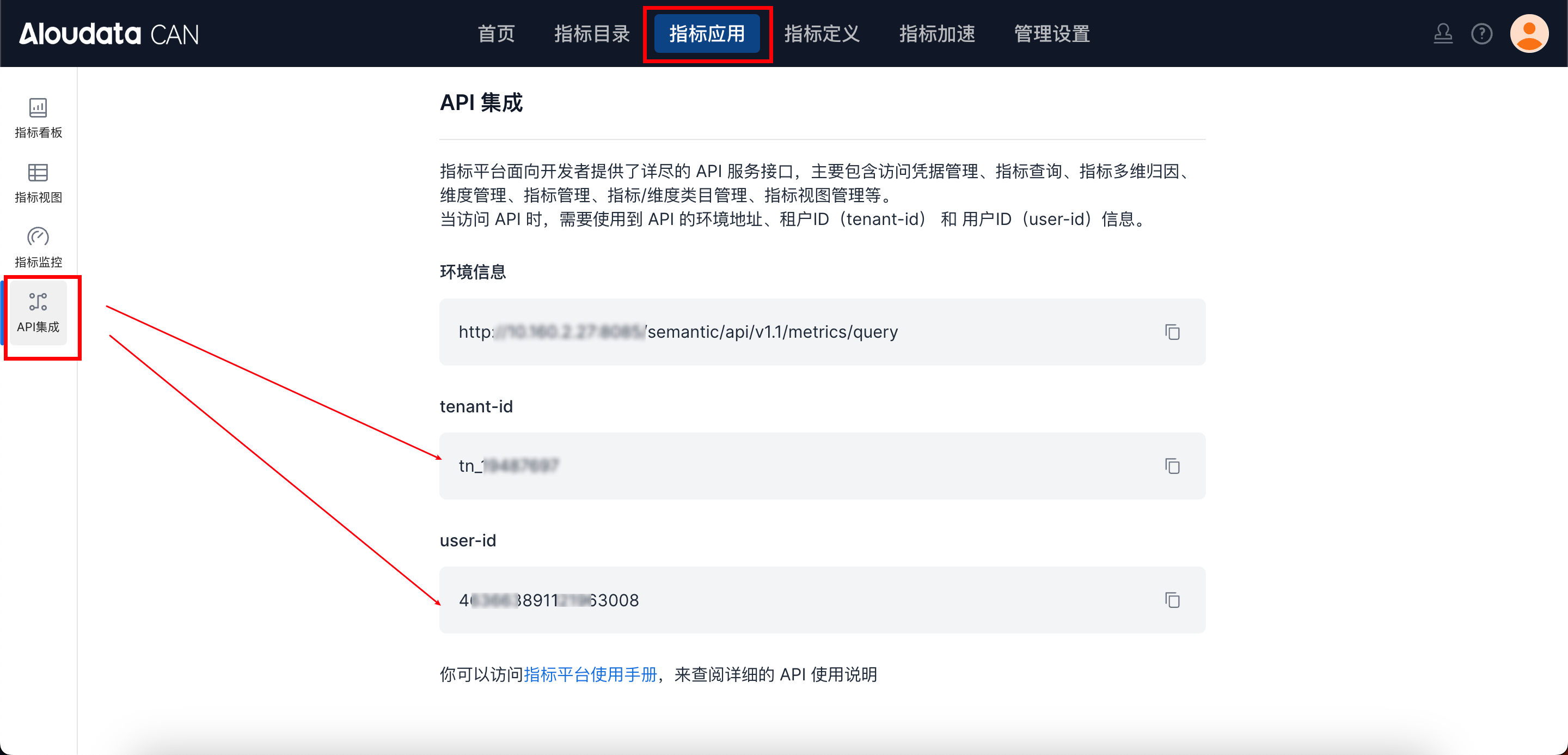
You can obtain tenant-id in Aloudata CAN by choosing Metric Applications in the top navigation and API Integration in the left menu. Fill in auth-value according to the selected auth-type.
2.5 Request Parameters
| Parameter | Type | Required | Description |
|---|---|---|---|
| analysisRange | Map |
Yes | Query range - current:current analysis date - comparison:comparison analysis date |
| metric | String | Yes | Metric name |
| dimensions | List |
Yes | List of analysis dimension names. Any characters are supported, up to 150 characters. |
| timeConstraint | String | No | Time filter |
| filters | List |
No | Filters |
| displayFilters | List |
No | Result filter. It filters metric query results and is equivalent to HAVING in SQL. |
| limit | Integer | No | Number of returned rows. The default is 200. |
ResponseParameter
ResponseParameterDescription
| Parameter | Type | Required | Max Length | Description |
|---|---|---|---|---|
| code | String | Yes | 32 | API response code |
| message | String | Yes | 512 | Message body |
| traceId | String | Yes | 128 | traceId |
| data | array | Yes | For parameter details, see 4.2 data parameter details. |
data ParameterDescription
| Parameter | Type | Required | Max Length | Description |
|---|---|---|---|---|
| result | Boolean | Yes | Boolean value | Whether validation passed |
| errorMsg | String | No | 512 | Reason validation failed |
Request Example
{
    "analysisRange": {
        "current": "2024-05-11",
        "comparison": "2024-05-10"
    },
    "metric": "ordercount_3",
    "dimensions": [
        "order_id_2"
    ],
    "timeConstraint": {},
    "filters": [],
    "limit": 2
}