查询用户属性值
1. 接口说明
用于查询用户自定义属性的属性值。
版本支持
本文接口契约适用于 CAN 发布版本:V2.3.0+。
2. 接口URL
POST http://{anymetrics_host:anymetrics_port}/anymetrics/api/v1/userPropertyValue/list
anymetrics_host:anymetrics_port 获取方式请参考:调用方式
3. 公共请求参数(HEADERS)
| 参数 | 类型 | 是否必选 | 描述 |
|---|---|---|---|
| tenant-id | String | 是 | 租户 ID,用于标识资源所属租户 |
| auth-type | String | 是 | 认证方式。支持 UID、TOKEN、ACCOUNT、APIKEY |
| auth-value | String | 是 | 与 auth-type 对应的认证值 |
3.1 公共参数获取方式
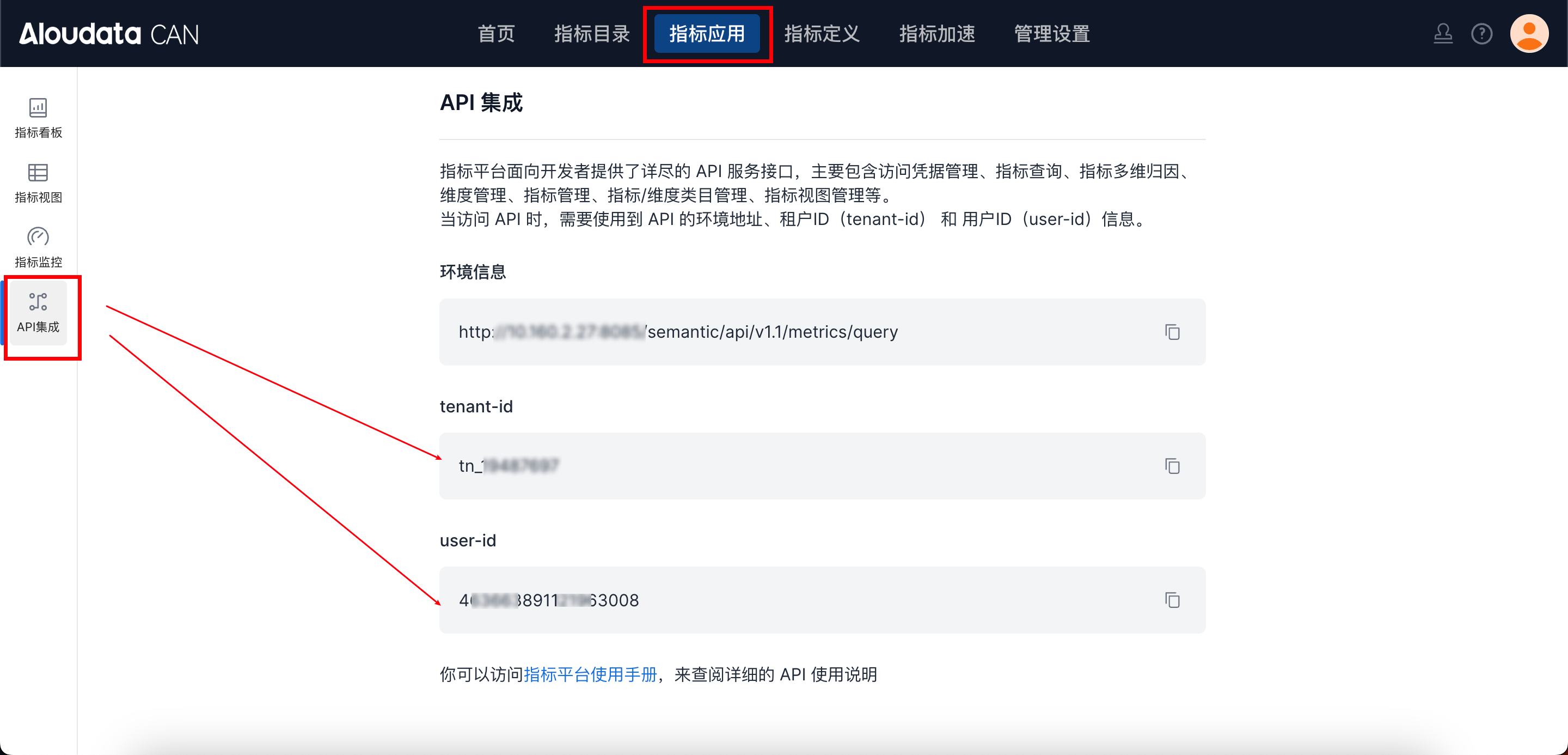
tenant-id 可在 Aloudata CAN 顶部导航栏选择指标应用,左边菜单栏选择 API 集成,在 API 集成界面获取;auth-value 请按 auth-type 填写对应认证值。
3.2. 请求体参数:
| 参数 | 类型 | 是否必选 | 描述 |
|---|---|---|---|
| identityType | String | 是 | 用户标识类型(USER_ID 或 USER_ACCOUNT) |
| identityValues | Array | 是 | 用户标识值列表(用户ID列表或用户账号列表) |
| propertyNames | Array | 否 | 属性名称列表(用于过滤特定属性) |
4. 请求示例:
curl --location 'http://localhost:8083/anymetrics/api/v1/userPropertyValue/list' \
--header 'tenant-id: tn_21571046' \
--header 'auth-value: authority_test' \
--header 'auth-type: ACCOUNT' \
--header 'Content-Type: application/json' \
--data '{
  "identityType": "USER_ACCOUNT",
  "identityValues": ["zhangsan"],
  "propertyNames": ["job_level", "region"]
}'